CYCLONE-User-Manual.pdf - 第135页
User Manual For Cyclone LC Programmers 135 5. A new window will pop-up and ask for you installation code. Add the Installation code for the license, which can be found on your invoice. Figure 13-3: Add Installation Code …
User Manual For Cyclone LC Programmers 134
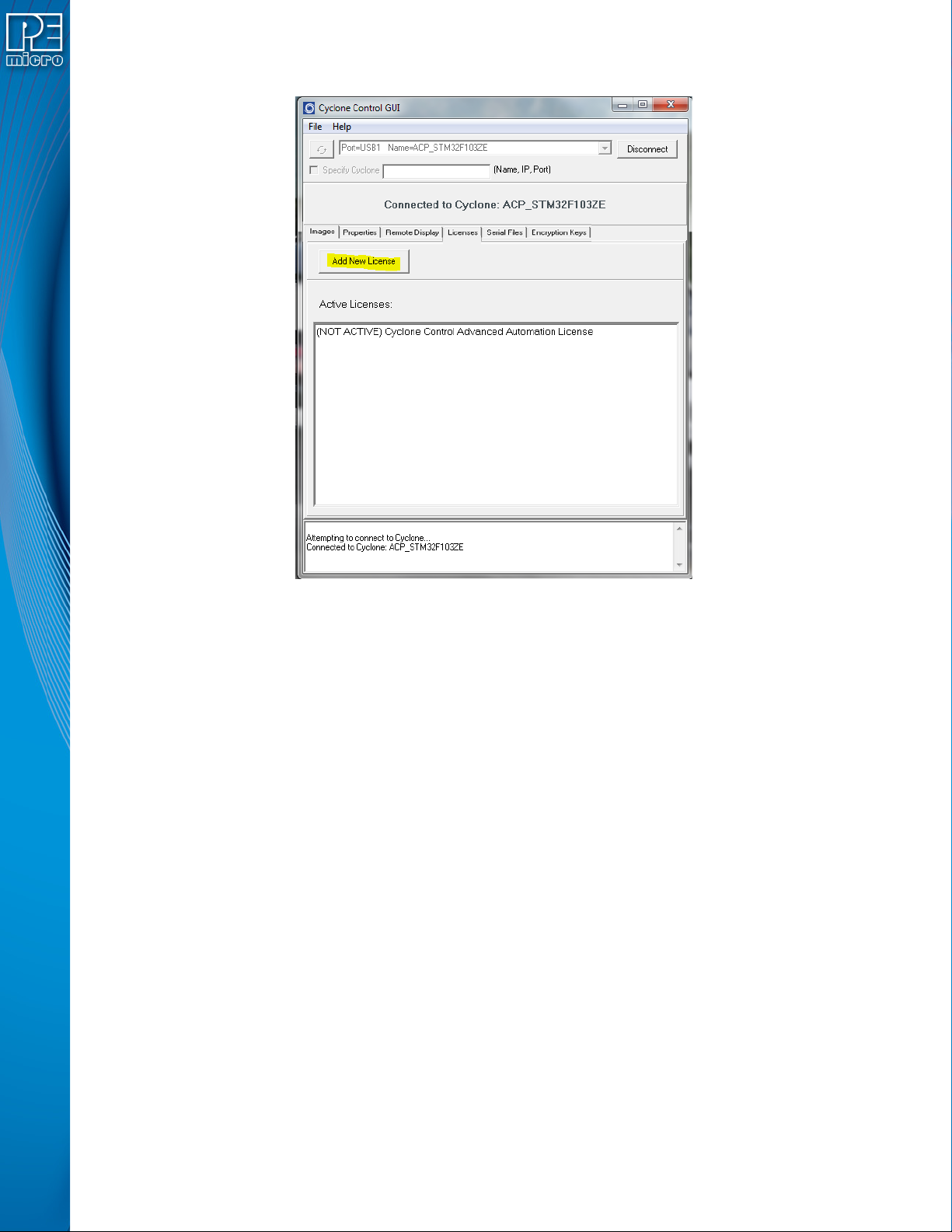
4. Click the “Add New License” button.
Figure 13-2: Add New License Button
User Manual For Cyclone LC Programmers 135
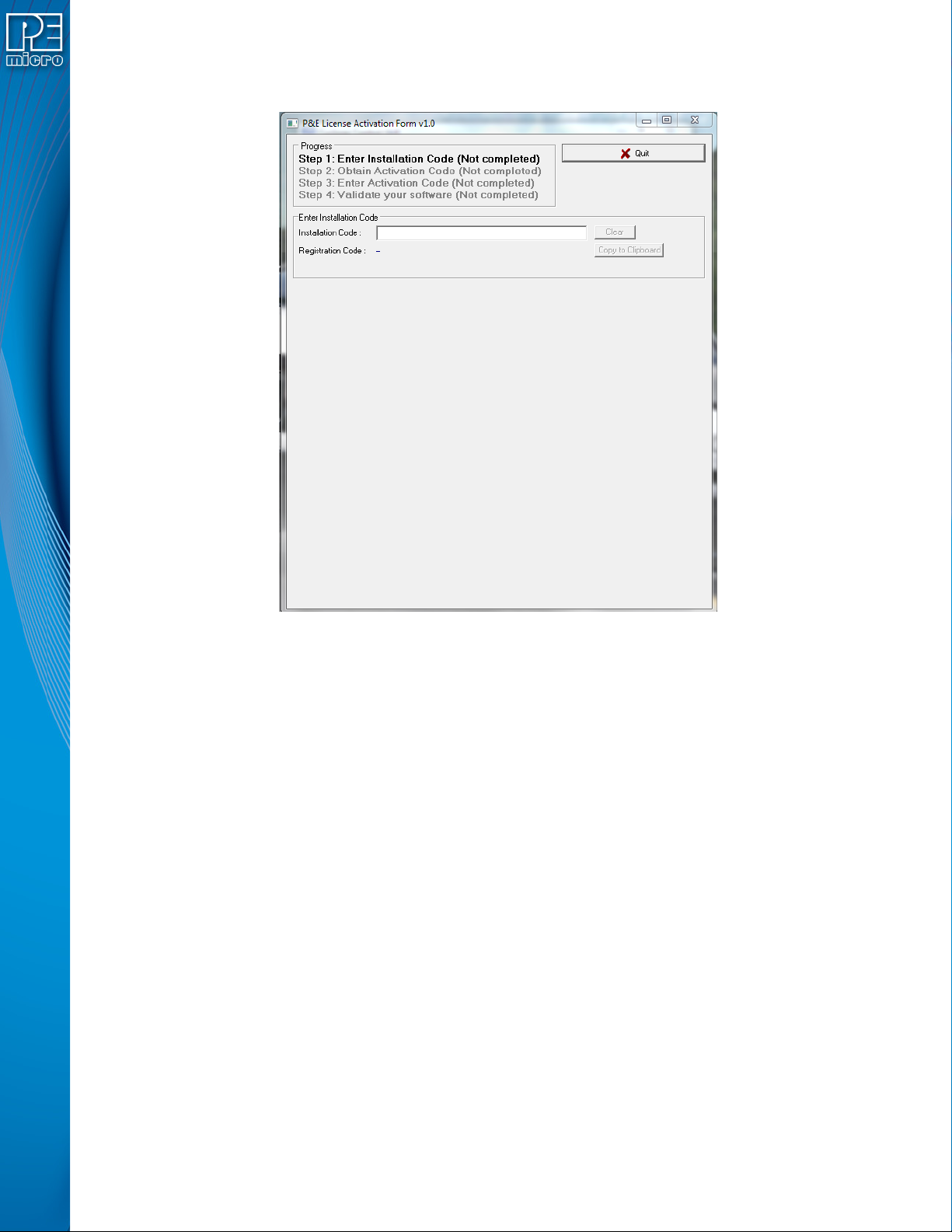
5. A new window will pop-up and ask for you installation code. Add the Installation code for
the license, which can be found on your invoice.
Figure 13-3: Add Installation Code For License
User Manual For Cyclone LC Programmers 136
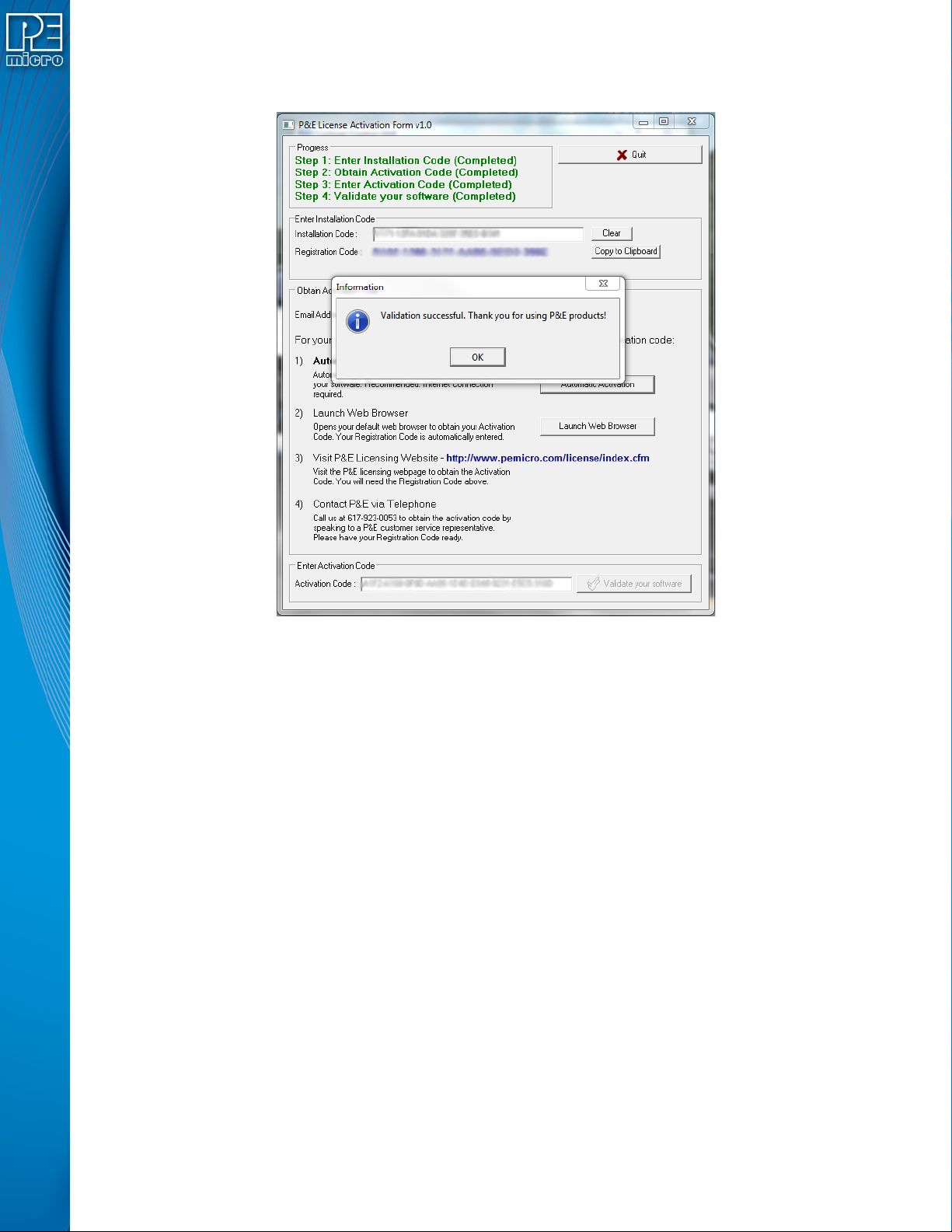
6. Once you add your Installation code, the License Activation window will now tell you the
several ways you can activate the license.
Figure 13-4: Activate License