CYCLONE-User-Manual.pdf - 第50页
User Manual For Cyclone LC Programmers 50 Figure 6-2: Specify CPU Manufacturer 6.1.1.1 ARM-Based Devices If the user chooses “ARM Based (All Manufacturers)” they should then select their specific device. A recently used …
User Manual For Cyclone LC Programmers 49
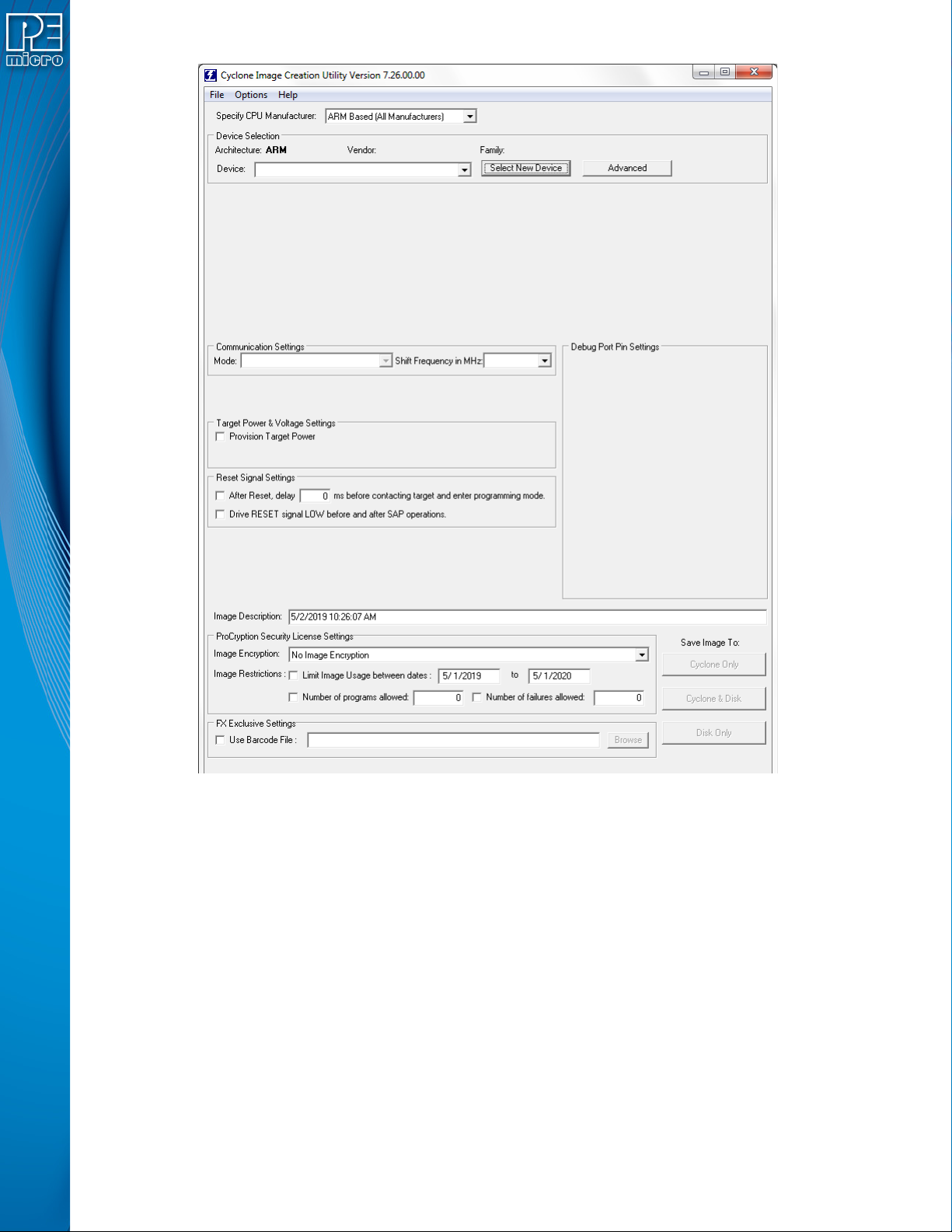
Figure 6-1: Cyclone Image Creation Utility
6.1.1 Specify CPU Manufacturer
The user should select the manufacturer of their target device from the drop-down list.
Cyclone LC programmers support ARM Cortex devices from several manufacturers, including
NXP’s Kinetis and LPC devices. For a complete index of PEmicro-supported ARM Cortex devices,
please view pemicro.com/arm.
If you are using PEmicro Part# CYCLONE-LC-UNIV, this Cyclone also supports these 8-16/32-bit
architectures: NXP’s S32, ColdFire® V2/V3/V4, ColdFire+/V1, MPC5xx/8xx, MPC55xx-57xx,
DSC, ARM® Nexus (MAC7xxx), S12Z, HC(S)12(X), HCS08, HC08, and RS08 devices, as well as
STMicroelectronics’ SPC5 & STM8 (w/ adapter) devices.
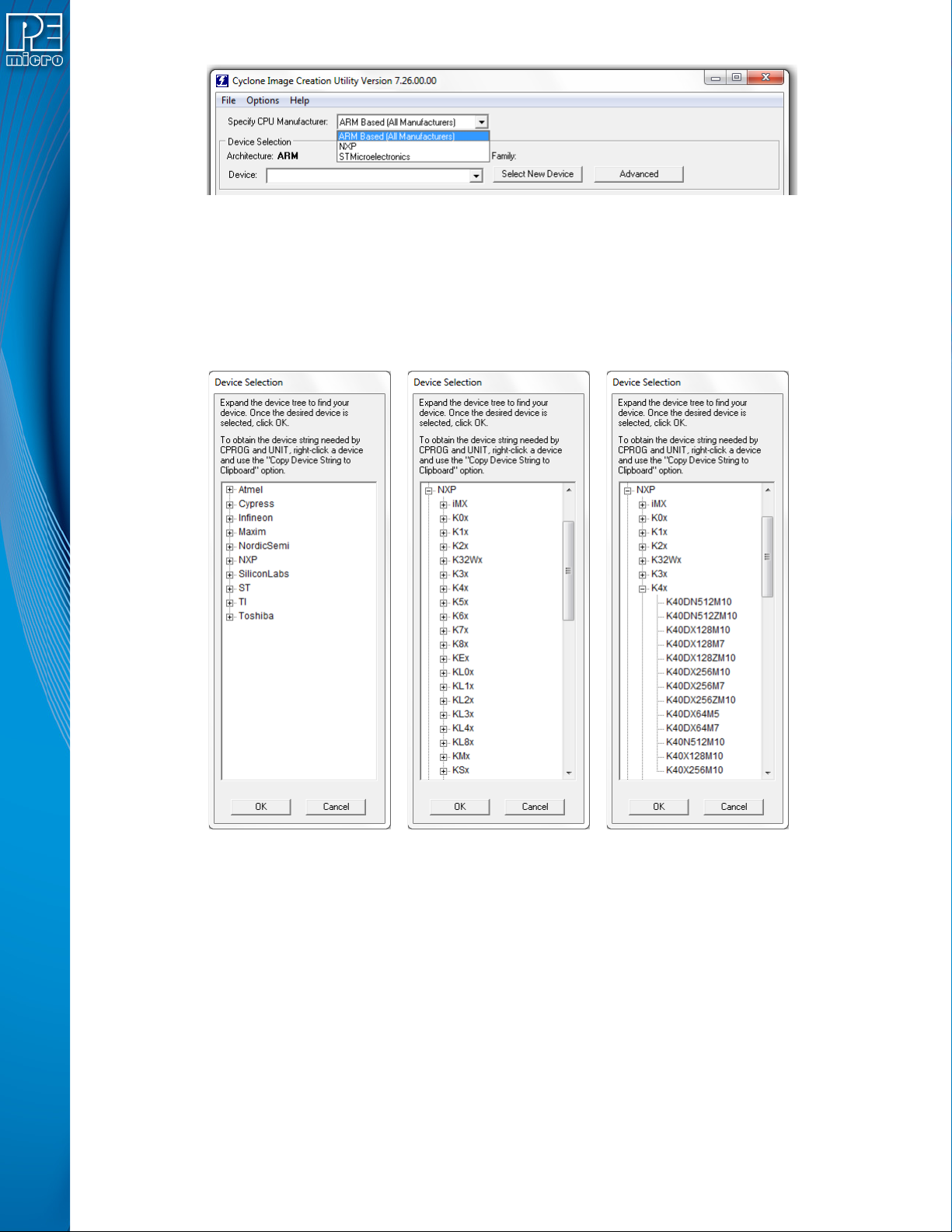
Figure 6-2 shows the Specify CPU Manufacturer drop-down box. The options are:
• ARM-based (All Manufacturers)
• NXP
• STMicroelectronics
User Manual For Cyclone LC Programmers 50
Figure 6-2: Specify CPU Manufacturer
6.1.1.1 ARM-Based Devices
If the user chooses “ARM Based (All Manufacturers)” they should then select their specific device.
A recently used device can be selected from the Device drop-down box on the left (see Section
6.1.1.3 - Device Box). The user may also click the "Select New Device" button. The Device
Selection window will then appear. This dialog directs the user how to navigate the device tree to
select their ARM device.
Figure 6-3: Device Selection - Drill Down To Specific Target Device
6.1.1.2 NXP or STMicroelectronics Devices
If the user chooses NXP or STMicroelectronics from the Specify CPU Manufacturer list, they
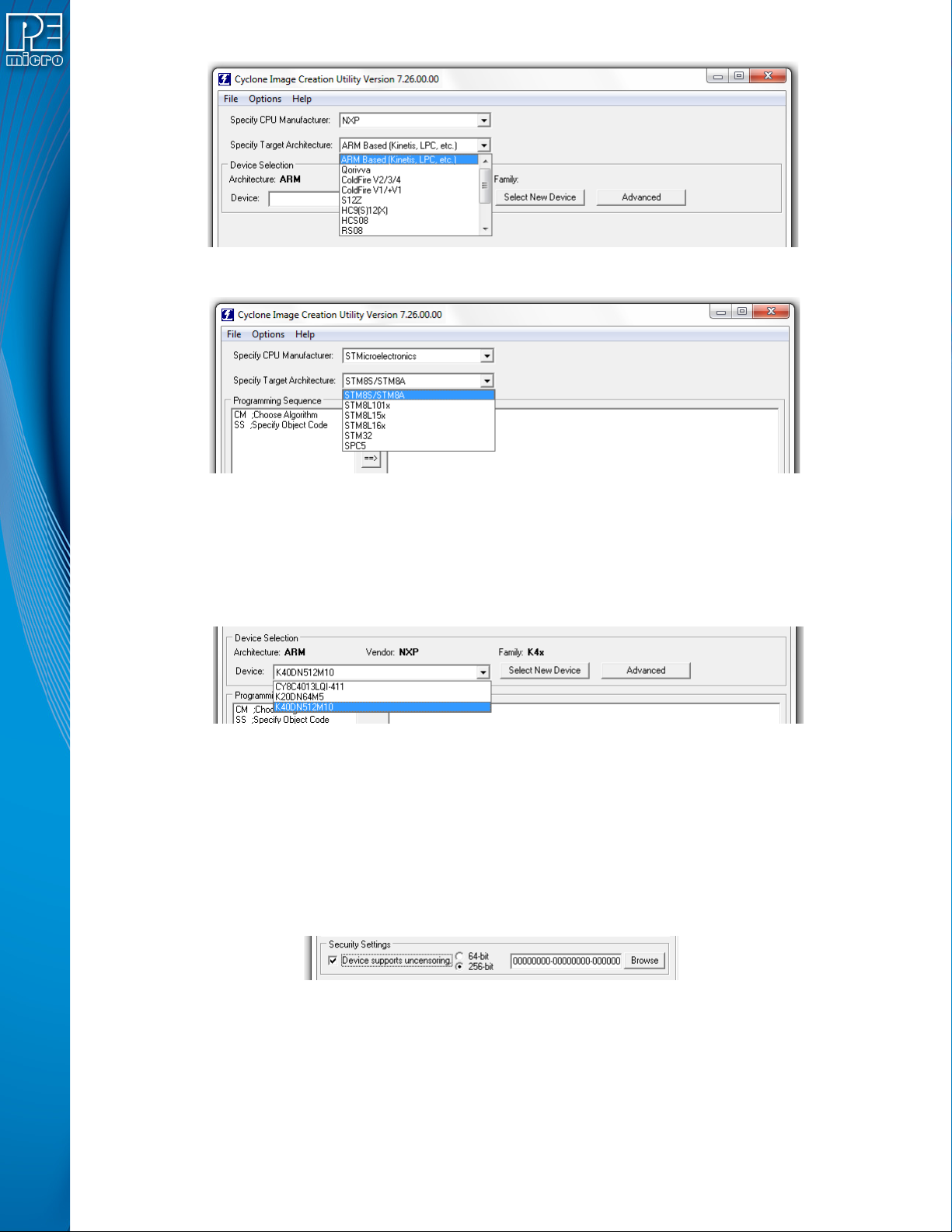
should then select the appropriate architecture from the Specify Target Architecture drop-down.
User Manual For Cyclone LC Programmers 51
Figure 6-4: Specify Target Architecture (NXP)
Figure 6-5: Specify Target Architecture (STMicroelectronics)
Note: The user can still select an ARM-based device when using the NXP or STMicroelectronics
manufacturer selections.
6.1.1.3 Device Box
The Device box can be used to choose from any devices that have recently been selected.
Figure 6-6: Device Drop-Down - Select From Recently Chosen Devices
6.1.2 Security Settings - Qorivva (MPC55xx-57xx) Only
If your selected target architecture was Qorivva (MPC55xx-57xx), the Cyclone Image Creation
Utility will display an area called Security Settings (see Figure 6-7). If your MPC55xx-57xx device
supports uncensoring, click the “Device supports uncensoring” checkbox and select the
appropriate bit depth for the device’s password (64-bit or 256-bit). The box to the right is where the
password must be entered. Optionally you may use the Browse button to navigate to a text file that
contains the correct password for the device. The contents of the text file that you select will
automatically be used to fill the password text box.
Figure 6-7: Security Settings - Qorivva (MPC55xx-57xx) Only
6.1.3 Programming Sequence
This is the two-panel interface directly below the Device Selection area. This is where the user
creates the sequence of commands to be carried out during programming. The left panel provides
a list of available programming functions. The right panel displays the ordering of the functions.