c900773.R02_EN.pdf - 第135页
6 . Additional Function 19
6.Additional Function
18
Dispense Head and Syringe Setup
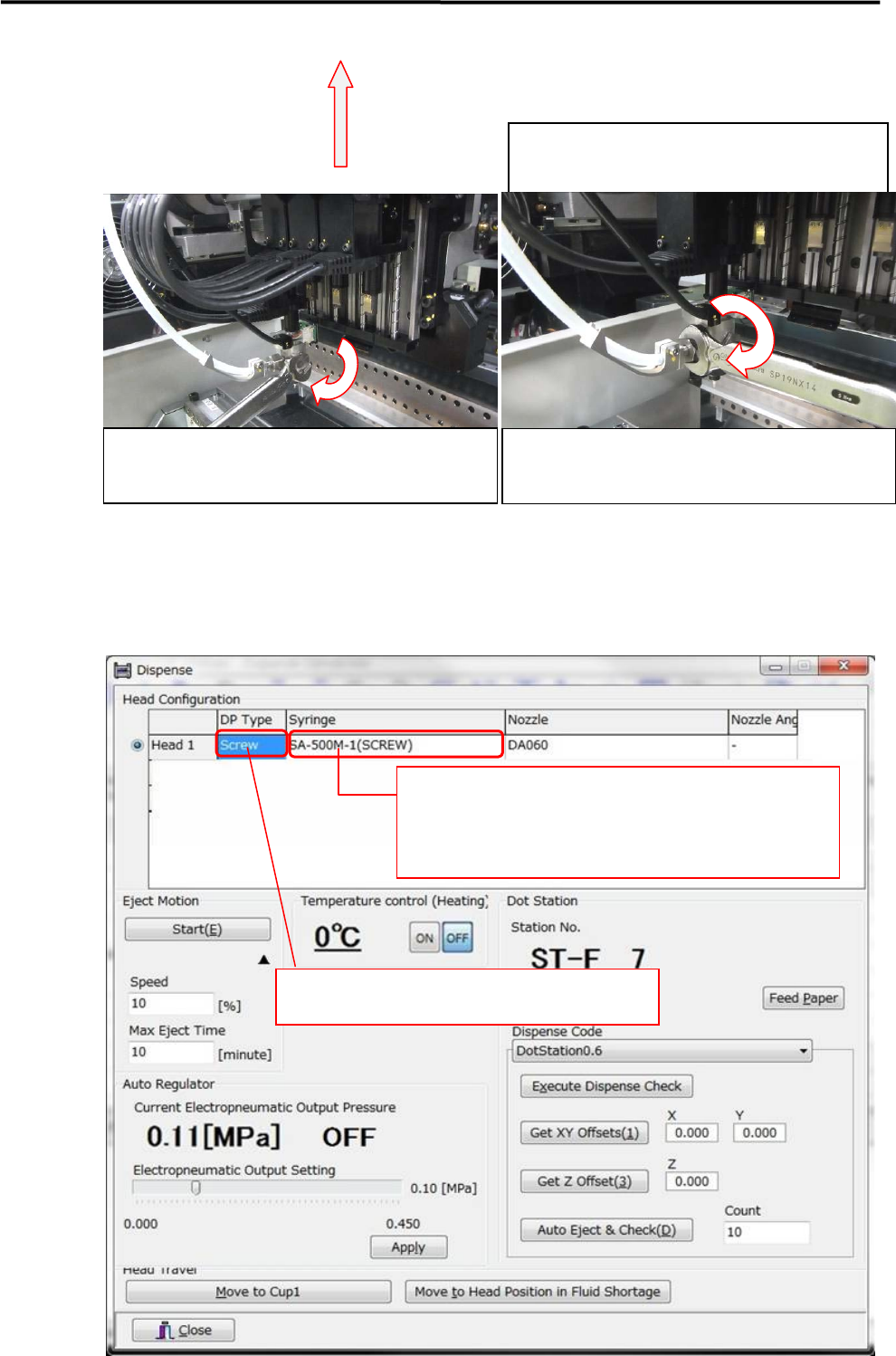
Go to [Manual] and open the “Dispense” window.
※As long as DP Head has been installed to the machine, Register the installed DP head and syringe on the
“Dispense” window.
※When the dispense head is not fully inserted
into the nozzle holder, twist the hexagonal
head of the screw pump axis and adjust its
orientation.
Re-torque the secure knob on the nozzle holder with
the torque wrench (in accessories).
LE6-M5W22-100 /WRENCH,14-5NM
Re-torque the tube joint secure nut with the torque
wrench (in accessories)
LE6-M5W22-100 /WRENCH,14-5NM
Right-click the mouse and select the syringe.
※When the installed syringe has not been in the library,
create a new syringe library for it.
Righ-click the mouse and select the desired type of
DP head.

6.Additional Function
19
6.Additional Function
20
DOT STATION
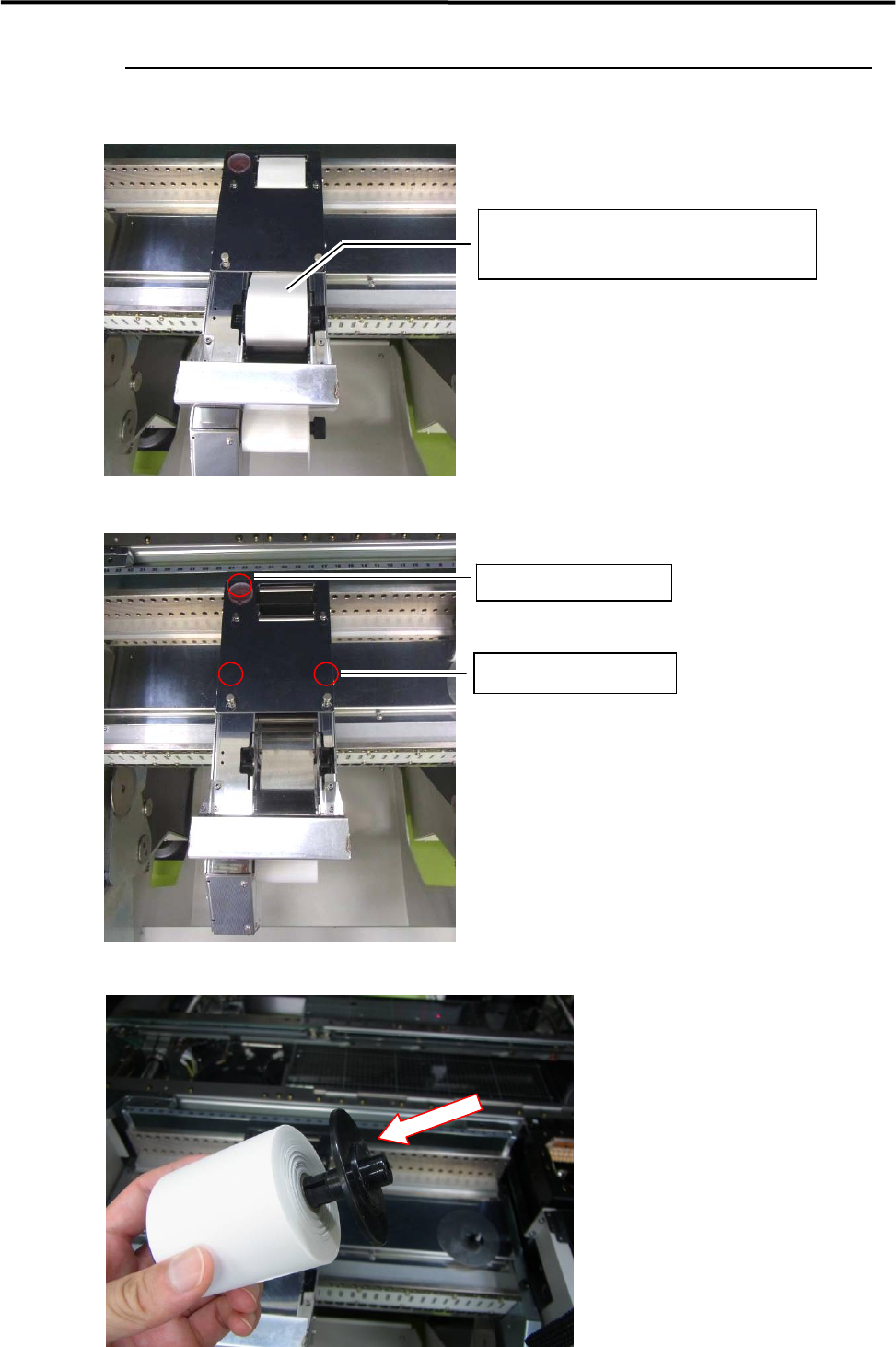
Placement of Rolled Paper on DOT STATION
Remove the cover.
Attach the stock core to the rolled paper.
Rolled Paper
KM4-M9330-011 / ROLLPAPER
Remove the Cup.
Loosen the screws.