c900773.R02_EN.pdf - 第74页
4 Electrical Section 4-4 Signal Output Control The status of each actuator (ON and OFF) can be ch anged through Signal Output Control. “1” indicates that the actuator is ON, and “0” indi cates OFF. Once “0” on the window…
4 Electrical Section
4-3
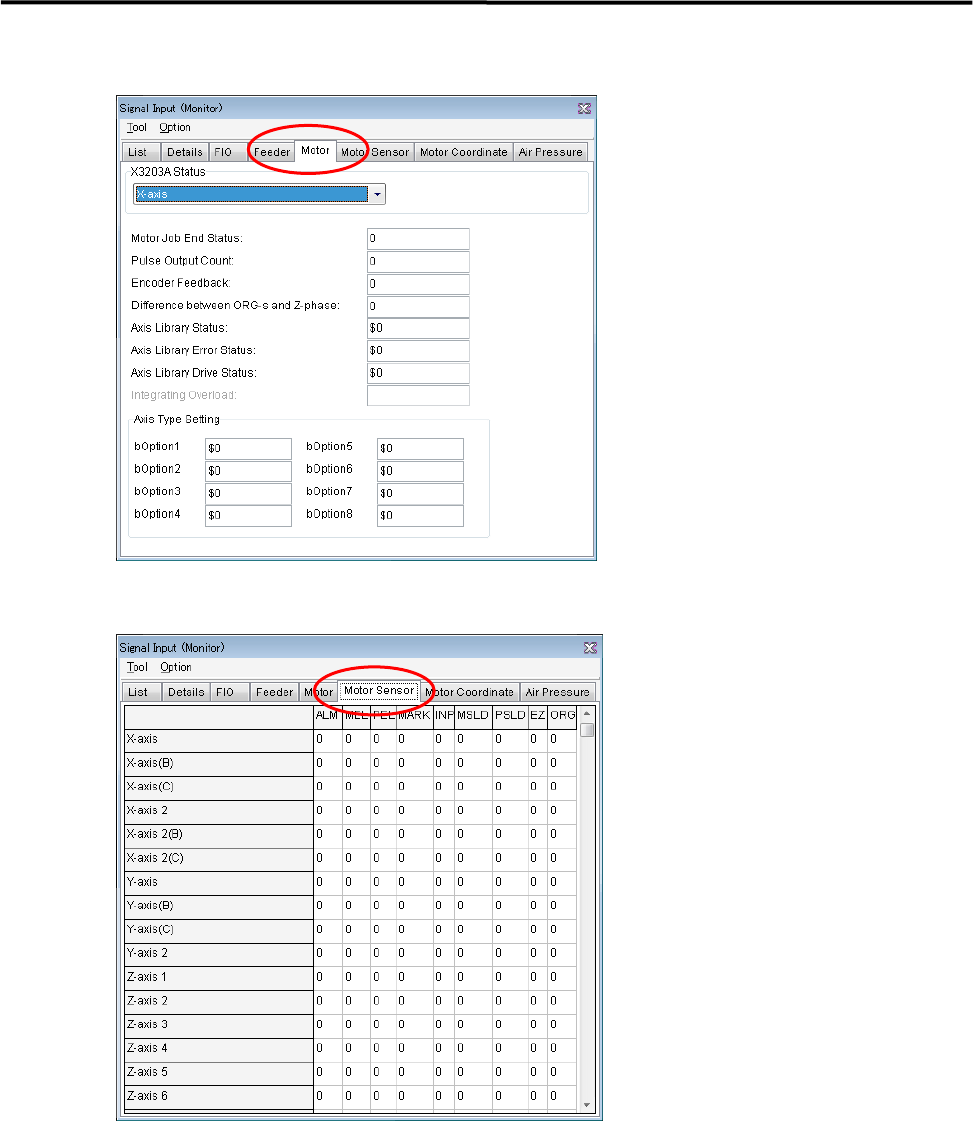
■ Motor tab
■ Motor Sensor tab
Window:
ALM: Alarm
MEL: Minus End Limited
PEL: Plus End Limited
MARK: Mark
INP: In Position
MSLD: Minus Slow Down
PSLD: Plus Slow Down
EZ: 0 Phase
ORG: Origin
4 Electrical Section
4-4
Signal Output Control
The status of each actuator (ON and OFF) can be changed through Signal Output Control. “1” indicates
that the actuator is ON, and “0” indicates OFF. Once “0” on the window is clicked, it changes “1”. Once
“1” is clicked, it changes to “0”. When “0” changes to “1” or “1” changes to “0”, the corresponding
actuator turns ON and OFF simultaneously. When trouble occurs, operating Signal Output Control can be
used for troubleshooting and to check to see whether an actuator functions normally or malfunctions.
Besides this, an actuator runs by operating Signal Output Control and sensor detects it, the outcome (ON
and OFF) is displayed on Signal Input Monitor.
The combination of an address and bit number (0-7) represents a signal. The name of each signal is shown
in the “Details” tab.
Turning on/off signal output in the Signal Output (Control) window allows an actuator to move. When
executing this operation, do not stick head, hands, or any other parts of the body inside the mounter. It may
result in serious injury. Also make sure non-operators are in a safe distance from the mounter.
Before performing signal output on/off operation, make sure no foreign obstacles are left in the mounter or
the tray feeder. Otherwise, costly machine damage may occur.
Menu: Manual>Signal I/O>Signal Output(Control)
■Digital Output (List) ・・・Not Use
■Digital Output (Details)・・・Not Use
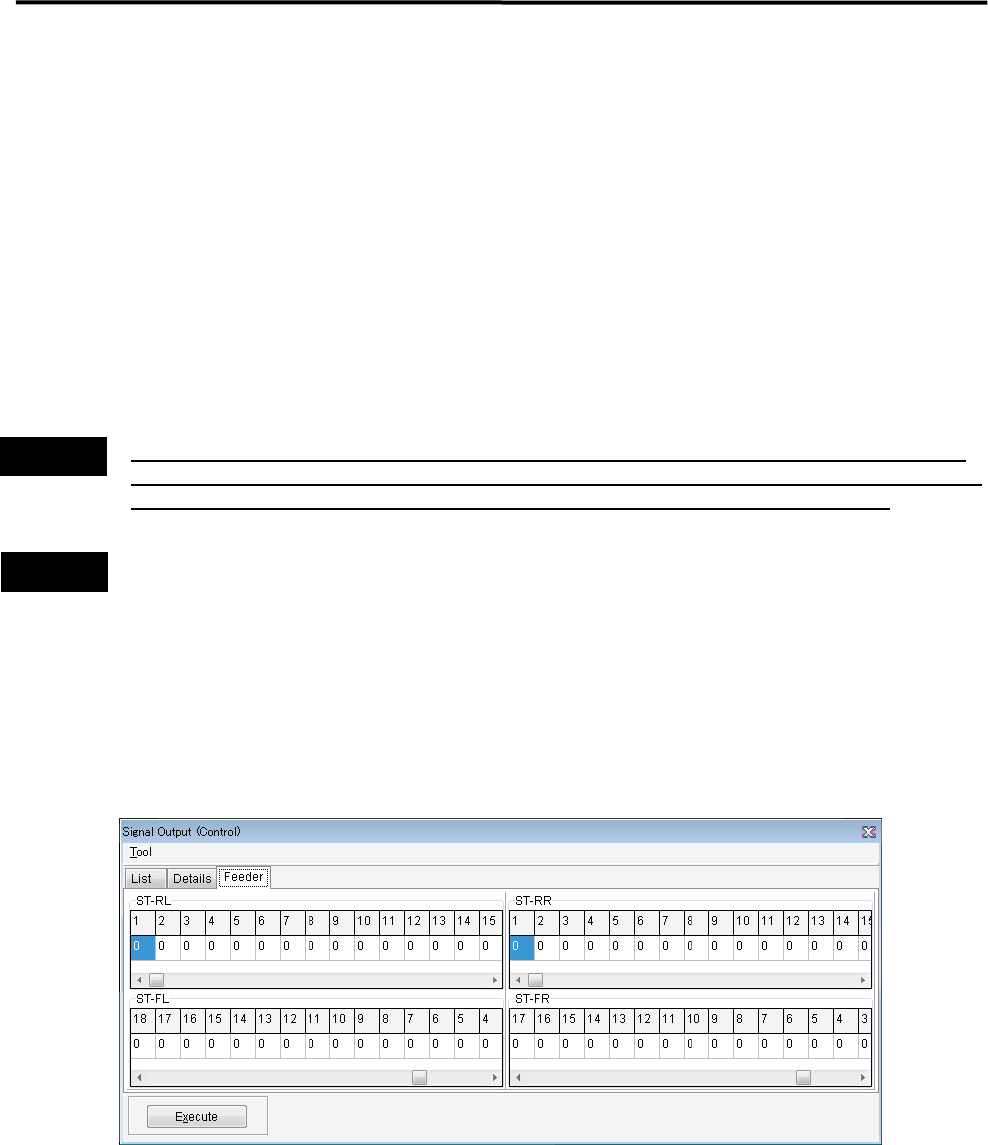
■ Feeder
It is possible to operate feeders set on the front and rear feeder banks.
Action:
① Slide the scroll bar to the left or right to display the desired feeder number.
② Click “0” of the desired feeder number. “0”changes to “1”.
③ Clicking the <Execute> button allows the feeder to feed a component.
Warning
Caution
4 Electrical Section
4-5
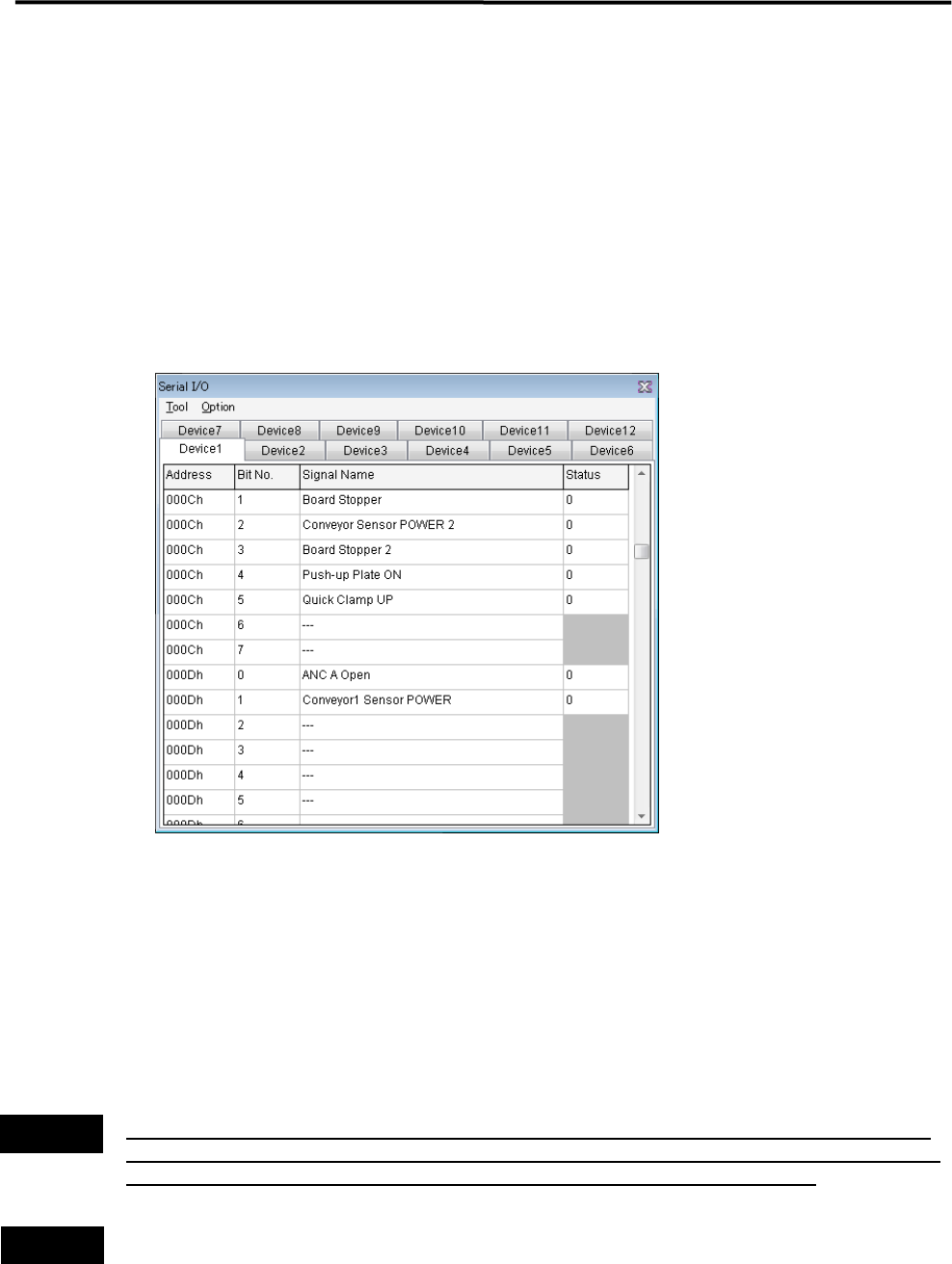
Serial I/O
■ Serial I/O List
Serial DO – Device 1, 3, 5, 7, 9, 11, 13, 15
Serial DI – Device 2, 4, 6, 8, 10, 12, 14, 16
Action:
① Click the cell of corresponding desired actuator.
② As the cell is clicked, the display changes 1(On) or 0(Off), and the actuator runs accordingly.
Example:
■ Moving Up and Down the Board Stopper
① Go to Manual > Signal I/O, and open the “Serial I/O” window.
② Select the [Device 1] tab.
③ Once the “Status” cell of “Board Stopper” is clicked, the status changes from “0” to “1” and the board
stopper goes up.
At this time, confirm that status of [PCB Stopper On] in the [Device 2] tab switches from “0” to “1”.
④ To move down the board stopper, click the “Status” cell of “Board Stopper” once again. The status
changes from “1” to “0” and the board stopper goes down. At this time, the status of [PCB Stopper On] in
the [Device 2] tab switches from “1” to “0”.
Turning on/off signal output in the Signal Output (Control) window allows an actuator to move. When
executing this operation, do not stick head, hands, or other parts of the body inside the mounter. Serious
injury may result. Also make sure non-operators are in a safe distance from the mounter.
Before performing signal output on/off operation, make sure no foreign obstacles are left in the mounter or
the tray feeder. Otherwise, costly machine damage can occur.
Warning
Caution