c900773.R02_EN.pdf - 第137页
6 . Additional Function 21 Place the rolled paper onto DOTSTATION. Filling Up the Screw Pump Fill up the screw pump with fluid and ma ke sure that dispensing action can be conducted properly.
6.Additional Function
20
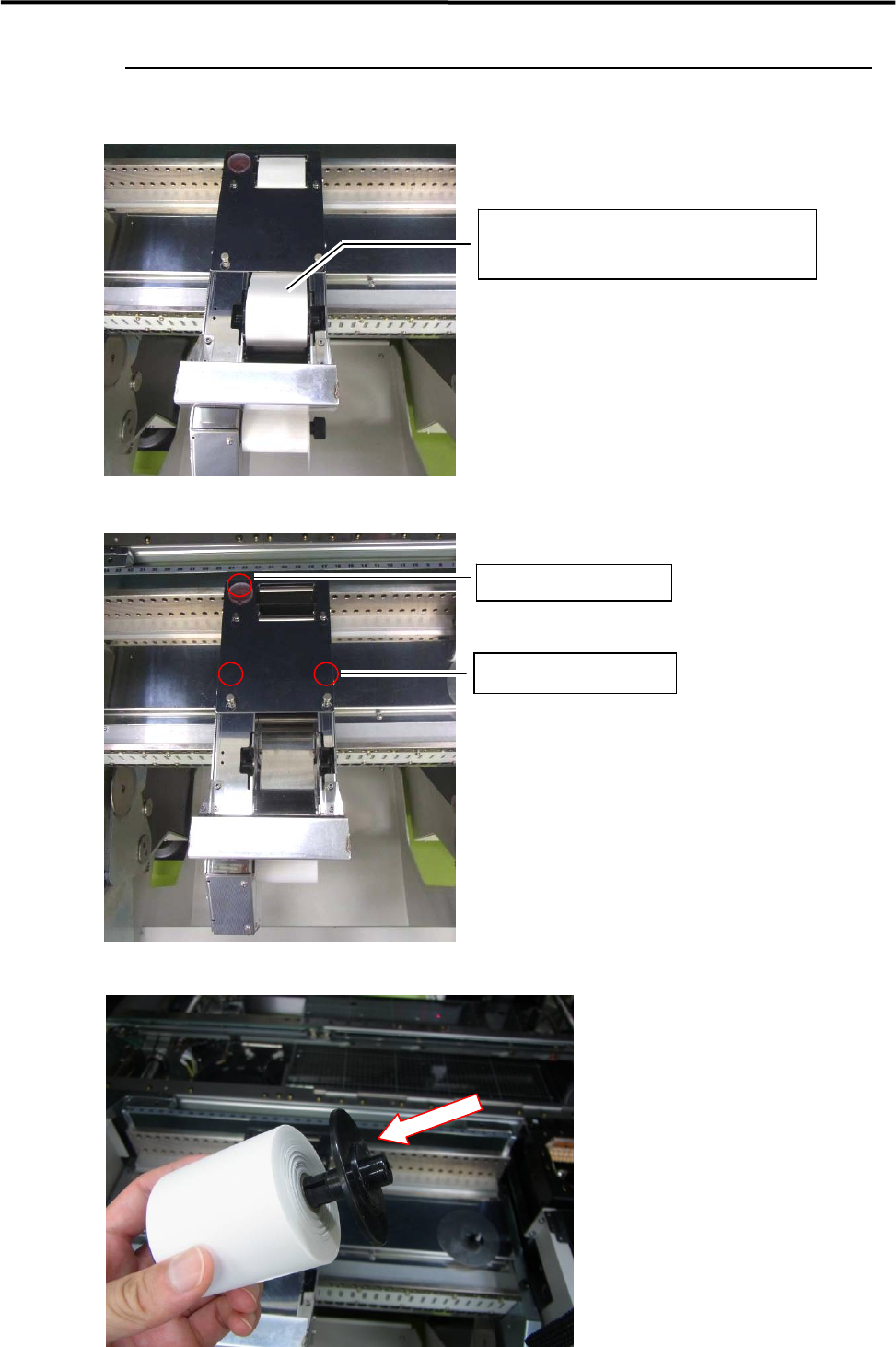
DOT STATION
Placement of Rolled Paper on DOT STATION
Remove the cover.
Attach the stock core to the rolled paper.
Rolled Paper
KM4-M9330-011 / ROLLPAPER
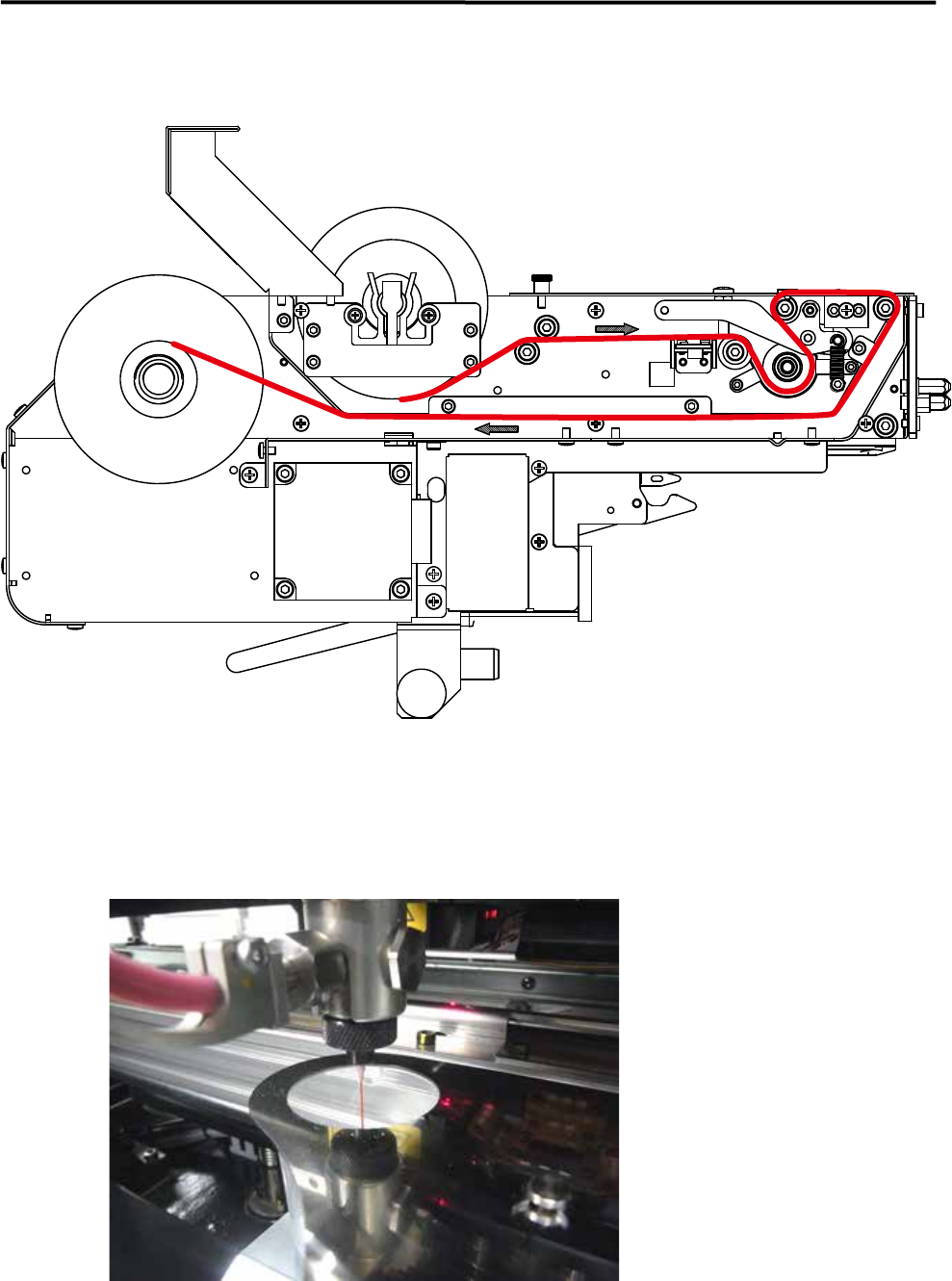
Remove the Cup.
Loosen the screws.
6.Additional Function
21
Place the rolled paper onto DOTSTATION.
Filling Up the Screw Pump
Fill up the screw pump with fluid and make sure that dispensing action can be conducted properly.
6.Additional Function
22
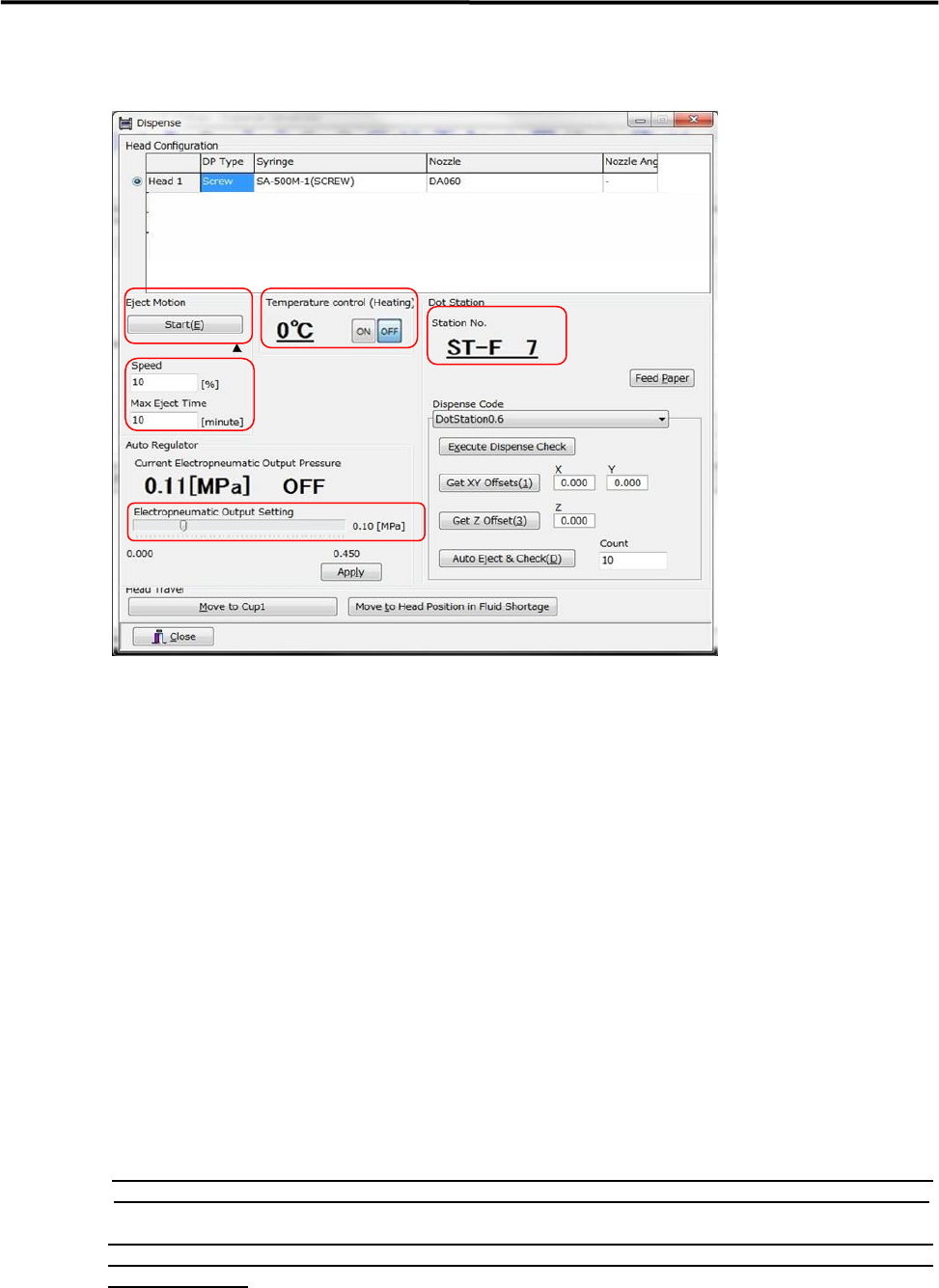
Go to [Manual] and open the “Dispense” window.
Verify Station No. of Dot Station.
Station number of Dot Station must be matched with the station number
of Dot Station appearing in a current program.
Check Temperature Control (Heating) setting.
When using a fluid which requires temperature control, click the [ON]
button and start temperature control.
(Refer to Syringe Library for temperature control.)
Set Electro Pneumatic Output setting.
Move the scroll bar on the gage to set a the electro pneumatic output
to a desired value, and click the [Apply] button.
(Refer to Syringe Library for electro pneumatic output value.)
Set Eject Motion setting.
Once the [▲] button below the [Start (E)] butto is clicked,”Speed” and
“Max Eject Time” entry box appears below the [▲] button.
Set Speed to “10%”, and set Max Eject Time to “10 min.”
Execution of Eject Motion.
Once the [Start (E)] button is clicked, Eject Motion starts and in action,
and it ends after 10 minutes.
【NOTE】 When a fluid is stuck in the middle of the tube, or when a fluid is not dispensed from the nozzle
after10 minutes, increase the syringe compress pressure and perform dispensing action once again.
【NOTE】 When increasing the syringe compress pressure does not dispense a fluid from the nozzle, there
might be a possibility that the nozzle is clogged or fluid is solidified. Clean the nozzle and inside of
the screw pump.
Execute a Dot Station pre-dispensing program.
Production Program>Execute “Ejecting After Charging”.