c900773.R02_EN.pdf - 第48页
3 Mechanical Section 3-8 ● Nozzle Outer Surface Apply a slight amount of grease to the outer surface (s ee illustration above), and then wipe it off with a dry cloth. NOTE: Silicon grease must be applied lightly enough a…
3 Mechanical Section
3-7
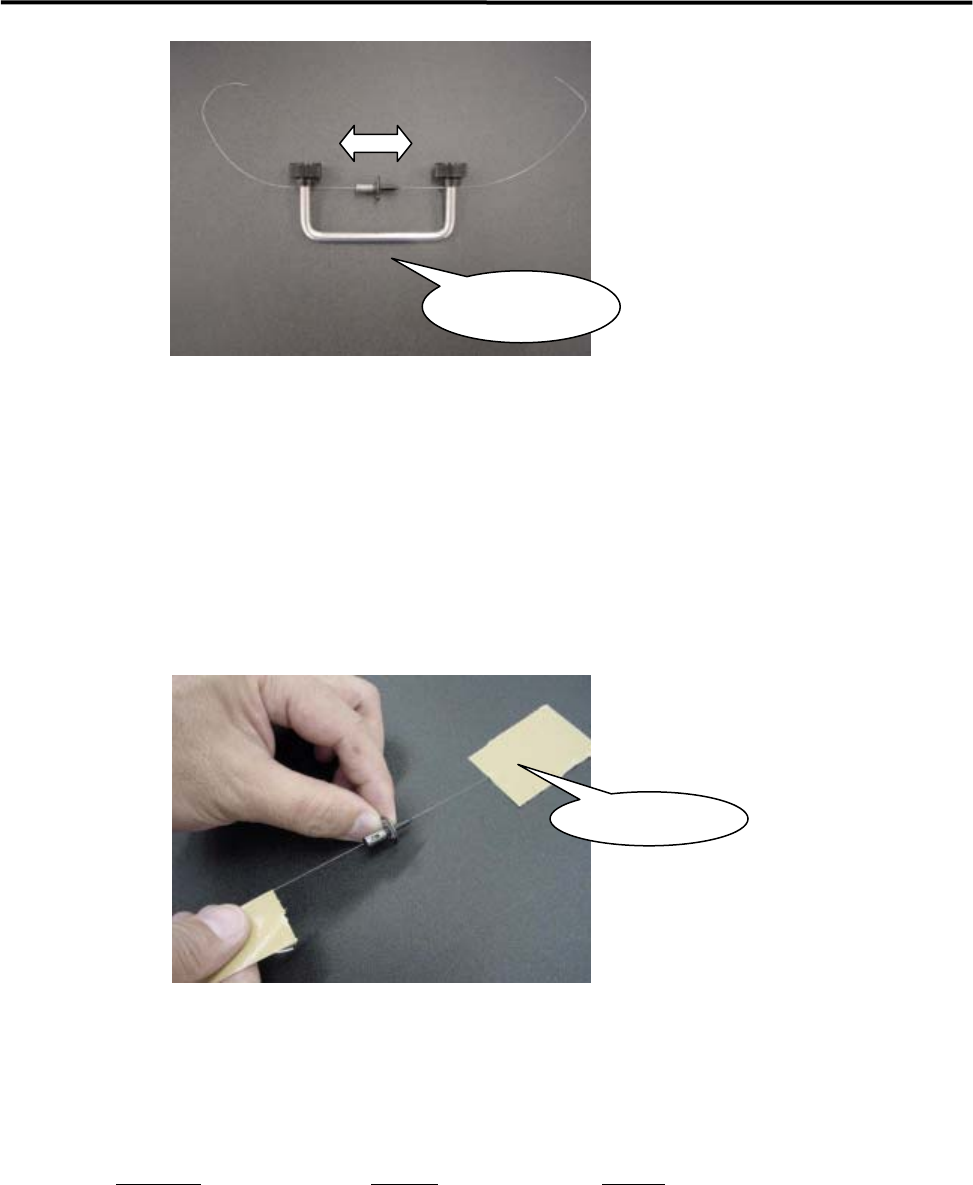
⑤ Move the nozzle back and forth to clean the nozzle hole.
⑥ Remove the wire and blow some air into the nozzle hole.
■ Nozzle Cleaning Using Wire (2)
Fix both ends of the wire with an adhesive tape as shown below and move the nozzle back and forth to clean
the nozzle hole. In this case, the adhesive may remain on both ends of the wire. Be sure to clean the wire
ends before pulling out the wire from the nozzle.
■ Check of Suction Pad (Nozzle No. P017, P018, P019, P020)
Check to make sure that a rubber suction pad on the nozzle tip is free from scratches and cracks. When
scratches and cracks are found on the pad, replace it with a new one.
ACTION: Remove the old pad, apply silicon grease to the inner surface of a new pad, and then install it to the nozzle.
Part Name
Part No. Remark
RUBB.PAD17 LG0-M77A0-00X Suction pad for P017 nozzle
RUBB.PAD18 LG0-M77A1-00X Suction pad for P018 nozzle
RUBB.PAD19 LG0-M77A2-00X Suction pad for P019 nozzle
RUBB.PAD20 LG0-M77A9-00X Suction pad for P020 nozzle
GREASE SILICON LG0-M89AB-00X Silicone Grease
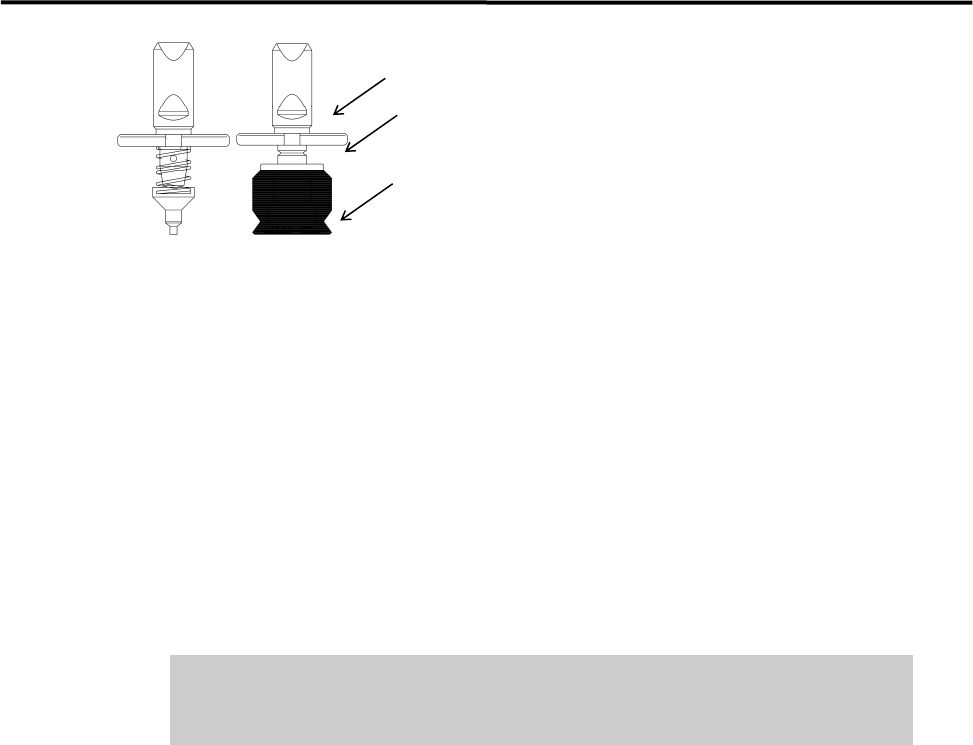
■ Applying Silicon Grease
After the nozzle is cleaned, it must be coated with silicon grease.
Nozzle Cleaner
Assy.
Adhesive Tape
3 Mechanical Section
3-8
● Nozzle Outer Surface
Apply a slight amount of grease to the outer surface (see illustration above), and then wipe it off with a dry
cloth.
NOTE: Silicon grease must be applied lightly enough as if it forms a thin film on the surface.
● Suction Pad
Lubricate the suction pad in order to prevent it from deterioration. Apply a slight amount of grease to the
outer surface of the suction pad, and then wipe it off with a dry cloth.
NOTE: Silicon grease must be applied lightly enough as if it forms a thin film on the surface.
Do not apply excessive amounts of grease. This may cause collection of dirt
or dust in the air passage and on placed components, resulting in component
placement failure.
● Inspection Interval
Approx. once a month
Nozzle Holder
● Cleaning Nozzle Holder
Suction pad
Nozzle ID sticker
Apply silicon grease.
3 Mechanical Section
3-9
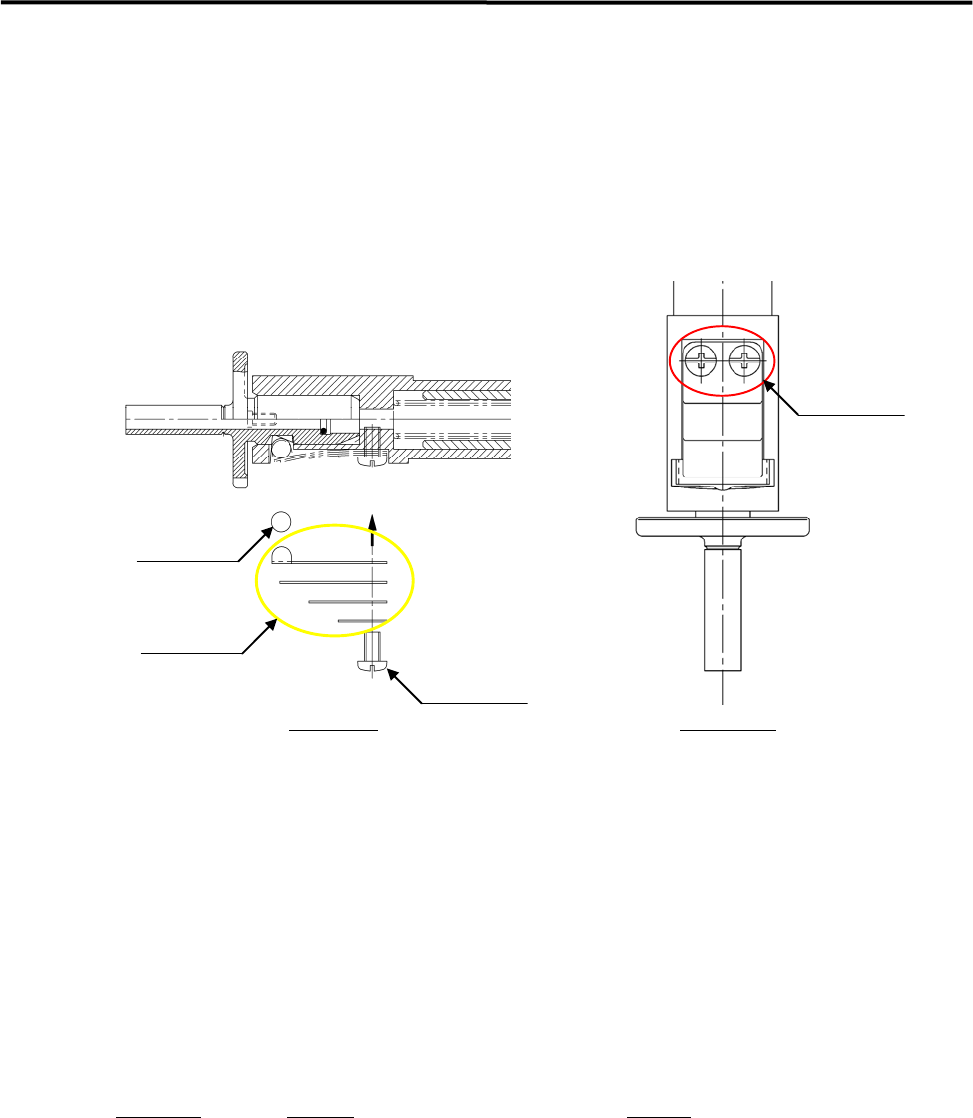
Entry of dust and dirt between a roller and leaf springs that hold the nozzle may cause unsmooth
performance of the roller and leaf springs and nozzle-dropping. Make a periodic check of the nozzle escape.
When any *abnormal conditions are seen, clean the nozzle holder. (*The nozzle stays up and does not go
back to its initial position, or the nozzle drops easily etc.)
NOTE: Please handle the roller and leaf spring inside the nozzle holder carefully, since they are small and likely to
be lost easily. It is recommended that spare parts should be kept handy before removal.
roller
leaf spring
pan-head screw
pan-head screw
Side View
Front View
ACTION:
① Unscrew the two screws with a Phillips screwdriver to take off the roller and leaf springs.
② Remove dust and dirt from the roller and leaf springs, as well as around the area where the roller
touches on the nozzle holder.
Check to make sure that there is no flaw on them. (Replace the part if any flaw is found.)
③ Apply the proper amount of Silicone Grease to the roller and the area where it touches on the nozzle
holder .
Put the roller and leaf springs back in reverse order of removal and secure them with screws.
● Inspection Interval
When unusual conditions are seen by an inspection., or once/twice a month.
Part Name
Part No. Remark
SCREW,BIND.HEAD LC1-M71GN-30X Pan-head screw
PIN,PARALLEL LC6-M71AY-00X Parallel pin
LEAF,SPRING 1 LC6-M714R-00X Leaf Spring 1
LEAF,SPRING 2 LC6-M714S-00X Leaf Spring 2
LEAF,SPRING 3 LC6-M714T-00X Leaf Spring 3
LEAF,SPRING 4 LC6-M714U-00X Leaf Spring 4
NOTE: Life span of leaf springs is approximately five hundred thousand nozzle changes. They should be replaced
periodically.