DECAN_S1_Administrator′s_Guide(Eng_Ver1.5)_Print.pdf - 第136页
6-22 Next Generation, Multi-Functional Plac er DECAN S1 Administrator’s Guide <PKG> check box Selected when recognizing a fiducial mark made of a fluorescent material. <6. Form Data> group Data on the sha…
6-21
Board Definition
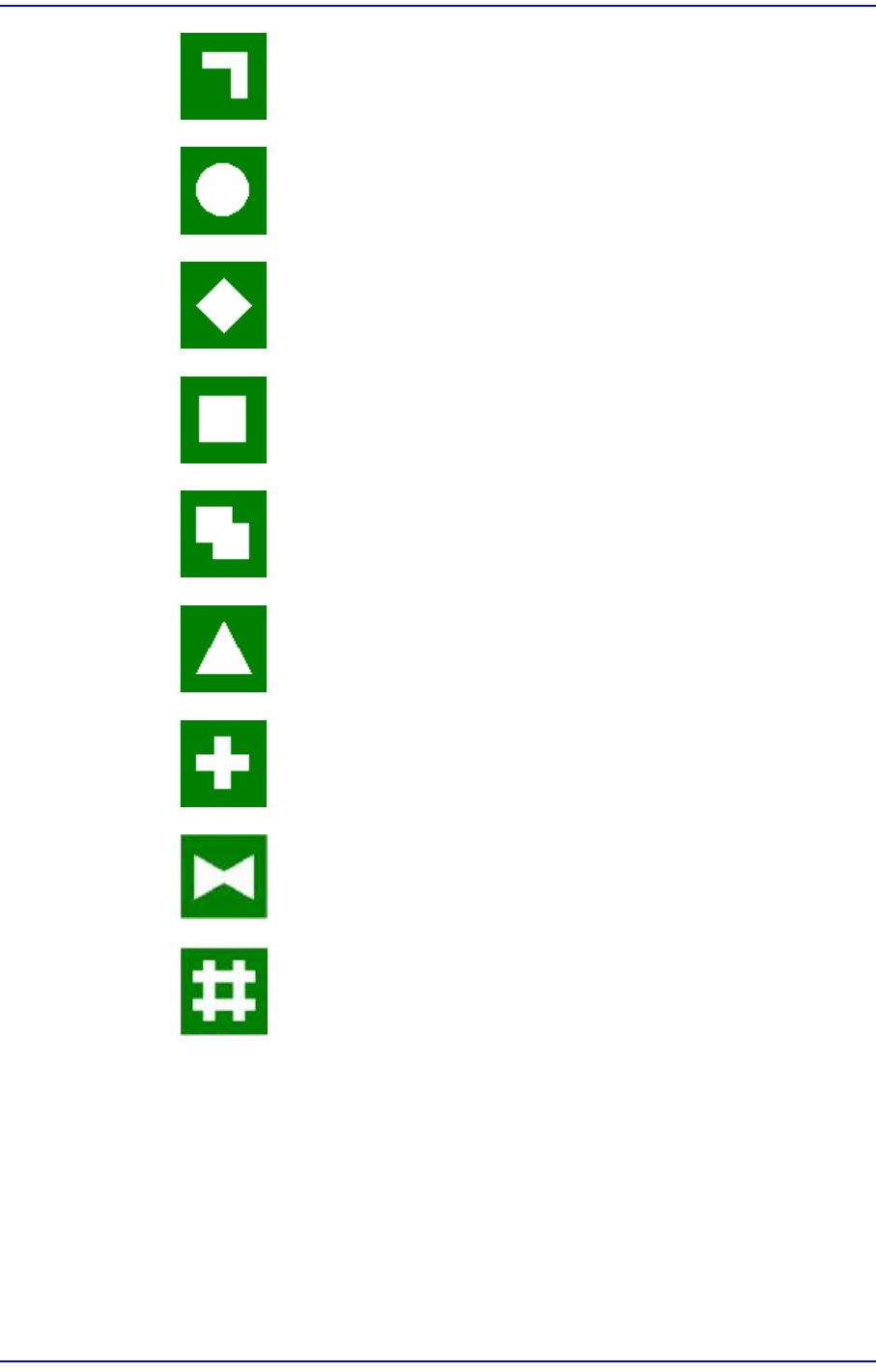
Bent Bar: Shape of a fiducial mark of a bent bar shape.
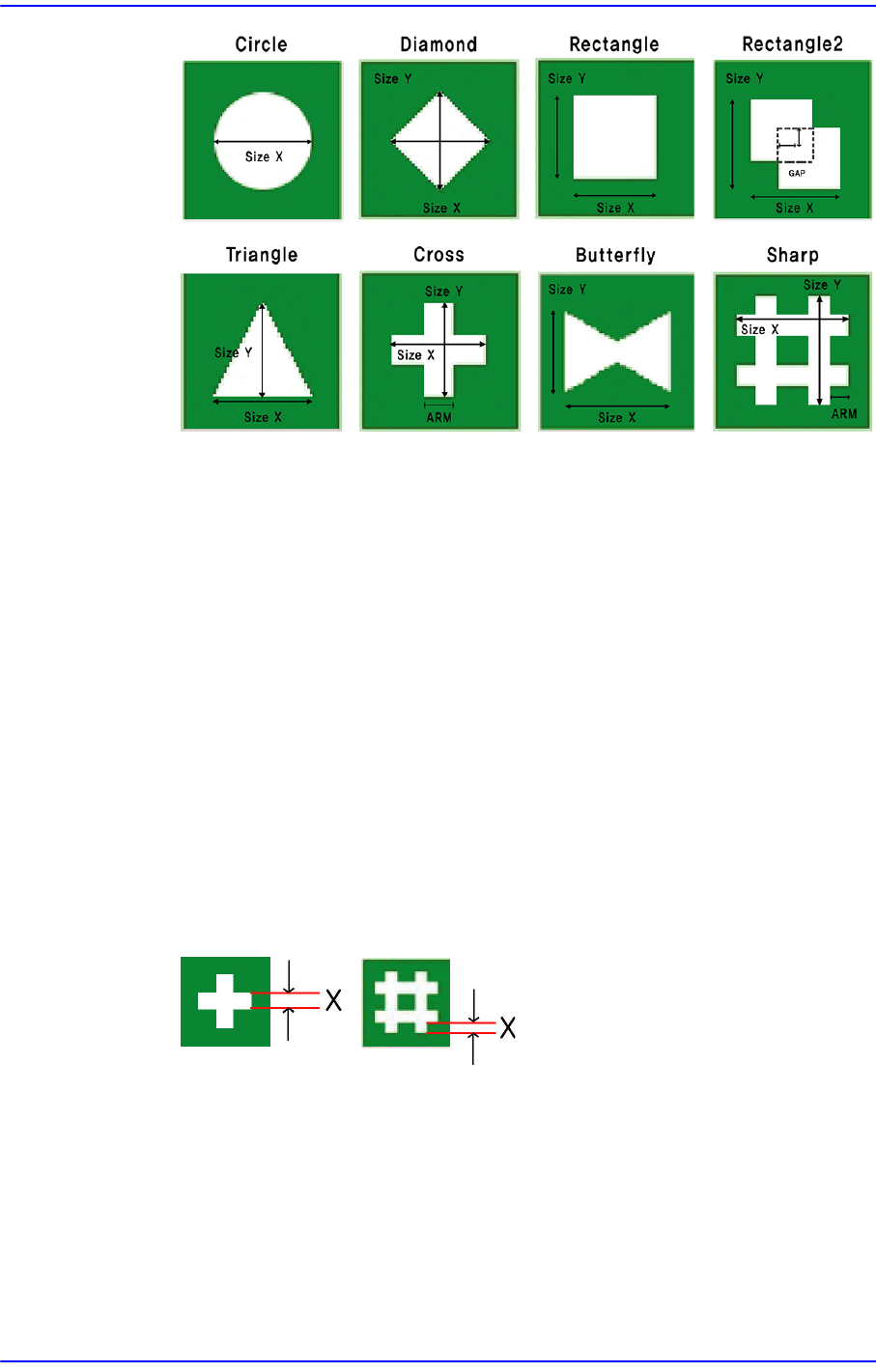
Circle: Circular shape fiducial mark.
Diamond: Diamond shape fiducial mark.
Rectangle: Rectangular shape fiducial mark.
Rectangle2: Overlapping of 2 rectangular fiducial marks.
Triangle: Triangular shape fiducial mark.
Cross: Cross shape fiducial mark.
Butterfly: Butterfly shape fiducial Mark.
Sharp: Sharp(#) shape fiducial mark.
6-22
Next Generation, Multi-Functional Placer DECAN S1 Administrator’s Guide
<PKG> check box
Selected when recognizing a fiducial mark made of a fluorescent material.
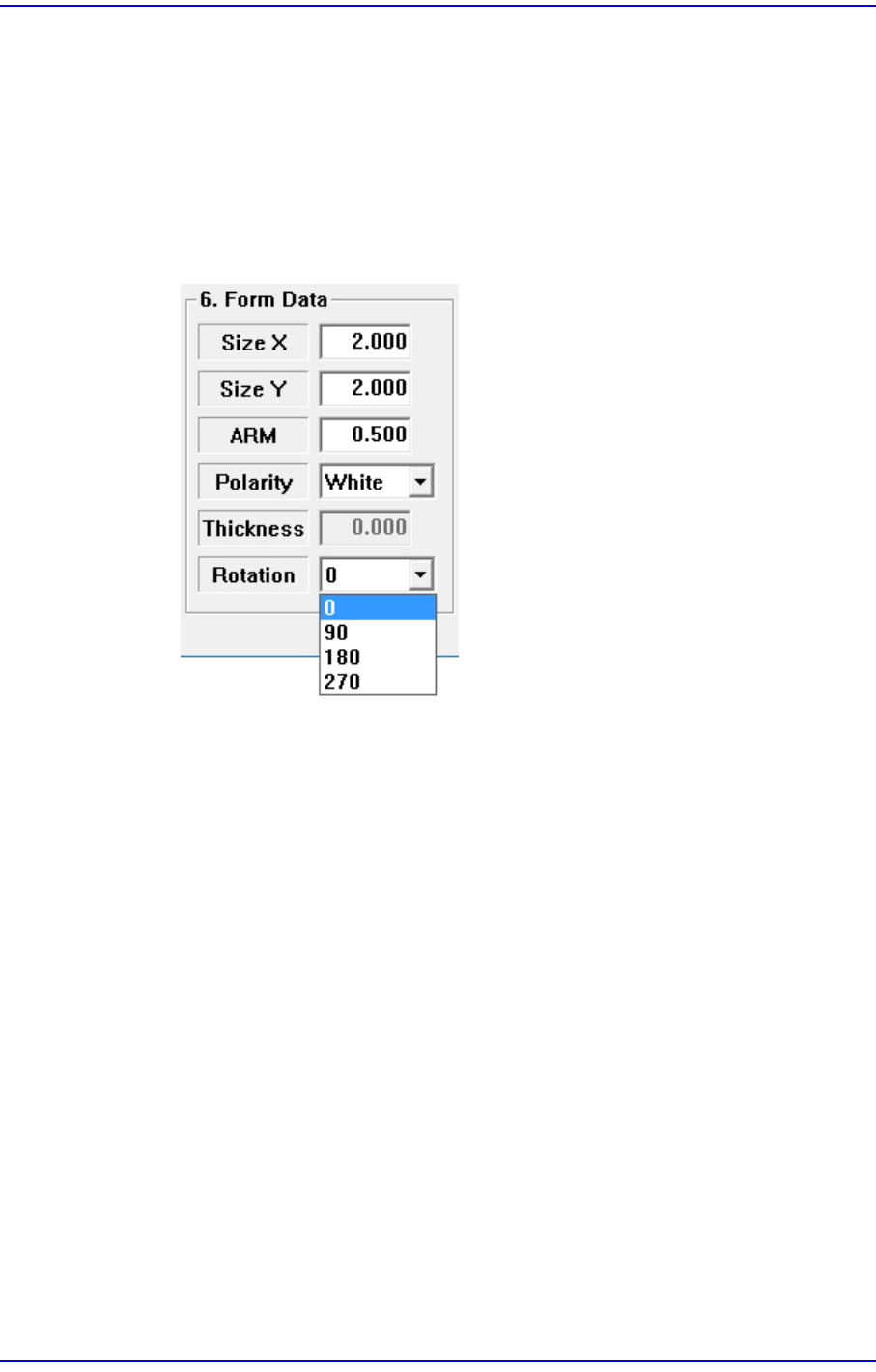
<6. Form Data> group
Data on the shapes of fiducial marks.
<Size X> edit box
Set the size of fiducial mark in X direction.(Based on the machine coordinate
system)
<Size Y> edit box
Set the size of fiducial mark in Y direction.(Based on the machine coordinate
system)
<Arm> edit box
Set the width of the bar of cross shape fiducial marks.
If the fiducial mark is cross shaped, teach the value corresponding to X correctly
and input is in the <Arm> edit box.
<Polarity> combo box
Select the color of fiducial mark. Available colors are as follows.
White: the mark looks lighter than the surroundings.
Black: the mark looks darker than the surroundings.
<Thickness> edit box
Set the thickness of the fiducial mark.
6-23
Board Definition
The value of 0 denotes a full fiducial mark.
0 A value other than 0 denotes that value for the thickness of the exterior line.
<Rotation> combo box
Select the rotation angle of fiducial mark. In the case of triangles, the registered
form has the corner facing upward, but there are occasions where the corner is
actually facing sideways.
In those cases, select the rotation angle.
0: the angle of the mark is 0.
90: the mark is rotated to 90°.
180: the mark is rotated to 180°.
270: the mark is rotated to 270°.
<7. Search Area> group
Set the area in which to search the fiducial mark. The main purpose of this feature is to
limit the search range for when there are forms similar to the mark near the mark such
that they can interfere with recognition on certain PCBs.
<X> edit box
Set the position to start searching for the fiducial mark in X axis. The center of
SMVision is zero (0), and is generally setup as the size of negative (-)value in the
X direction fiducial mark.
<Y> edit box
Set the position to start searching for the fiducial mark in Y axis. The center of
SMVision is zero (0), and is generally setup as the size of negative (-)value in the
Y direction fiducial mark.
<Width X> edit box