DECAN_S1_Administrator′s_Guide(Eng_Ver1.5)_Print.pdf - 第409页
14-27 Machine Calibration 3. The message “Calibra tion is Prepared. T o Calibrate, Click [Next]” appears. At this time, click the <Light…> button and adjust th e brightness of the light in the ‘Light Control’ dialo…
14-26
Next Generation, Multi-Functional Placer DECAN S1 Administrator’s Guide
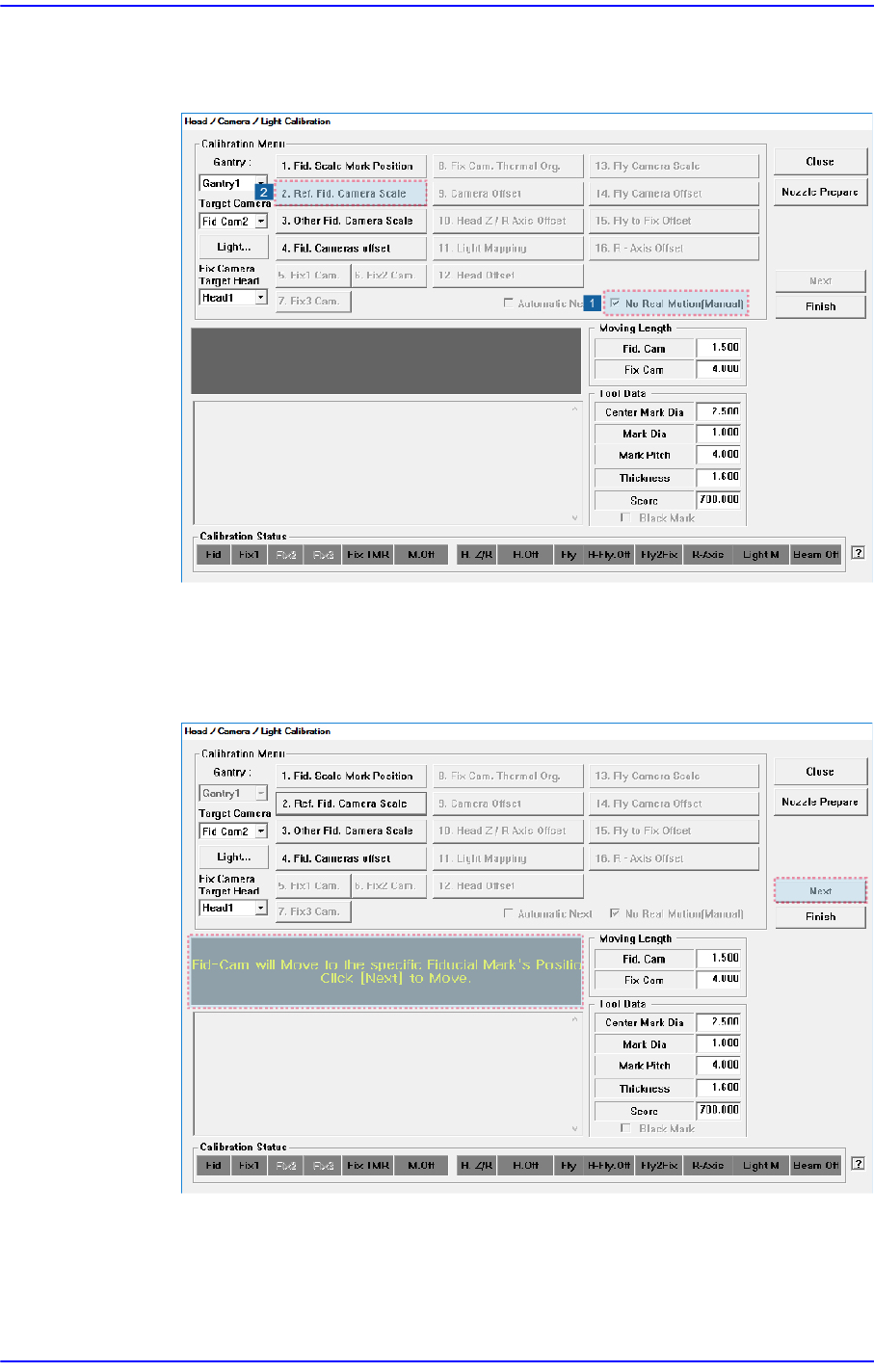
The following shows how to calibrate the fiducial camera scale manually.
1. Click the <2. Ref. Fid. Camera Scale> button in the <Calibration Menu> group.
2. If the <2. Ref. Fid. Camera Scale> button is clicked, a message “Fid-Cam will
Move to the specific Fiducial Mark’s position on ANC. Click [Next] to Move.”
appears in the message box. Click the <Next> button to move the fiducial camera
to the ANC's Fiducial Mark position.
14-27
Machine Calibration
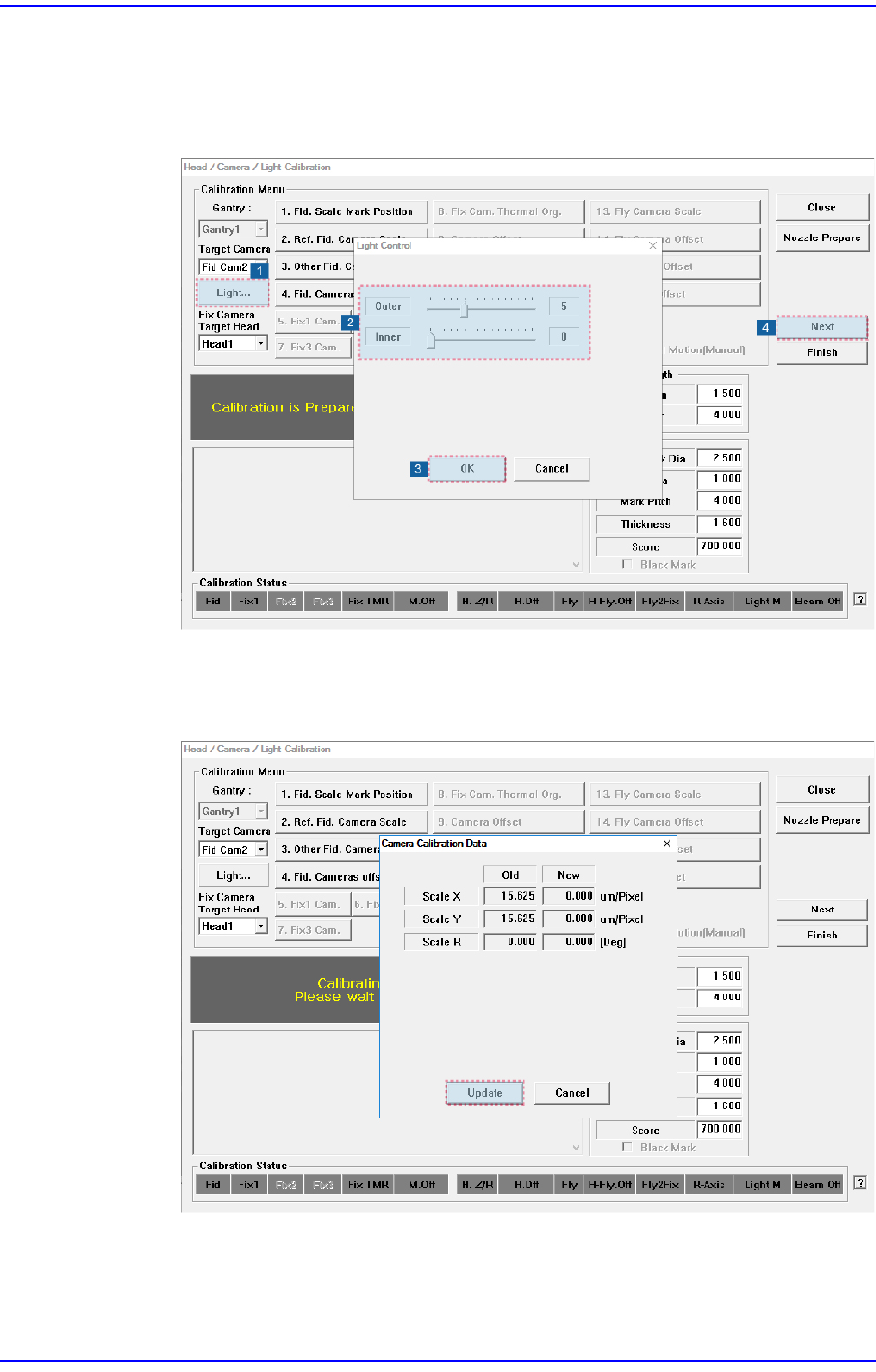
3. The message “Calibration is Prepared. To Calibrate, Click [Next]” appears. At this
time, click the <Light…> button and adjust the brightness of the light in the ‘Light
Control’ dialog box so that the fiducial mark that is seen in the ‘SMVision’
window can be seen clearly. Then click the <Next> button.
4. The calibration is performed automatically. If it is completed, the calibration result
is displayed as shown in the following figure. Click the <Update> button to apply
the new calibration value.
14-28
Next Generation, Multi-Functional Placer DECAN S1 Administrator’s Guide
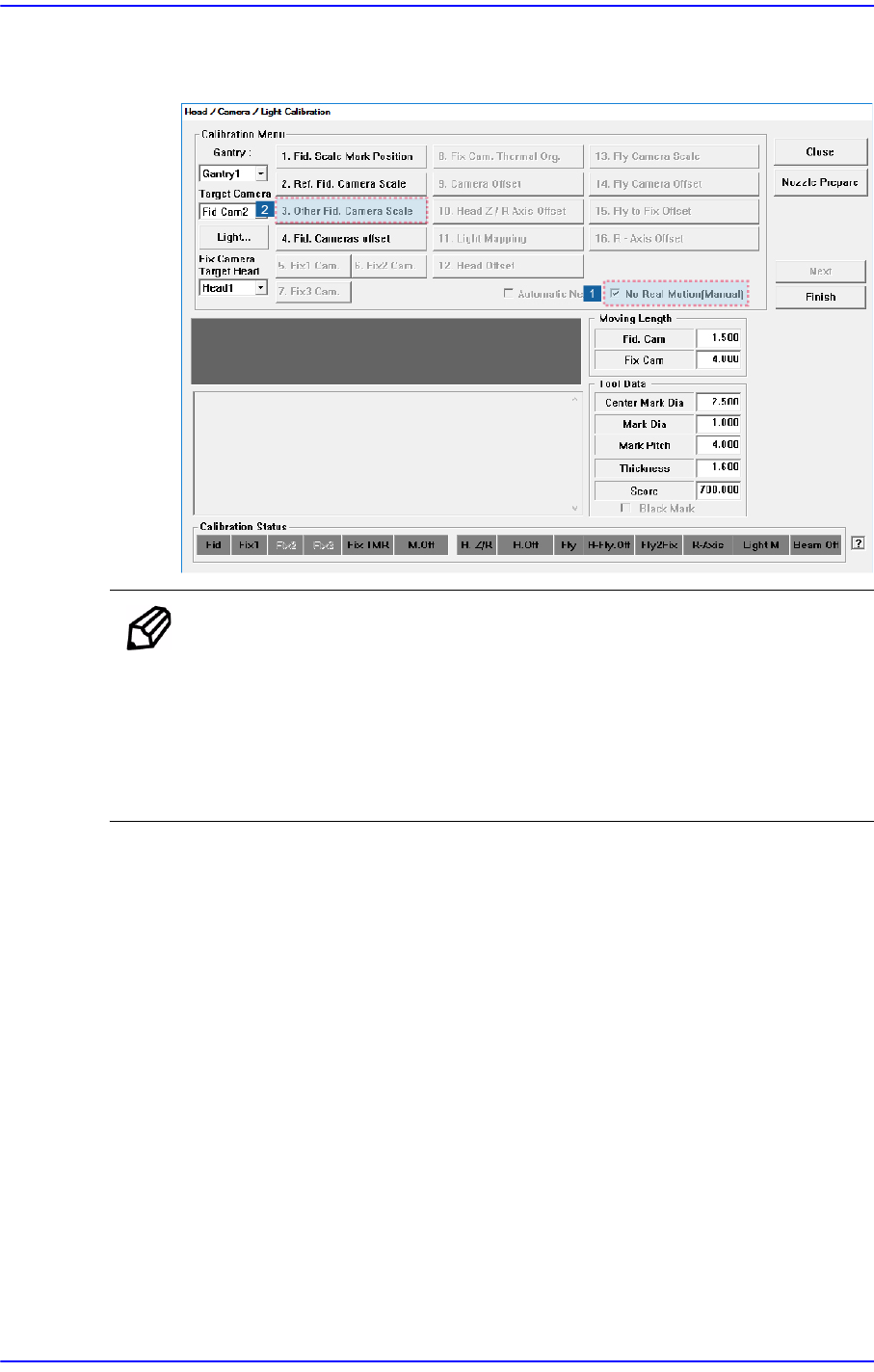
5. When using two fiducial cameras per gantry, press <3. Other Fid. Camera Scale>
button to calibrate it in the same manner.
Memo The reference values for the calibration of the (Ref. / Other) Fiducial
Camera (FOV7.5) is as follows.
ScaleX: 13.0 ~ 17.0 (μm/pixel)
ScaleY: 13.0 ~ 17.0 (μm/pixel)
ScaleR: -0.5 ~ 0.5 (deg)