DECAN_S1_Administrator′s_Guide(Eng_Ver1.5)_Print.pdf - 第527页
15-61 System Setup Select the items to be applied to the feeder information of Model B, and then click the <OK> button. <Use tray man a ge by po cket> chec k box When this check box is ticked, the <Edit&…
15-60
Next Generation, Multi-Functional Placer DECAN S1 Administrator’s Guide
This is selected when applying the feed angle (R) and mounting angle (Part R) of the
stick or tray feeder to the parts data registered in the feeder. When this check box is
ticked, each time the PCB file is opened, the feed angle and mounting angle of the part
are changed to the feeder data.
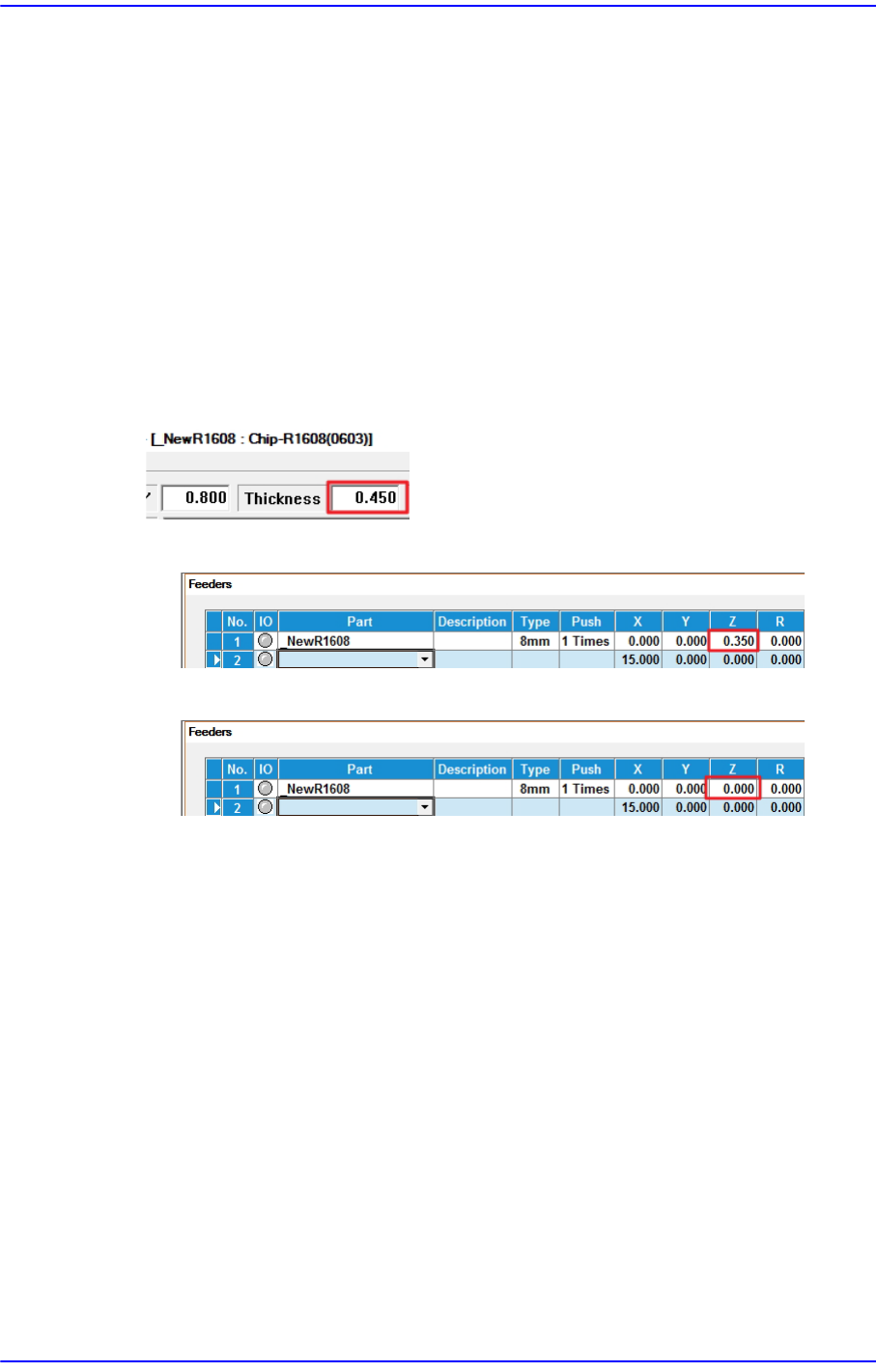
<Auto Apply Pick Up Height> combo box
When this check box is ticked, the pickup height of the part is automatically reflected
to the feeder Z value, but only for feeders whose reel type is Paper. (Pickup height of
the part: Thickness of the part - 0.1mm)
When changing the model, it takes a long time to set the pickup height of the part
when the number of tape feeders is large. At this time, you can shorten the model
change time by using this function.
[e.g.: Chip parts with a thickness of 0.450]
[Auto Apply Pick Up Height = Use]
[Auto Apply Pick Up Height = Not Use]
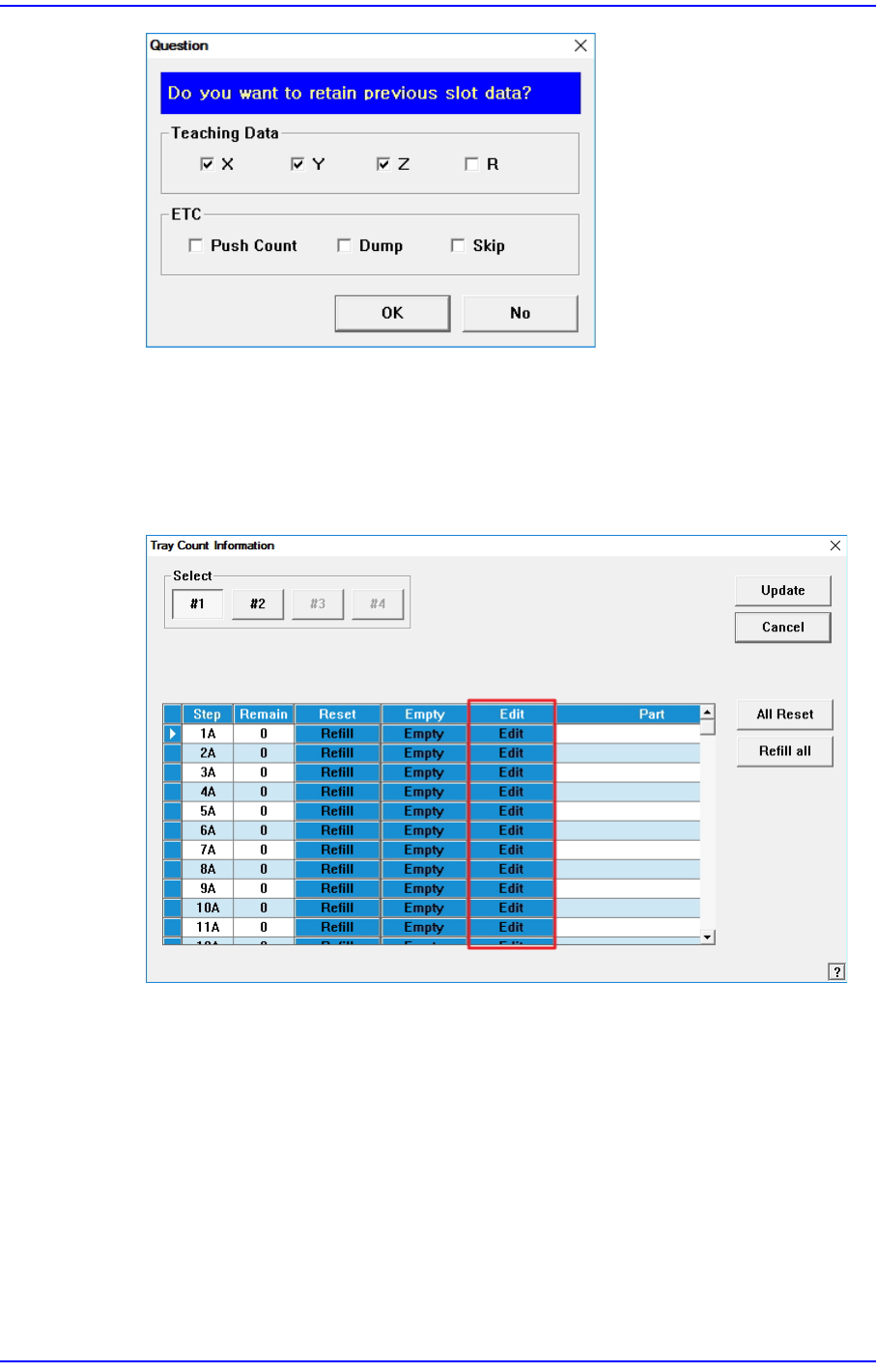
<Apply Prev Slot Data(Only Tape Feeder> check box
When producing two models (A, B) with the same placement of tape feeders using
similar components, this function is used to apply the feeder information (X, Y, Z, R,
etc.) of an already taught Model A to the feeder information of Model B.
By using this function, no unnecessary teaching operation will be performed when
Model B is produced, and the preparation time can be shortened.
When this check box is ticked, the following dialogue box will be displayed when
opening the PCB file of Model B.
15-61
System Setup
Select the items to be applied to the feeder information of Model B, and then click the
<OK> button.
<Use tray manage by pocket> check box
When this check box is ticked, the <Edit> column is activated in the “Tray Cnt
Information” window. For details on this function, refer to “13.6. T/F Cnt”.
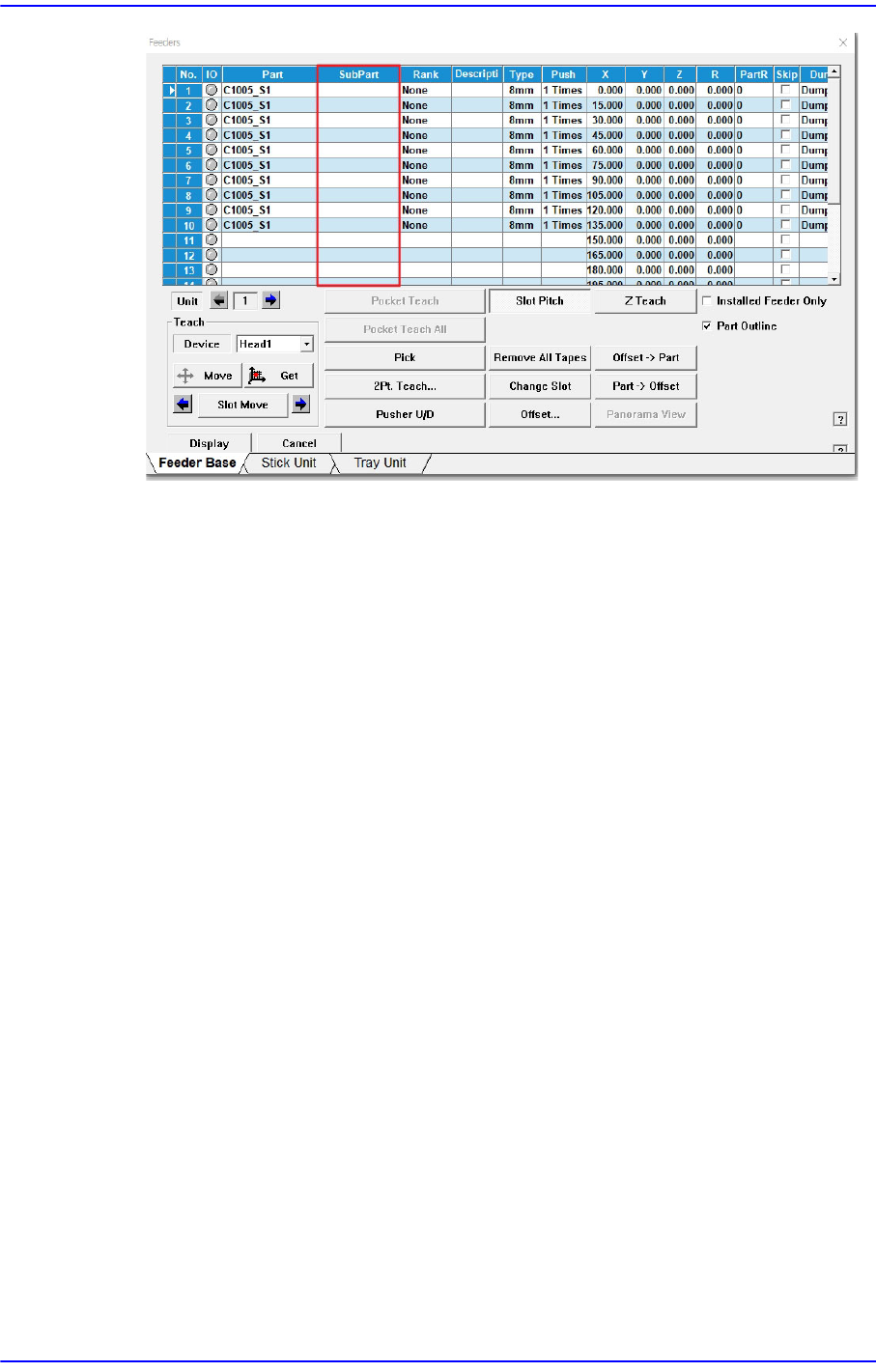
<Use Multi-Vendor> check box
This function is used to produce PCBs by using parts made by several manufacturers
for a part.
Allows work to be automatically performed using sub parts when placing them on a
PCB after registering them.
Selecting this check box activates the <Sub Part> column in the “Feeder” window.
15-62
Next Generation, Multi-Functional Placer DECAN S1 Administrator’s Guide
<Use Return Picked Part To Pocket> check box
This function returns the picked up part to the pocket. The detailed description for this
feature will be updated in the future.
<Update> button
Transmits the change data to the equipment and closes the dialog box.