DECAN_S1_Administrator′s_Guide(Eng_Ver1.5)_Print.pdf - 第36页
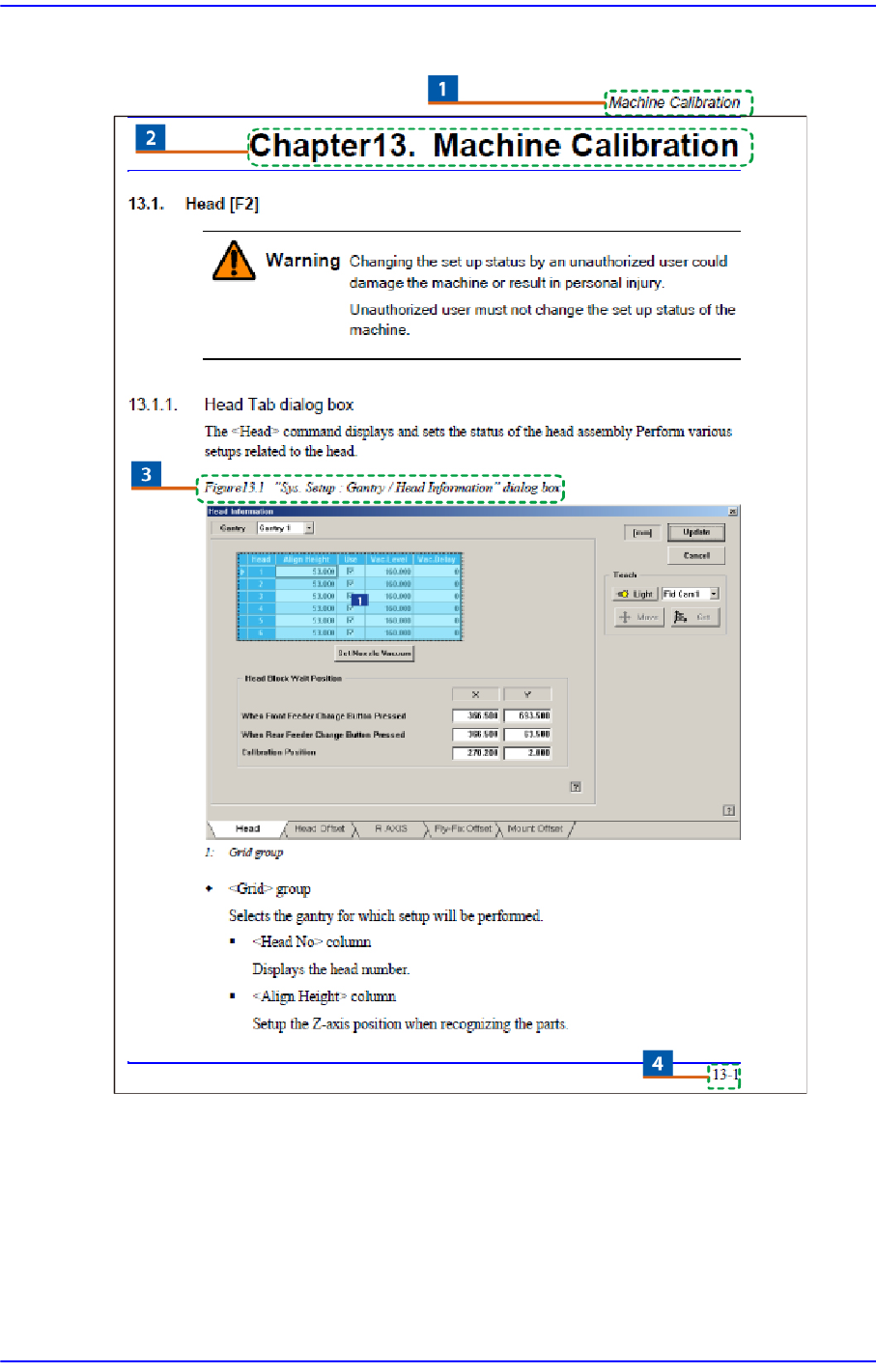
Next Generation, Multi-Functional Plac er DECAN S1 Administrator’s Guide xxii Page Layout 1: Chapter T itle / Manual Name 2: Chapter T itle 3: Figure (Cha pter number)-(Serial number) (T itle of the figur e) Indicates th…

Preface
xxi
Memo Pictures showing a dialog box or message box of MMI are
inserted to produce this manual. Therefore, the screens shown in
the manual and various settings, values and contents included
within may vary depending on the equipment installed or the
operational environment.
The MMI screens shown in the manual are inserted for more
detailed reference and explanation. They are produced by
enlarging or reducing the contents appearing on the main screen
of MMI.
Next Generation, Multi-Functional Placer DECAN S1 Administrator’s Guide
xxii
Page Layout
1: Chapter Title / Manual Name
2: Chapter Title
3: Figure (Chapter number)-(Serial number) (Title of the figure)
Indicates that this is the first figure of Chapter 4 and that the title of the figure is ‘Operation Panel’.
4: Chapter number – page (Indicates the first page of Chapter 1)
Preface
xxiii
Explanation of Terminologies
Teach
Refers to a process that transmits the coordinate of a point on the machine using a
teaching camera (fiducial camera).
Beam
Refers to a device that is used for teaching. Teaching can be done by means of a beam
(a type of laser point) rather than a camera.
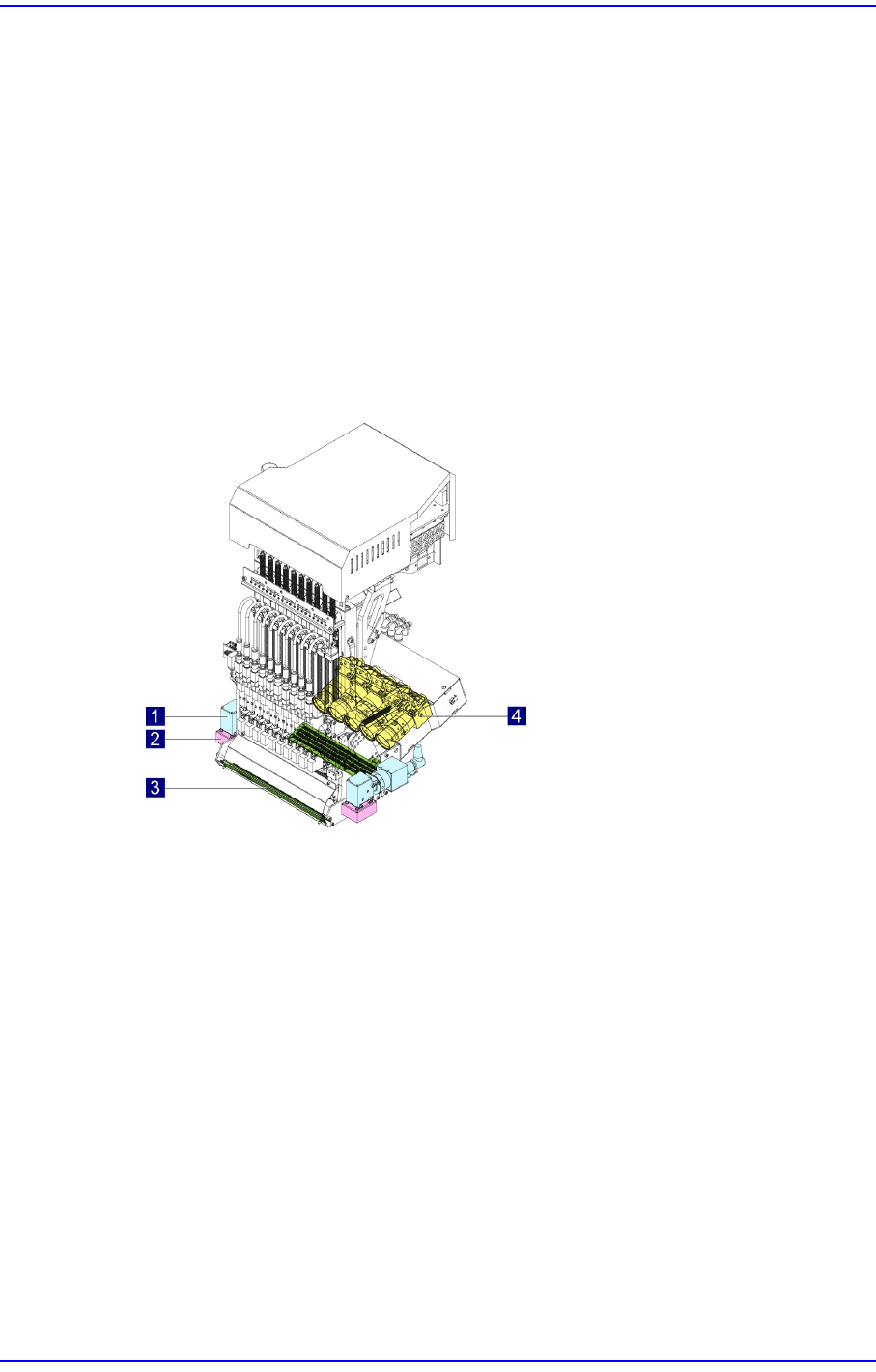
Head Assembly
Consists of the head body that supports the mechanisms or pneumatic devices
belonging to the head assembly, spindle, driving motor, and flying vision assembly, as
well as a fiducial camera that recognizes the shape of a component.
1: Fiducial Camera
2: Fiducial Camera Illumination
3: Flying Camera Illumination
4: Flying Camera
Offset
Refers to the discrepancy to be compensated when the set coordinate is different from
the actually applied coordinate.
Array PCB
Refers to the PCB in which small PCBs of identical pattern are arrayed.
Binary Mode (Binary Image)
Refers to the mode that represents the vision image in black and white.
Local Part Library
Refers to the database containing profile data of components registered by the user
while working after installation of the MMI.