DECAN_S1_Administrator′s_Guide(Eng_Ver1.5)_Print.pdf - 第539页
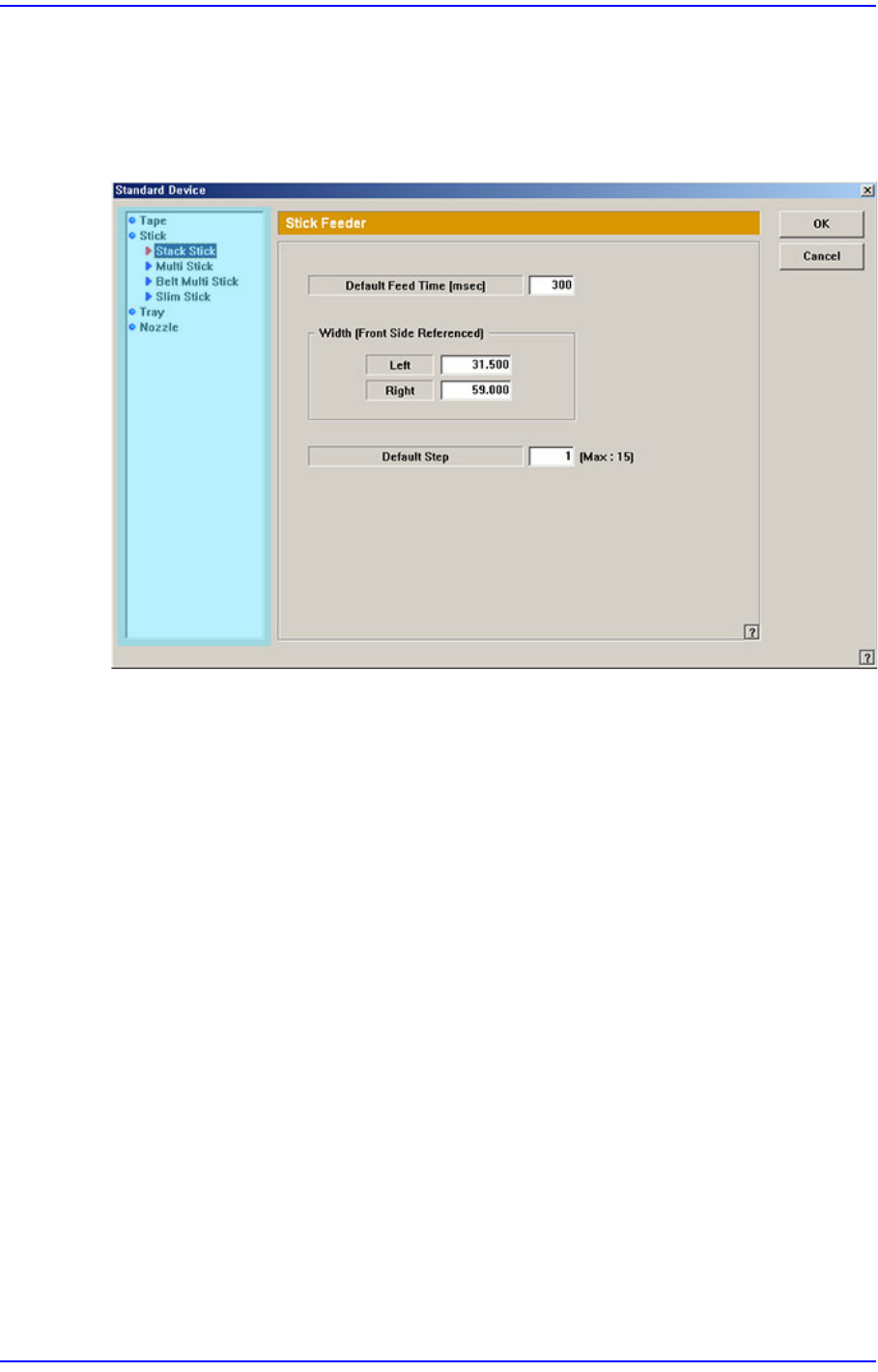
15-73 System Setup 15.6.2. Stick Feeder Next screen is the case where the “Stick” is sel ected in the Device list. Set the data on the stick feeder . Figure15.25 “Standard Device –Stick” dialog box List box Select the …

15-72
Next Generation, Multi-Functional Placer DECAN S1 Administrator’s Guide
<Width> edit box
Sets the left and right width of the tape feeder based on the location pin of the tape
feeder. It is possible to calculate the space occupied by the tape feeders in the feeder
base using these parameters.
15-73
System Setup
15.6.2. Stick Feeder
Next screen is the case where the “Stick” is selected in the Device list. Set the data on the
stick feeder.
Figure15.25 “Standard Device –Stick” dialog box
List box
Select the stick feeder type to set.
<Default Feed Time> edit box
Set the feed time.
<Width –Left> group
<Right> edit box
Set the left width of the stick feeder.
<Right> edit box
Set the right width of the stick feeder.
<Default Step> edit box
Set the basic number of sticks of each stick feeder according to the stick feeder type.
15-74
Next Generation, Multi-Functional Placer DECAN S1 Administrator’s Guide
15.6.3. Tray Feeder
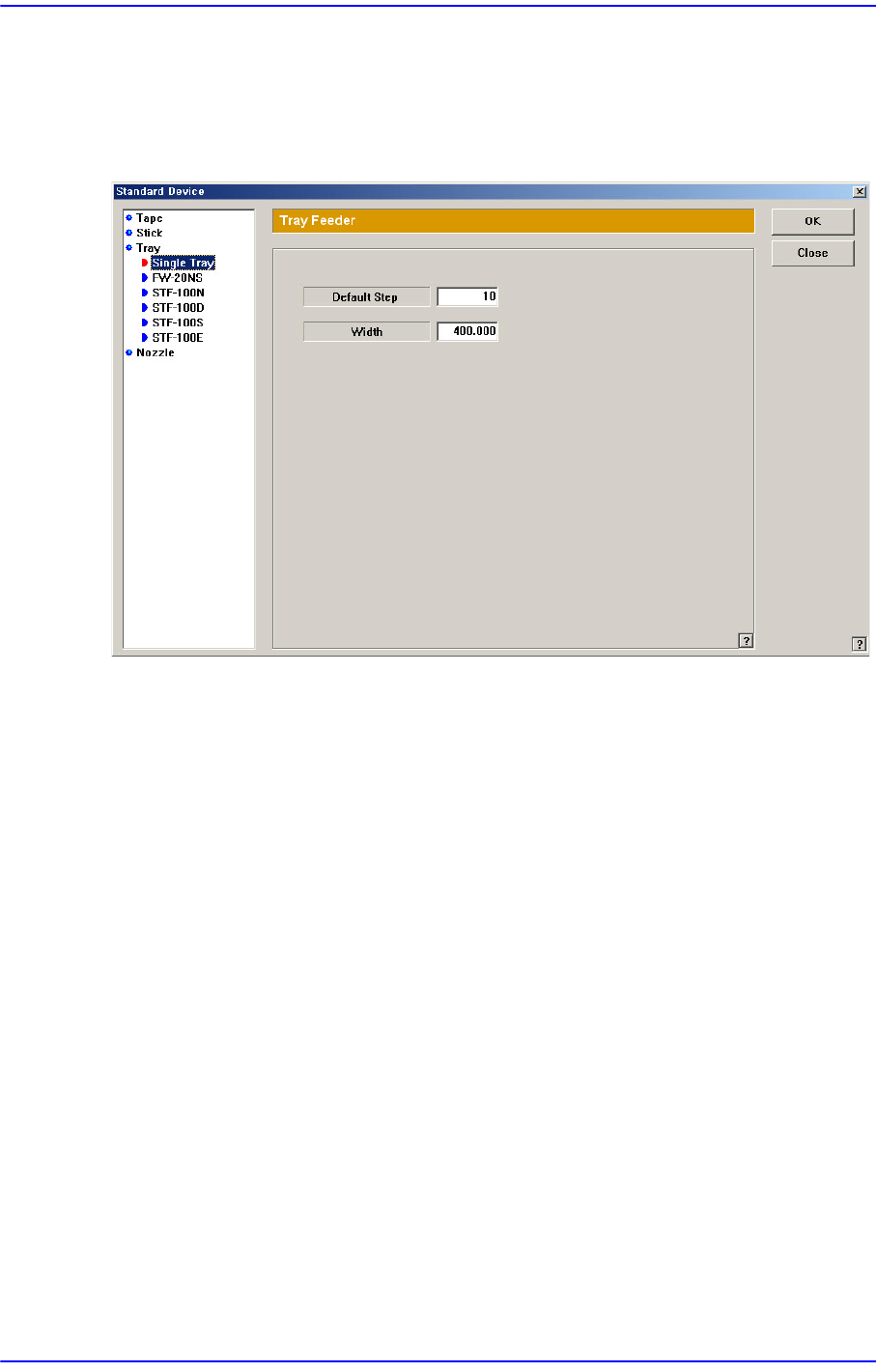
Next screen is the case where the “Tray” is selected in the Device list. Set the data on the
tray feeder
Figure15.26 “Standard Device –Tray” dialog box
List box
Select the tray feeder type to set.
<Default Step> edit box
Set the maximum number of pallets that can be placed on the single tray.
: Single Tray(5), FW-20NS(20), STF-100N(20), STF-100D(24), STF-100S(20) , STF-
100E(20)
<Width> edit box
Set the width of the tray feeder.