DECAN_S1_Administrator′s_Guide(Eng_Ver1.5)_Print.pdf - 第378页
13-26 Next Generation, Multi-Functional Plac er DECAN S1 Administrator’s Guide 13.7. PCB D/L [F7] T ransmits the PCB data set in the <PCB Edit> menu to the equipment. T ransmission is possible only when the equi pm…
13-25
Production Setup
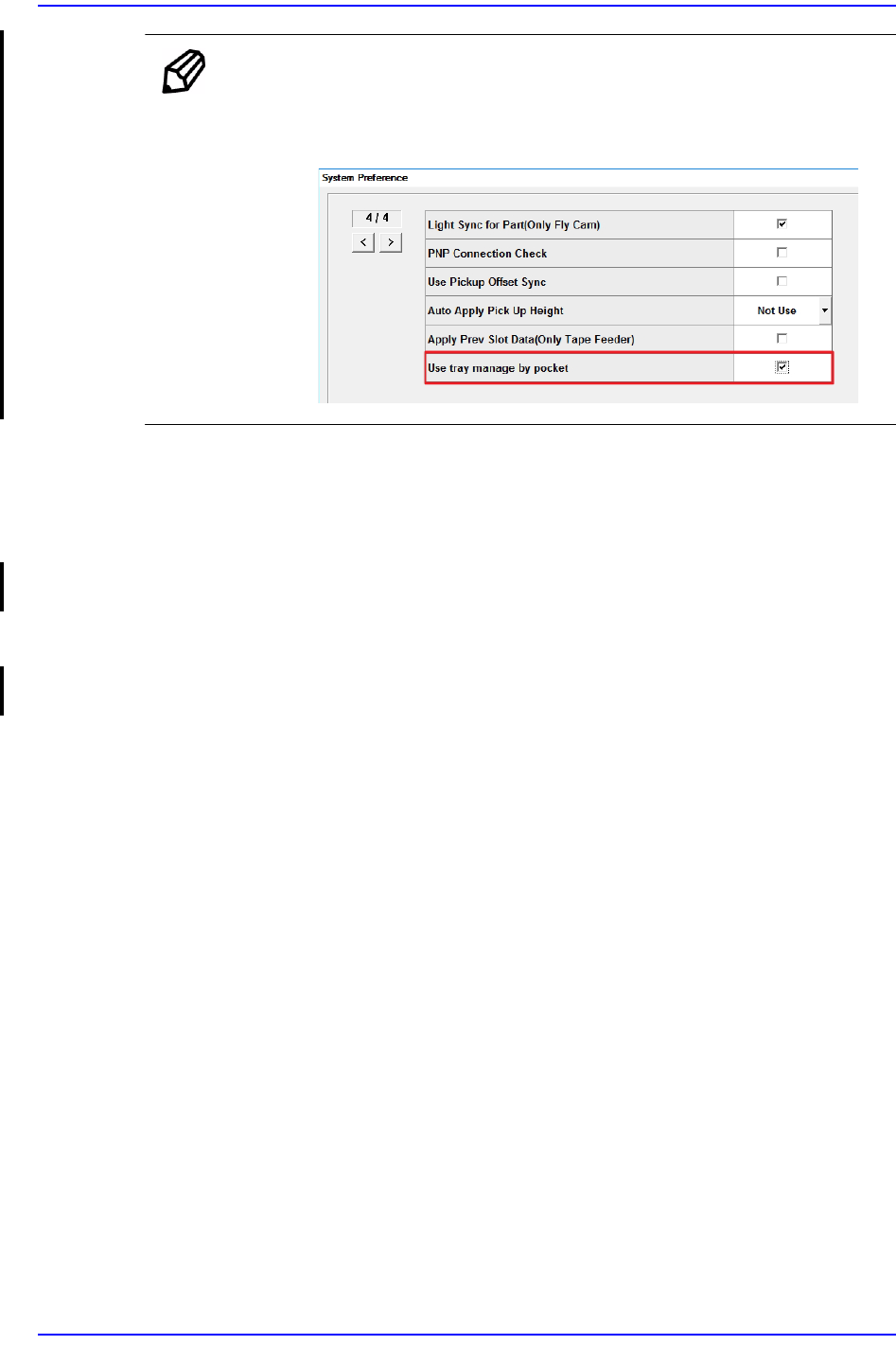
Memo To activate the <Edit> column, the option “Use tray manage by
pocket” must be set in the “Preferences” submenu of the “System
Setup” menu.
<Part> column
Displays the name of the component supplied the Tray
<All Reset> button
The number of parts displayed in the <Remain> column will change to the initial
value (All palettes in all Tray Feeder Units).
<Refill all> button
The number of parts displayed in the <Remain> column will change to the initial
value (All pallets of the selected Tray Feeder Unit).
<Update> button
Transmits the set data to the equipment and closes the dialog box.
<Cancel> button
Ignores the set data and closes the dialog box.

13-26
Next Generation, Multi-Functional Placer DECAN S1 Administrator’s Guide
13.7. PCB D/L [F7]
Transmits the PCB data set in the <PCB Edit> menu to the equipment. Transmission is
possible only when the equipment status is “Finish”.

13-27
Production Setup
13.8. Pd. Info [F8]
Displays placement operation data for head, nozzle and feeder. Please refer to “18.1
Production Information Management [Pd. Info]” for more information.