DECAN_S1_Administrator′s_Guide(Eng_Ver1.5)_Print.pdf - 第309页
9-15 Step Programming When the <OK> button is clicked after selecting a co mp onent, the name of the selected file is inputted in the <1.Part Name> edit box. Selec t the <Package Group> correspo ndi…
9-14
Next Generation, Multi-Functional Placer DECAN S1 Administrator’s Guide
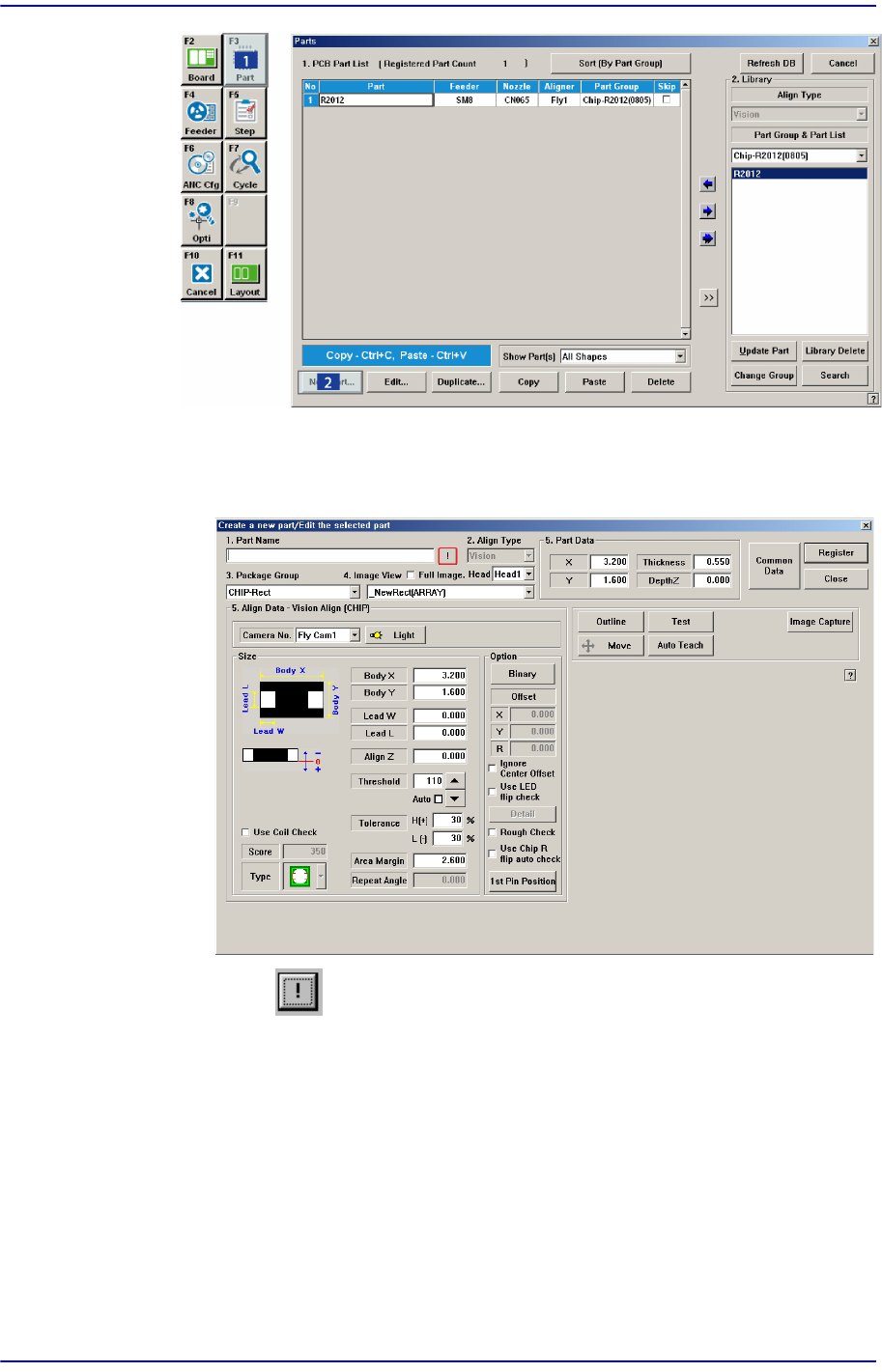
The component that has already been registered in the Local Part DB is registered
automatically as can be seen above. Click the <New Part…> button and
execute the <Part Edit> dialog box.
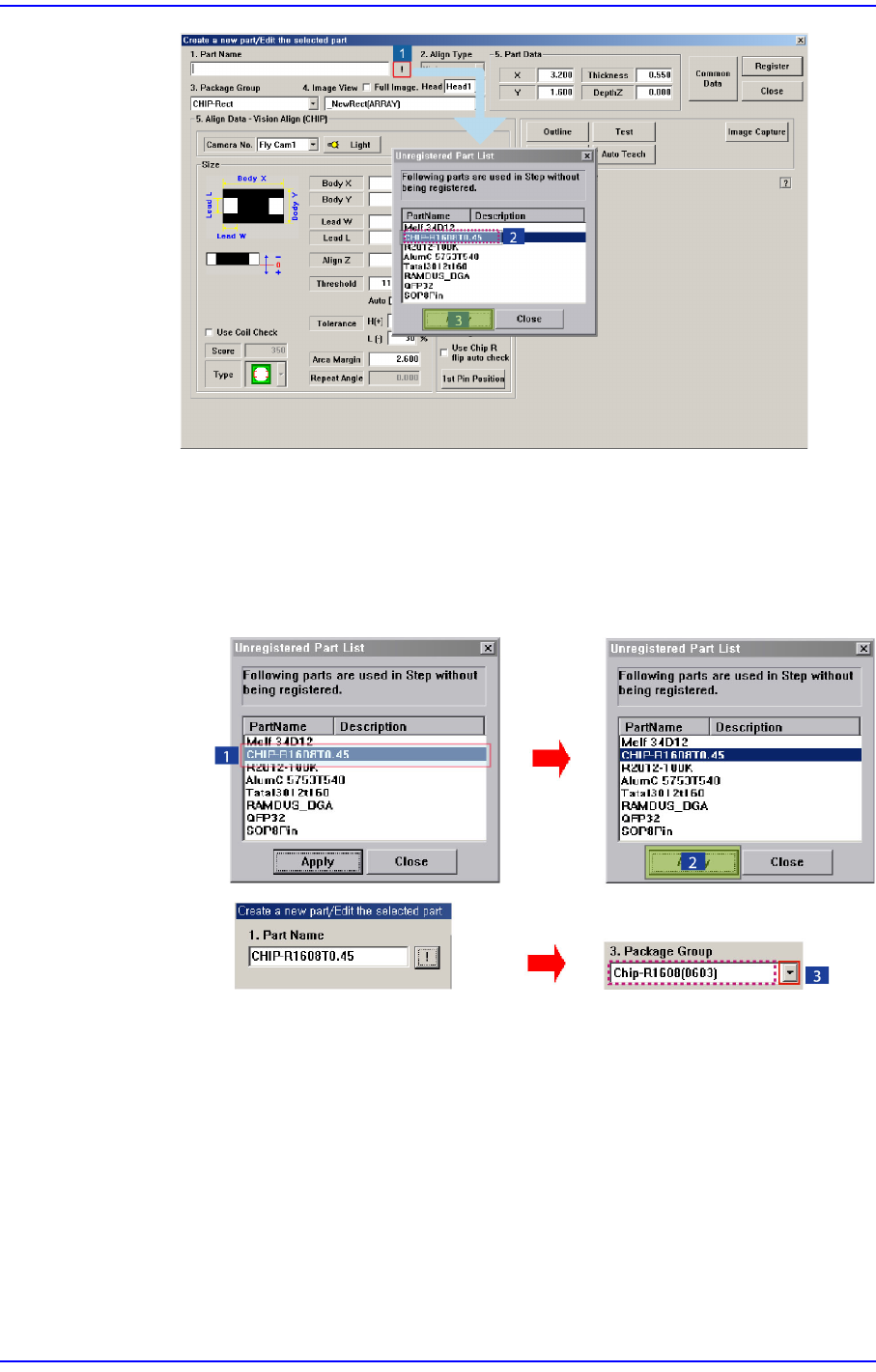
When the button is clicked, the unregistered part list is displayed as shown
in the following figure.
9-15
Step Programming
When the <OK> button is clicked after selecting a component, the name of the
selected file is inputted in the <1.Part Name> edit box.
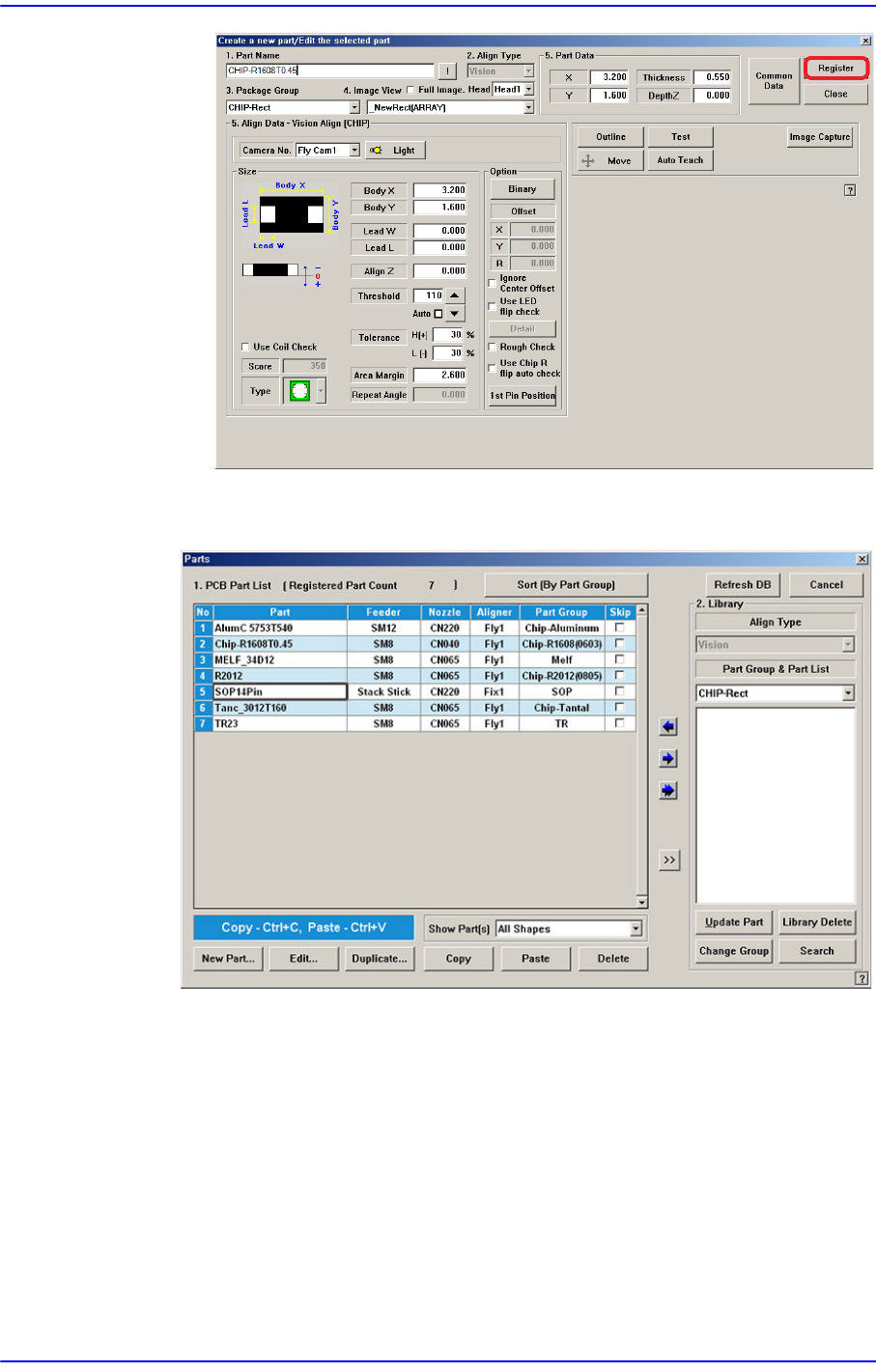
Select the <Package Group> corresponding to the selected component and
revise the component profile according to the selected component.
Click the <Register> button to register the component to the PCB Part List.
9-16
Next Generation, Multi-Functional Placer DECAN S1 Administrator’s Guide
When all the unregistered part information is registered, they are displayed as
follows.
<Export…> button
Converts the step data created by this machine into other format (SSA Format) ASCII
File. When this button is clicked on, the following dialog box is displayed.