DECAN_S1_Administrator′s_Guide(Eng_Ver1.5)_Print.pdf - 第35页
Preface xxi Memo Pictures showing a dialog box or message box of MMI are inserted to produce this manual. Therefore, the screens shown in the manual and various settings , values and contents included within may vary d…
Next Generation, Multi-Functional Placer DECAN S1 Administrator’s Guide
xx
Double click
Press twice in rapid succession the corresponding item with the left button of the
mouse by moving the pointer of the mouse.
Screen display
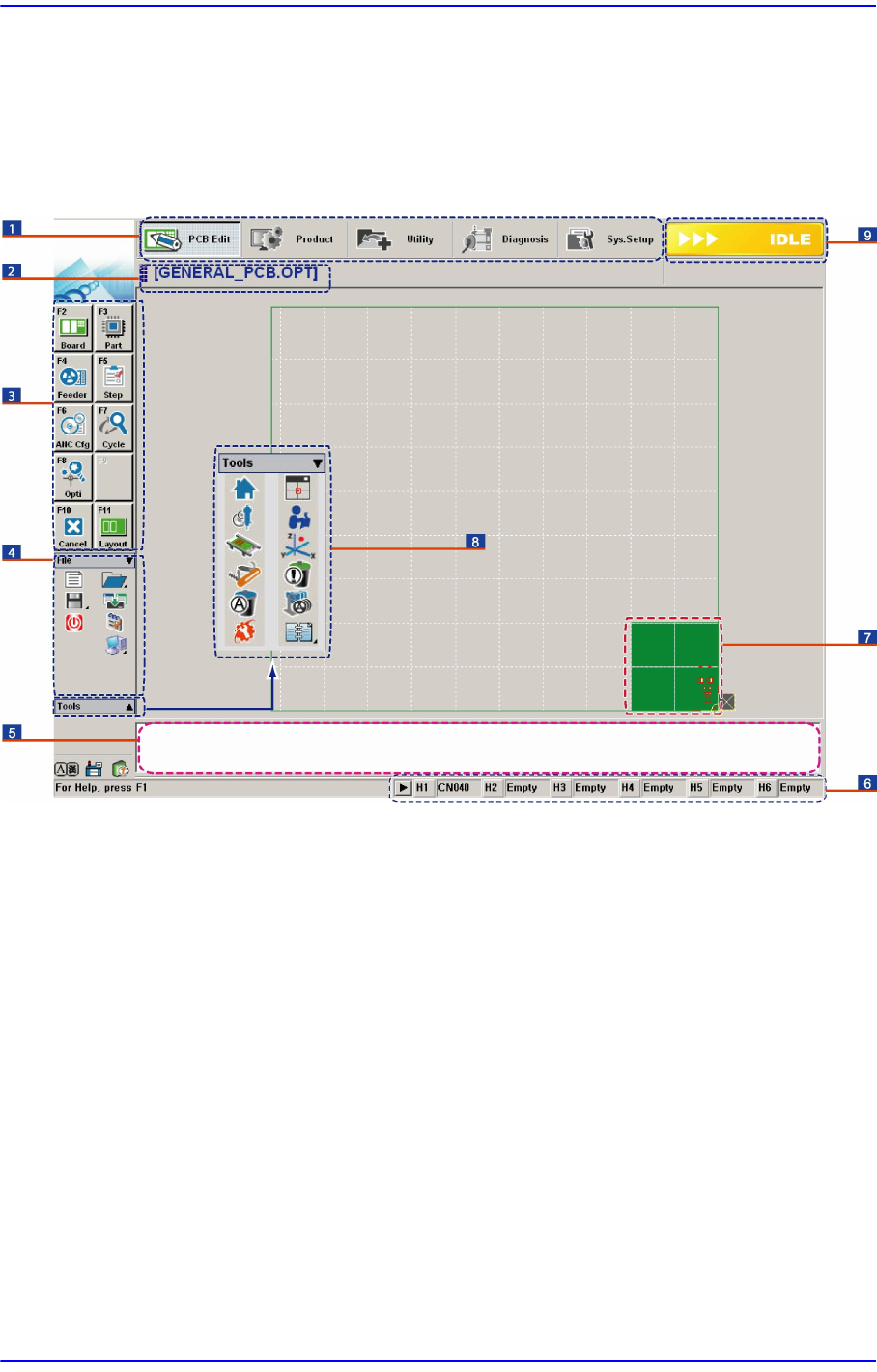
The main screen of MMI of this equipment is shown below.
1: A main menu tool-bar is shown.
2: The PCB file name being worked on is indicated.
3: A sub menu tool-bar is shown.
4: A File menu tool-bar is shown. (New, Open, Save, Merge, Error Message, Window Tool).
5: Events occurring during the operation are displayed.
6: The name of the nozzle, which is inserted in the nozzle-holder of the corresponding head, is displayed.
7: The shape of the part to be placed is indicated.
8: A Short Cut Bar is displayed. (Home, SM Vision, ANC, Operation Mode, Conveyor, Position Manual
Tool, Dump Information, PM Manager, Telemetry)
9: A help message applicable to the present state as well as the state of the machine (IDLE, RUN, FREEZE,
ADJUST, WAIT, PAUSE, EMER, MPU-STOP) is indicated.
Preface
xxi
Memo Pictures showing a dialog box or message box of MMI are
inserted to produce this manual. Therefore, the screens shown in
the manual and various settings, values and contents included
within may vary depending on the equipment installed or the
operational environment.
The MMI screens shown in the manual are inserted for more
detailed reference and explanation. They are produced by
enlarging or reducing the contents appearing on the main screen
of MMI.
Next Generation, Multi-Functional Placer DECAN S1 Administrator’s Guide
xxii
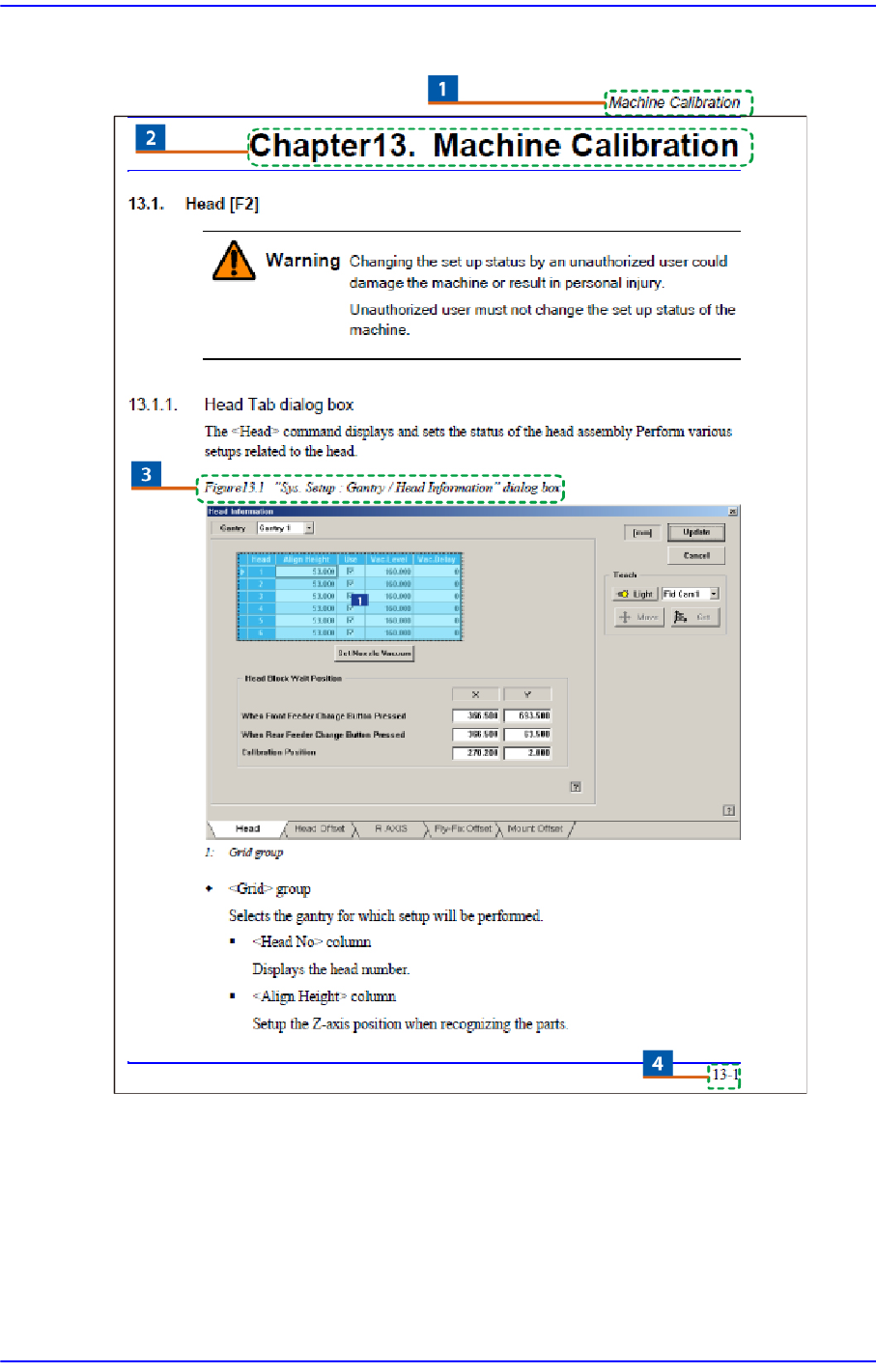
Page Layout
1: Chapter Title / Manual Name
2: Chapter Title
3: Figure (Chapter number)-(Serial number) (Title of the figure)
Indicates that this is the first figure of Chapter 4 and that the title of the figure is ‘Operation Panel’.
4: Chapter number – page (Indicates the first page of Chapter 1)