DECAN_S1_Administrator′s_Guide(Eng_Ver1.5)_Print.pdf - 第401页
14-19 Machine Calibration If the calibration procedure is completed prope rly , the result as shown in the following figure is displayed. 4. Click the <FIND LIMIT ALL AXIS> button. (Proceed in the foll owing order:…
14-18
Next Generation, Multi-Functional Placer DECAN S1 Administrator’s Guide
14.3.1.1. Procedure
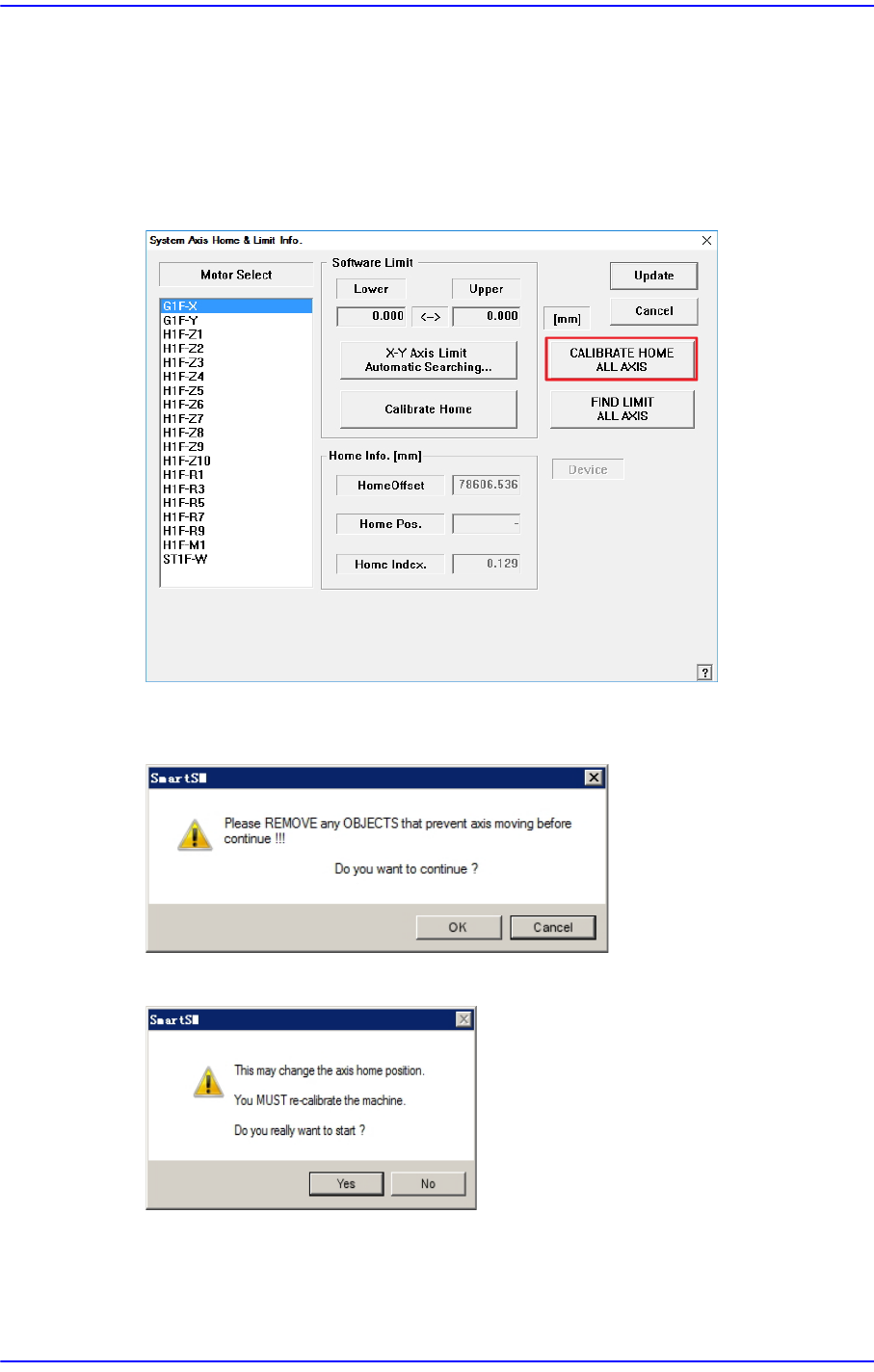
Axis Home Calibration method is as follows.
1. Click the <CALIBRATE HOME ALL AXIS> button.
(Proceed in the following order: Head Homing → Gantry Homing → Skew →
Conveyor → Shuttle)
2. After confirming that there is no object inside the machine or on the conveyor, click
the <OK> button.
3. Click the <Yes> button.
14-19
Machine Calibration
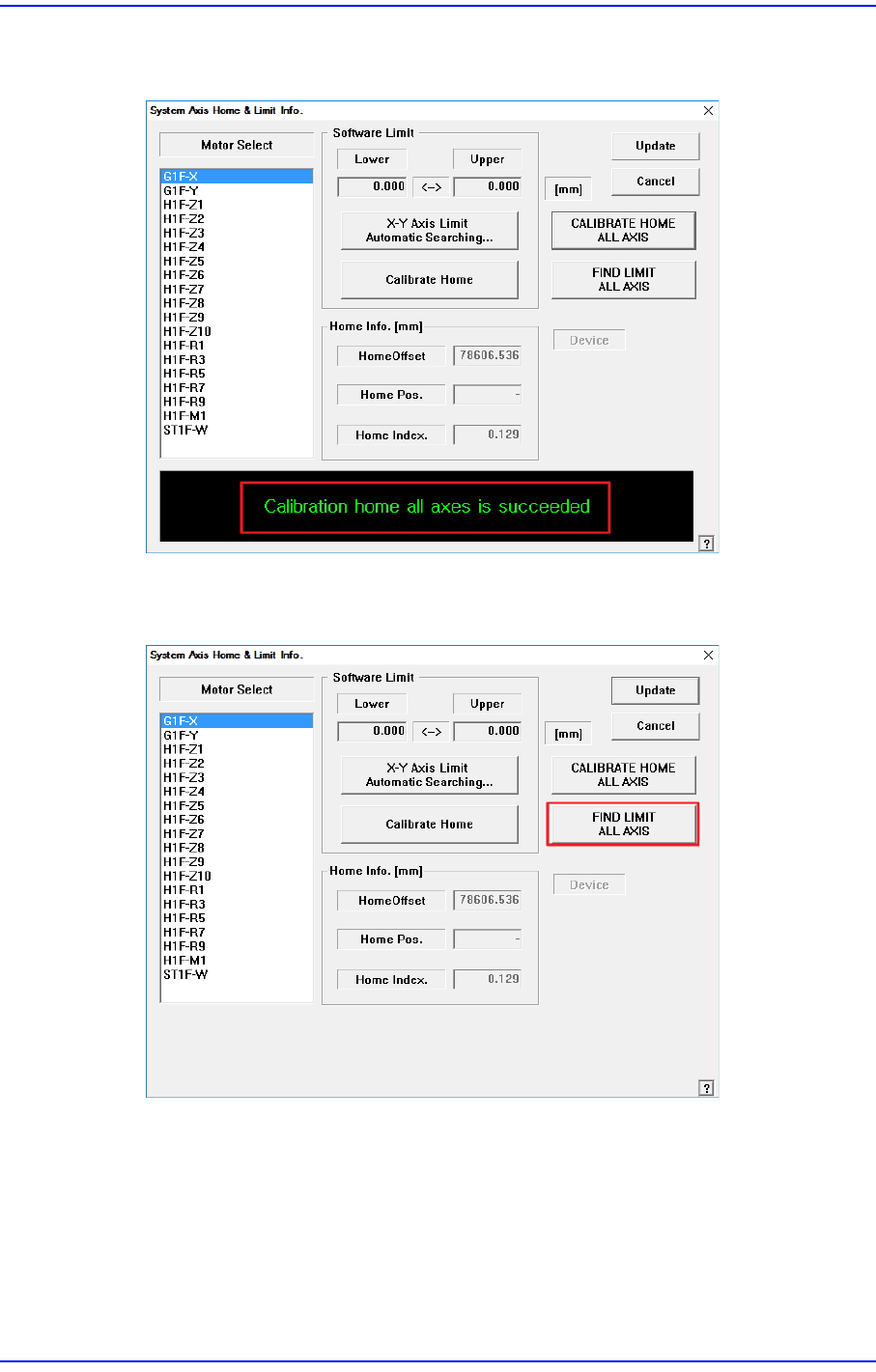
If the calibration procedure is completed properly, the result as shown in the following
figure is displayed.
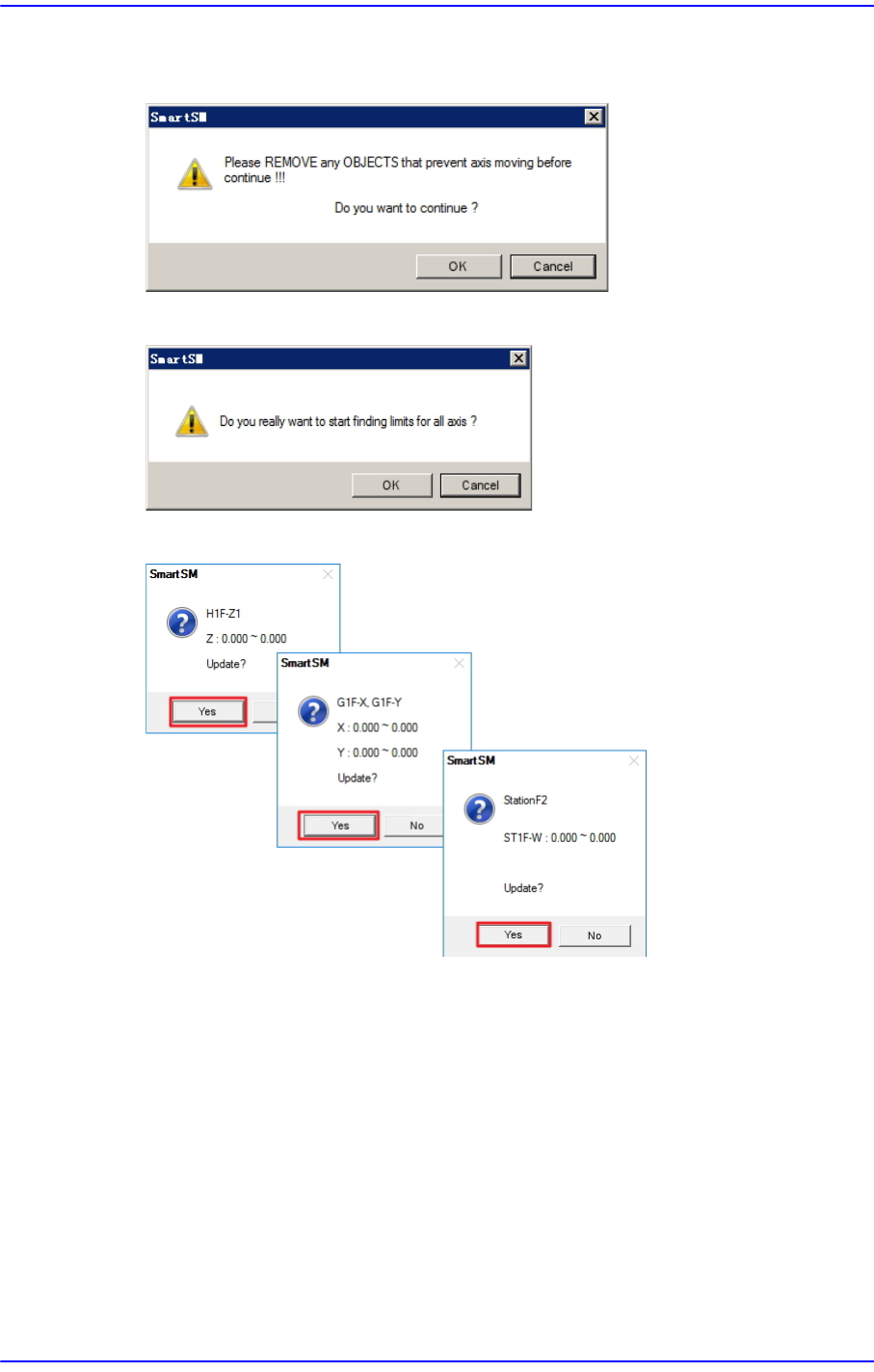
4. Click the <FIND LIMIT ALL AXIS> button.
(Proceed in the following order: Head Z → Gantry Limit → Conveyor)
14-20
Next Generation, Multi-Functional Placer DECAN S1 Administrator’s Guide
5. After confirming that there is no object inside the machine or on the conveyor, click
the <OK> button.
6. Click the <Yes> button.
7. Limit value is measured for each axis. Click the <Yes> button.