DECAN_S1_Administrator′s_Guide(Eng_Ver1.5)_Print.pdf - 第246页
7-82 Next Generation, Multi-Functional Plac er DECAN S1 Administrator’s Guide W & B (White and Black): for when the center of the ball looks black and th e outer side looks white. <Algorithm> edit box Selects…
7-81
Part Registration
Check
Rev. Check (Reverse Check)
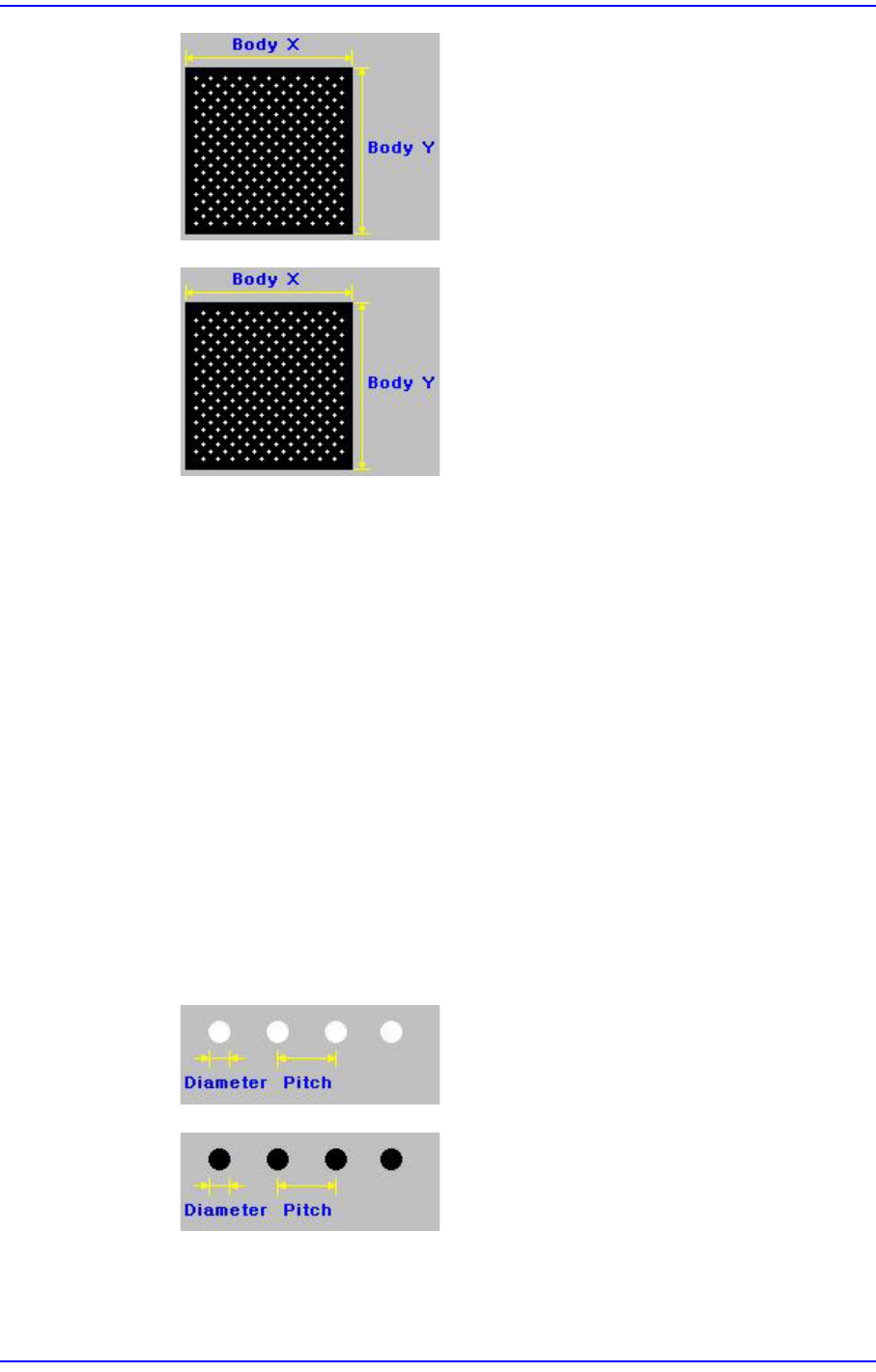
<Body X> edit box
Set the size of component body in X direction.
<Body Y> edit box
Set the size of component body in X direction.
<Ball Num X> edit box
Set the number of balls in X direction. In the case of “Check” or “Rev. Check”
type, the empty area is also included. Therefore, in the case of “Check” or “Rev.
Check” type, the number of balls is always an odd number.
<Ball Num Y> edit box
Set the number of balls in Y direction. In the case of “Check” or “Rev. Check”
type, the empty area is also included. Therefore, in the case of “Check” or “Rev.
Check” type, the number of balls is always an odd number.
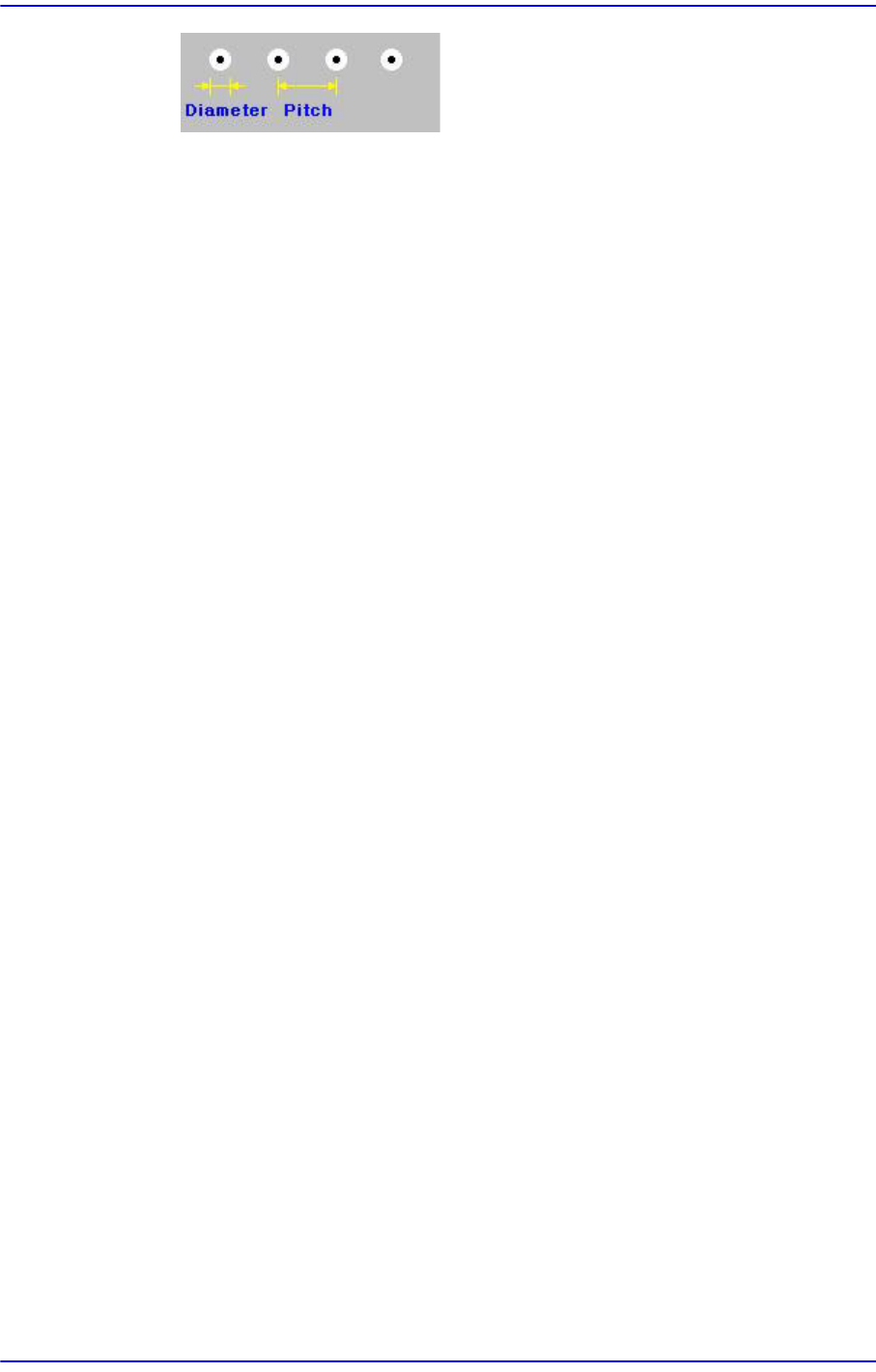
<BGA Flag> combo box
Select the color of balls. Available colors are as follows.
White: for when the ball looks white.
Black: for when the ball looks black.
7-82
Next Generation, Multi-Functional Placer DECAN S1 Administrator’s Guide
W & B (White and Black): for when the center of
the ball looks black and the outer side looks white.
<Algorithm> edit box
Selects algorithm for BGA component recognition. Available algorithms are as
follows;
Ball: Recognizes using ball only. It is used for BGA that has distinct balls as in the
PBGA.
Ball & Body: Considers the component body and ball simultaneously. It is used
for the BGA where it is difficult to distinguish the ball and the body as in the
CBGA.
<Diameter> edit box
Set the diameter of the ball.
<Pitch X> edit box
Sets the distance X from the ball center to the nearest ball center. In the case of
“Check” or “Rev. Check”, set the distance assuming that there is a ball at the
empty space.
<Pitch Y> edit box
Sets the distance Y from the ball center to the nearest ball center. In the case of
“Check” or “Rev. Check”, set the distance assuming that there is a ball at the
empty space.
<Appear Size> edit box
The ratio between the actual ball size and the size seen in the vision image. For
example, if the value is 1, then the ball is seen in its actual size, and if the value is
0.9, then the ball is seen at 90% of its actual size.
<Score> edit box
When a ball is searched, the degree of conformity to the specifications is shown as
a score. 1000 means total conformity. But in reality, it is best to use about 600. If
you set a lower value, it can adversely affect recognition. And if you set too high a
score, the rejection rate increases.
<Tolerance> edit box
Tolerance for the ball. Set it as a percentage of <Ball Pitch>.
For other setups, please refer to “7.1.1 common Align Data”.
<Option> group
Set the align option data.
7-83
Part Registration
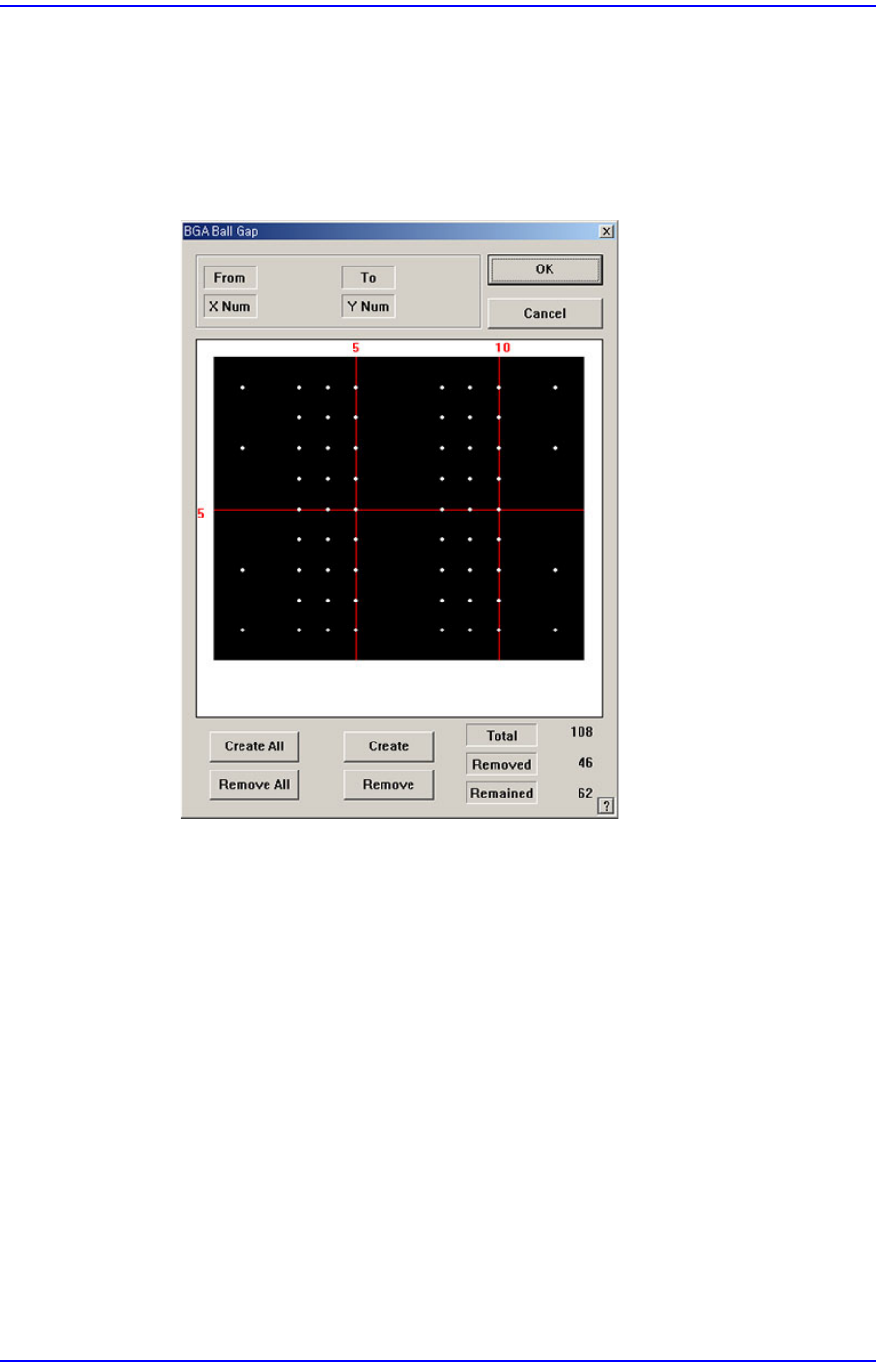
<GAP> button
If there are any missing balls in the ball arrangement, sets the empty balls. It is
activated only when the <Grid Type> is “Regular”.
When this button is clicked on, the following dialog box is displayed.
Figure7.28 “BGA Ball Gap” ”dialog box
The grid displays the current ball status. The white dot indicates the ball. To
remove balls in a certain area, the area should be specified first. The area to select
can be set by pressing the left button of the mouse, drag it to the desired area and
release it. The balls in the selected area change color. The following screen shows
a case where 4 balls in total, from the ball at (3,2) to the ball at (4,3), 2 balls in X
direction and 2 balls in Y direction, are selected.