DECAN_S1_Administrator′s_Guide(Eng_Ver1.5)_Print.pdf - 第80页
3-16 Next Generation, Multi-Functional Plac er DECAN S1 Administrator’s Guide Click the <V iew All> button to compare and check items with different part information. Select the part name to be mer ged fro m the &l…
3-15
File Shortcut Menu
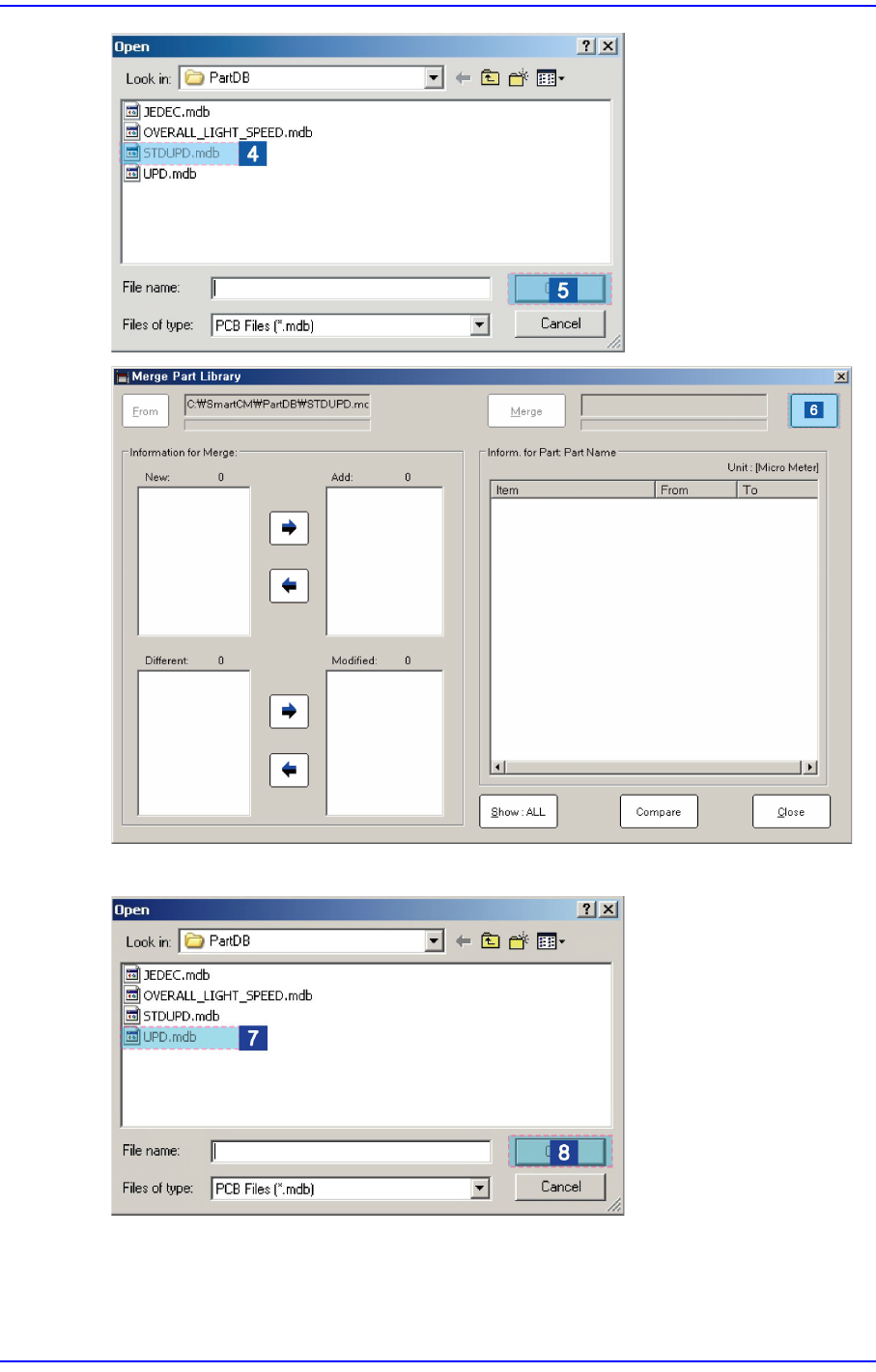
Click the <To> button to select the target DB file.
3-16
Next Generation, Multi-Functional Placer DECAN S1 Administrator’s Guide
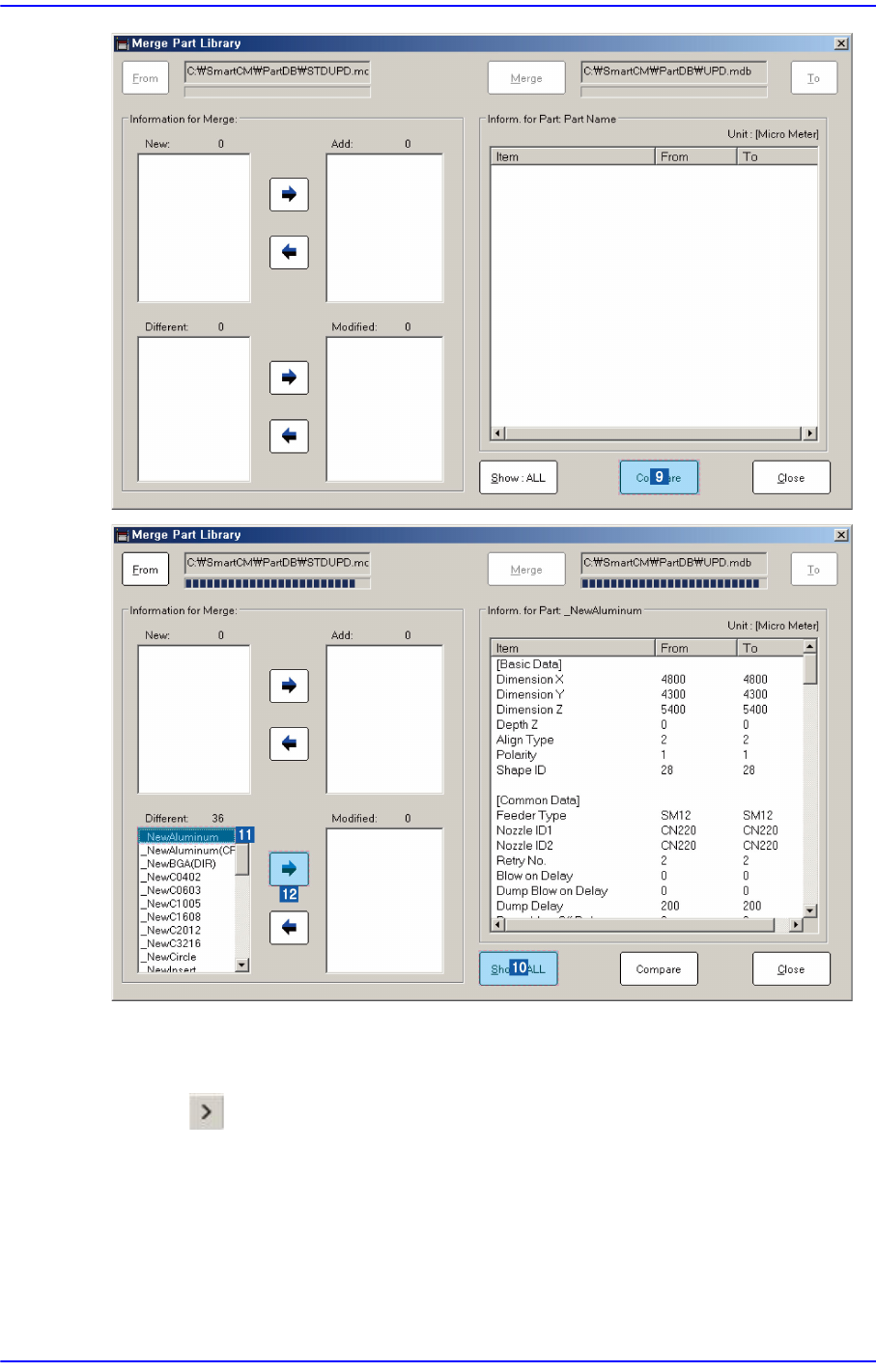
Click the <View All> button to compare and check items with different part information.
Select the part name to be merged from the <New:> or <Different:> list box.
Click the button and add the item to be merged into the <Add:> or <Modified:> list
box
3-17
File Shortcut Menu
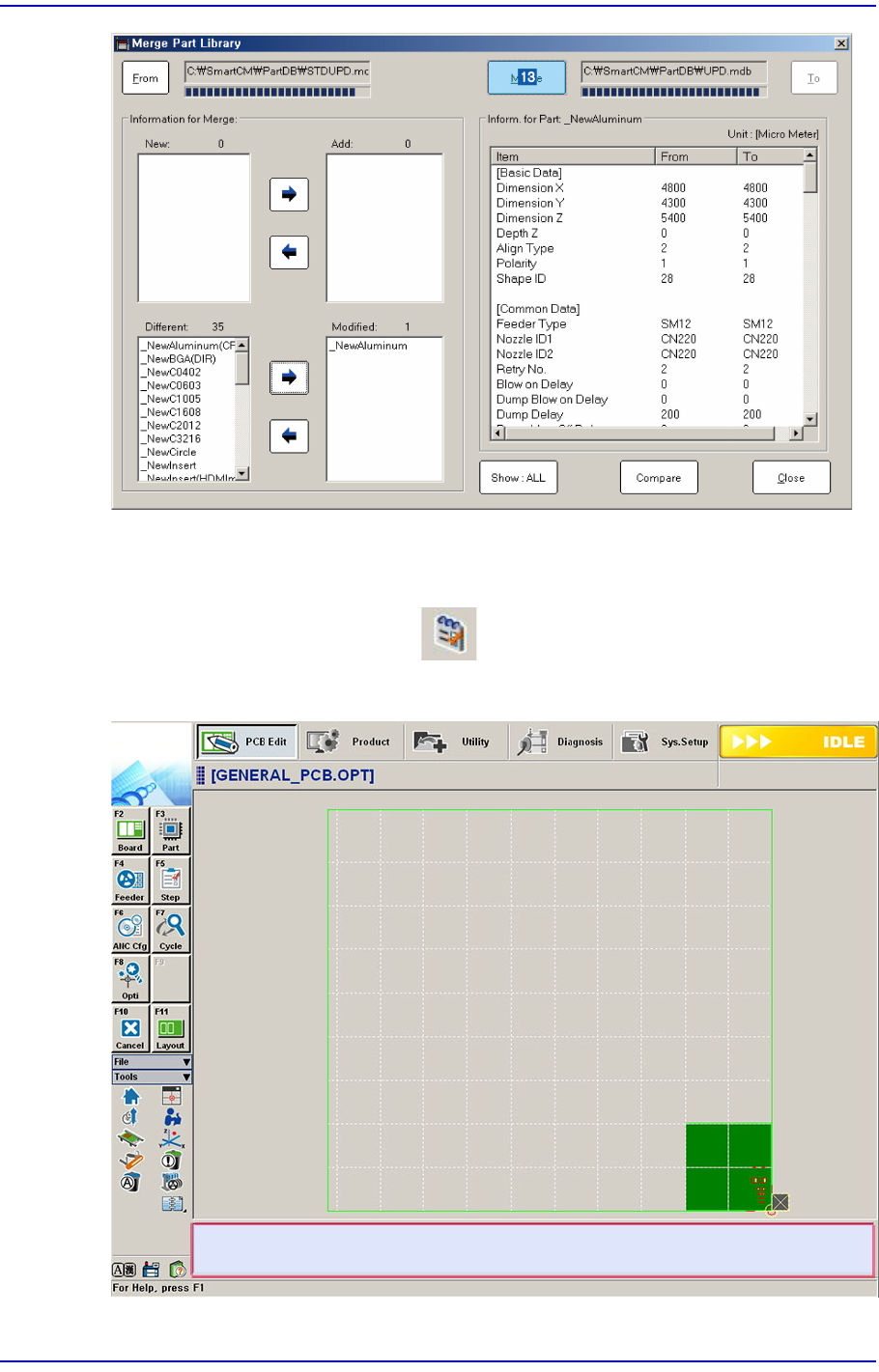
Click the <Merge> button to merge the corresponding item into the part library.
3.5. Error Message Bar Show/Hide
Indicates or hides the error message bar at the bottom of the screen.