DECAN_S1_Administrator′s_Guide(Eng_Ver1.5)_Print.pdf - 第502页
15-36 Next Generation, Multi-Functional Plac er DECAN S1 Administrator’s Guide Perform light mapping of the Fix Camera in the following manner: 1. Click the <Light Mapping> button to ex ecute the light mapping dial…
15-35
System Setup
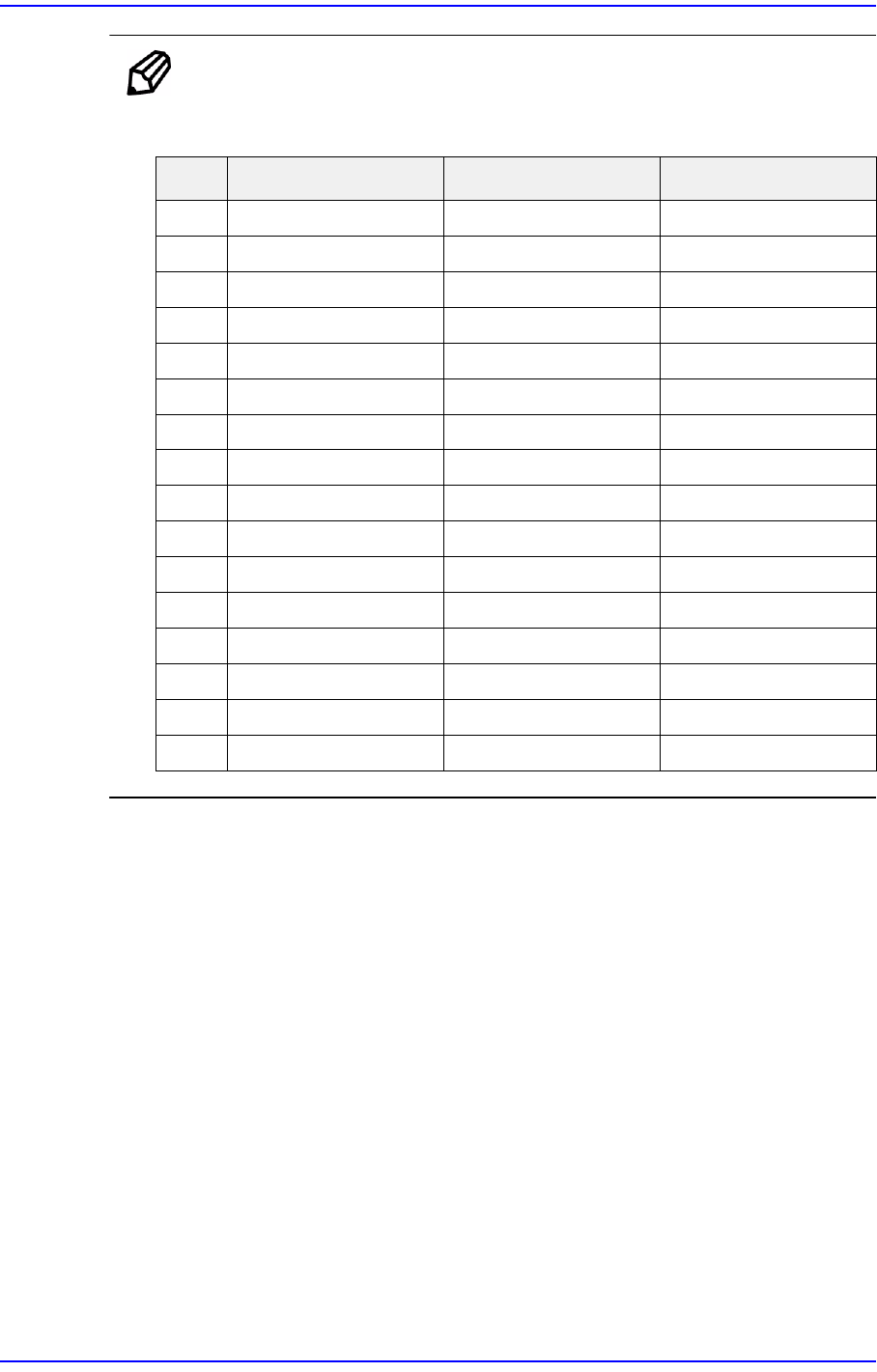
Ref. The test result value must be within ±10 from the following reference
value.
Side Outer Coaxial
0000
10 50 3
20 60 5
30 70 8
4358012
5459016
6 56 100 20
7 66 110 25
8 77 120 30
9 87 130 35
10 98 140 40
11 108 150 45
12 119 160 50
13 130 170 55
14 140 180 60
15 151 190 140
15-36
Next Generation, Multi-Functional Placer DECAN S1 Administrator’s Guide
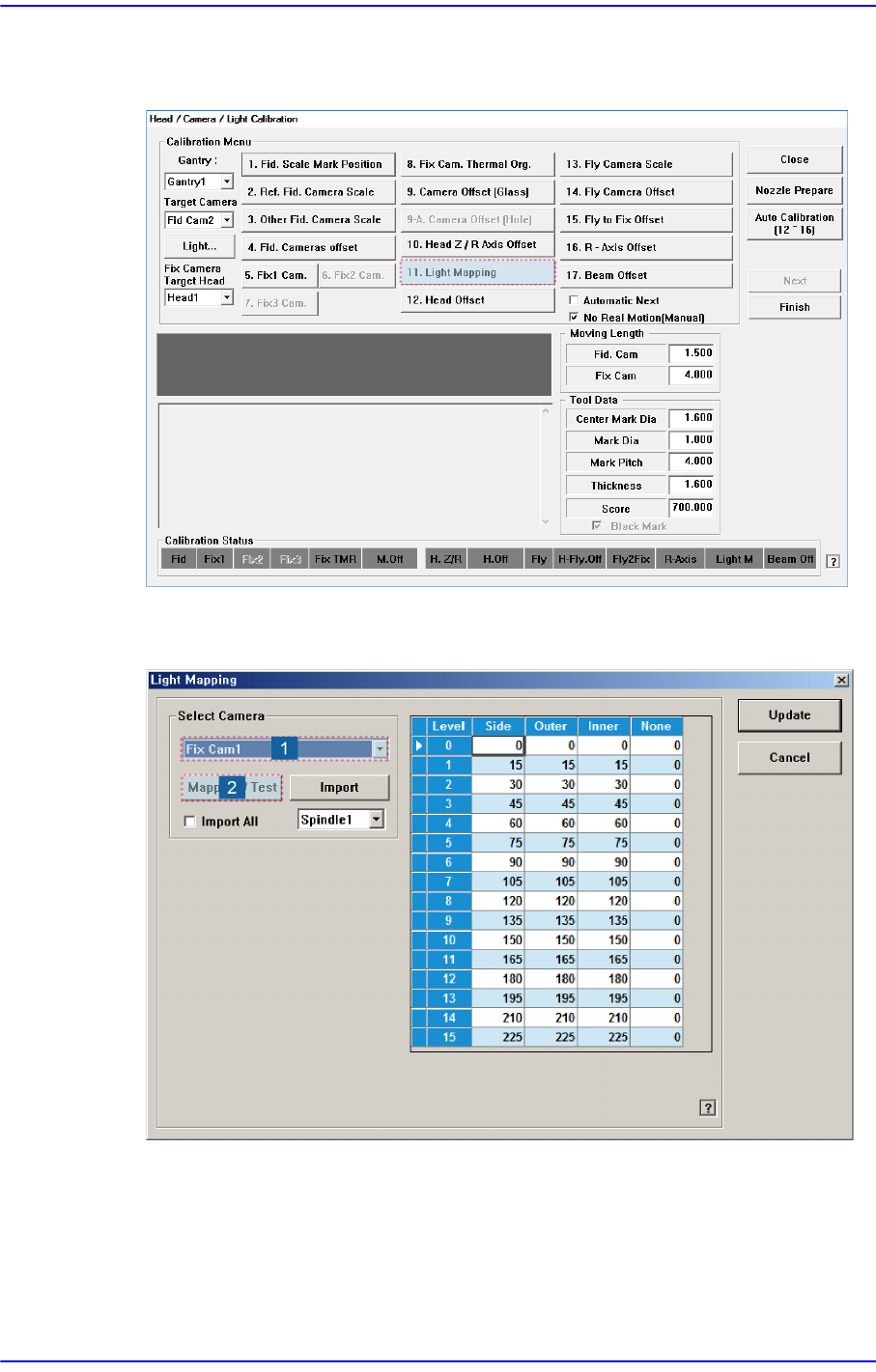
Perform light mapping of the Fix Camera in the following manner:
1. Click the <Light Mapping> button to execute the light mapping dialog box.
2. After selecting the camera for which light mapping is to be performed in the <Select
Camera> group, click the <Mapping/Test> button.
15-37
System Setup
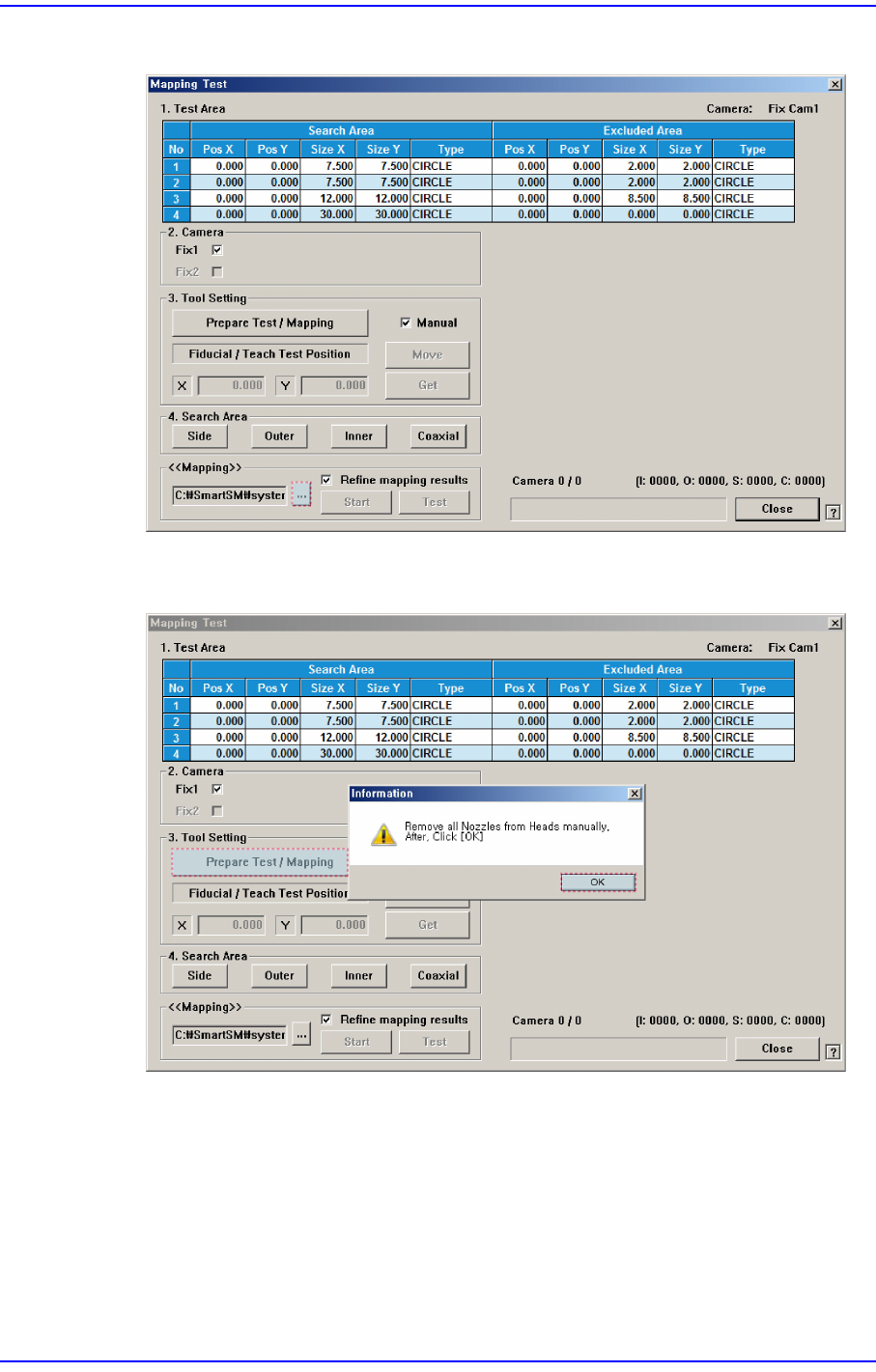
3. Click the <...> button in the <<Mapping>> group to select the file for calibration.
4. After clicking the <Prepare Test / Mapping> button in the <3. Tool Setting> group,
click the <OK> button.