DECAN_S1_Administrator′s_Guide(Eng_Ver1.5)_Print.pdf - 第407页
14-25 Machine Calibration The process of teaching the Fiducial Mark of the A NC top surface using the fiducial camera is as follows. 1. When performing the mark setup, select th e gantry and click the <1. Fid. Scale M…
14-24
Next Generation, Multi-Functional Placer DECAN S1 Administrator’s Guide
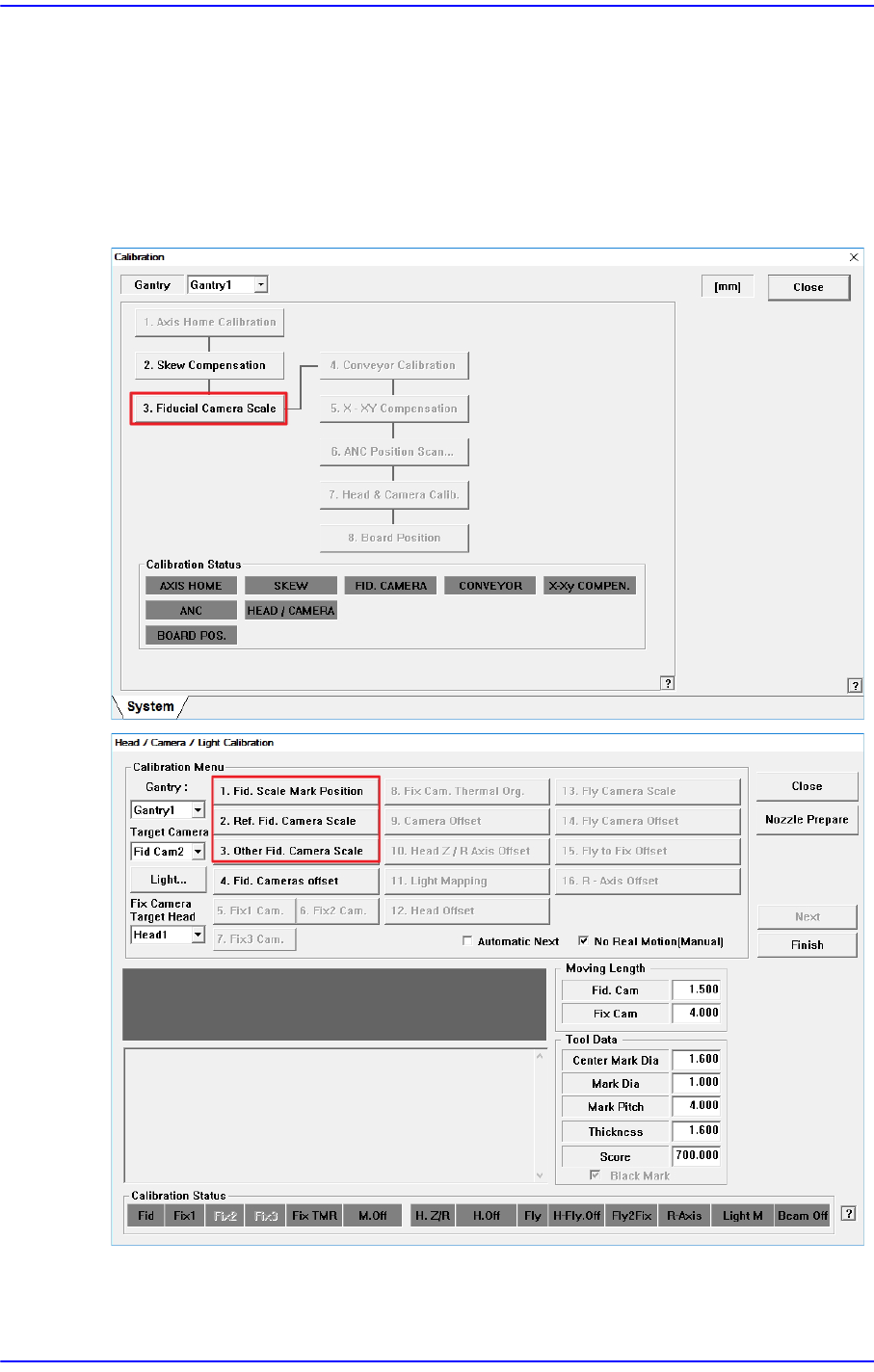
14.3.3. Fiducial Camera Scale
Calibration must be performed by using the fiducial camera. Therefore, the scale
calibration of the fiducial camera must be performed first.
If the fiducial camera is not calibrated, the rest of the buttons are disabled.
When the Fiducial Camera Scale Calibration is completed, the <3. Fiducial Camera Scale>
button is not displayed in the “Calibration” window.
<1. Fid. Scale Mark Position> button
Set the position of the fiducial mark (White) located at the top surface of the ANC.
14-25
Machine Calibration
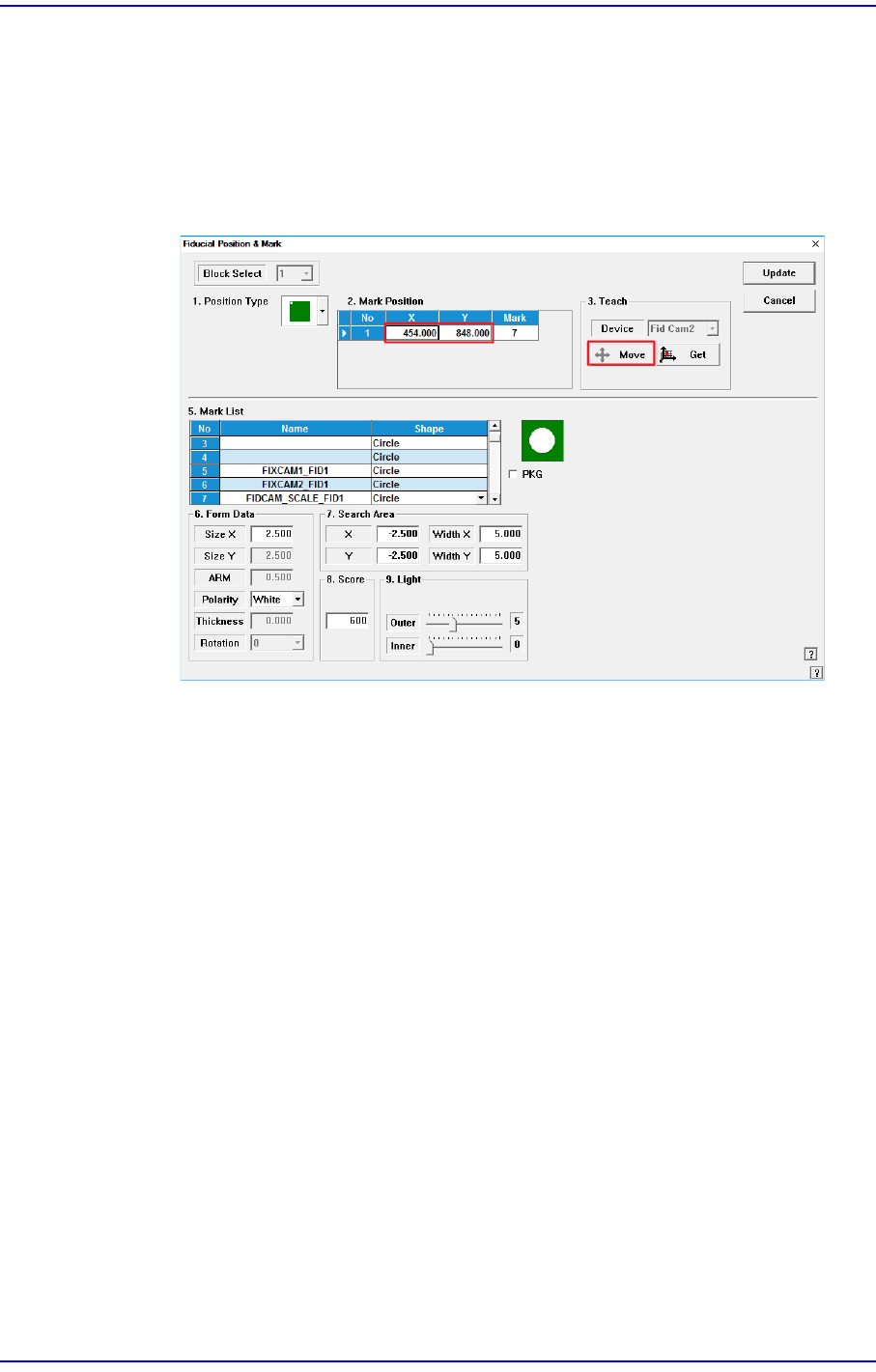
The process of teaching the Fiducial Mark of the ANC top surface using the fiducial
camera is as follows.
1. When performing the mark setup, select the gantry and click the <1. Fid. Scale
Mark Position> button. If the following screen appears, click the <Move> button
in the <Teach> group.
Then the fiducial camera moves to the corresponding position.
2. If the corresponding fiducial mark cannot be recognized correctly, teach the
position of the fiducial mark on the top surface of the ANC. (The size of the
Fiducial Mark is 2.5 mm)
3. If the fiducial mark position teaching is performed accurately, click the <Update>
button to apply the changed value.
<2. Ref. Fid. Camera Scale> button
There is no calibration required to be done in advance in order to calibrate the scale
(um/pixel) and rotation (deg) of the fiducial camera.
14-26
Next Generation, Multi-Functional Placer DECAN S1 Administrator’s Guide
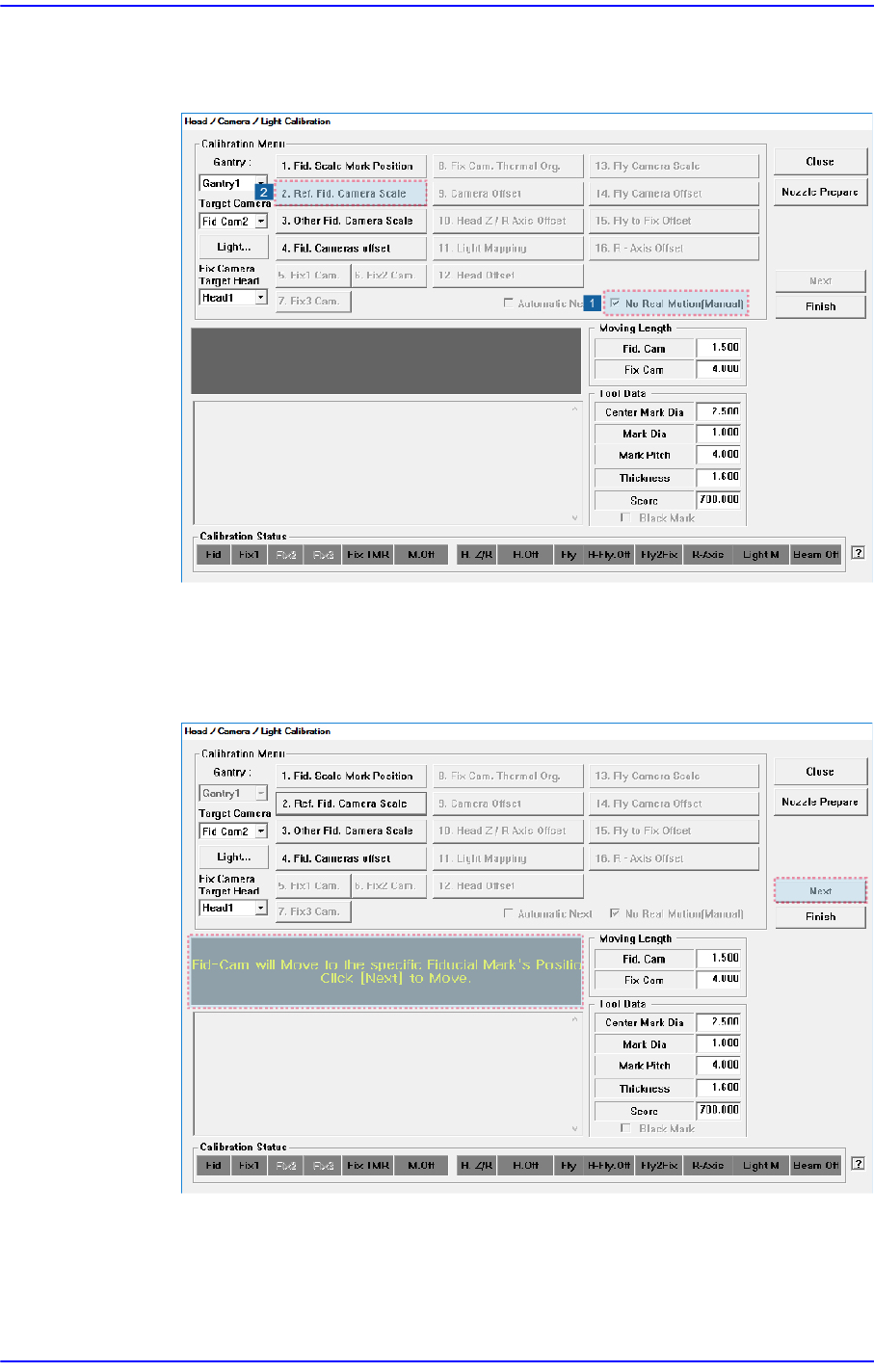
The following shows how to calibrate the fiducial camera scale manually.
1. Click the <2. Ref. Fid. Camera Scale> button in the <Calibration Menu> group.
2. If the <2. Ref. Fid. Camera Scale> button is clicked, a message “Fid-Cam will
Move to the specific Fiducial Mark’s position on ANC. Click [Next] to Move.”
appears in the message box. Click the <Next> button to move the fiducial camera
to the ANC's Fiducial Mark position.