DECAN_S1_Administrator′s_Guide(Eng_Ver1.5)_Print.pdf - 第59页
2-5 Structure of MMI Menu 2.1.2.2. Main Tool bar 2.1.2.2.1. The sub menu tool-bars of the PCB Edit menu tool-bar Board Register various information o n the board to be produced.. Part Register various information abo…
2-4
Next Generation, Multi-Functional Placer DECAN S1 Administrator’s Guide
Manual Tool
Used when it is necessary to refer to the current coordinate of each driving axis during
teaching or calibration.
Dump Info.
Used to check the message window indicating the information on the parts and feeders
dumped due to placement error.
Dump all
Used to dump all parts picked up by the head to the dump box.
Docking Cart
Used to manipulate the movement of the docking cart clamp in the machine to which
the docking cart is applied.
PM Manager
The PM Manager is a management menu that is used for the maintenance of the
machine in the MMI (Man-Machine Interface), an application program for machine
operation. The items to be inspected as well as check periods can be checked through
the PM Manager, and the machine can be managed more efficiently through the
schedule check function. For more details, refer to the “Appendix. PM Manager’s
Guide” of “Administrator’s Guide”.
Data Logging
Used to find the cause of problems occurring in the machine.
2.1.2.1.3. The sub menu of the help menu
Language
Enables indication of the messages in English while operating the equipment.
About
Displays the equipment’s application program’s current version and miscellaneous
information.
Help
Provides the help in HTML format for the application program of this equipment.
2-5
Structure of MMI Menu
2.1.2.2. Main Tool bar
2.1.2.2.1. The sub menu tool-bars of the PCB Edit menu tool-bar
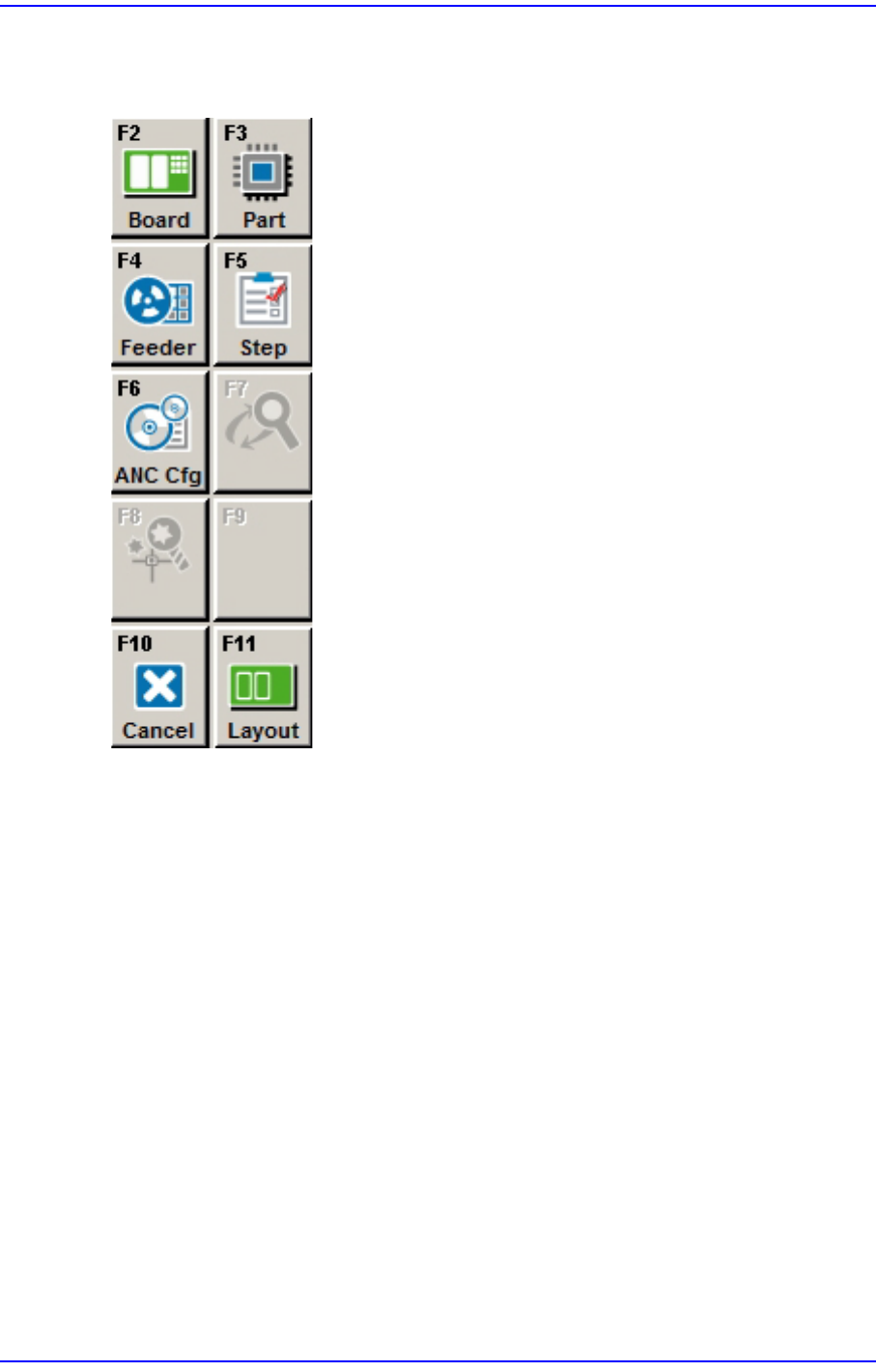
Board
Register various information on the board to be produced..
Part
Register various information about the components to be placed.
Feeder
Sets the data related to the Tape, Stick, and Tray Feeder.
Step
Defines the step for placement operation.
ANC Cfg
Displays the nozzle information in case the ANC setting of the current PCB file is
different from that of the current system.
Cycle
Checks the cycle by step.
Opti
Executes Optimizer..
2-6
Next Generation, Multi-Functional Placer DECAN S1 Administrator’s Guide
Cancel
Closes the dialog box for the Board, Part, Feeder, and Step.
Layout
Indicates the shape of PCB and placement position of the parts.
2.1.2.2.2. The sub menu tool-bars of the production menu tool-bar
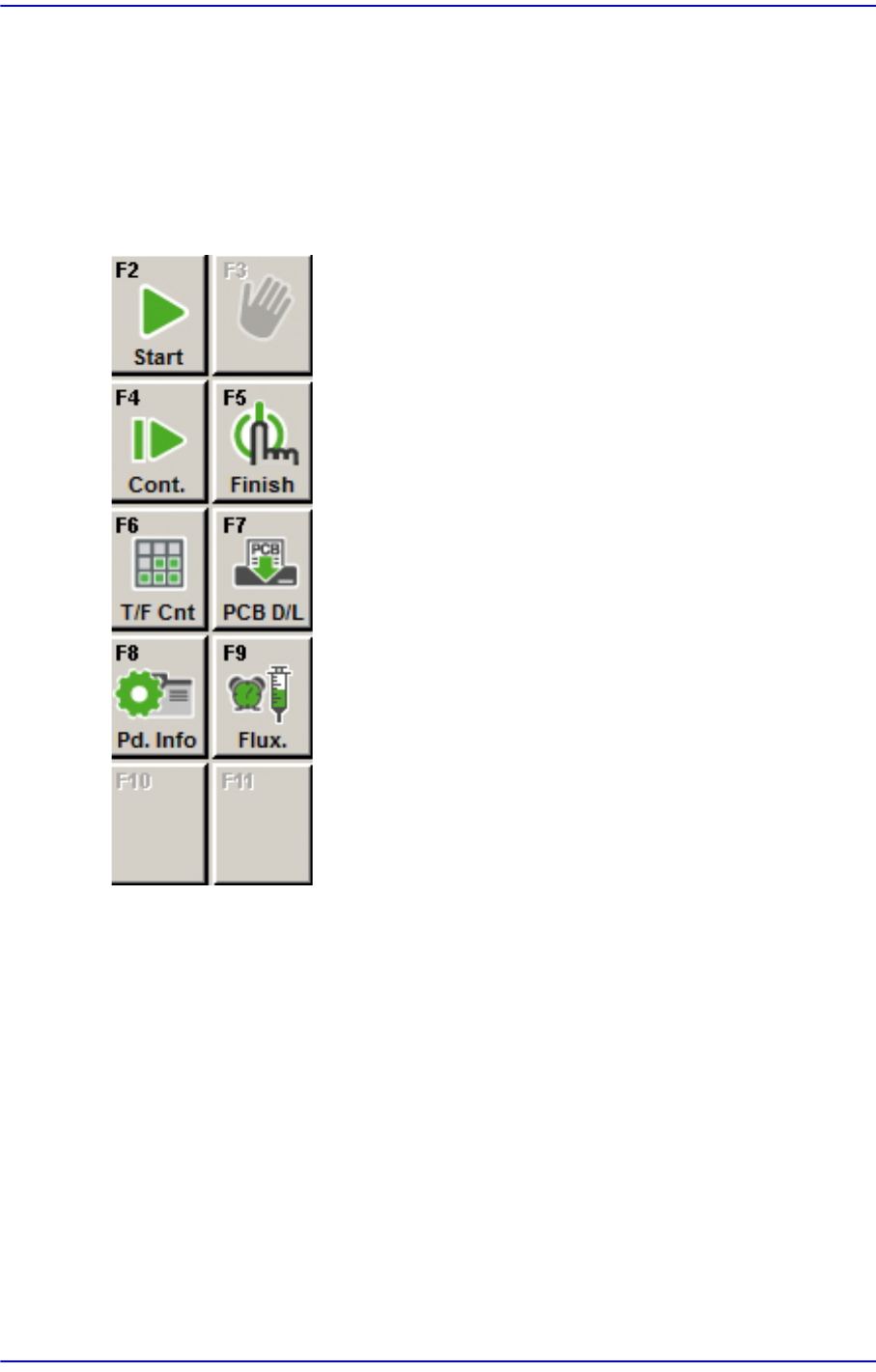
Start
Starts operation after downloading PCB.
Stop
Stops operation.
Cont.
Continues previous operation..
Finish
Finishes the downloaded operation completely.
T/ F Cnt
Sets the position of the pocket to start picking up components from the Tray Feeder.