DECAN_S1_Administrator′s_Guide(Eng_Ver1.5)_Print.pdf - 第582页
18-4 Next Generation, Multi-Functional Plac er DECAN S1 Administrator’s Guide Board/Hour Indicates the number of parts that are ex pected to be placed in an hour based on the Previous Cycle T ime (se c/board). <- …

18-3
Production Information Management
result of ‘Defect’ indicated on the bad mark.
<Worked Array>
Indicates the total number of PCB’s normally worked.
<Statistics> group
Displays the information about placement time. Clicking the right button will
display different types of information. (sec/board → board/hour → CPH)
<Peak Build Cycle>
sec/board
The minimum time that was taken to work on one PCB is displayed in the
second unit. [Peak Build Cycle Time (sec/board) ]
CPH
Indicates the number of PCBs that are expected to be produced in an hour
based on the Peak Build Cycle (sec/board).
Board/Hour
Indicates the number of parts that are expected to be placed in an hour based
on the Peak Build Cycle (sec/board).
<Mean Build Cycle>
sec/board
The average required time that was taken to work on one PCB is displayed in
the second unit. [Peak Build Cycle Time (sec/board) ].
CPH
Indicates number of parts placed in an hour after the initial PCB is fed to the
work station.
Board/Hour
Indicates number of PCBs produced in an hour after the initial PCB is fer to
the work station.
<Previous Cycle>
Previous Cycle Time =Build Time +Transfer Time
sec/board
Indicates the required time in the “second” unit until the next PCB is fed since
the most recently produced PCB was fed to the work station. [Previous Cycle
Time (sec/board) ]
CPH
Indicates the number of PCBs that are expected to be produced in an hour
based on the Previous Cycle Time (sec/board).

18-4
Next Generation, Multi-Functional Placer DECAN S1 Administrator’s Guide
Board/Hour
Indicates the number of parts that are expected to be placed in an hour based
on the Previous Cycle Time (sec/board).
<- Build Time>
Indicates the required time in the “second” unit from the time the backup table
moves up after the most recently produced PCB was fed to the work station to the
time the backup table moves down after the PCB is placed.
<- Transfer Time>
Indicates the required transportation time per PCB.
<Operation Status> group
Display the information for operating time.
<Run Time>
Indicates the total time of placement time and wait time. (Run =Place +Wait)
(Run =Place +Transfer +Wait)
<- Place Time>
Indicates the time of installation from turning on the power of the equipment
to the present time.
<- Transfer Time>
Indicates the total time of PCB transportation from turning on the power of the
equipment to the present time.
<- Entry Wait>
Indicates the total time the PCB waits until the current time for placement
after the machine is turned on.
<- Exit Wait>
Indicates the total time that the PCBs have been worked completely waits
until the current time for transfer to the next machine after the machine is
turned on.
<Stop> Time
Indicates the time equipment was in stop status from turning on the power of the
equipment to the present.
<Run Stop Count>
Indicates the machine stop count during automatic production.
<Stop>
Indicates the machine stop count performed by the user during automatic
production.
<Error Stop>
18-5
Production Information Management
Indicates the count of machine stop performed by an error during automatic
production.
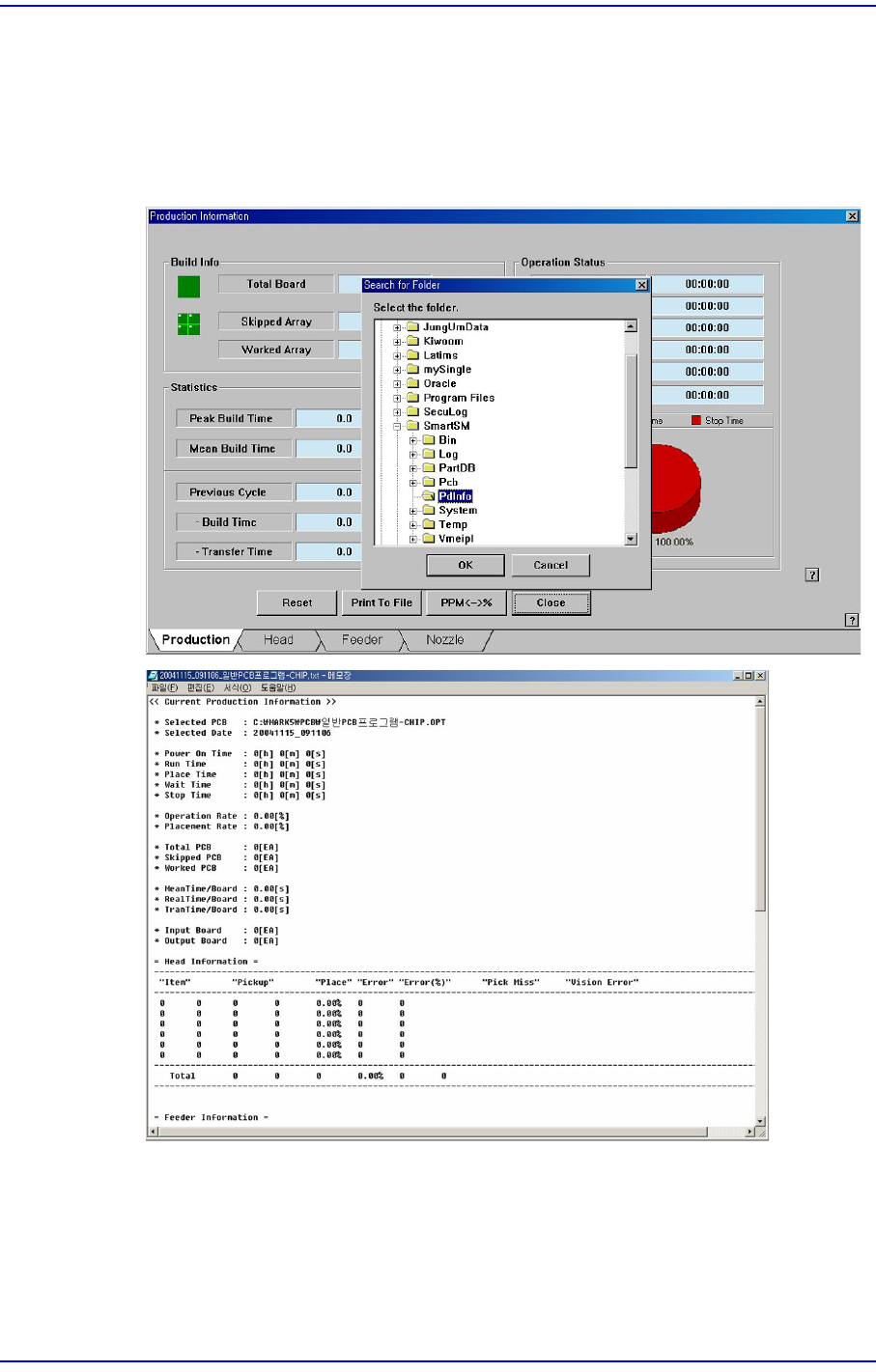
<Print To File> button
Saves the placement information related with PCB production in the assigned folder
(C:\ SmartSM\Pdinfo) in text file(*.txt) format.
<PPM<->%> button
Converts the indicated unit. (PPM<->%)
<Reset> button
Initializes all the indication information.