DECAN_S1_Administrator′s_Guide(Eng_Ver1.5)_Print.pdf - 第557页
16-11 Diagnosis <V acuum Chec k> group V ac_sat [mmHg] Indicates the average vacuum level of the corresponding heads after performing the ‘V acuum On’ oper ation. (A verage: -580 mmHg) Build Time [ms] Indicat…
16-10
Next Generation, Multi-Functional Placer DECAN S1 Administrator’s Guide
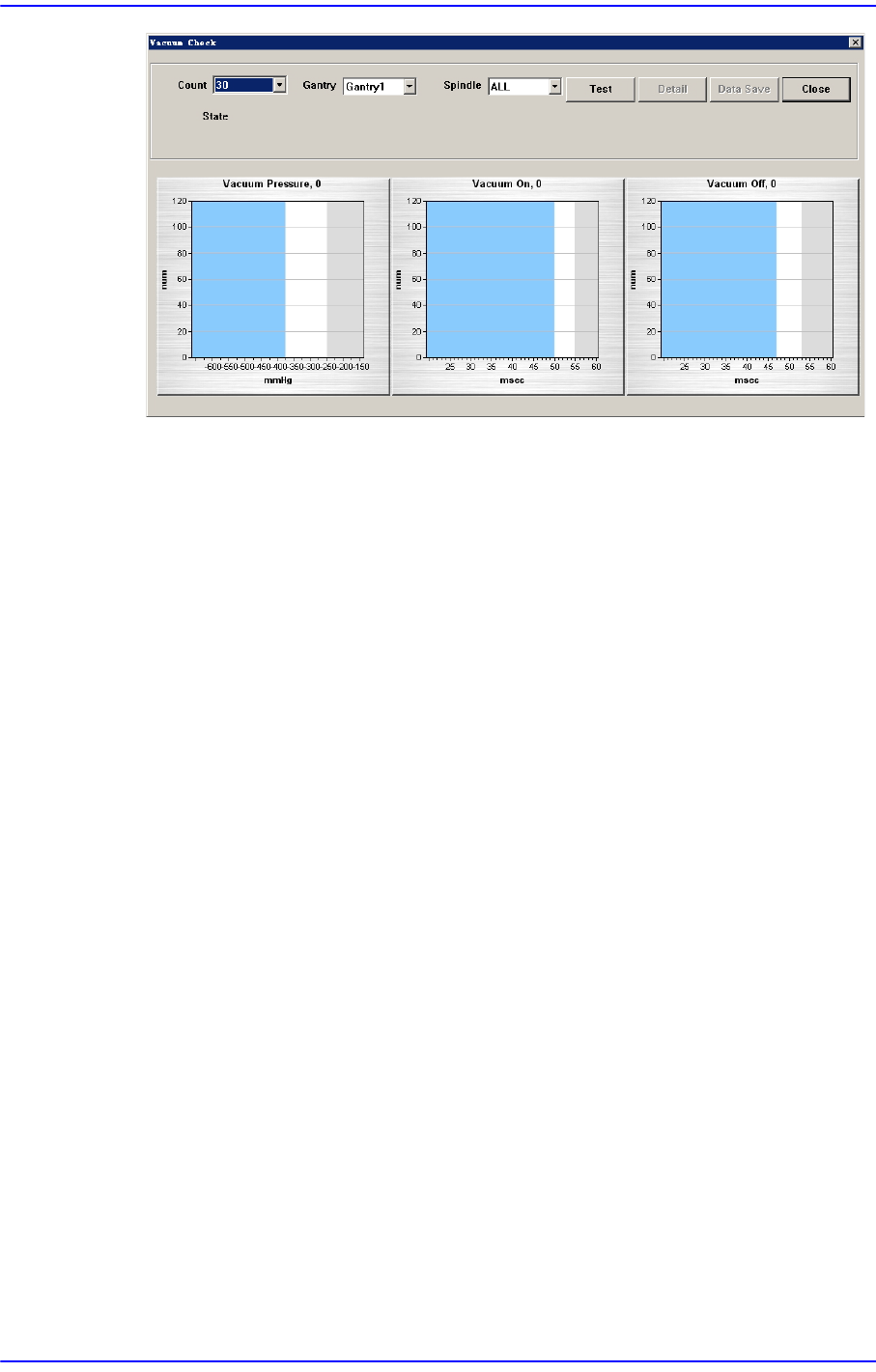
<Try> combo box
Select the number of times to execute ‘Vacuum On’ and ‘Blow Off’. It is
recommended to execute ‘Vacuum On’ and ‘Blow Off’ at least 100 times in order
to obtain effective results.
<Head> combo box
Selects the gantry to check the solenoid valve.
<Spindle> combo box
Selects the head to check the solenoid valve. Selecting ‘All’ will check all heads
of the gantry selected from the <Head> combo box.
<Test> button
Selecting this button will check ‘Vacuum On’ and ‘Blow Off’ for heads selected
from the <Head> combo box and <Spindle> combo box as many times as selected
from the <Try> combo box and will display the results in a graph.
<Detail> button
Clicking this button will display the dialog box indicating the result of the check
for the selected head as a statistical numerical value.
16-11
Diagnosis
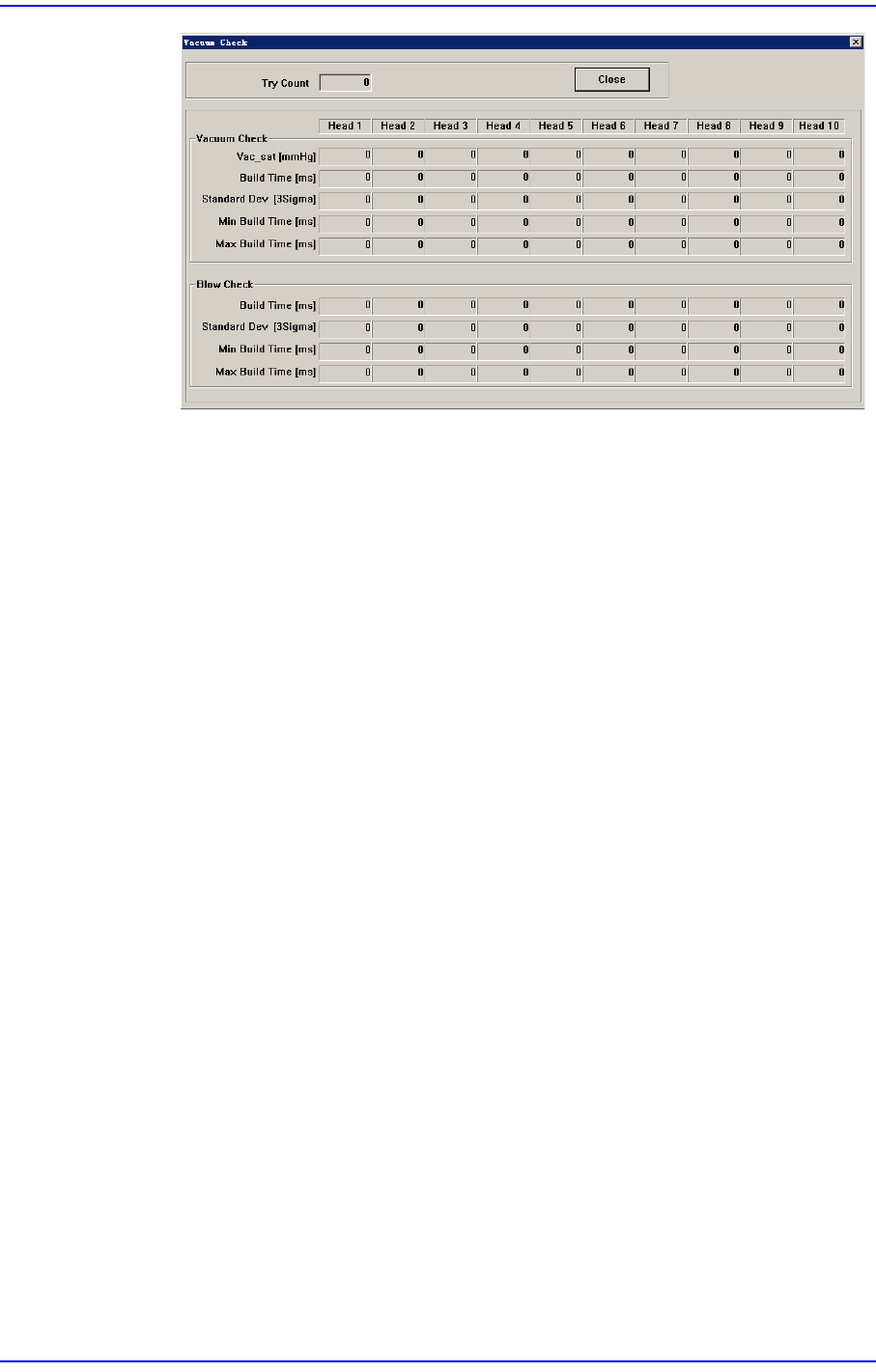
<Vacuum Check> group
Vac_sat [mmHg]
Indicates the average vacuum level of the corresponding heads after
performing the ‘Vacuum On’ operation. (Average: -580 mmHg)
Build Time [ms]
Indicates the time taken to reach 90% of the vacuum level.
Standard Dev [3σ]
Indicates the dispersion (3σ) of “Build Time’.
Min Build Time [ms]
Indicates the minimum value of the ‘Build Time’.
Max Build Time [ms]
Indicates the maximum value of the ‘Build Time’.
<Blow Check> group
Build Time [ms]
Indicates the time taken to reach 90% blow creation.
Standard Dev [3σ]
Indicates the dispersion (3σ) of “Build Time’.
Min Build Time [ms]
Indicates the minimum value of the ‘Build Time’.
Max Build Time [ms]
Indicates the maximum value of the ‘Build Time’.
<Save As> button
Clicking this button will execute the dialog box used to select the path to save the
result data as a text file.
16-12
Next Generation, Multi-Functional Placer DECAN S1 Administrator’s Guide
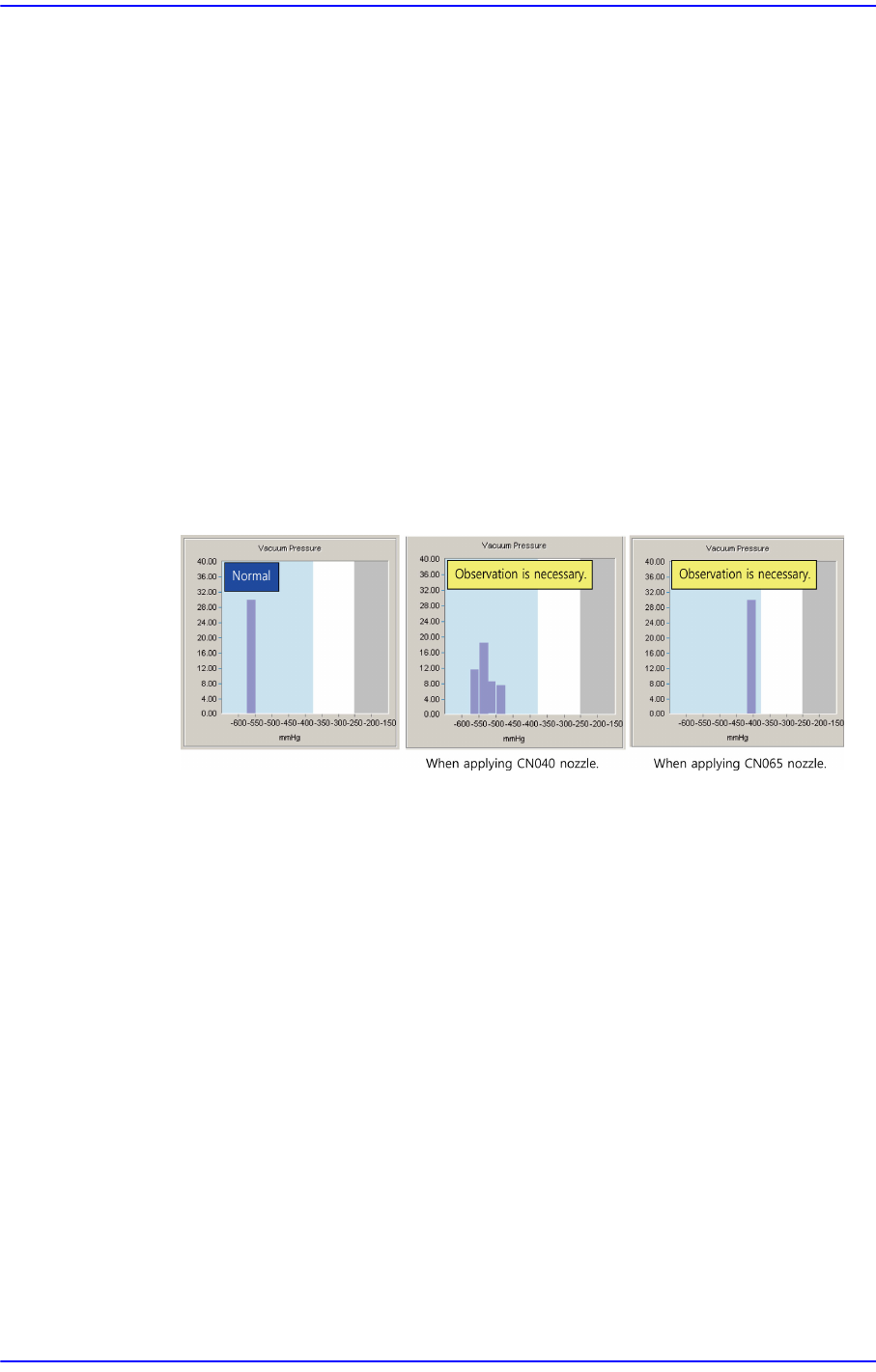
<Vacuum Pressure>
Indicates the vacuum level in graphic form when the vacuum level of the
corresponding head reached 90% after performing the ‘Vacuum On’ operation
X-axis
Indicates the average vacuum level of the heads after performing the ‘Vacuum
On’ operation. (Average: -580 mmHg)
Y- ax is
Refers to the count corresponding to the vacuum level which is the index of
the X-axis. The sum of the counts indicated by bar graphs is the same as the
count selected from the <Try> combo box.
Check whether the vacuum is created up to the required level while watching the
graph. If the result value exists within the blue area, it is normal. However, if it is
indicated in the white area, there is a problem. In this case, it is necessary to
observe the vacuum level continuously. If the result value is indicated in the grey
area, it is abnormal. In this case, contact our C/S or local agent for a precise check.
For the CN040 nozzle, if the vacuum level is higher than 400 mmHg, it is possible
to operate normally.
<Vacuum On>
Indicates the time taken to reach 90% of the vacuum level. Smaller dispersion is
better based on the average value. (Average value: 34 ms)
If the result value exists in the blue area, it is normal. If it is indicated in the white
area, it has a problem. In this case, it is necessary to observe the vacuum level
continuously. If it is indicated in the grey area, it is abnormal. In this case replace
the corresponding part.