DECAN_S1_Administrator′s_Guide(Eng_Ver1.5)_Print.pdf - 第392页
14-10 Next Generation, Multi-Functional Plac er DECAN S1 Administrator’s Guide <Offset-X, Y , R> column Sets the placement offset of X, Y and R. <Clear Data for this Head> button Deletes placement offset …
14-9
Machine Calibration
<Clear All Data> button
All Fly-Fix offset data can be deleted. Erased data cannot be restored. Camera
Calibration must be performed again to apply the Fly-Fix offset.
<Update> button
Transmits the change data to the equipment and closes the dialog box.
<Cancel> button
Ignores the change data and closes the dialog box.
14.1.5. <Mount Offset> tab dialog
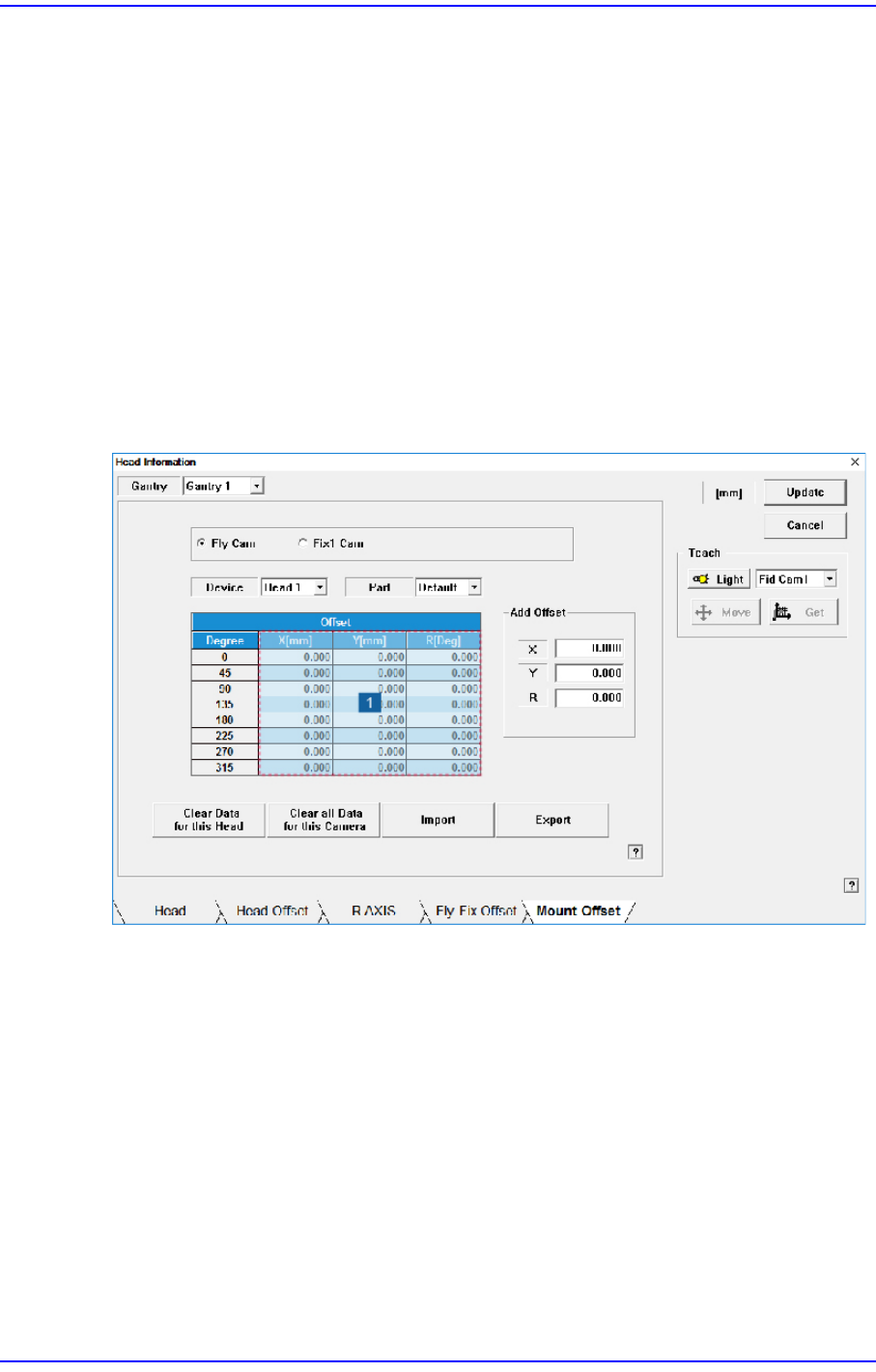
Sets the placement offset for each head / Part.
Figure14.5 “Mount Offset” tab dialog
1: Grid group
<Fly Cam / Fix1 Cam> option button area
Sets the placement offset for each camera.
<Device> combo box
Sets the placement offset for each head.
<Part> combo box
Sets the placement offset for each part.
<Grid> group
<Degree> column
Sets the placement offset by degree at 45 degree interval.

14-10
Next Generation, Multi-Functional Placer DECAN S1 Administrator’s Guide
<Offset-X, Y, R> column
Sets the placement offset of X, Y and R.
<Clear Data for this Head> button
Deletes placement offset data of the selected head.
<Clear all Data for this Camera> button
Able to delete the placement offset data of all the heads corresponding to the selected
camera.
<Import> button
It is used to import the saved placement offset file.
<Export> button
Current mounting offset data is exported to the mounting offset file.
<Update> button
Transmits the change data to the equipment and closes the dialog box.
<Cancel> button
Ignores the change data and closes the dialog box.
14-11
Machine Calibration
14.2. Camera [F5]
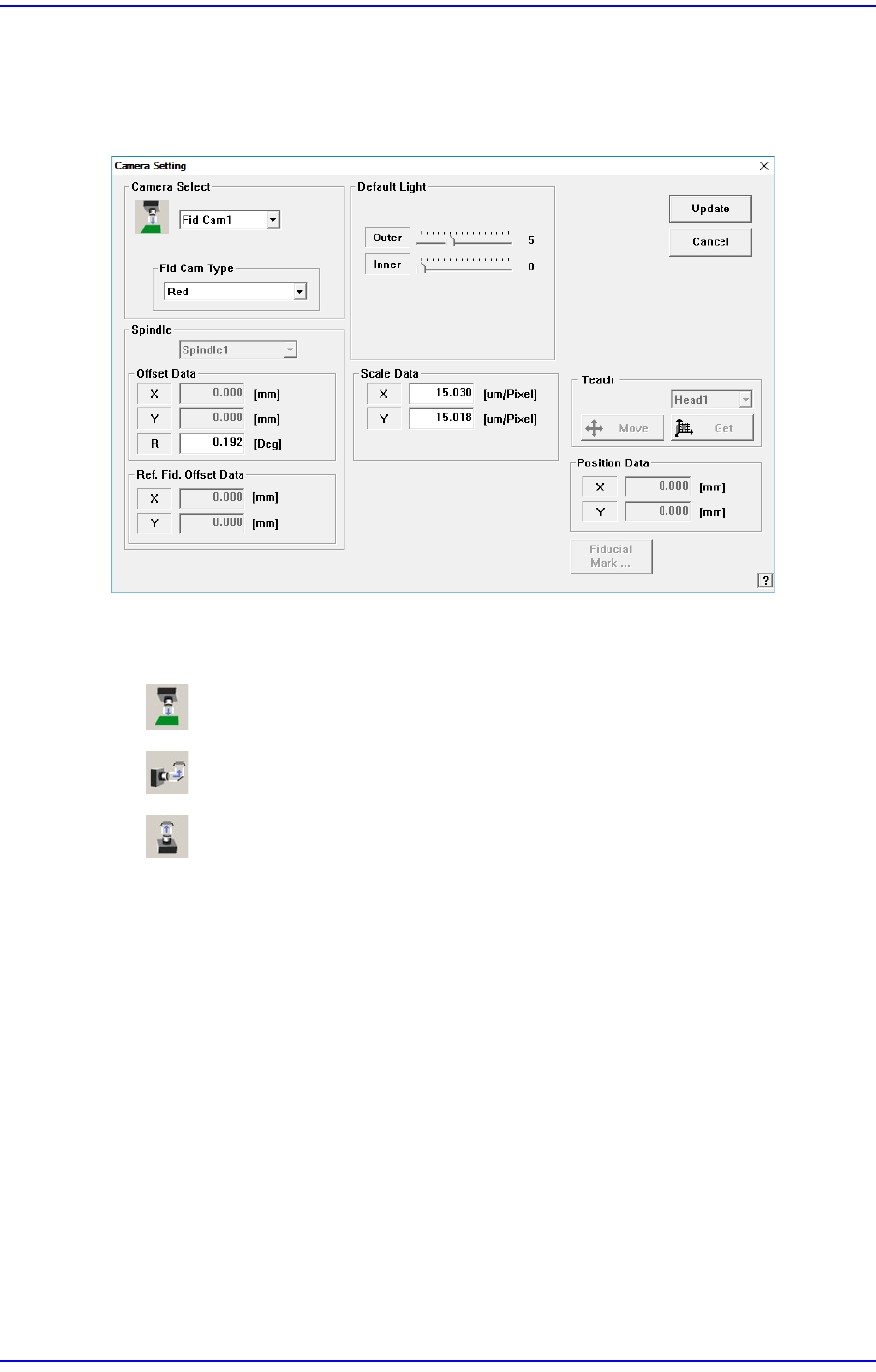
Sets various data on the camera.
Figure14.6 “Camera Setting” dialog box
<Camera Select> combo box
Select the camera type to set. Available camera types are as follows.
Fiducial Camera: Camera used for position teaching or fiducial mark check.
Fly Camera: Camera used for component check, it is attached to each head.
Fix Camera: Refers to the camera used to recognize large parts and connectors.
Above screen is the case where the camera type is set to “Fiducial Camera”.
<Type> combo box
Select the Fly camera type to set. Available camera types are as follows.
10 / 15 / 16 / 20 / 25 / M16 / M20 / M25 / 2M23 mm