DECAN_S1_Administrator′s_Guide(Eng_Ver1.5)_Print.pdf - 第415页
14-33 Machine Calibration Figure14.10 “Scale Teach” dialog box <W idth (mm)> group Displays the conveyor wid th provided by default for calibratio n. <Fiducial Position> group Displays the XY coordinates …
14-32
Next Generation, Multi-Functional Placer DECAN S1 Administrator’s Guide
fiducial mark selected from the Grid group.
<Get> button
Apply the coordinate value of the current position as the selected fiducial mark
position.
<Fiducial Teach…> button
Teaches the fiducial marks of the selected Station. Please refer to“6.3 Fiducial Mark
Setup” for more information.
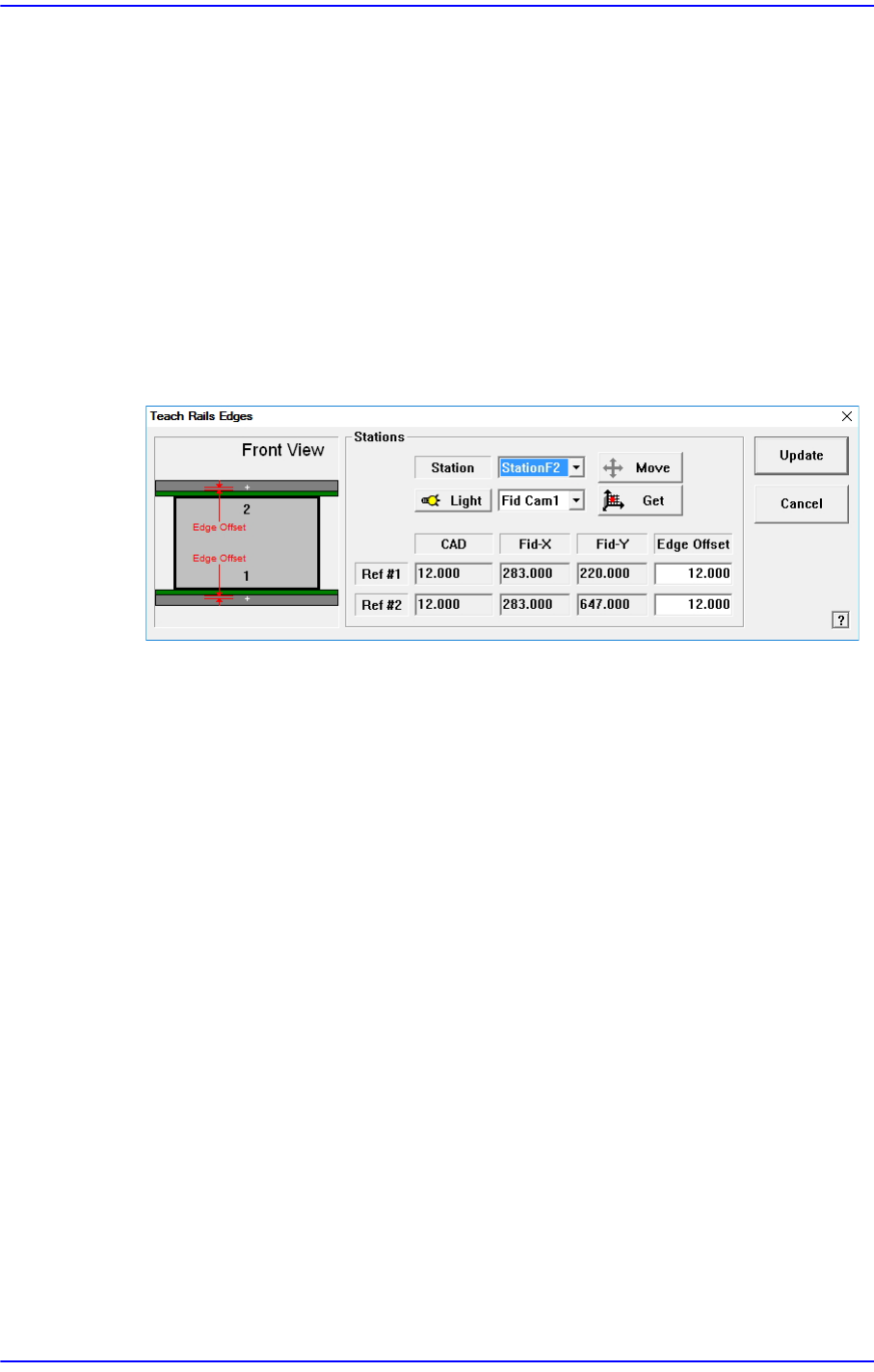
<Edge Offset Teach…> button
Used to measure the offset between the fiducial mark and edge accurately.
Figure14.9 “Teach Rails Edges” dialog box
<Edge Offset> edit box
Means the distance from the center of the fiducial mark to the edge of the rail.
Teaching must be performed after selecting this point using a mouse.
<Move> button
The <Move Cam> button can be clicked after first selecting a station and next
selecting the <Edge Offset> edit box. Then the downward camera (Fiducial
Camera) is moved to the center of the selected fiducial mark of the selected
station.
<Get> button
Apply the coordinate value of the current position as the selected fiducial mark
position.
<Light> button
Set the lighting value. Set the value by adjusting the sliding bar.
<Update> button
Applies the changed value and closes the dialog box.
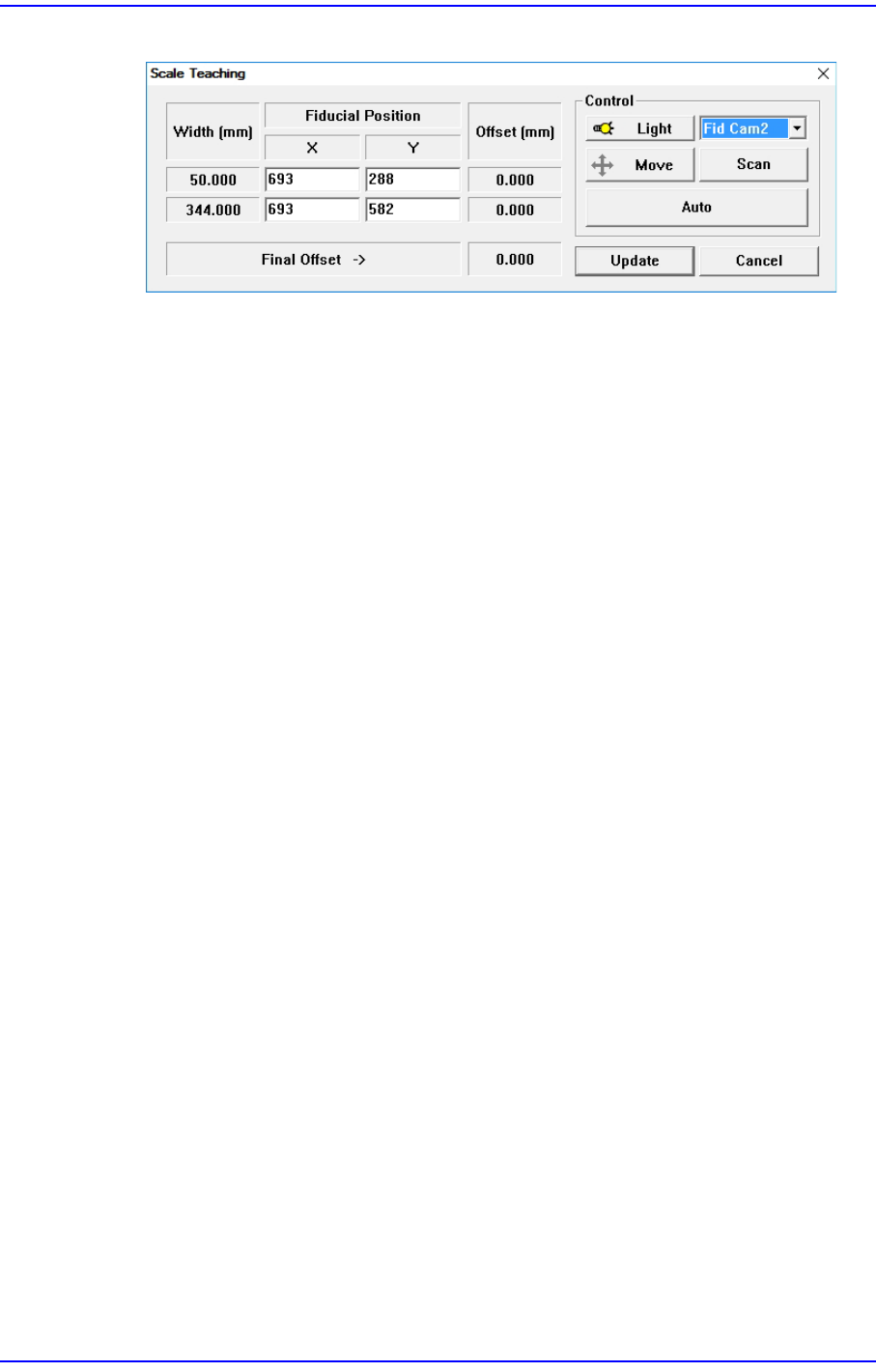
<Scale Teach...> button
Teaches the Y offset of the conveyor fiducial mark.
14-33
Machine Calibration
Figure14.10 “Scale Teach” dialog box
<Width (mm)> group
Displays the conveyor width provided by default for calibration.
<Fiducial Position> group
Displays the XY coordinates of the conveyor fiducial mark set by the MMI.
<Offset (mm)> group
Displays the Y value of the conveyor fiducial machine measured by the actual
machine as well as the offset of the Y value set by the MMI.
<Final Offset ->> group
A: Y offset when the conveyor width is 50mm
B: Y offset when the conveyor width is 344mm
Final Offset = B-A
<Move> Button
Moves the fiducial camera to the conveyor position selected from the <Fiducial
Position> group.
<Scan> Button
Scans the fiducial mark of the conveyor selected from the <Fiducial Position>
group and displays the Y offset in the <Offset (mm)> group.
<Auto> Button
Executes the Y offset teaching process of the conveyor fiducial mark
automatically.
<Light> Button
Sets the lighting value. Adjust the corresponding slide bar to set the lighting value.
<Update> Button
Applies changed values and closes the dialog box.
14-34
Next Generation, Multi-Functional Placer DECAN S1 Administrator’s Guide
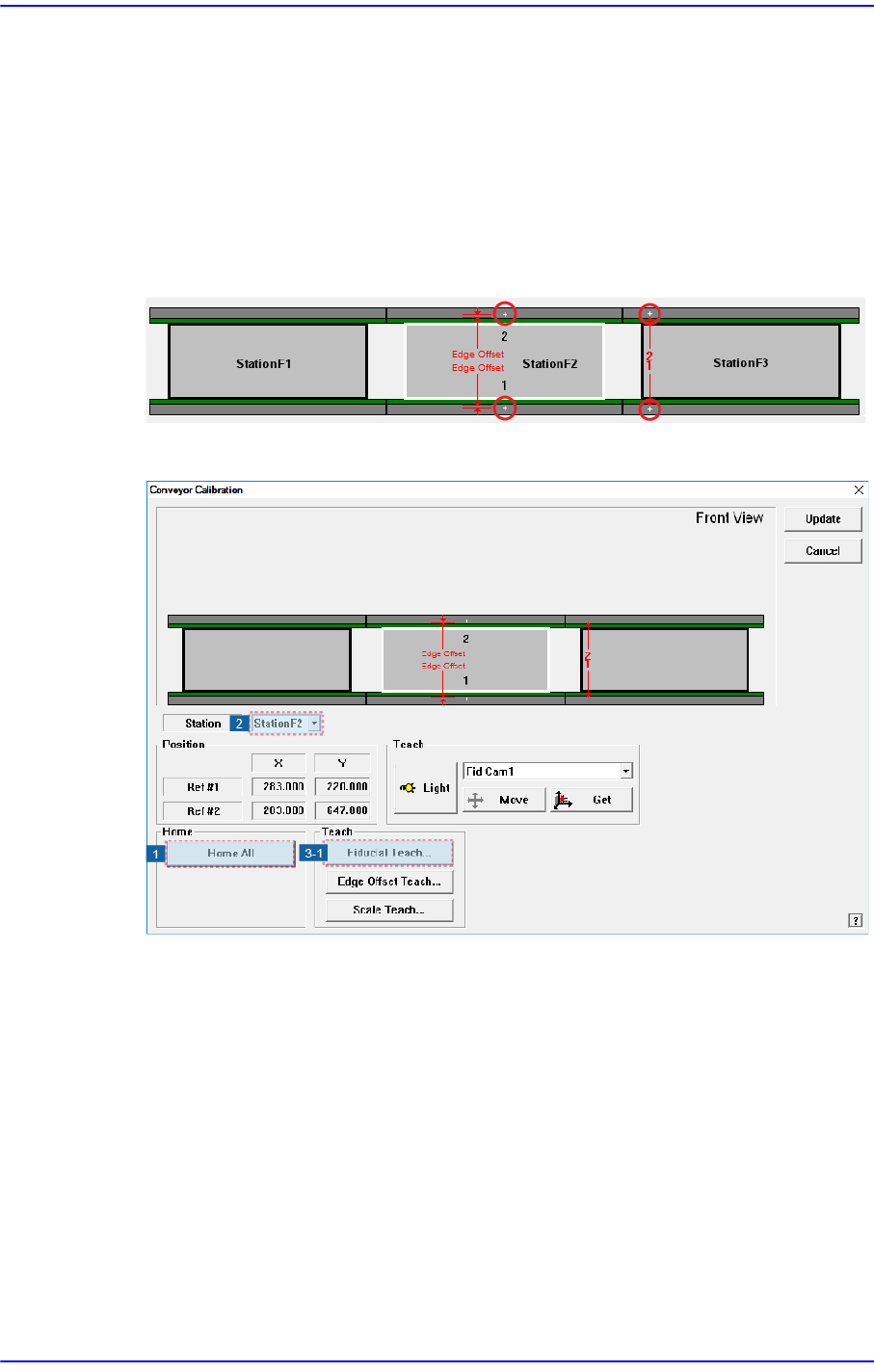
14.3.5.1. Procedure
Conveyor Calibration method is as follows.
1. “Click the <Home All> button in the “Conveyor Calibration” dialog box.
2. Select the station to be calibrated from the <Stations> combo box. (StationF2,
StationF3)
3. Click the <Fiducial Teach…> button to teach the fiducial marks of the selected station
accurately and click the <Scan> button to scan the position accurately.
4. Click the <OK> button to update the information on the fiducial mark position.