DECAN_S1_Administrator′s_Guide(Eng_Ver1.5)_Print.pdf - 第434页
14-52 Next Generation, Multi-Functional Plac er DECAN S1 Administrator’s Guide 5. The calibration is performed automatically . If it is comp leted, the calibration result is displayed as shown in the following fi gure. C…
14-51
Machine Calibration
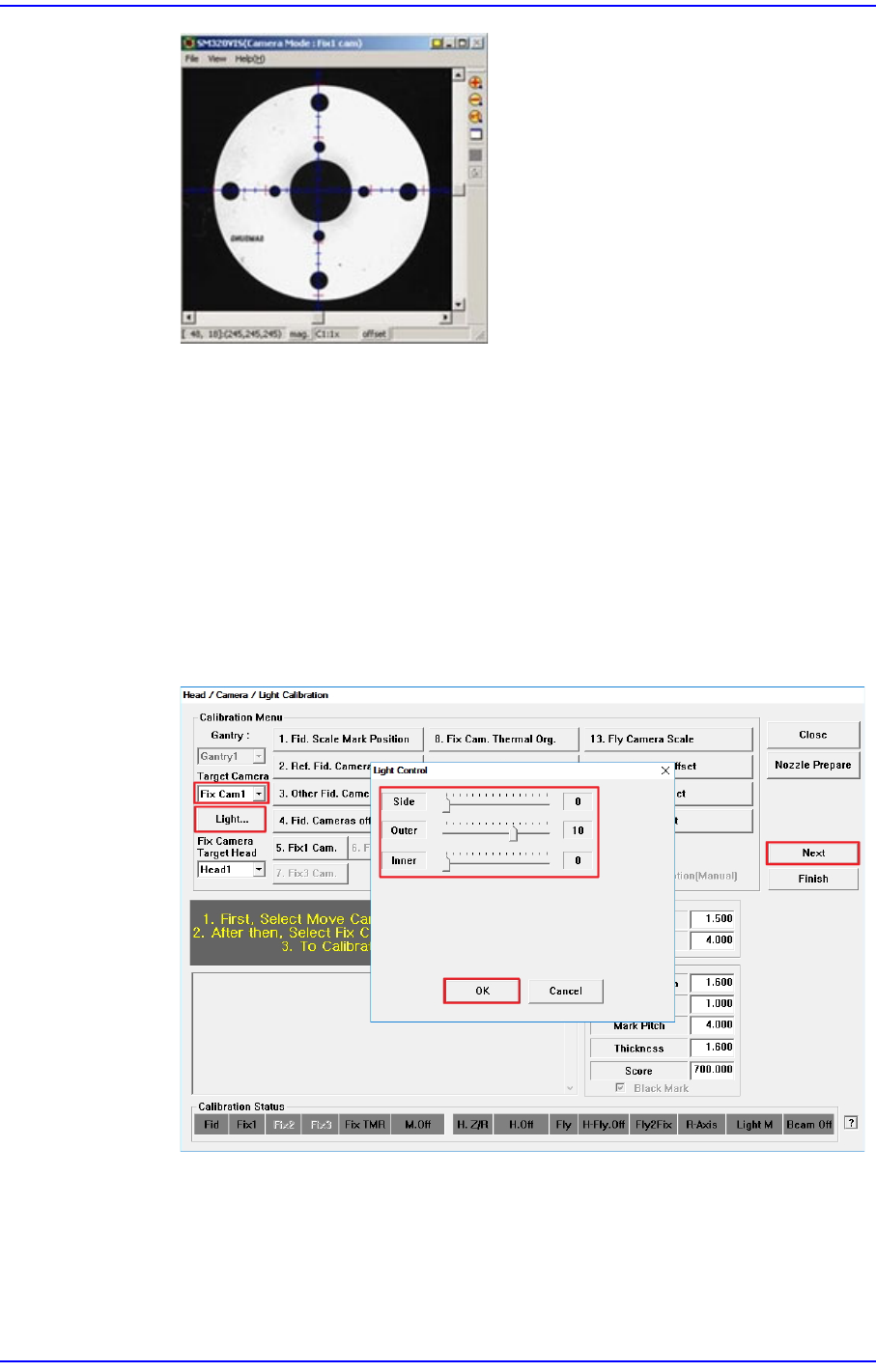
4. Then the message “1. First, Select Move Camera and Adjust Light Level. 2. After
then, Select Fix Camera and Adjust Light Level. 3. To Calibrate, Click [Next].”
appears.
Select "Fid Cam1" in the <Target Camera> combo box and click the <Light ...>
button to adjust the brightness of the lighting so that the Fiducial Mark of the
Calibration Glass shown in the SM Vision window is clearly visible.
Then, select "Fix Cam1" in the <Target Camera> combo box, and follow the same
procedure as for the fiducial camera.
When you have finished adjusting the brightness of the lighting, click the <Next>
button.
14-52
Next Generation, Multi-Functional Placer DECAN S1 Administrator’s Guide
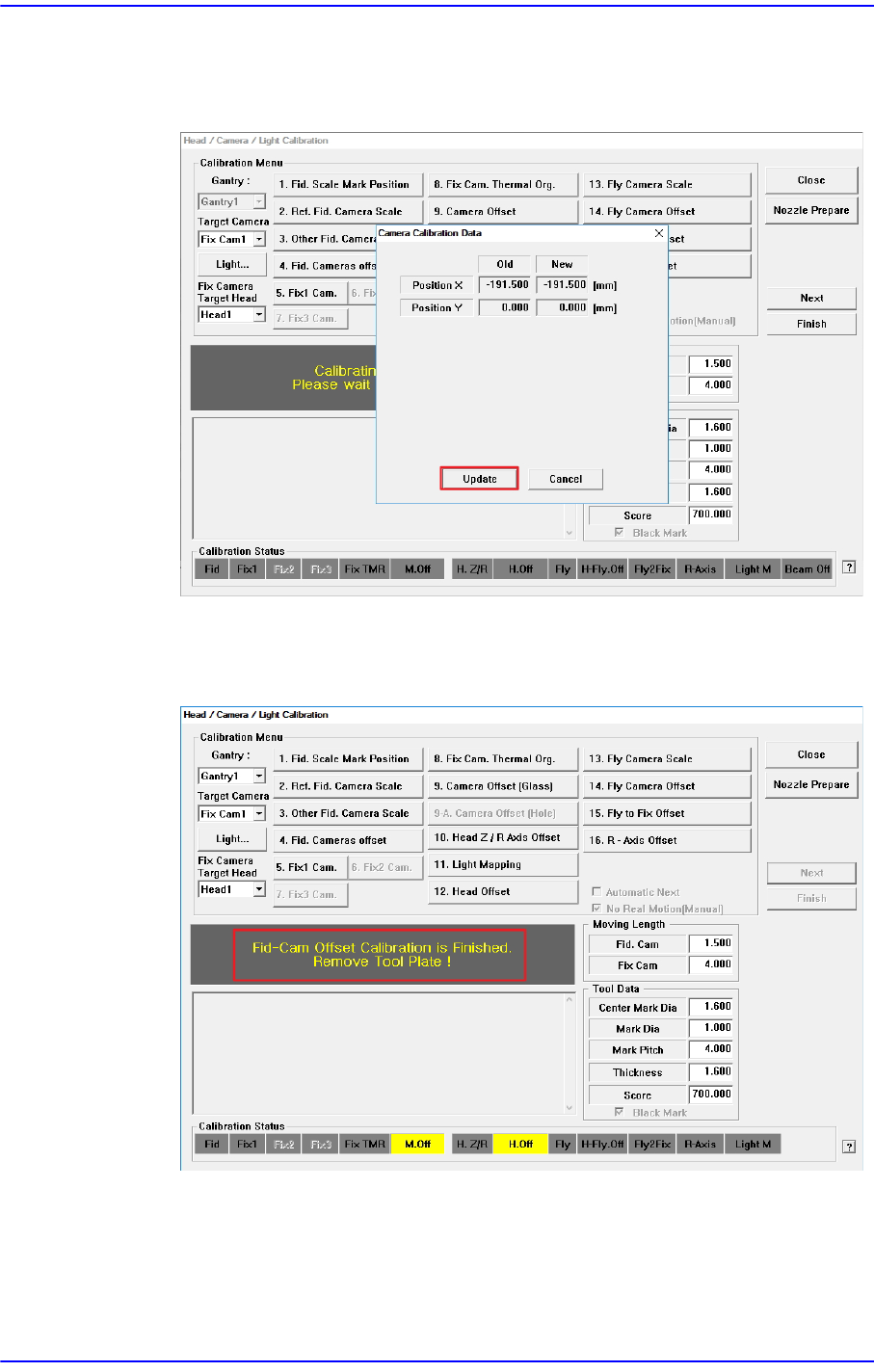
5. The calibration is performed automatically. If it is completed, the calibration result
is displayed as shown in the following figure. Click the <Update> button to apply
the new calibration value.
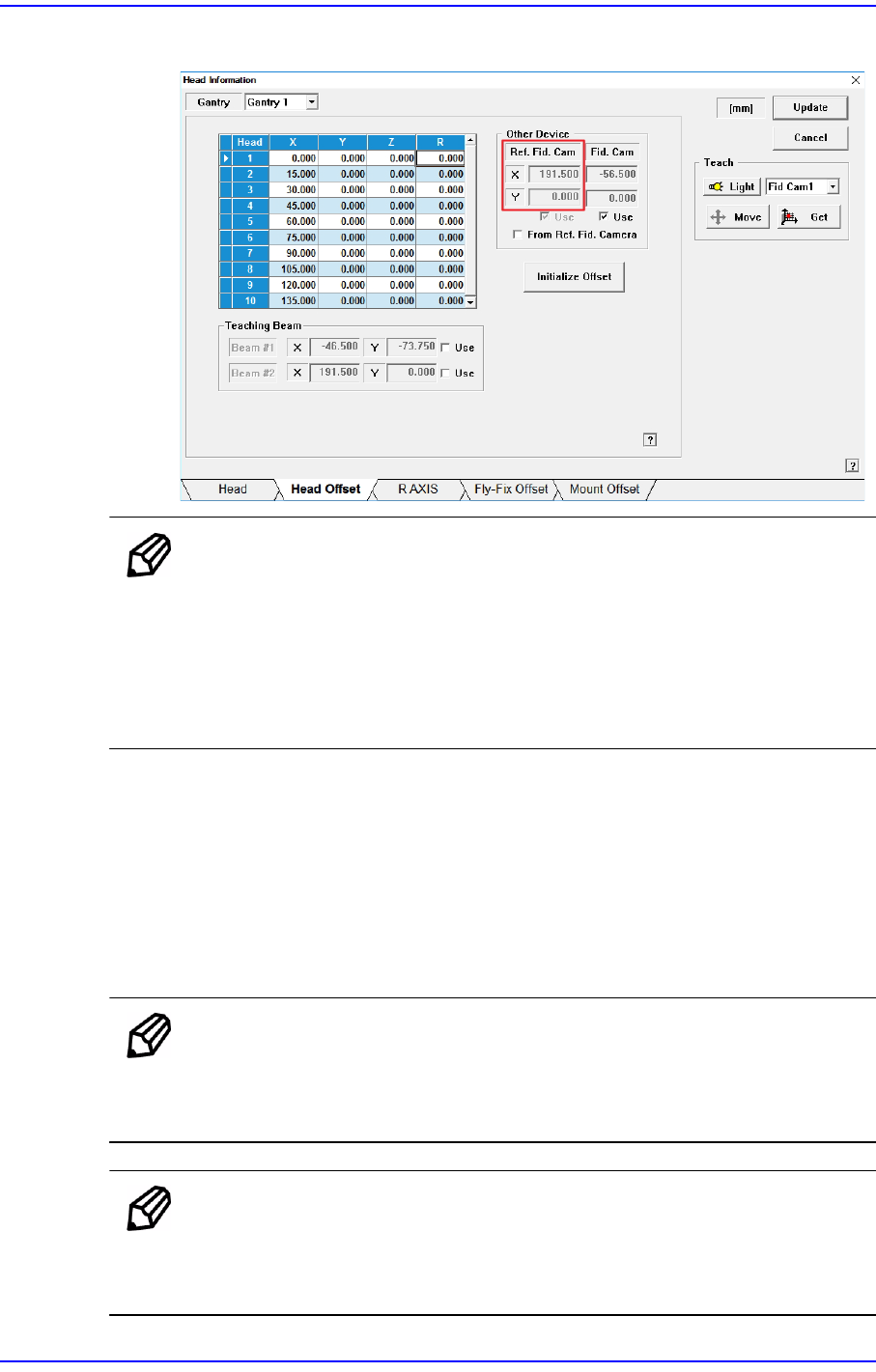
6. If the calibration procedure is completed properly, the result as shown in the
following figure is displayed and then the message, “Fid-Cam Offset Calibration
is Finished. Remove Tool Plate !”.
Then remove the calibration glass on the top surface of the fix camera.
14-53
Machine Calibration
The measurement result can be confirmed in the Head Offset dialog box.
Memo The reference values for the calibration of the Camera Offset is as
follows.
Gantry 1
Offset X : -189.5 ~ -187.5 (mm)
Offset Y : -1.0 ~ 1.0 (mm)
Calibration using Fix Camera Hole (Optional)
This process is performed after calibrating with the Calibration Glass.
This calibration is performed in order to use the “Runtime Calibration” function. The
measured values are not reflected in the system calibration data, but are used only as
data necessary for the “Runtime Calibration” function. Perform calibration only when
the “Runtime Calibration” function is used.
Memo To activate the <9-A. Camera Offset (Hole)> button, the System
Constant setting must be made first. Please contact our CS or local
representative office.
Memo To use the “Runtime Calibration” function, System Constant setting
should first be performed. Please contact our CS or local
representative office.