DECAN_S1_Administrator′s_Guide(Eng_Ver1.5)_Print.pdf - 第258页
在线预览 DECAN_S1_Administrator′s_Guide(Eng_Ver1.5)_Print.pdf PDF 文档。

7-93
Part Registration
QFP X O X X O X X
PLCC X O X X O X X
PLCC(BODY) X X X X O X X
Connector X O O X O X X
User IC X O O X O X X
BGA XO X XOXO
Flip chip X O X X O X X
Parameter
Corner
Check
EX
Param
Use
Polygon
Use Coil
Check
1st Pin
Position
Rank
Directio
n Mark
8-1
Feeder Setup
Chapter8. Feeder Setup
8.1. Feeder [F4]
The ‘Feeder’ submenu edits data related to tape feeder, stick feeder, and tray feeder. The
user can specify the part to be installed on each feeder, teach the pick-up position, and test
the component pick-up. When this submenu is selected, the initial screen is for the tape
feeder screen.
8.1.1. Feeder Base
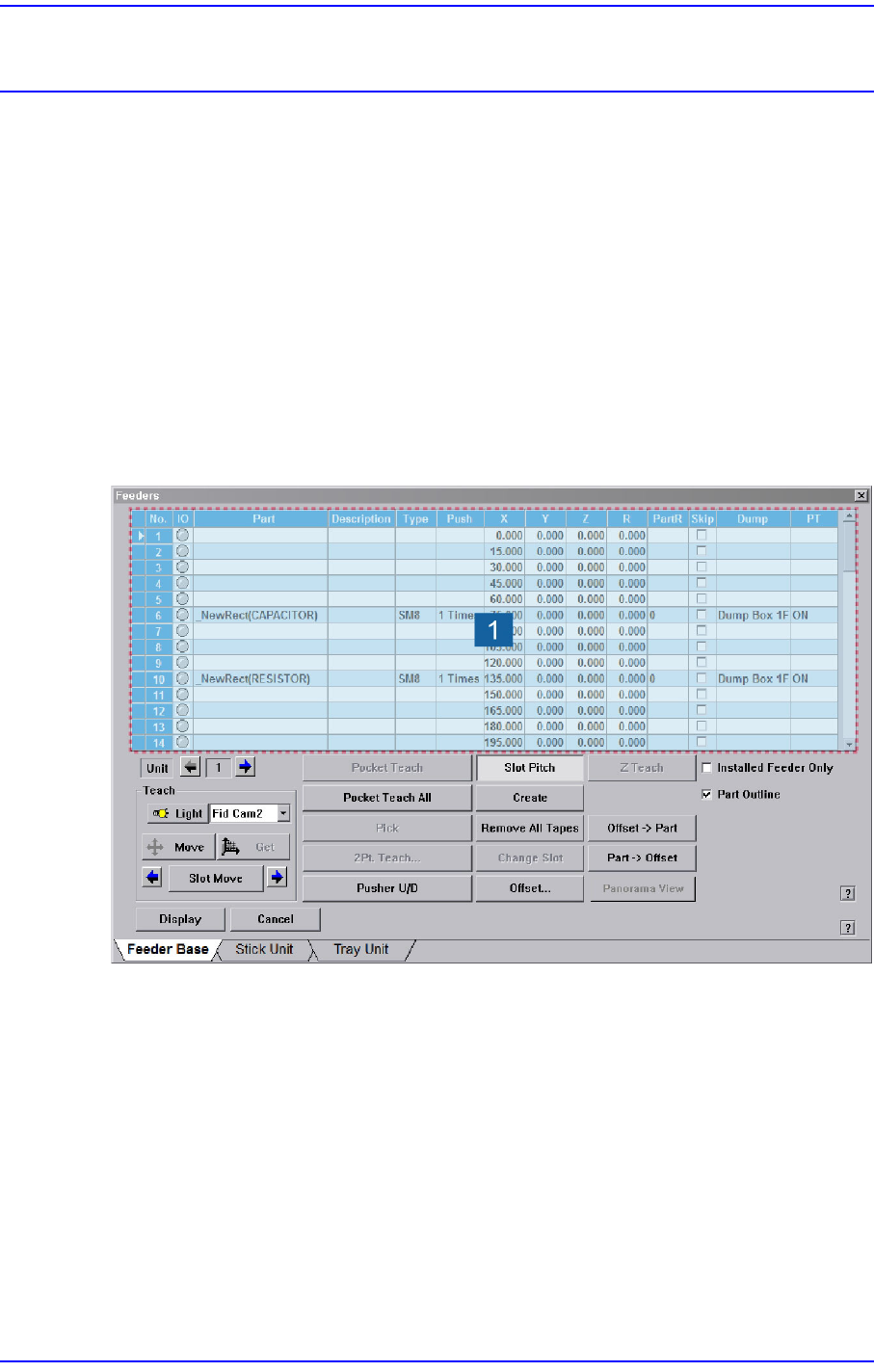
When the feeder base is selected, the following dialog box is displayed and the data on
feeder base can be edited.
Figure8.1 “Feeder: Feeder Base” dialog box
1: Grid group
<Grid> group
Display the status of various devices installed on the feeder base including the feeder
type and edit the installation position.
<No> column
A serial number of the feeder base slot. Air pressure type feeder base has 52 slots.
<IO> column
Displays the LED color for the status of the tape feeder installed in the
corresponding slot.