DECAN_S1_Administrator′s_Guide(Eng_Ver1.5)_Print.pdf - 第244页
7-80 Next Generation, Multi-Functional Plac er DECAN S1 Administrator’s Guide Figure7.27 “Package Group =BGA” dialog box <Camera No.> combo box Select the camera to recogniz e the component. Please refer to “7.1.…
7-79
Part Registration
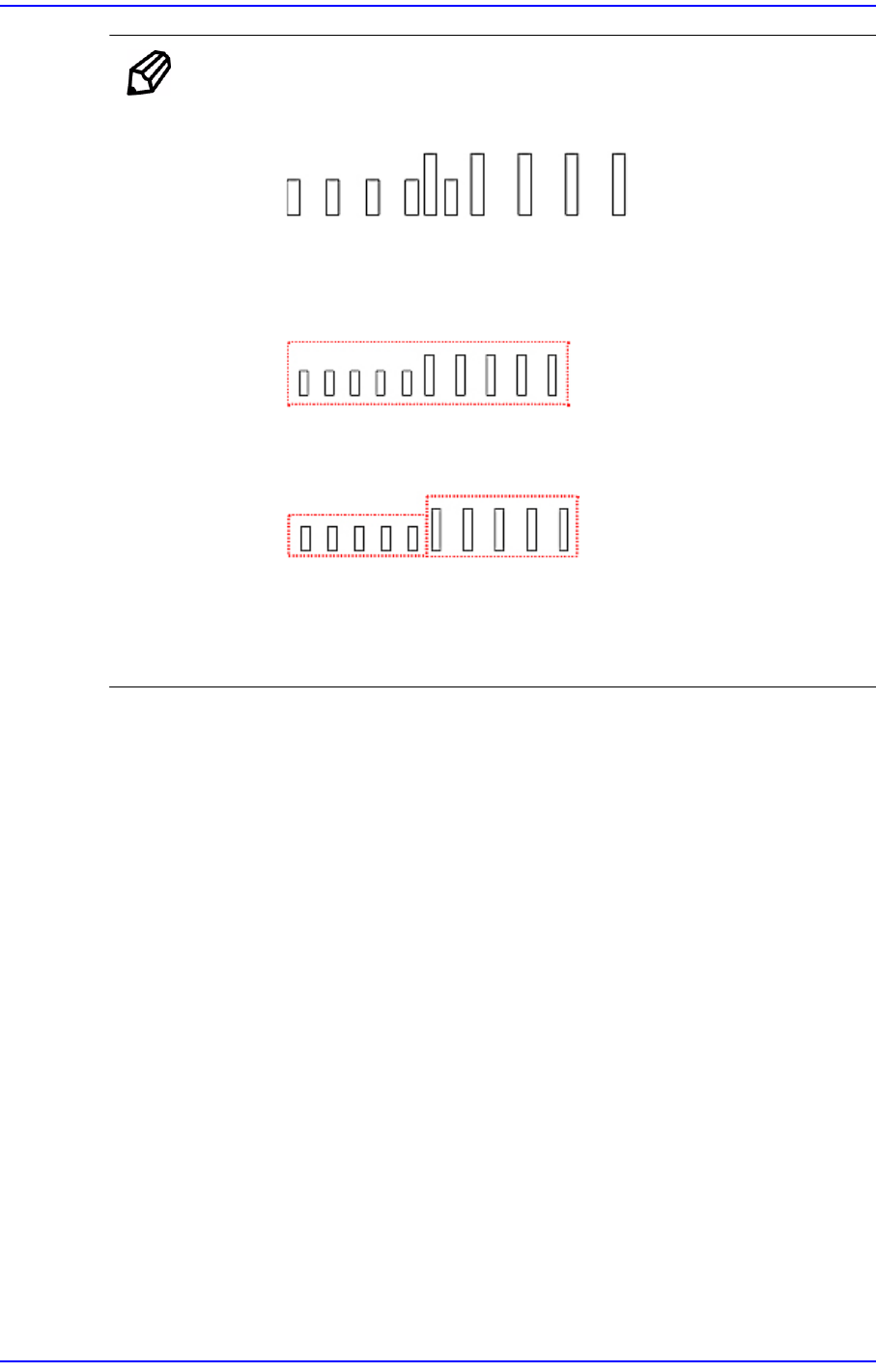
Memo Restrictions
Adjacent lead groups cannot overlap.
Invalid. Because the two lead group are overlapped.
One lead group uses one lead parameter. In other words, a lead
group should only contain leads of the same type.
This lead group cannot be registered as single lead group because
the lead parameters are different.
These lead groups are registered as separate lead group becasue
the lead parameters are different
Leads groups are placed only at right angle directions
7.1.5. Hemt component data setting
Set the align data for Hemt components. Please refer to“7.1.4 User IC component data
setting”.
7.1.6. Connector component data setting
Set the align data for Connector components.
Please refer to “7.1.4 User IC component data setting”.
7.1.7. BGA component data setting
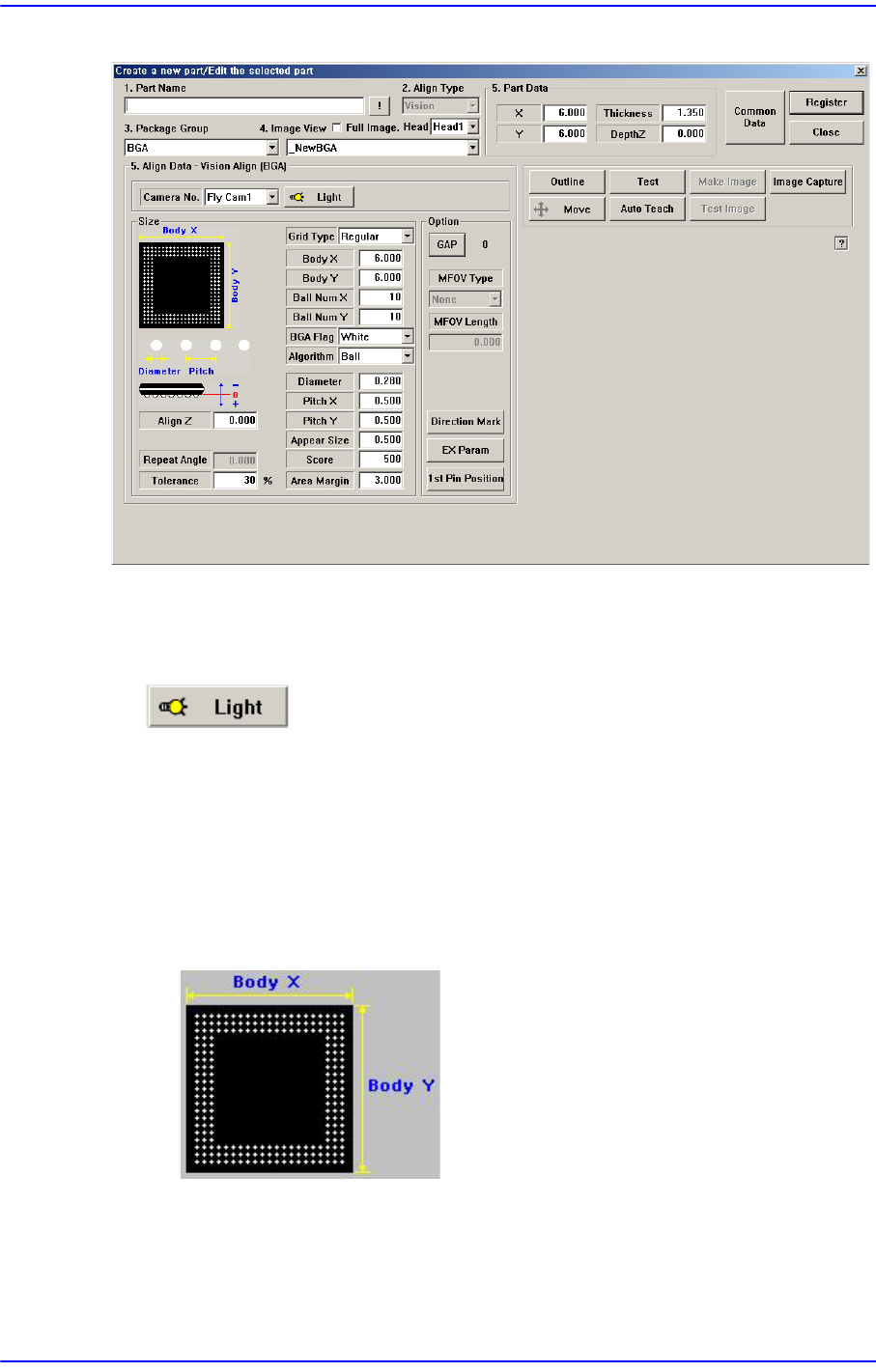
Set the align data for BGA components.
7-80
Next Generation, Multi-Functional Placer DECAN S1 Administrator’s Guide
Figure7.27 “Package Group =BGA” dialog box
<Camera No.> combo box
Select the camera to recognize the component. Please refer to“7.1.1 common Align
Data” for more information.
button
Set the light for the camera to recognize the component. Please refer to“7.1.1 common
Align Data” for more information.
<Size> group
Set the align size.
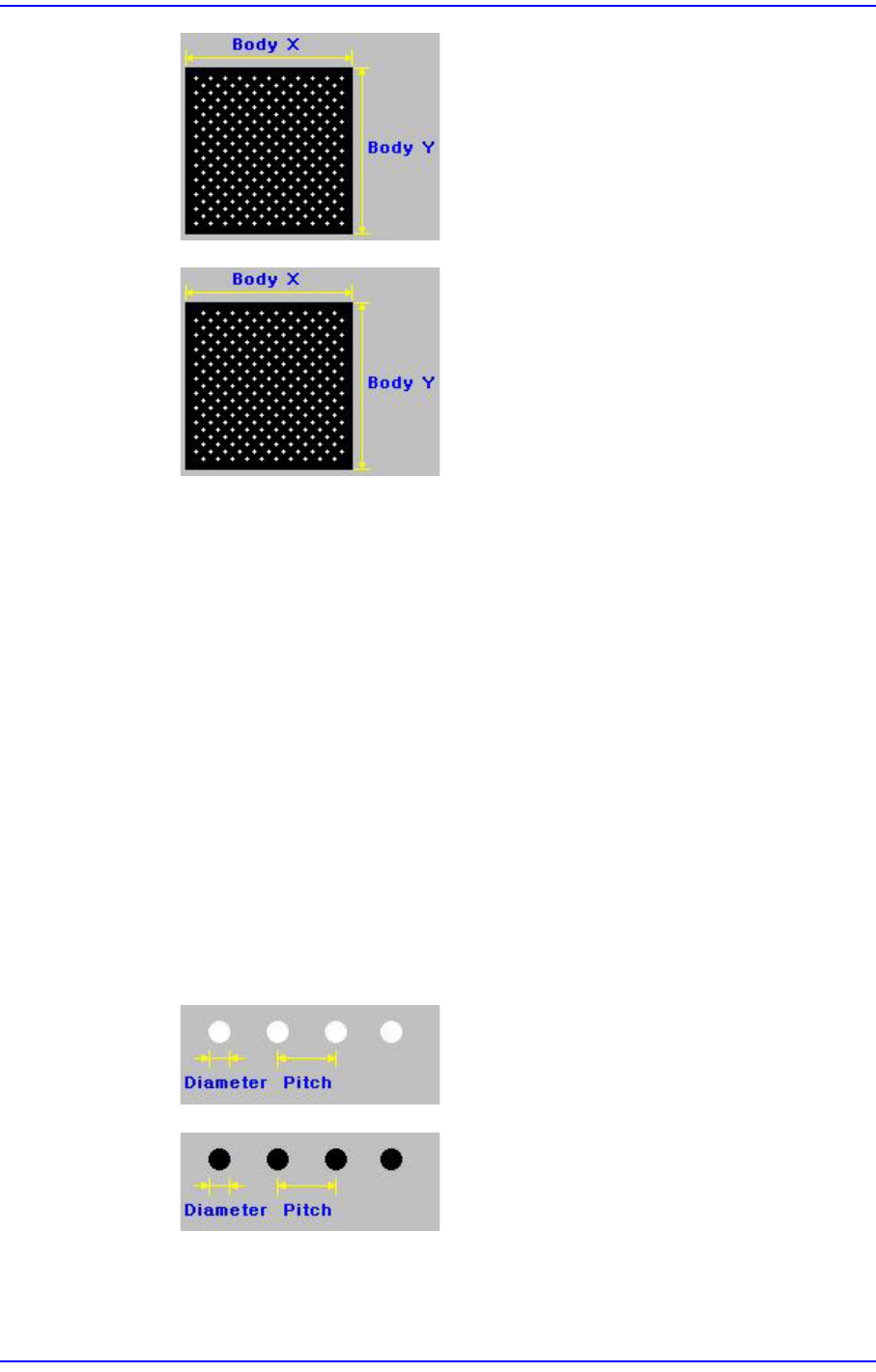
<Grid Type> combo box
Select the ball array of BGA components. Available types are as follows.
Regular
7-81
Part Registration
Check
Rev. Check (Reverse Check)
<Body X> edit box
Set the size of component body in X direction.
<Body Y> edit box
Set the size of component body in X direction.
<Ball Num X> edit box
Set the number of balls in X direction. In the case of “Check” or “Rev. Check”
type, the empty area is also included. Therefore, in the case of “Check” or “Rev.
Check” type, the number of balls is always an odd number.
<Ball Num Y> edit box
Set the number of balls in Y direction. In the case of “Check” or “Rev. Check”
type, the empty area is also included. Therefore, in the case of “Check” or “Rev.
Check” type, the number of balls is always an odd number.
<BGA Flag> combo box
Select the color of balls. Available colors are as follows.
White: for when the ball looks white.
Black: for when the ball looks black.