DECAN_S1_Administrator′s_Guide(Eng_Ver1.5)_Print.pdf - 第574页
17-10 Next Generation, Multi-Functional Plac er DECAN S1 Administrator’s Guide 17.5. Bypass [F8] The following dial og box is displayed an d shows it is in the PCB Bypass status. If the head is above the convey or , the …

17-9
Utility
the files to our C/S company and local agent..
17-10
Next Generation, Multi-Functional Placer DECAN S1 Administrator’s Guide
17.5. Bypass [F8]
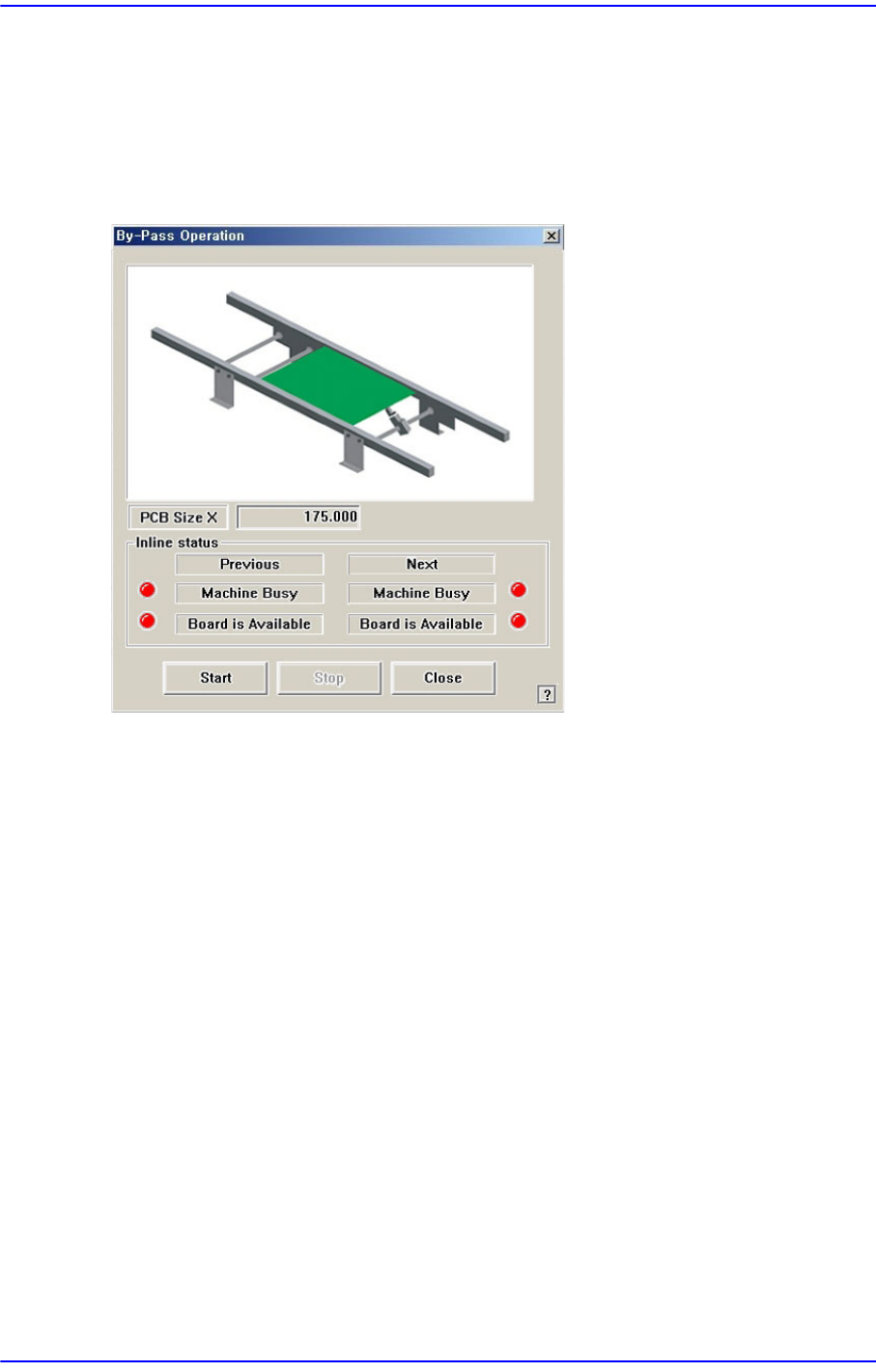
The following dialog box is displayed and shows it is in the PCB Bypass status.
If the head is above the conveyor, the PCB sensing sensor gets affected. Therefore, move
the head out of the conveyor and execute the command.
Figure17.7 “By-pass Operation” dialog box
<PCB Size X> edit box
Displays the X direction size of the board set in <PCB Edit> - <Board>.
<Inline status> group
Indicates the SMEMA related input status. (Lighted On: On, Lighted Off: Off)
Previous
Indicates the status of the previous machine.
Next
Indicates the status of the next machine.
Machine Busy
PCB not transferred.
Board is Available
PCB can be transferred.
<Start> button
Starts the ‘PCB bypass’.
<Stop> button
Stops the ‘PCB bypass’.

17-11
Utility
<Close> button
Closes the dialog box.