00195722-0102_UM_X-Serie_SR605_EN.pdf - 第73页
User Manual SIPLACE X-Series 2 Operational safety From software version SR.605.xx 07/2008 EN Edition 2.6 Safety equipment 73 2.6 Safety equipment 2.6.1 Protective covers 2 Fig. 2.6 - 1 Protective covers (1) Protec tive c…
2 Operational safety User Manual SIPLACE X-Series
2.5 Safety instructions for operating the machine From software version SR.605.xx 07/2008 EN Edition
72
2.5.11 High temperatures on the X feeder modules during continuous operation
2
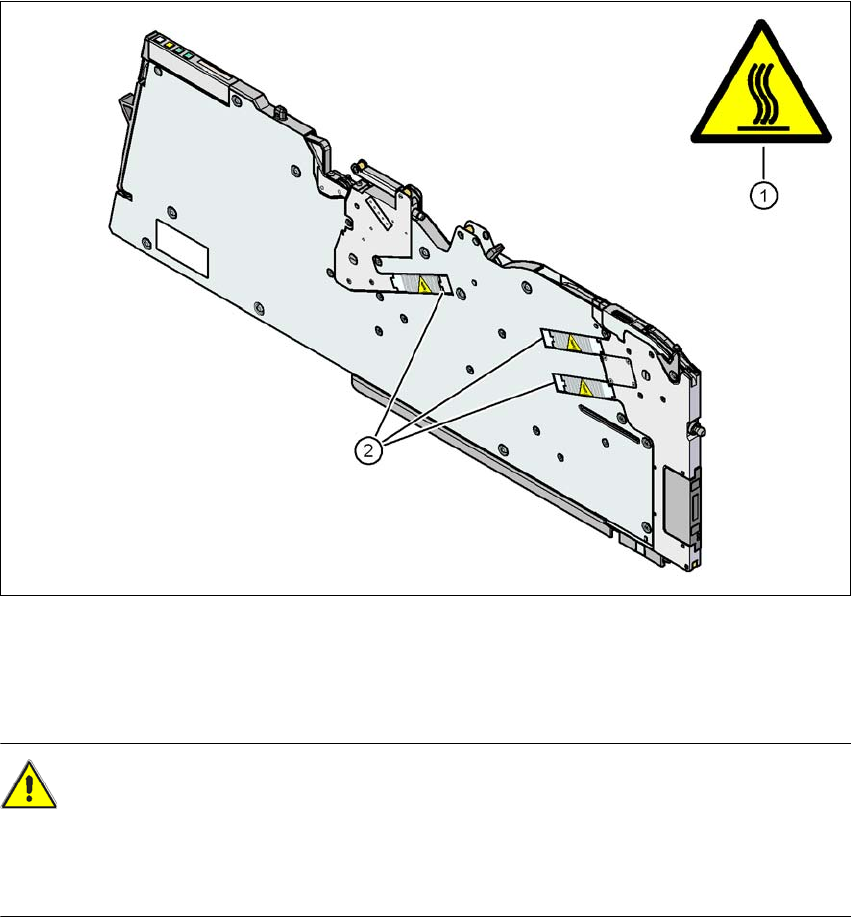
Fig. 2.5 - 7 High temperatures on the X feeder modules during continuous operation
(1) Temperature information plate, item no. 03031926-01
(2) Stepping motor
CAUTION
HIGH TEMPERATURES 2
The stepping motors can become very hot during continuous operation and in an ambient tem-
perature in excess of 22 °C. Be careful when touching the motors.
User Manual SIPLACE X-Series 2 Operational safety
From software version SR.605.xx 07/2008 EN Edition 2.6 Safety equipment
73
2.6 Safety equipment
2.6.1 Protective covers
2
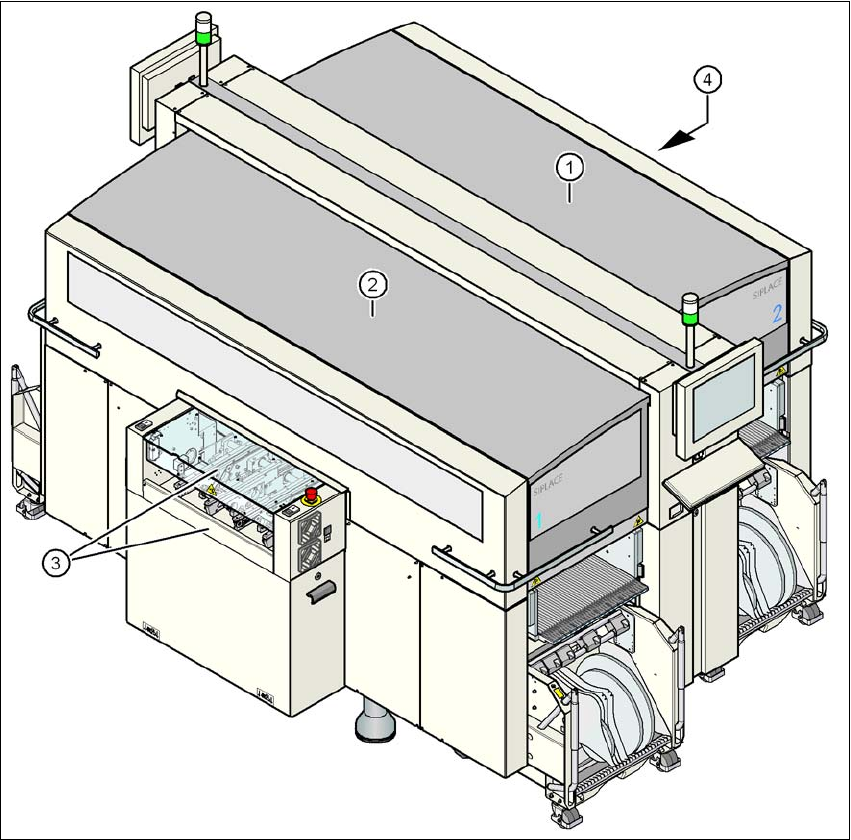
Fig. 2.6 - 1 Protective covers
(1) Protective cover, short
(2) Protective cover, long
(3) Cover flap and hand guard on the input belt
(4) Cover flap and hand guard on the output belt
2
The traveling range of the gantries has two protective covers that can be swung upwards (items
1 and 2). There are side screens to prevent access to the inside of the machine from the side. The
2 Operational safety User Manual SIPLACE X-Series
2.6 Safety equipment From software version SR.605.xx 07/2008 EN Edition
74
two cover flaps (item 3 and 4) over the input or output belt of the PCB conveyor prevent access
to the PCB conveyor.
Function 2
The main power supply to the gantry axes is interrupted immediately if one of the protective covers
is swiveled up or one of the cover flaps on the PCB conveyor is raised. The gantry axes stop mov-
ing. The message "Close cover" is displayed on the screen.
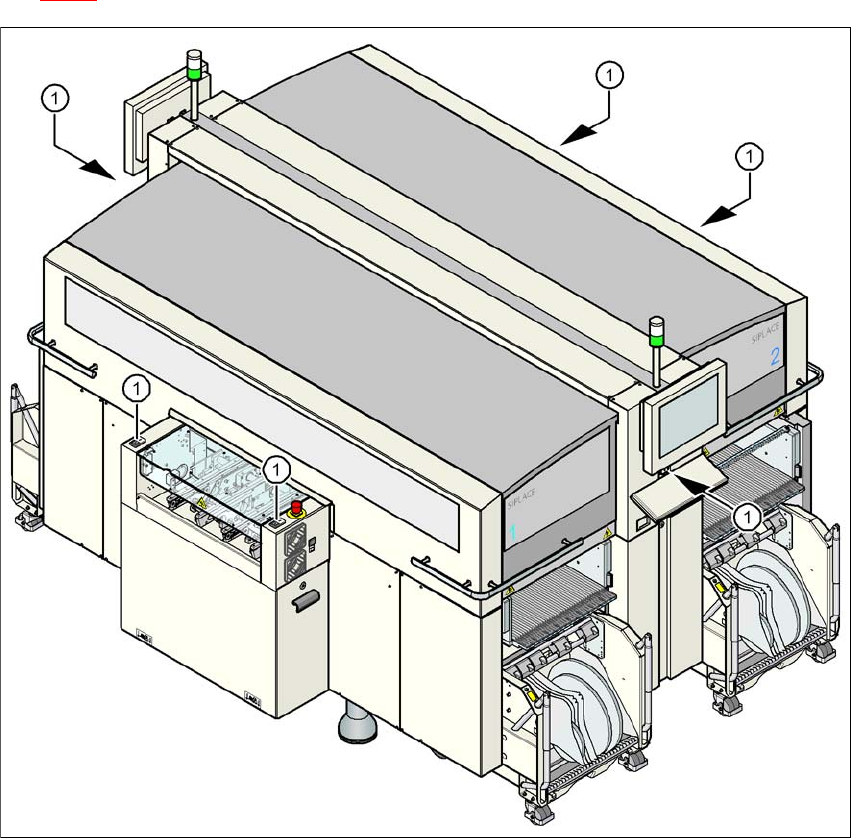
→ Close the protective covers and press one of the start buttons (Pos. 1 in Fig.
2.6 - 2
) to continue placement.
2
Fig. 2.6 - 2 Position of the start buttons (white) on the machine
(1) Start button (white) on the machine