Service Manual HS60.pdf - 第195页
Se rv ice M a nu al HS-6 0 6 Mo du la r P CB con ve y or s yst em 03/ 200 3 U S Iss ue 6.11 Li ftin g table 193 Fig. 6. 11.16 Iss uing times f or th e li fti ng tab le Æ A djust the valves on the lift ing table cylinder …
6 Modular PCB conveyor system Service Manual HS-60
6.11 Lifting table 03/2003 US Issue
192
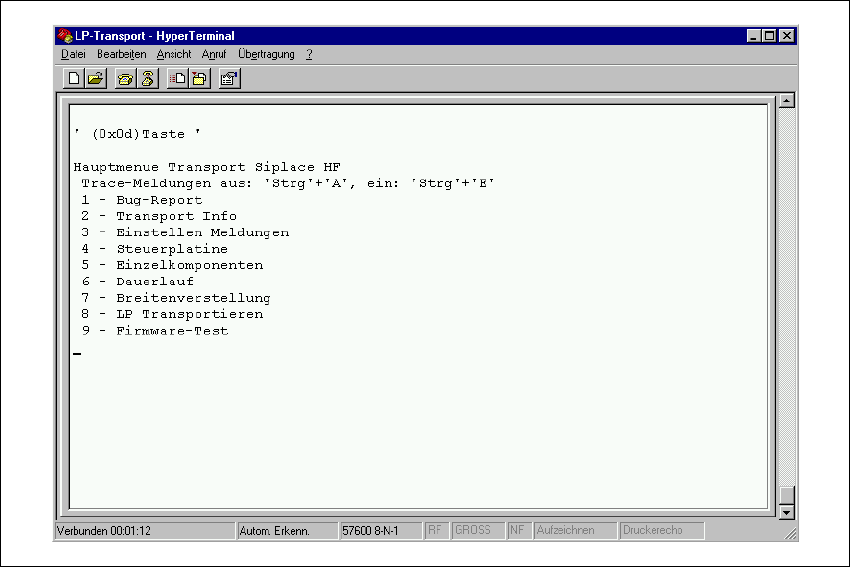
Æ A hyperterminal window will open => Press the Enter key =>and the main conveyor menu will
appear.
Fig. 6.11.15 Main menu "Test software conveyor"
Æ Select => 3 "Einstellen Meldungen" from the menu.
Æ Select "Standard Einstellungen" => Exit the menu with " 0 = Ende ".
Æ Select => 5 "Einzelkomponenten" from the menu.
Æ Select => 2 "Hubtisch" from the menu.
Æ Select => " a ", Auswahl Hubtisch (BB1,BB2 track 1 or track 2) from the menu.
Æ Press " Strg+E " to issue TSP reports.
Æ Select 2 or 3 from the menu, to move the lifting table upwards or downwards.
Service Manual HS-60 6 Modular PCB conveyor system
03/2003 US Issue 6.11 Lifting table
193
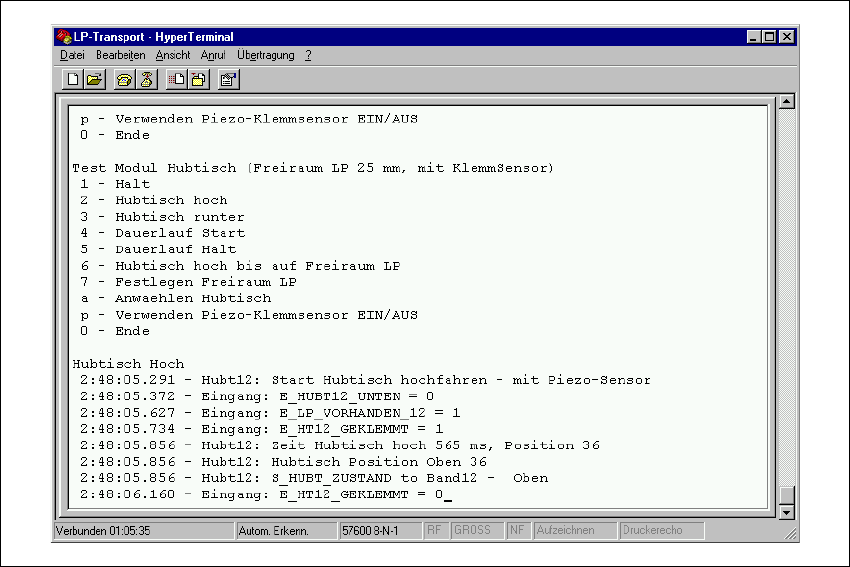
Fig. 6.11.16 Issuing times for the lifting table
Æ Adjust the valves on the lifting table cylinder to give the following values:
– Lifting table upwards: 500ms +/- 20ms
– Lifting table downwards: 480ms +/- 20ms
6 Modular PCB conveyor system Service Manual HS-60
6.11 Lifting table 03/2003 US Issue
194
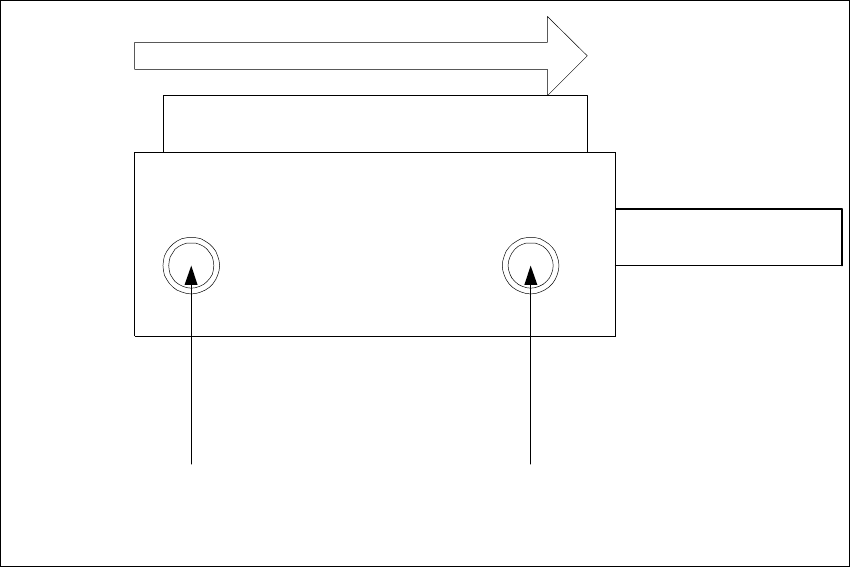
Abb. 6.11 - 17 Adjustment valves on the lifting table cylinder
– Rotating adjustment valve to the left: increases the lifting table travel time
– Rotating adjustment valve to the right: reduces the lifting table travel time
Valve setting
Time chracteristic for lifting table
below
Valve setting
Time chracteristic for lifting table
above
Transport direction
Pneumatic valve
Lifting table cylinder
Piston rod