FCM_User Reference Manual.pdf.pdf - 第117页
4022 591 96082 User Re ference Manual 02.02 FCM Multiflex 5-25 MIS Report text expl anation, BI opti on T ABLE 5- 11 fcm05 26a.tif SCREE N 5-1 9 [Proc ess r eport... ] , BI screen e xample Report text Explanation BI - E …
MIS
User Reference Manual 4022 591 96082
5-24 FCM Multiflex 02.02
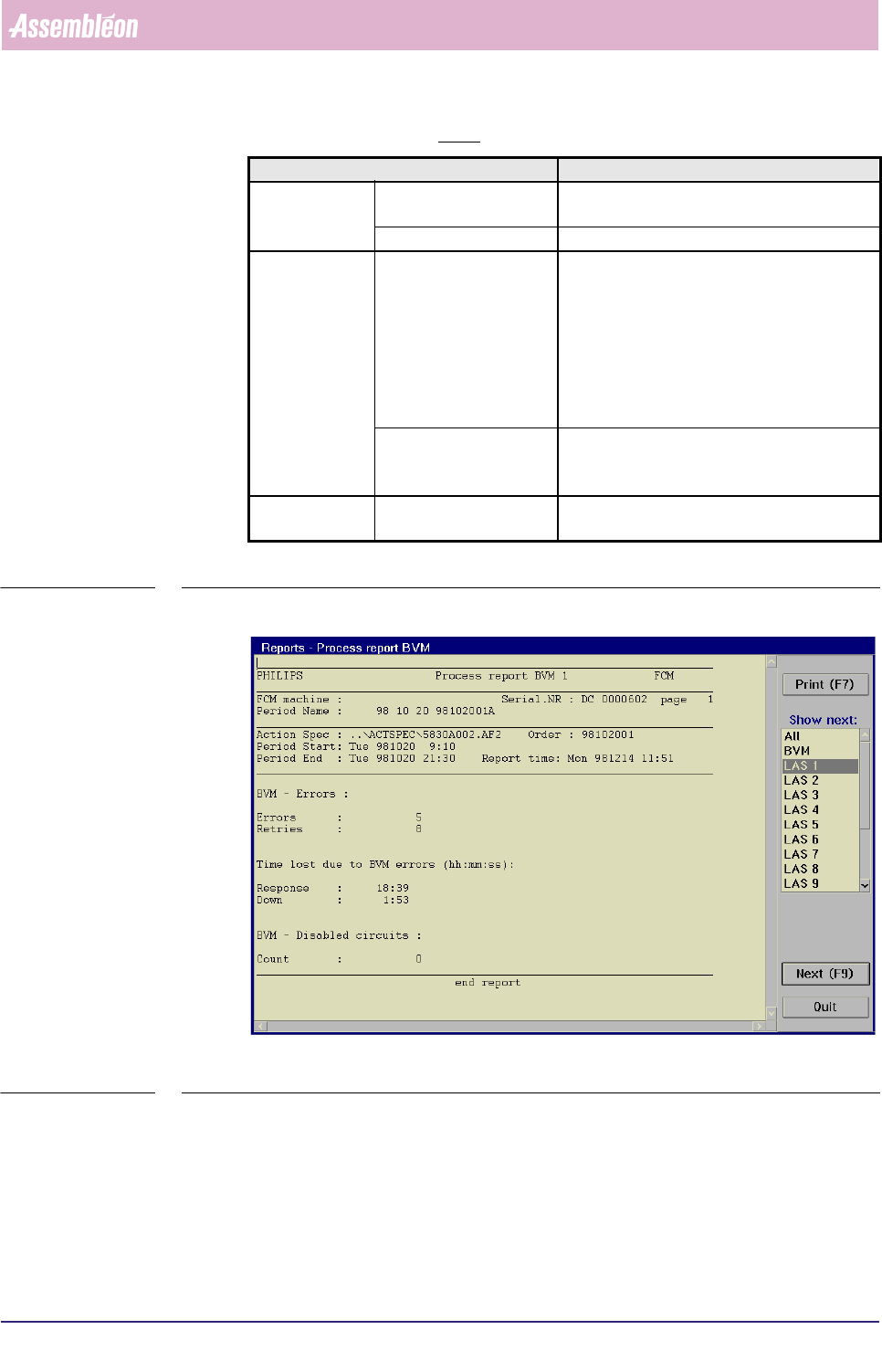
Report text explanation, BVM option
TABLE 5-10
fcm0525a.tif
SCREEN 5-18 [Process report...], BVM screen example
Report text Explanation
BVM - Errors Errors total number of times the BVM was unable to
measure a board
Retries total number of manual initiated BVM retries
Time lost due to
BVM errors
(hh:mm:ss)
Response total waiting-for-operator time during a BVM
error (time between occurrence of the error
and the moment the operator starts with
recovery) expressed in hh:mm:ss, where
hh = hours, mm = minutes, and ss = seconds
note that “10 seconds” is denoted as only “10”
instead of “00:00:10”
Down the total time the FCM Multiflex has stopped
due to a BVM error; expression details, see
above
BVM - Disabled
circuits
Count the total number of circuits that has been disa-
bled because of a badmark detection
4022 591 96082 User Reference Manual
02.02 FCM Multiflex 5-25
MIS
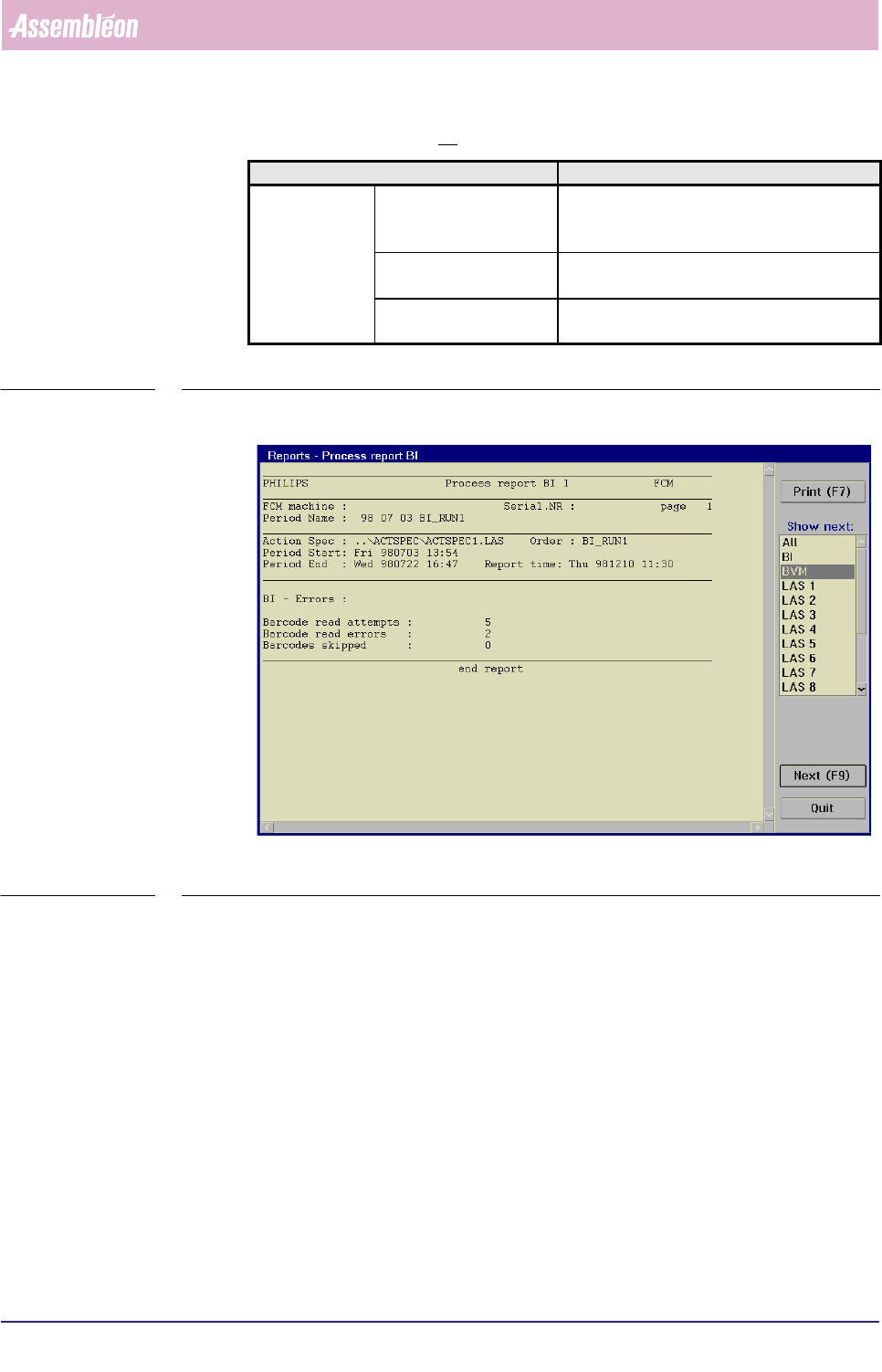
Report text explanation, BI option
TABLE 5-11
fcm0526a.tif
SCREEN 5-19 [Process report...], BI screen example
Report text Explanation
BI - Errors Barcode read attempts the total number of read actions; equals the
total number of boards that passed the run-in
section
Barcode read errors the total number of times a boards barcode
could not successfully be read
Barcodes skipped the total number of times a barcode read
action was skipped
MIS
User Reference Manual 4022 591 96082
5-26 FCM Multiflex 02.02
▼ Controls
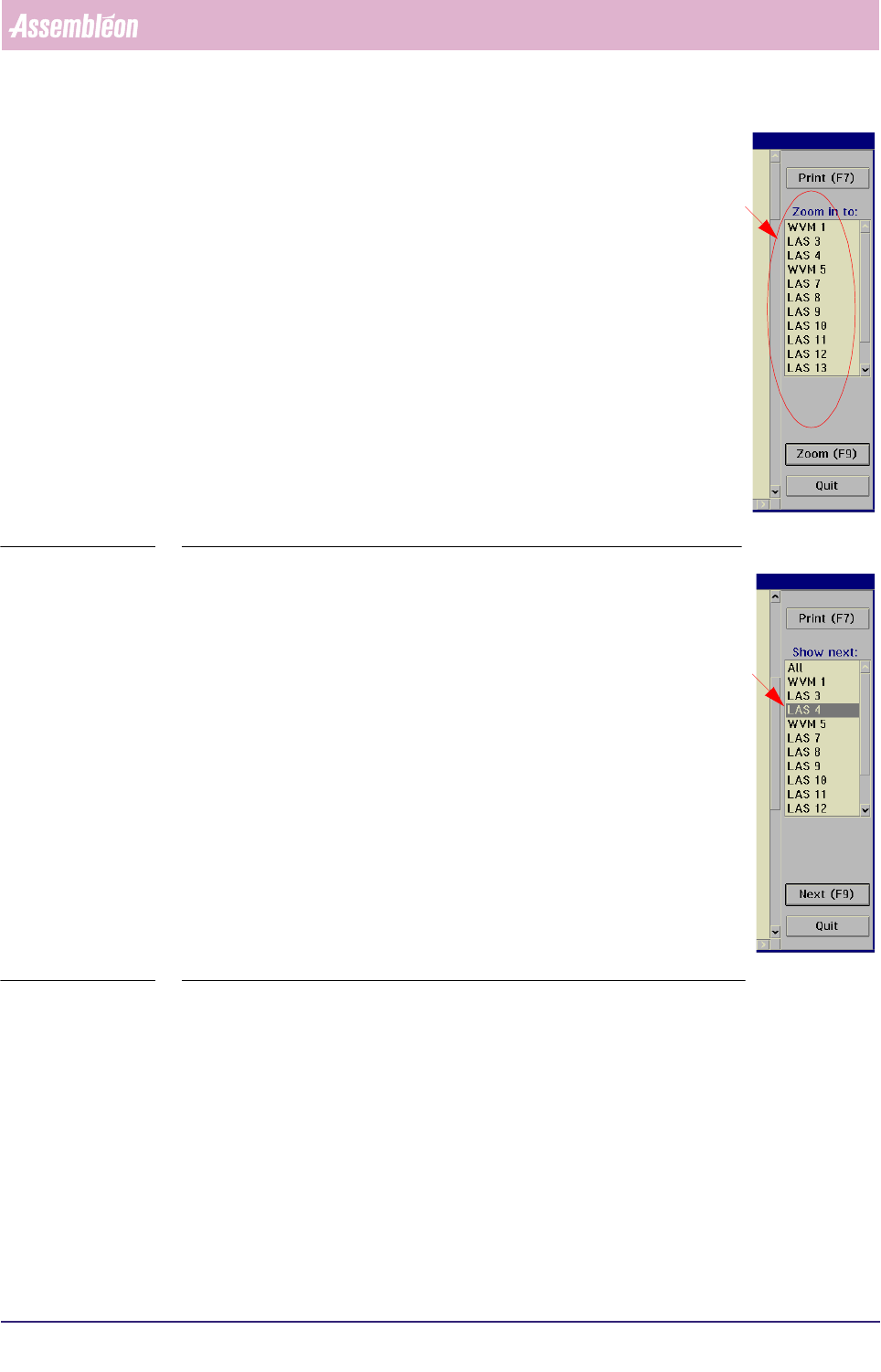
The controls on the right of the [Process report...] screen have the
following functions:
■ select
[Print (F7)] or press <F7> to print the report
■ to take a closer look to a specific module, select a module
from the listbox
■ select
[Zoom (F9)] or press <F9>
This will display the process report of the selected module, in
which detailed process information is shown
SCREEN 5-20
■ to switch to the process report of another module,
• either select [Next (F9)] or press <F9>
This will display the process report of the placement module
that was marked in the listbox before. Each time a [Next
(F9)]
command is given (or <F9> is pressed, next item from
the listbox will be marked.
• or directly select the module you want from the listbox and
then select
[Next (F9)] or press <F9> to display its process
report
■ select
[Print (F7)] or press <F7> to print the report
■ select
[All] in order to go back to the overall process report
■ select
[Quit] to go back to the [MIS] > [Functions...] menu
SCREEN 5-21