FCM_User Reference Manual.pdf.pdf - 第231页
4022 591 960 82 Us er Reference Man ual 02.02 FC M Multif lex 6-39 Pr oduc t Ch ang e Ov er NOTE: It is poss ible - but not recommended - to set the >/LJKW /HYHO @ an d >7KUHVKROG@ manually as in nearly all cases …
Product Change Over
User Reference Manual 4022 591 96082
6-38 FCM Multiflex 02.02
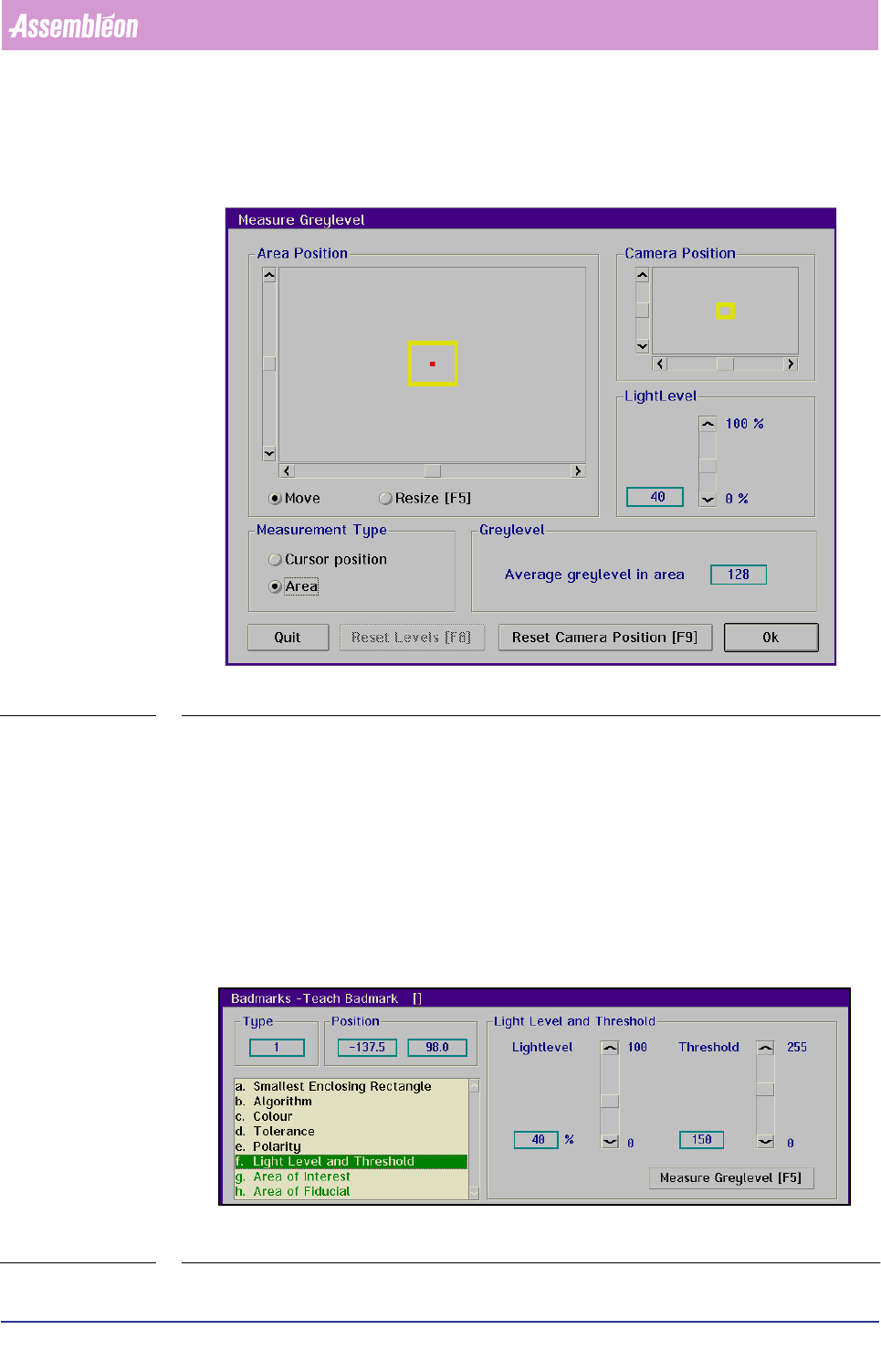
■ Select with the tracker ball successively a spot with a representative grey level
in the badmark and one in the background
SCREEN 6-31
■ Read the
[Average grey level in area] value
■ Use a value in between as the
[Threshold] level to be set
For fiducial-type badmarks:
■ Select
[Light Level and Threshold]
For a reliable badmark detection, the light level and threshold must have been set.
More information about there subjects can be found in the Vision General Manual,
ordering number 5322 871 69201.
SCREEN 6-32
4022 591 96082 User Reference Manual
02.02 FCM Multiflex 6-39
Product Change Over
NOTE: It is possible - but not recommended - to set the >/LJKW /HYHO@ and
>7KUHVKROG@ manually as in nearly all cases the correct settings will be
supplied automatically by selecting >7HDFK@.
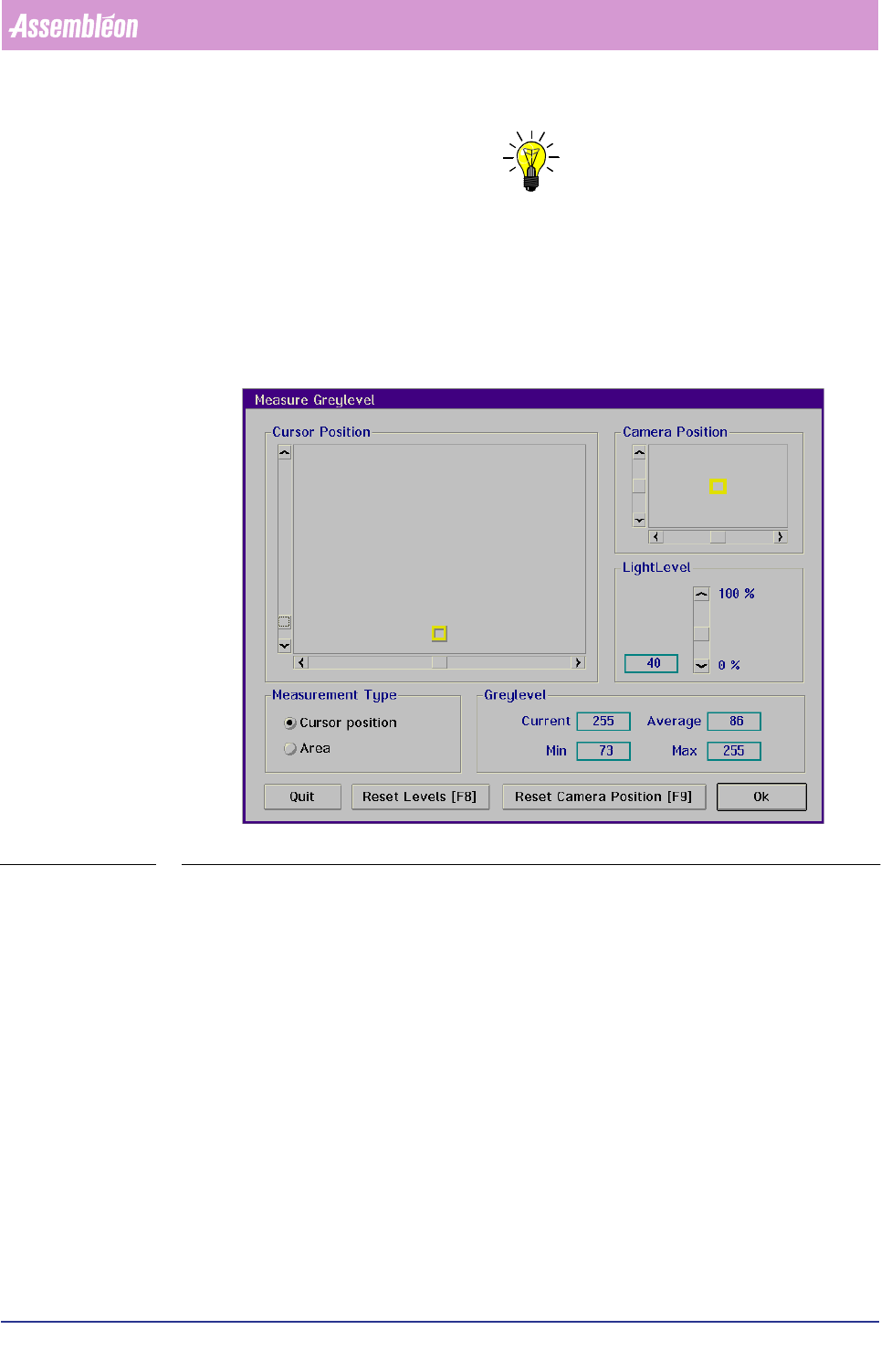
Before setting the threshold value for the binary algorithm, first the grey levels of
the fiducial and its background have to be determined. Proceed as follows:
■ Select
[Measure Greylevel] to determine the grey levels of the fiducial and its
background
SCREEN 6-33
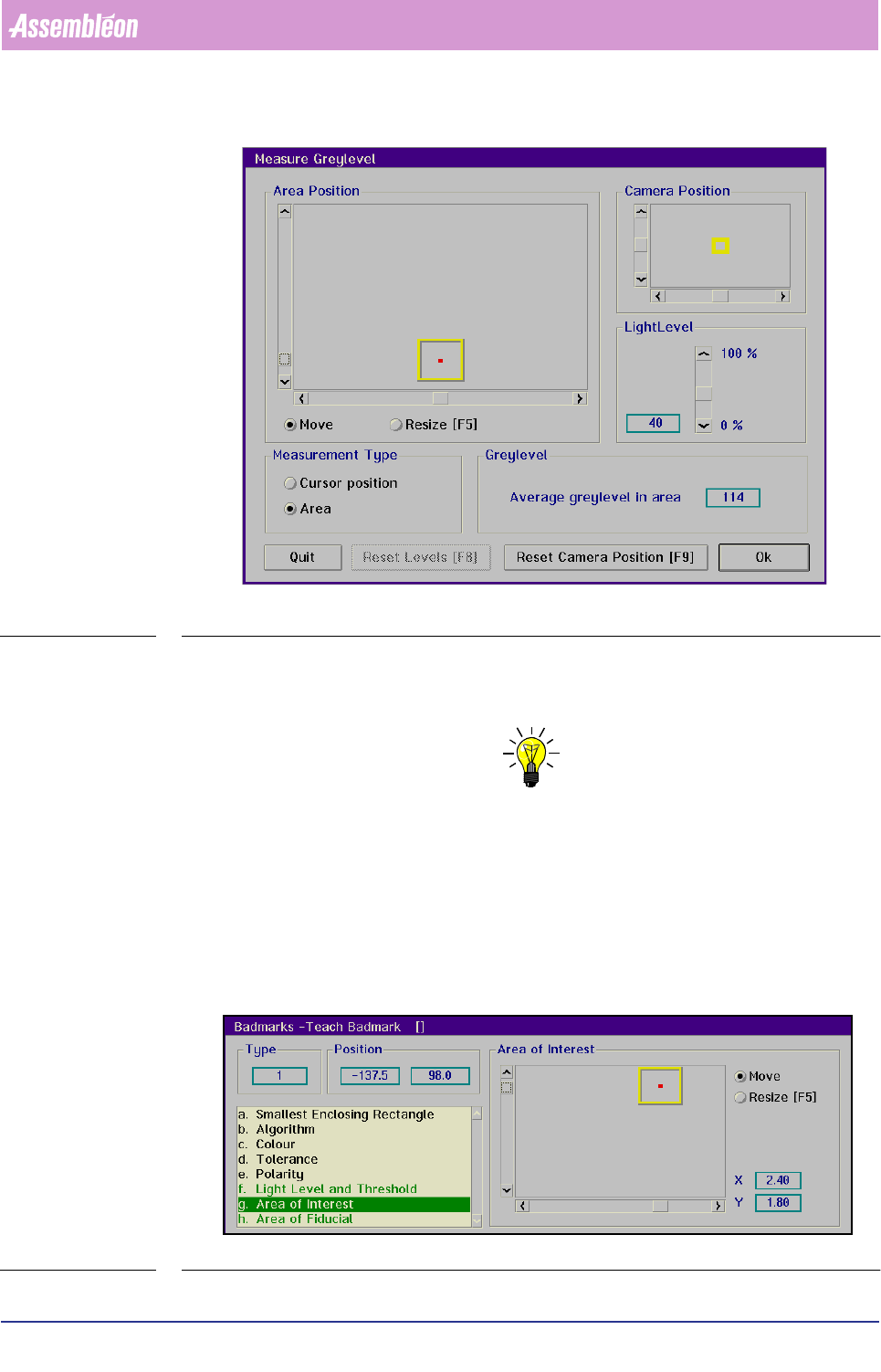
■ Select with the tracker ball and the sliders successively a spot with a repre-
sentative grey level in the fiducial and one in the background
Product Change Over
User Reference Manual 4022 591 96082
6-40 FCM Multiflex 02.02
SCREEN 6-34
■ Read the [Average grey level in area] value for badmark and its background
■ Use a value in between as the
[Threshold] level to be set
NOTE: In demanding situations some try-outs may be required, e.g. reset camer-
aposition (if background is out of view), selection of another badmark etc.
Area of Interest
The [Area of Interest] determines where the system will look for the badmark. It
should cover a part of the bad mark and the background.
For spot-type badmarks:
■ Select
[Area of Interest]
SCREEN 6-35