FCM_User Reference Manual.pdf.pdf - 第118页
MIS User Re ference Manual 4022 5 91 96082 5-26 F CM Mult ifl ex 02.02 ▼ Contr ols The c ontr ol s on th e r ight of th e [P roc es s rep ort .. .] sc ree n h a ve t he follo w in g fu n ctions : ■ sel ect [P ri nt (F7 )…
4022 591 96082 User Reference Manual
02.02 FCM Multiflex 5-25
MIS
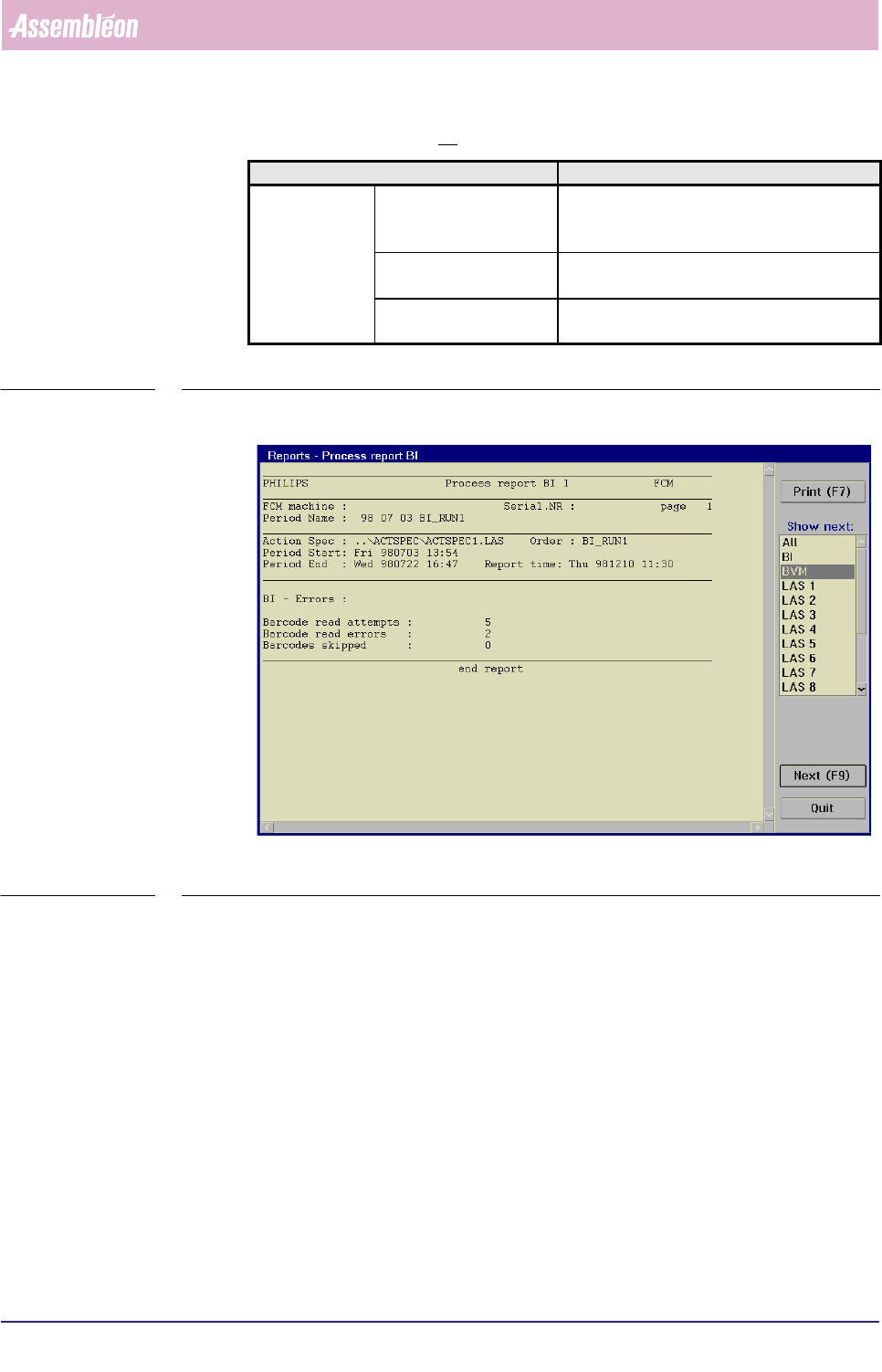
Report text explanation, BI option
TABLE 5-11
fcm0526a.tif
SCREEN 5-19 [Process report...], BI screen example
Report text Explanation
BI - Errors Barcode read attempts the total number of read actions; equals the
total number of boards that passed the run-in
section
Barcode read errors the total number of times a boards barcode
could not successfully be read
Barcodes skipped the total number of times a barcode read
action was skipped
MIS
User Reference Manual 4022 591 96082
5-26 FCM Multiflex 02.02
▼ Controls
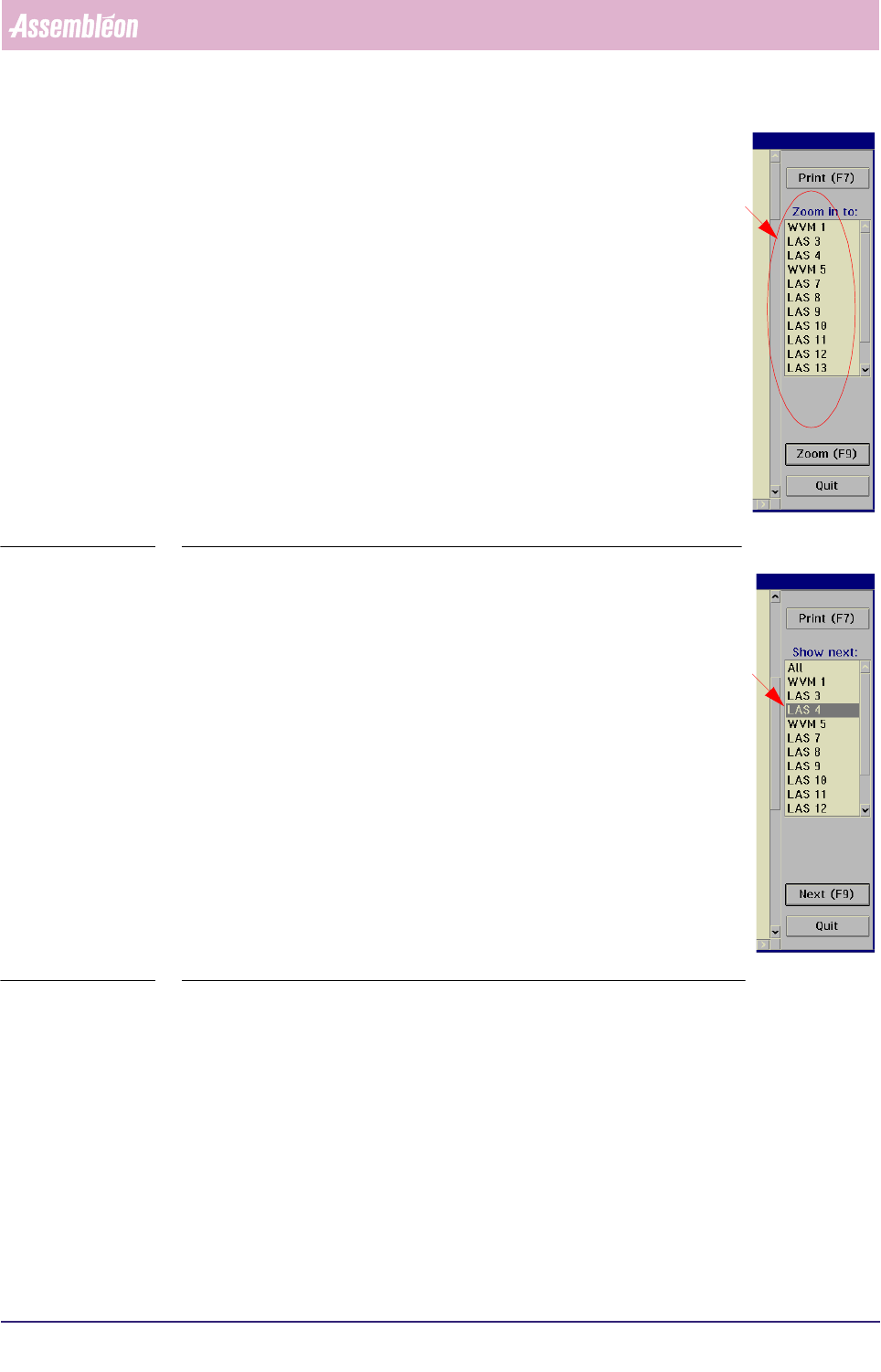
The controls on the right of the [Process report...] screen have the
following functions:
■ select
[Print (F7)] or press <F7> to print the report
■ to take a closer look to a specific module, select a module
from the listbox
■ select
[Zoom (F9)] or press <F9>
This will display the process report of the selected module, in
which detailed process information is shown
SCREEN 5-20
■ to switch to the process report of another module,
• either select [Next (F9)] or press <F9>
This will display the process report of the placement module
that was marked in the listbox before. Each time a [Next
(F9)]
command is given (or <F9> is pressed, next item from
the listbox will be marked.
• or directly select the module you want from the listbox and
then select
[Next (F9)] or press <F9> to display its process
report
■ select
[Print (F7)] or press <F7> to print the report
■ select
[All] in order to go back to the overall process report
■ select
[Quit] to go back to the [MIS] > [Functions...] menu
SCREEN 5-21
4022 591 96082 User Reference Manual
02.02 FCM Multiflex 5-27
MIS
5.3.2.5 [Reports] > [Process graph...]
TABLE 5-12 Quick Reference
fcm0527a.tif
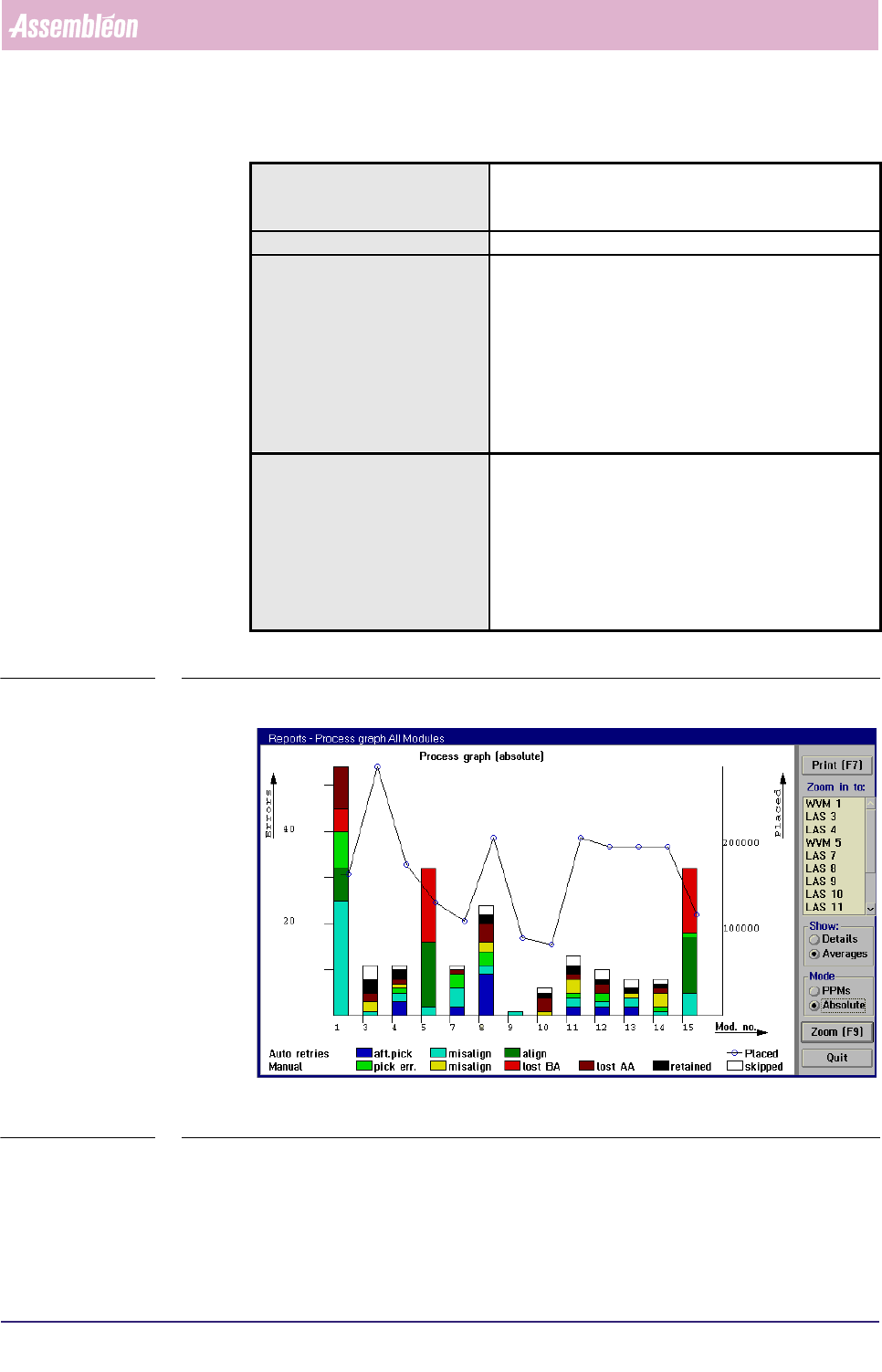
SCREEN 5-22 [Process graph...] screen example
Actions ■ select [Functions...] in the MIS pull-down menu
■ select [Reports]
■ select [Process graph...]
Conditions ■ order active
Information ■ number of auto retries per placement module + per
feeder
■ number of manual retries per placement module +
per feeder
■ number of placed SMDs per placement module + per
feeder
■ number of not placed SMDs (skipped) per placement
module + per feeder
■ misalign details per placement module + per feeder
Display Options ■ process graph for all modules
• averages = errors per placement module
• details = errors per feeder
■ process graph per placement module (zoom-in
function)
• all errors
• misalign errors
■ errors in PPMs or absolute