FCM_User Reference Manual.pdf.pdf - 第223页
4022 591 960 82 Us er Reference Man ual 02.02 FC M Multif lex 6-31 Pr oduc t Ch ang e Ov er The [T each Badmark] men u appears (see be l ow) SCREEN 6- 23 Smallest Encl osing R ectangle ■ Sel ect [Smallest Enclosing Recta…
Product Change Over
User Reference Manual 4022 591 96082
6-30 FCM Multiflex 02.02
NOTE: Choose a board with badmarks (or fiducials assigned as such) in a good
condition (no pollution, no damages) and which represent the batch to be
processed.
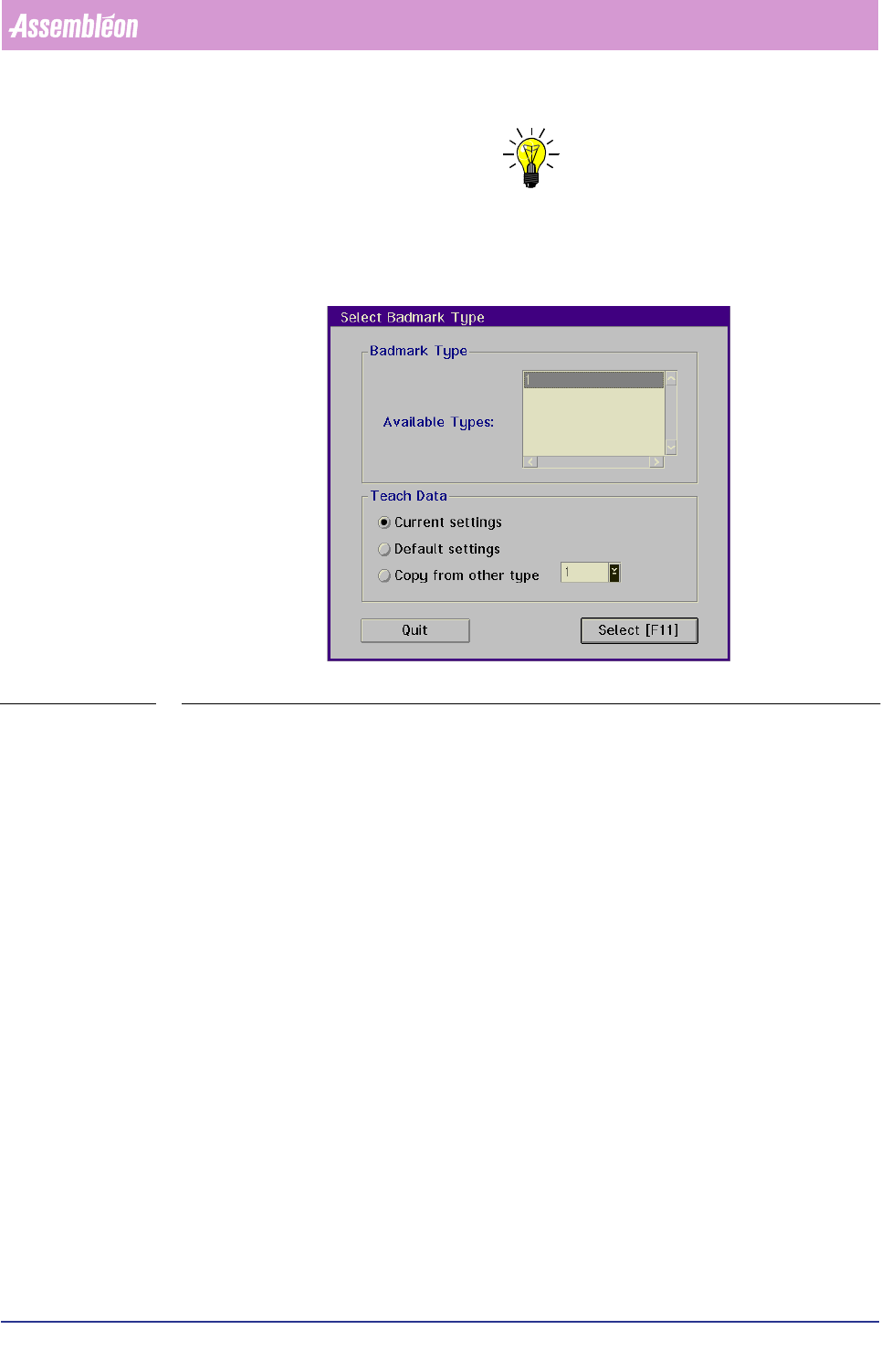
■ Select [Teach Bad Mark...]
SCREEN 6-22
A list of the badmarks from the current action spec will now be displayed.
A badmark is identified by a number from 1 to 255.
■ Select the badmark to be taught from the list
■ Choose
[Select]
4022 591 96082 User Reference Manual
02.02 FCM Multiflex 6-31
Product Change Over
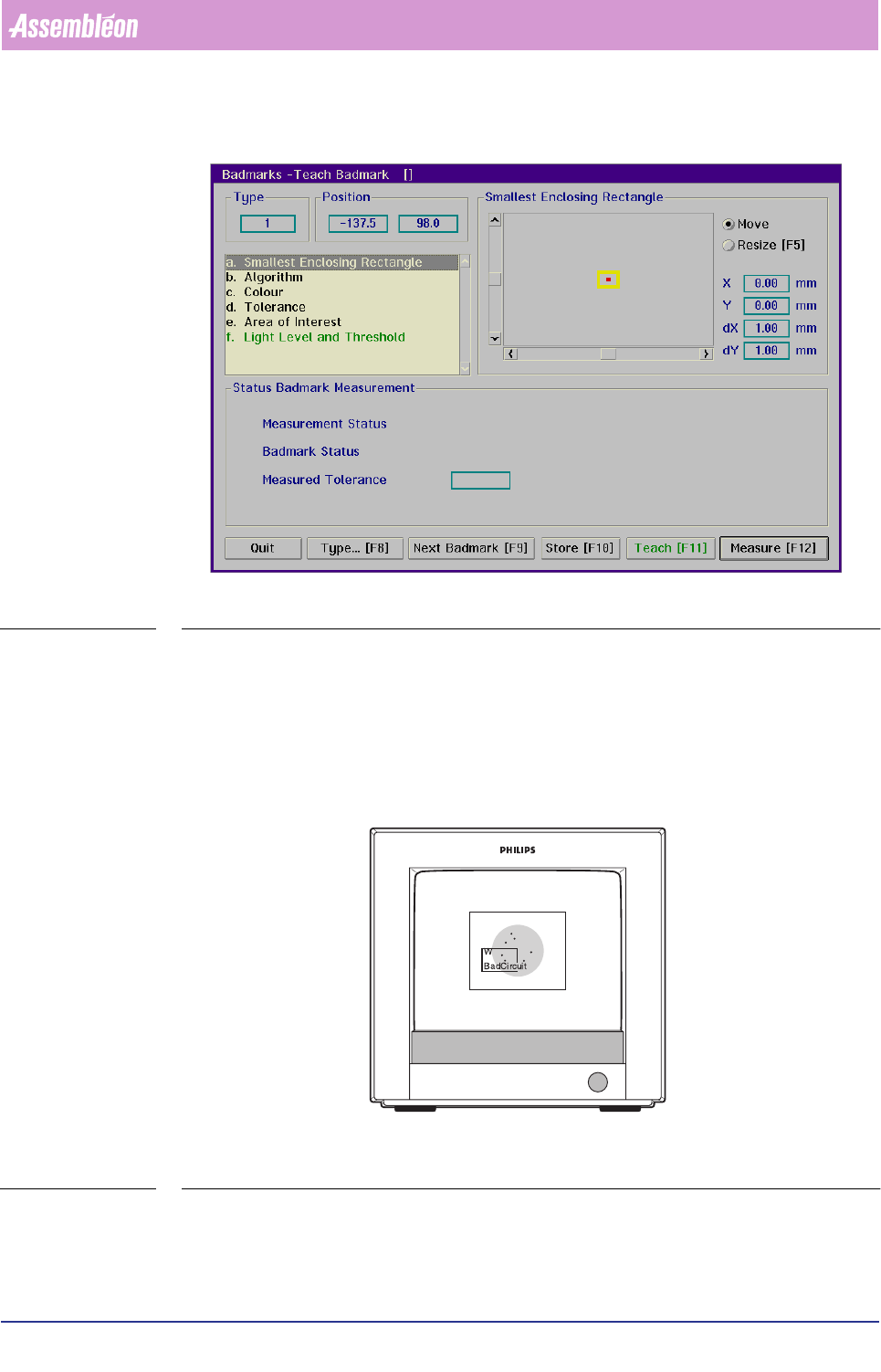
The [Teach Badmark] menu appears (see below)
SCREEN 6-23
Smallest Enclosing Rectangle
■ Select [Smallest Enclosing Rectangle]
■ Look at the monitor:
• For spot-type badmarks, check if the rectangle is completely covered by the
badmark; that means that the badmark should be larger than the rectangle
FIGURE 6-10 Controlling the smallest enclosing rectangle for spot-type badmarks
• For fiducial-type badmarks, proceed with the following points:
Product Change Over
User Reference Manual 4022 591 96082
6-32 FCM Multiflex 02.02
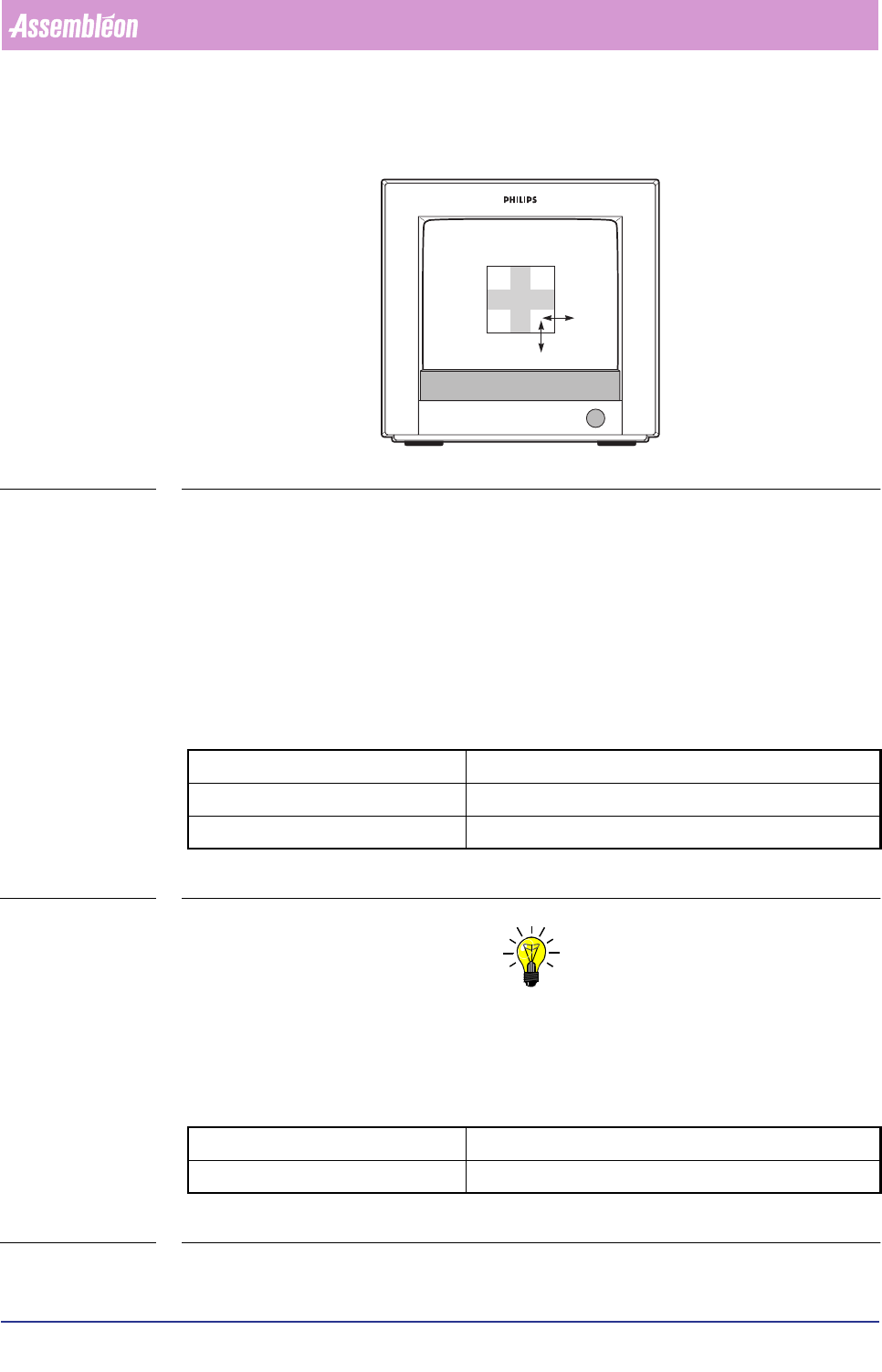
■ Look at the BVM monitor to determine if the rectangle fits exactly the badmark
(see FIGURE 6 -11
FIGURE 6-11 Selecting the smallest enclosing rectangle for fiducial-type badmarks
If not, act as follows:
■ Select
[Move]
■ Adjust left line with arrow keys or mouse and scroll bar
■ Adjust top line
■ Select
[Resize]
■ Adjust bottom line
■ Adjust right line
Key operating movements:
TABLE 6-12
NOTE: Adjustment via the graphical mouse control is also possible, but control is
less exact.
Algorithm
There are 2 options for the badmark detection algorithm:
TABLE 6-13
arrow keys slow movement (0.05 mm)
Home/End keys quick left/right movement (0.2 mm)
Page Up/Page Down keys quick up/down movement (0.2 mm)
binary quick but less reliable
interpolation slower but more reliable