FCM_User Reference Manual.pdf.pdf - 第37页
4022 591 96082 User Re ference Manual 02.02 FCM Multiflex 3-21 Hu man Inte rfac e 3.8.1.3 B VM Op tions Settings The B V M op tion s setti ng s [DF A] an d [BMS] appearing in the BVM di al ogue bo x are only in dicat ion…
Human Interface
User Reference Manual 4022 591 96082
3-20 FCM Multiflex 02.02
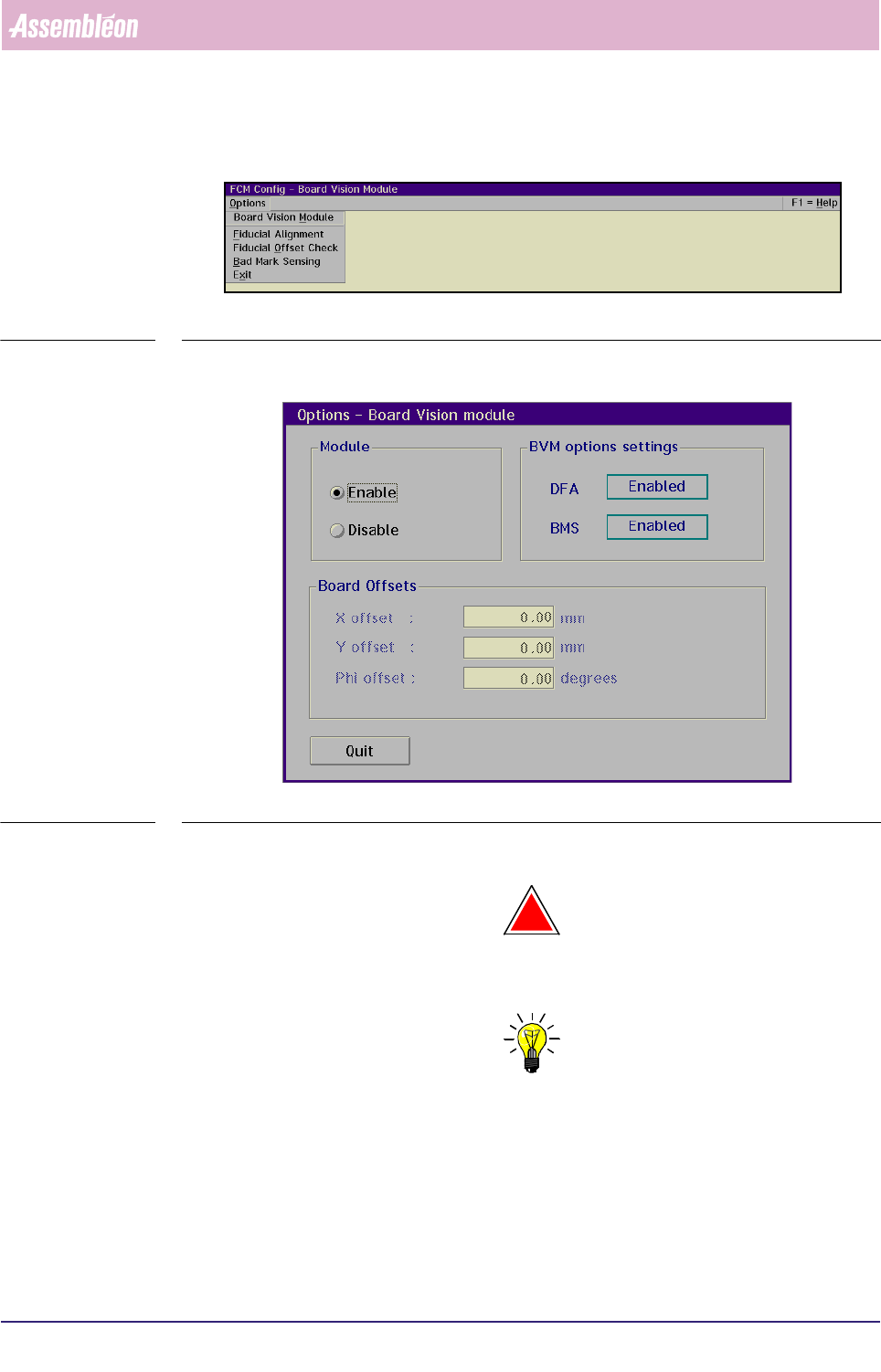
■ Select [Board Vision Module] via the [Options] menu
SCREEN 3-10
■ Select [Enable] and [Quit] in the BVM dialogue box
SCREEN 3-11
The BVM is now active.
!
WARNING: THIS DOESN’T NECESSARILY MEAN THAT THE DFA OR BMS OPTIONS HAVE
BEEN ENABLED!
NOTE: To indicate the presence of an active BVM, the BVM status indication in the
FCM Multiflex status window (see SCREEN 3-7) will now be [Ok].
3.8.1.2 Disabling the BVM
To disable the BVM, follow the same menu path as explained before (section
3.8.1.1) however selecting [Disable] instead.
4022 591 96082 User Reference Manual
02.02 FCM Multiflex 3-21
Human Interface
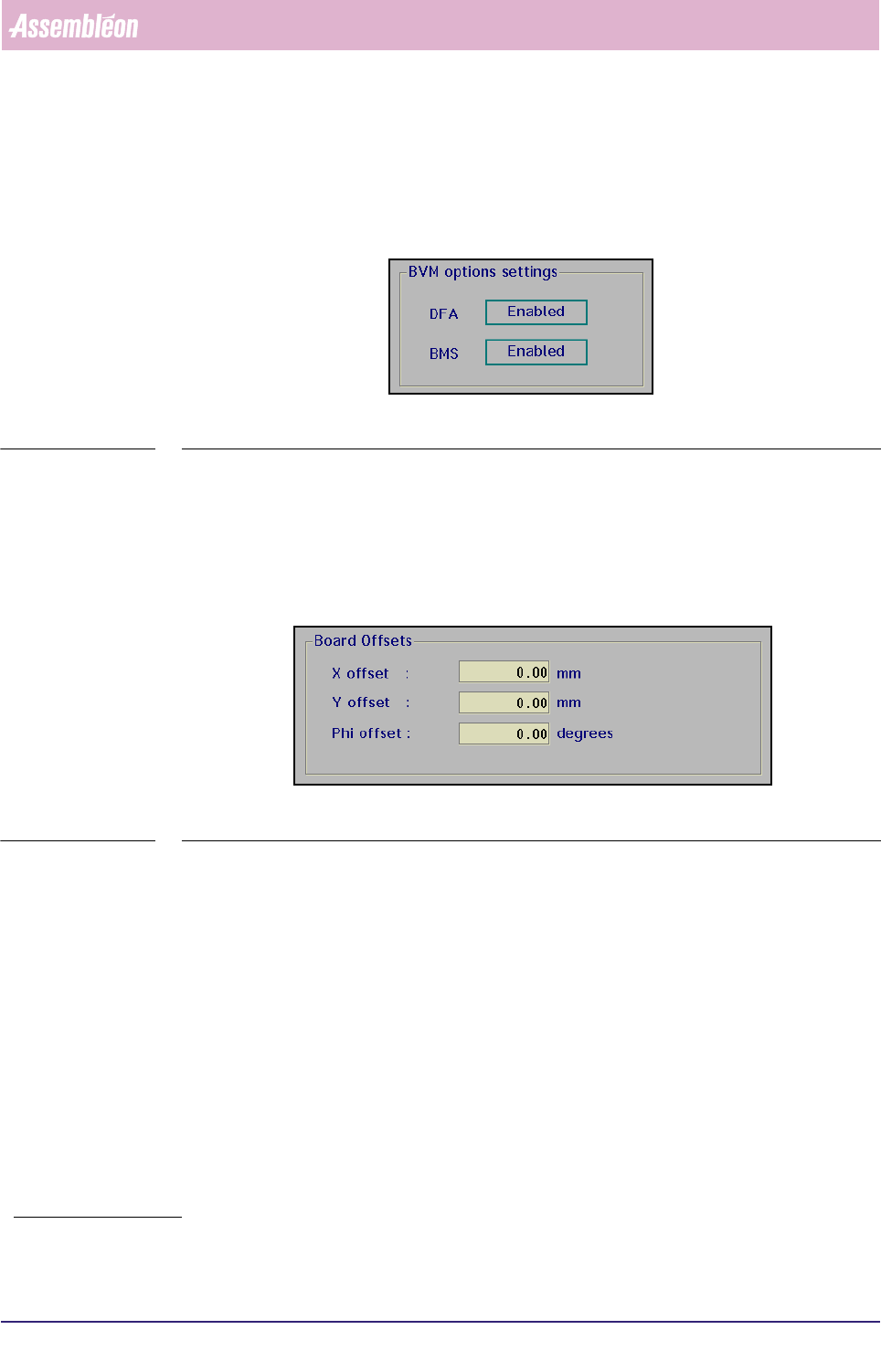
3.8.1.3 BVM Options Settings
The BVM options settings [DFA] and [BMS] appearing in the BVM dialogue box are
only indications and can not be set in this stage.
SCREEN 3-12
3.8.1.4 Board Offsets
When the Dynamic Fiducial Alignment (DFA) has not been selected
1
or the BVM has
been disabled, a fixed manual offset can be entered.
The maximum offset in the X- or Y-direction is ± 1 mm, in the phi-direction ± 5
degrees.
SCREEN 3-13
1. If DFA has been selected, the software will take
care of this.
Human Interface
User Reference Manual 4022 591 96082
3-22 FCM Multiflex 02.02
3.8.2 Fiducial Alignment Settings
3.8.2.1 Enabling/Disabling the Fiducial Alignment (FA)
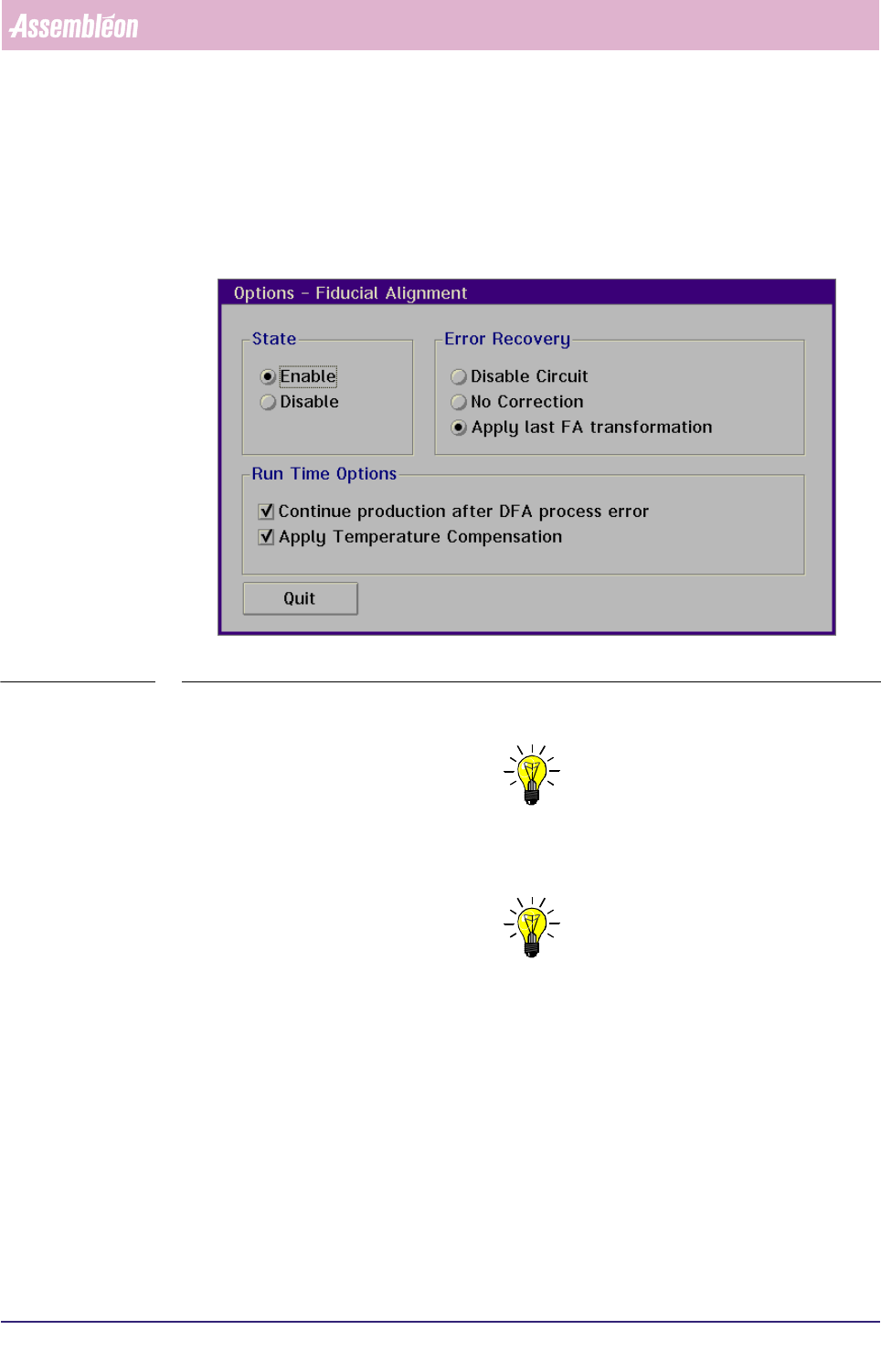
■ Select [Fiducial Alignment] via the [Options] via the [Config] menu
SCREEN 3-14
■ Select [Enable] resp. [Disable] to enable resp. disable fiducial alignment
NOTE: If the DFA (Dynamic Fiducial Alignment) option is available, it normally
will be enabled. A reason to disable DFA could be that there are no fiducials
present on the board that is being processed.
NOTE: The DFA option can only be enabled after the BVM has been enabled.