FCM_User Reference Manual.pdf.pdf - 第132页
MIS User Re ference Manual 4022 5 91 96082 5-40 F CM Mult ifl ex 02.02 ▼ Contr ols The con trol s on th e righ t of th e [Pr oc ess gr aph ... ] screen have th e foll o wing func tions : ■ sel ect [Pr in t (F7) ] or pr e…
4022 591 96082 User Reference Manual
02.02 FCM Multiflex 5-39
MIS
TABLE 5-17
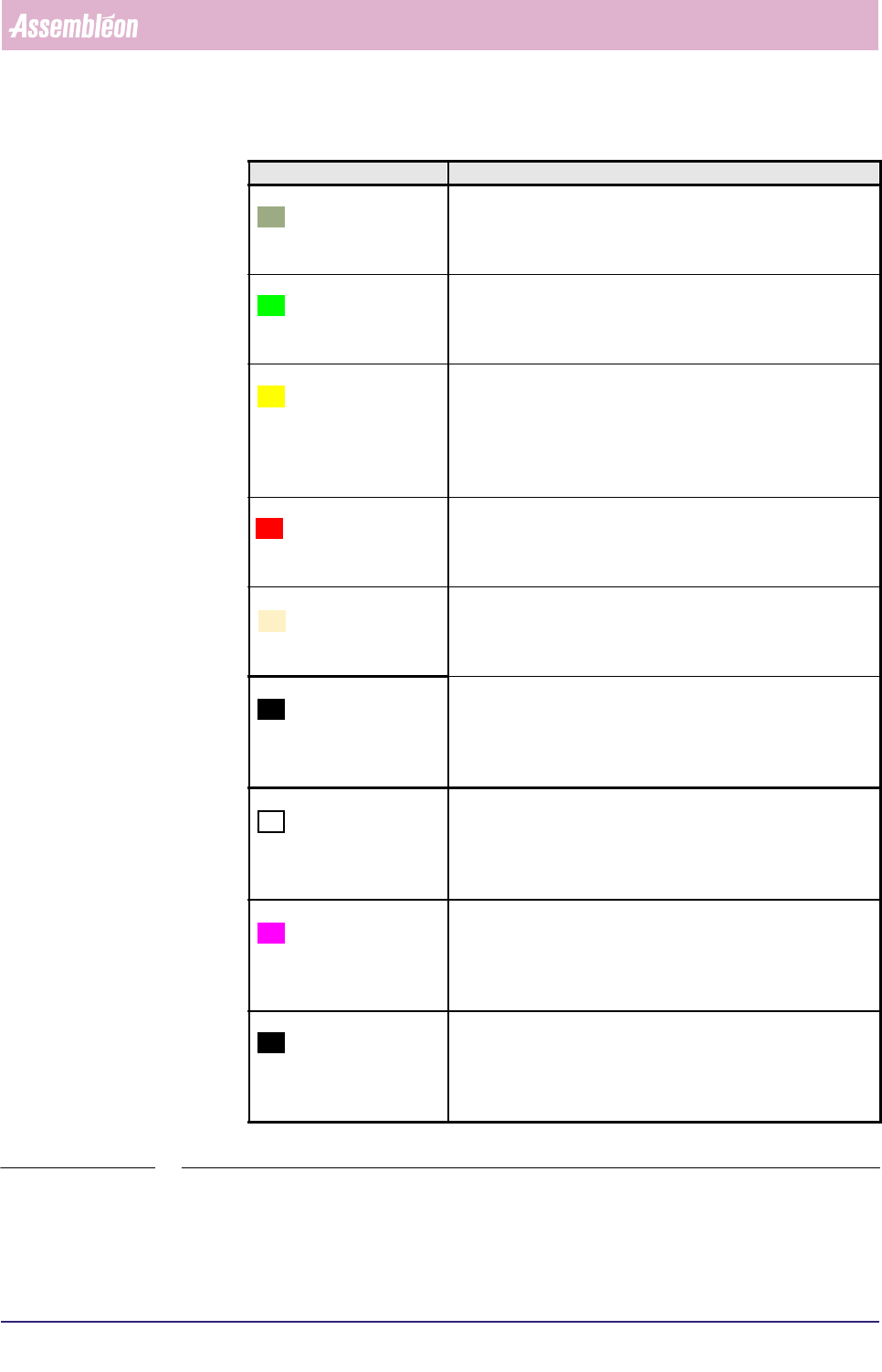
Graph legend Explanation
Phi total number of automatic and manual pick retries per feeder
with the cause:
the measured Phi-offset exceeded the Phi reject level as
specified in the SMD info file
Unmeas. total number of automatic and manual pick retries per feeder
with the cause:
the vision system was unable to find all SMD sides within the
camera’s field of view
Geometry total number of automatic and manual pick retries per feeder
with the cause:
the vision system detected that the leads on the North and
South, respectively the East and West side of the SMD are not
exactly opposite each other (for SMDs with leads on all 4 sides
only)
Length total number of automatic and manual pick retries per feeder
with the cause:
the vision system detected that the SMD’s length is out of
tolerance (for SMDs without leads only)
Width total number of automatic and manual pick retries per feeder
with the cause:
the vision system detected that the SMD’s width is out of
tolerance (for SMDs without leads only)
L.pitch total number of automatic and manual pick retries per feeder
with the cause:
the vision system detected that the distance between all indi-
vidual leads on one (or more) sid(s) of the SMD is not within
the required toler-ance
L.count total number of automatic and manual pick retries per feeder
with the cause:
the vision system detected that the number of leads measured
on the North and South side, respectively the East and West
side of the SMD are not the same
L.width total number of automatic and manual pick retries per feeder
with the cause:
the vision system detected that the SMD’s lead width is out of
tolerance (only for asymmetric SMDs with only one lead at
one side, as “lead pitch” does not exist in this case)
Coplan. total number of automatic and manual pick retries per feeder
with the cause:
the vision system detected that not all individual leads on one
(or more) side(s) of the SMD is (are) positioned in-line (i.e.
leads bent)
MIS
User Reference Manual 4022 591 96082
5-40 FCM Multiflex 02.02
▼ Controls
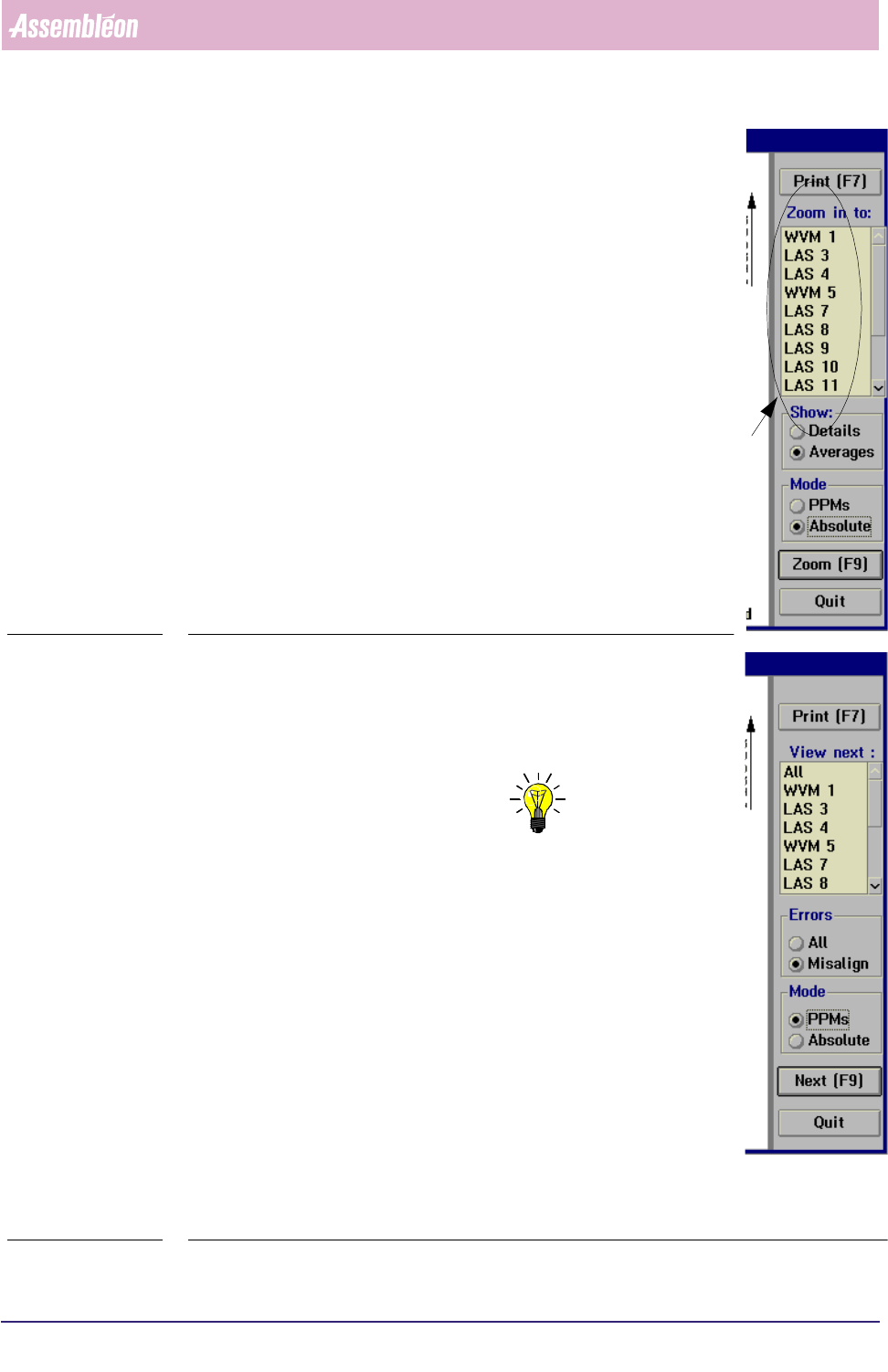
The controls on the right of the [Process graph...] screen
have the following functions:
■ select
[Print (F7)] or press <F7> to print the report
■ select [Averages] in the [Show] field to display the process
errors per placement module
■ select
[Details] in the [Show] field to display the process
errors per feeder position
■ select [PPMs] if you wish to display them in Parts Per Million
■ select [Absolute] if you wish to display the absolute number
of errors
■ to take a closer look to a specific placement module, select
a LAS/WVM placement module from the listbox
select
[Zoom (F9)] or press <F9>
This will display the process report of the selected LAS/WVM, in
which all process information is shown for each feeder position.
SCREEN 5-31
■ select
[All] in the [Errors] field if you wish to display all
process errors of the selected placement module
■ select
[Misalign] if you wish to take a closer look at the error
cause of misalign errors
NOTE: As LAS placement modules and WVM placement modules
have different alignment mechanisms, the error screens
will also display different alignment parameters (see
SCREEN 5-33 and SCREEN 5-34).
■ to switch to the process graph of another LAS/WVM module,
• either select [Next (F9)] or press <F9>
This will display the process graph of the placement
module that was marked in the listbox before. Each time a
[Next (F9)] command is given (or <F9> is pressed, next
item from the listbox will be marked.
• or directly select the placement module you want from the
listbox and then select
[Next (F9)] or press <F9> to display
its process graph
fcm0541a.tif
SCREEN 5-32
4022 591 96082 User Reference Manual
02.02 FCM Multiflex 5-41
MIS
■ select [Print (F7)] or press <F7> to print the graph
■ select
[All] in order to go back to the overall process report
■ select [Quit] to leave the [Process graph...] menu
fcm0542a.tif
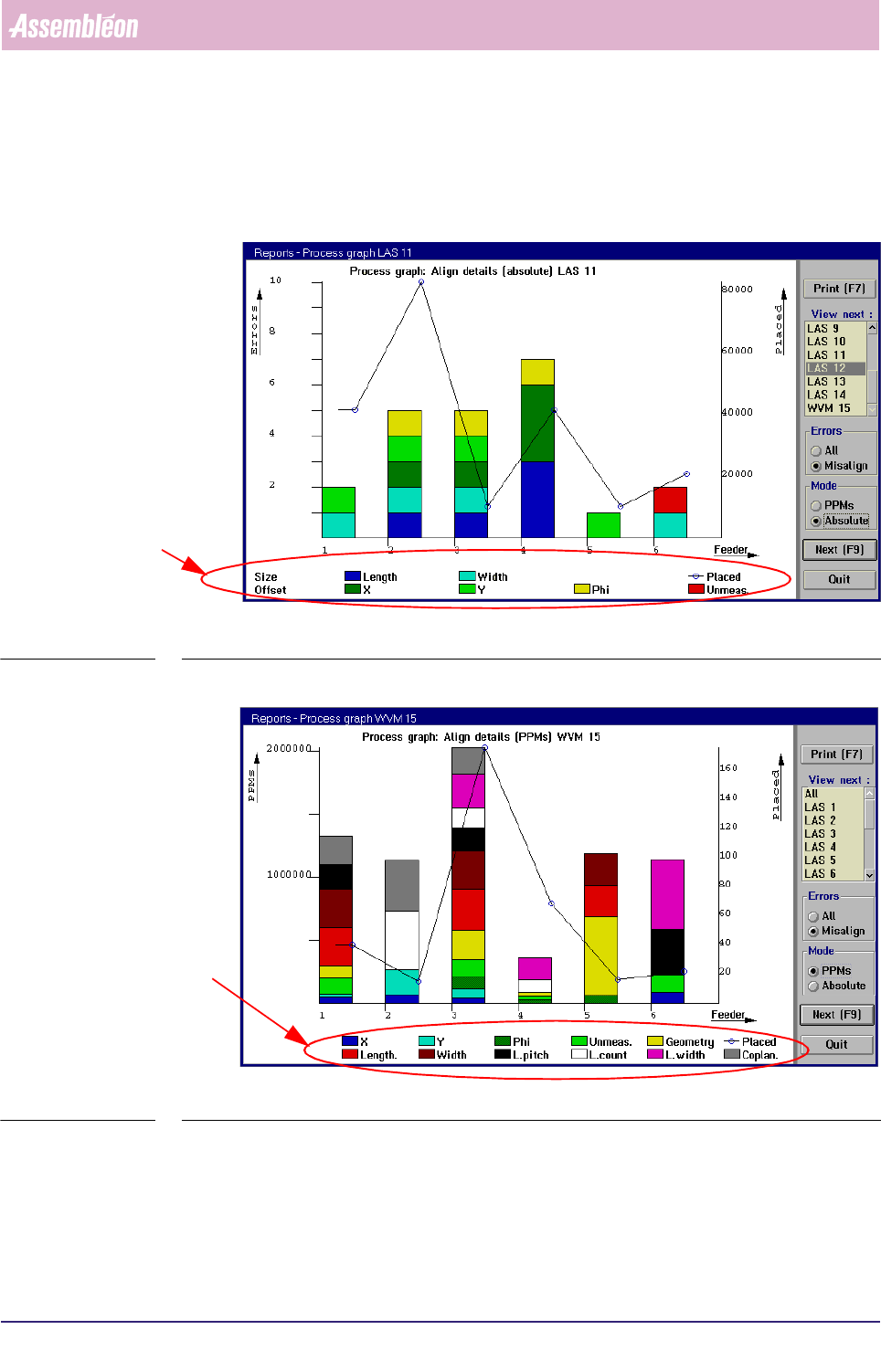
SCREEN 5-33 [Process graph...] LAS module misalign errors screen example
fcm0537a.tif
SCREEN 5-34 [Process graph...] WVM module misalign errors screen example
LAS specific align parameters
WVM specific align parameters