FCM_User Reference Manual.pdf.pdf - 第172页
MIS User Re ference Manual 4022 5 91 96082 5-80 F CM Mult ifl ex 02.02 5.3.8 Fi le Hand ling 5.3.8.1 [A dminist rati on] > [C opy f rom ar chiv e. ..] T ABL E 5-39 Qui ck Refer ence fcm05 67a.tif SCREE N 5-5 9 [Copy f…
4022 591 96082 User Reference Manual
02.02 FCM Multiflex 5-79
MIS
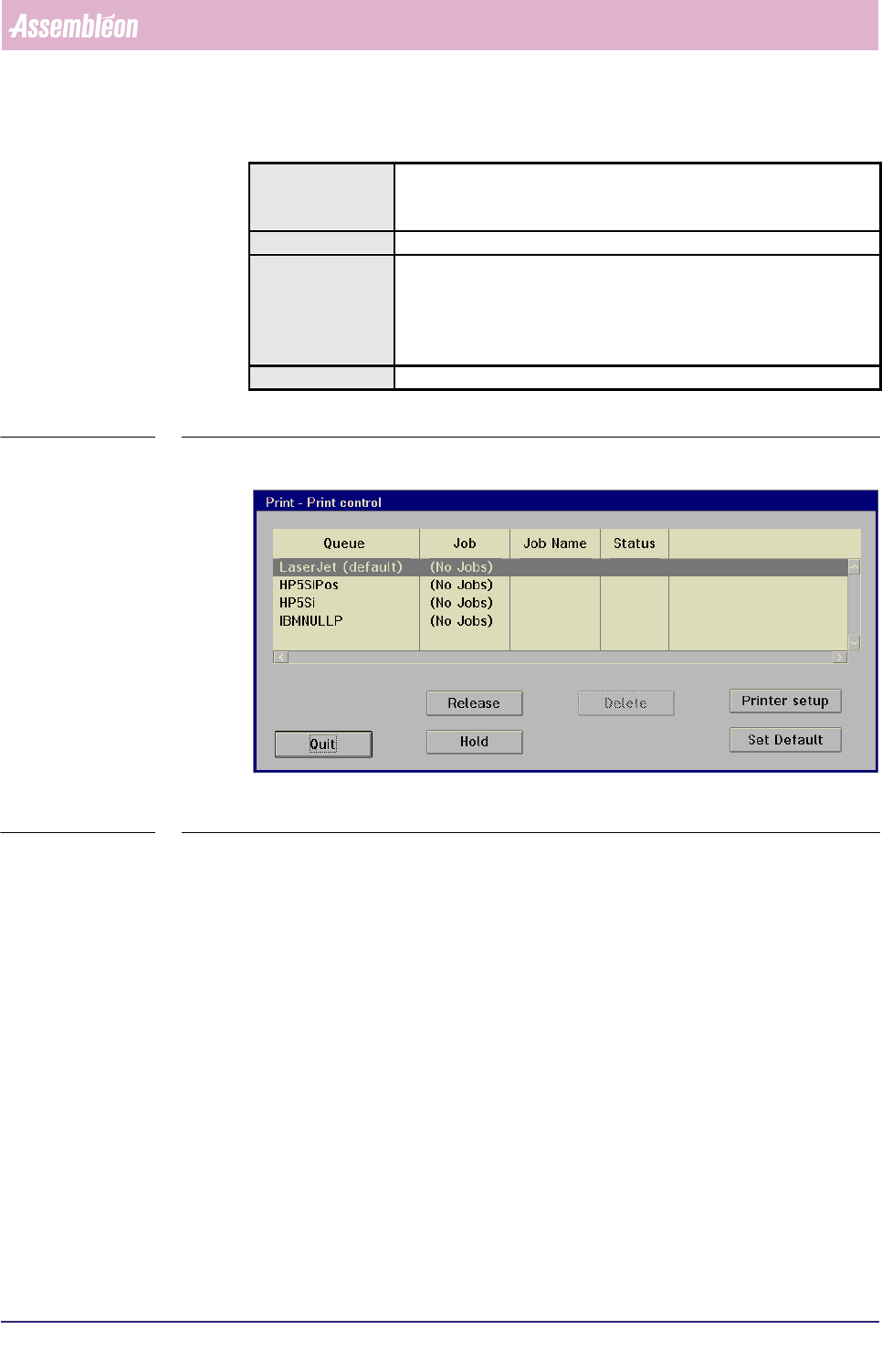
5.3.7.3 [Print] > [Printer control...]
TABLE 5-38 Quick Reference
fcm0566a.tif
SCREEN 5-58 [Printer control...] screen example []
✱✱Detailed Information
Installation of a(n) (extra) printer must be done via the NT operating system.
To change the printer settings, we refer to the concerned printer manual, as each
printer (type) has its own - in most cases, different - menu layout.
▼Controls (see SCREEN 5-43)
■ select [Hold] to temporary stop printer actions
■ select [Release] to continue a hold printer action
■ select
[Delete] to remove a printer job from the printer queue
■ to make the highlighted printer the default printer, select [Set Default]
■ select [Printer setup] to go to the printer’s setup menu
■ select [Quit] to leave the MIS [Print control] menu
Actions ■ select [Functions...] in the MIS pull-down menu
■ select [Print]
■ select [Printer control...]
Conditions ■ order active
Information ■ gives control over print jobs and printer queues:
• to delete a print job
• to stop a print job or a print queue
• to re-start a print job or a print queue
• to set up a printer
Display Options -
MIS
User Reference Manual 4022 591 96082
5-80 FCM Multiflex 02.02
5.3.8 File Handling
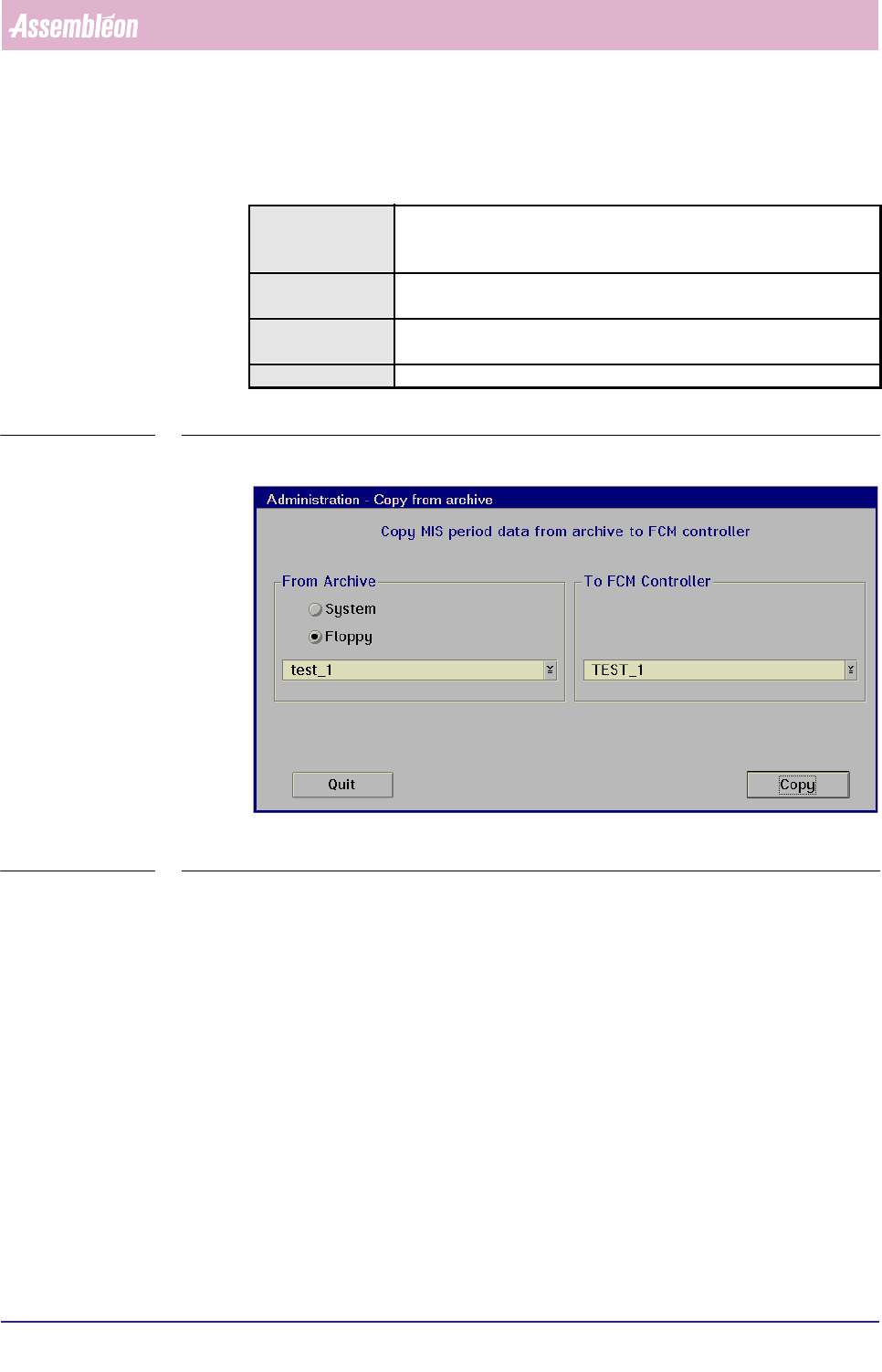
5.3.8.1 [Administration] > [Copy from archive...]
TABLE 5-39 Quick Reference
fcm0567a.tif
SCREEN 5-59 [Copy from archive...] screen example
✱✱Detailed Information
Not applicable
Actions ■ select [Functions...] in the MIS pull-down menu
■ select [Administration]
■ select [Copy from archive...]
Conditions ■ supervisor access level
■ order active
Information ■ copies MIS period data from archive (system harddisk or a floppy
disk) to the FCM Multiflex controller
Display Options -
4022 591 96082 User Reference Manual
02.02 FCM Multiflex 5-81
MIS
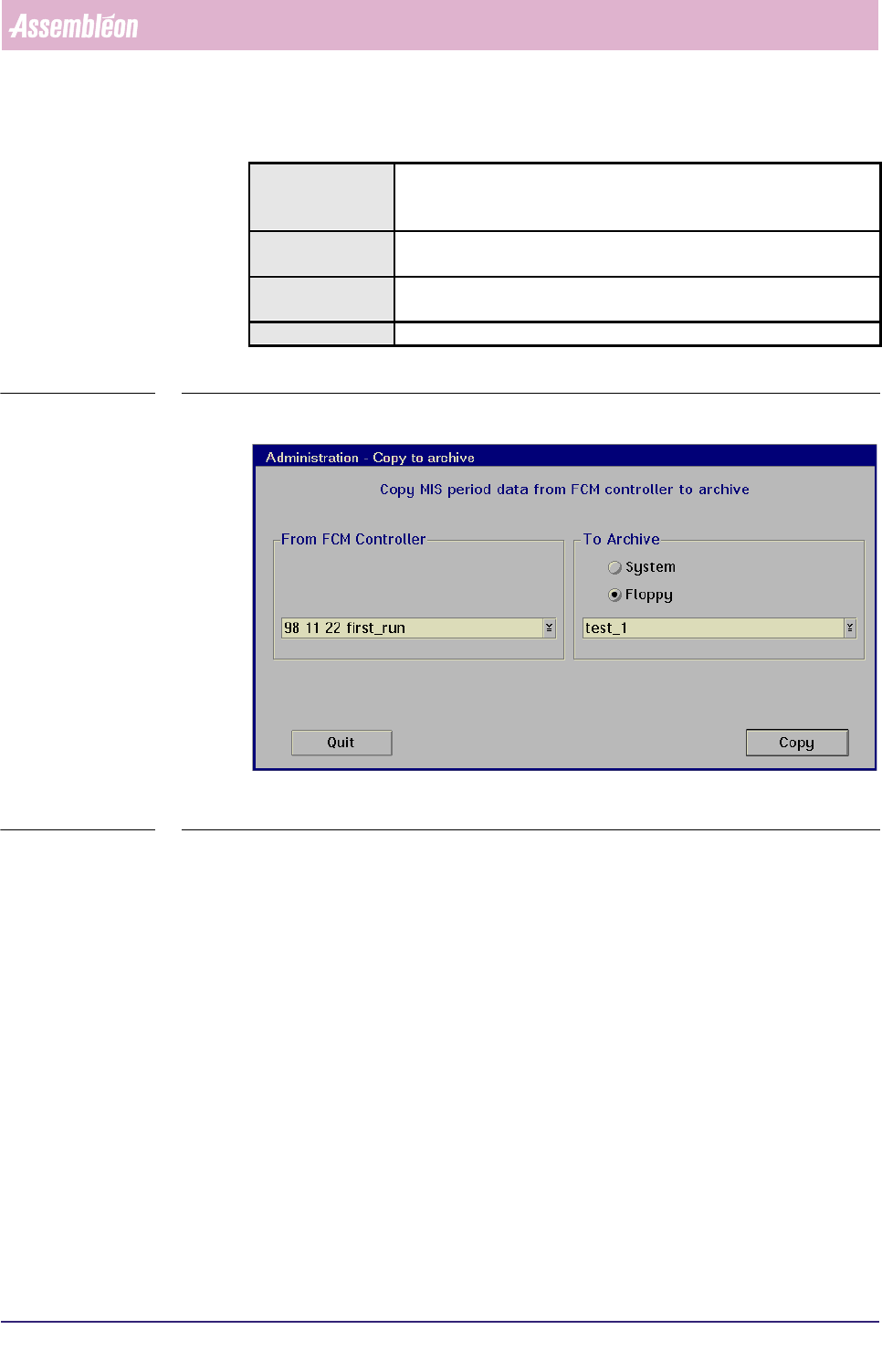
5.3.8.2 [Administration] > [Copy to archive...]
TABLE 5-40 Quick Reference
fcm0568a.tif
SCREEN 5-60 [Copy to archive...] screen example
✱✱Detailed Information
Not applicable
Actions ■ select [Functions...] in the MIS pull-down menu
■ select [Administration]
■ select [Copy to archive...]
Conditions ■ supervisor access level
■ order active
Information ■ copies MIS period data from the FCM Multiflex controller to archive
(system harddisk or a floppy disk)
Display Options -