FCM_User Reference Manual.pdf.pdf - 第143页
4022 591 96082 User Re ference Manual 02.02 FCM Multiflex 5-51 MIS T ABLE 5- 23 ▼ Controls ■ ■ Select [ Tr ace co mpon ent.. .] from th e [T r o uble sh oo tin g] menu The f ollo win g dia log ue sc r een will a ppear: f…
MIS
User Reference Manual 4022 591 96082
5-50 FCM Multiflex 02.02
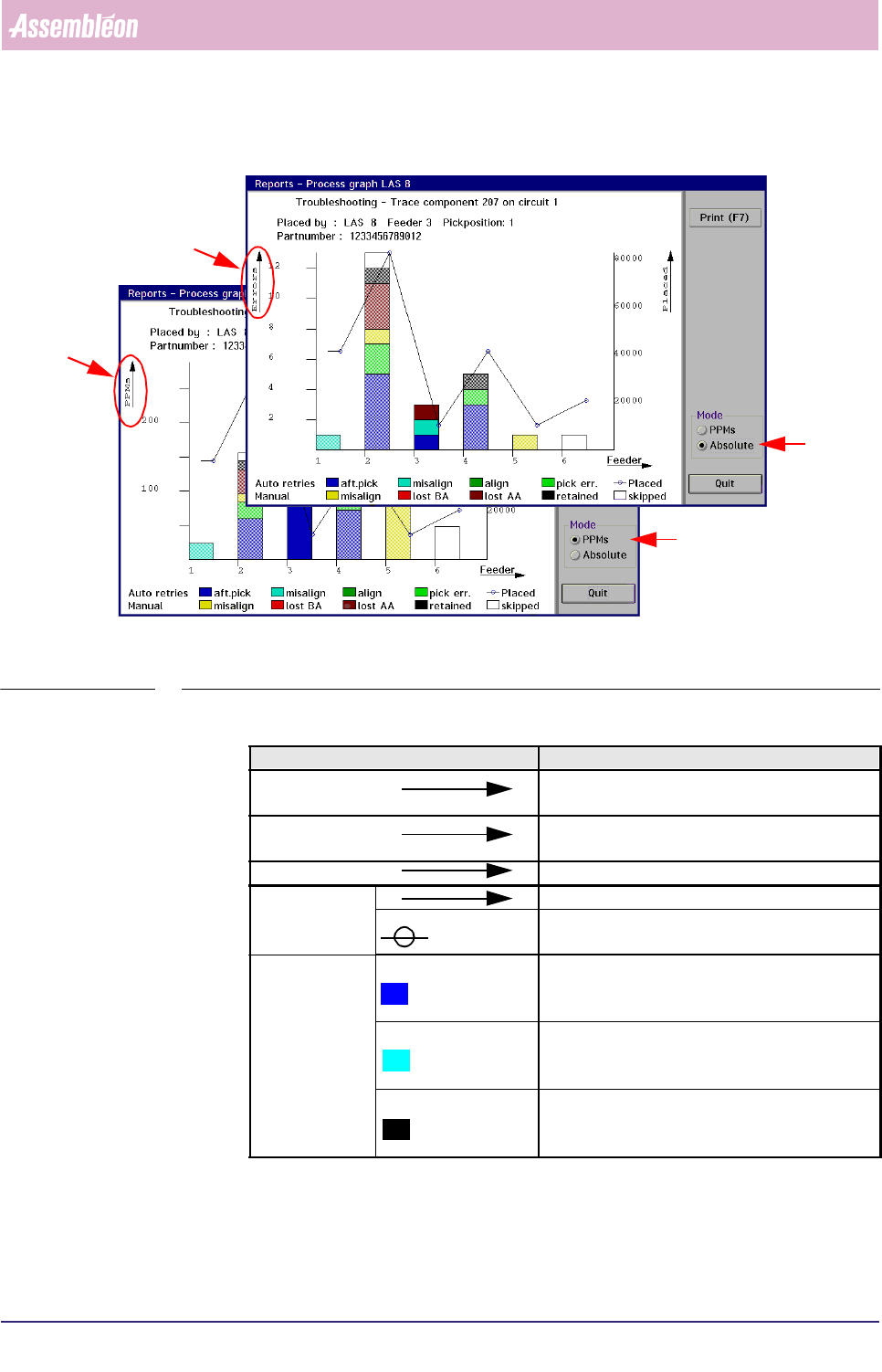
Graph explanation
fcm0550a/0551a.tif
SCREEN 5-41 Process graph example of a traced SMD, [Absolute] mode/ [PPMs] mode
Graph legend Explanation
Errors scale for number of errors (in Absolute mode
only)
PPMs scale for number of errors per million SMDs (in
PPMs mode only)
Mod. no. position numbers of the used feeders
Placed scale for total number of placed SMDs
total number of placed SMDs per feeder (blue
circle)
Auto retries aft. pick total number of automatic pick retries per feeder
that occurred after SMD was missing
immediately after pick action
misalign total number of automatic pick retries per feeder
that occurred after SMD could not properly be
aligned
align total number of automatic pick retries per feeder
that occurred after SMD was missing upon
starting the align action (WVM only)
4022 591 96082 User Reference Manual
02.02 FCM Multiflex 5-51
MIS
TABLE 5-23
▼Controls
■ ■ Select [Trace component...] from the [Troubleshooting] menu
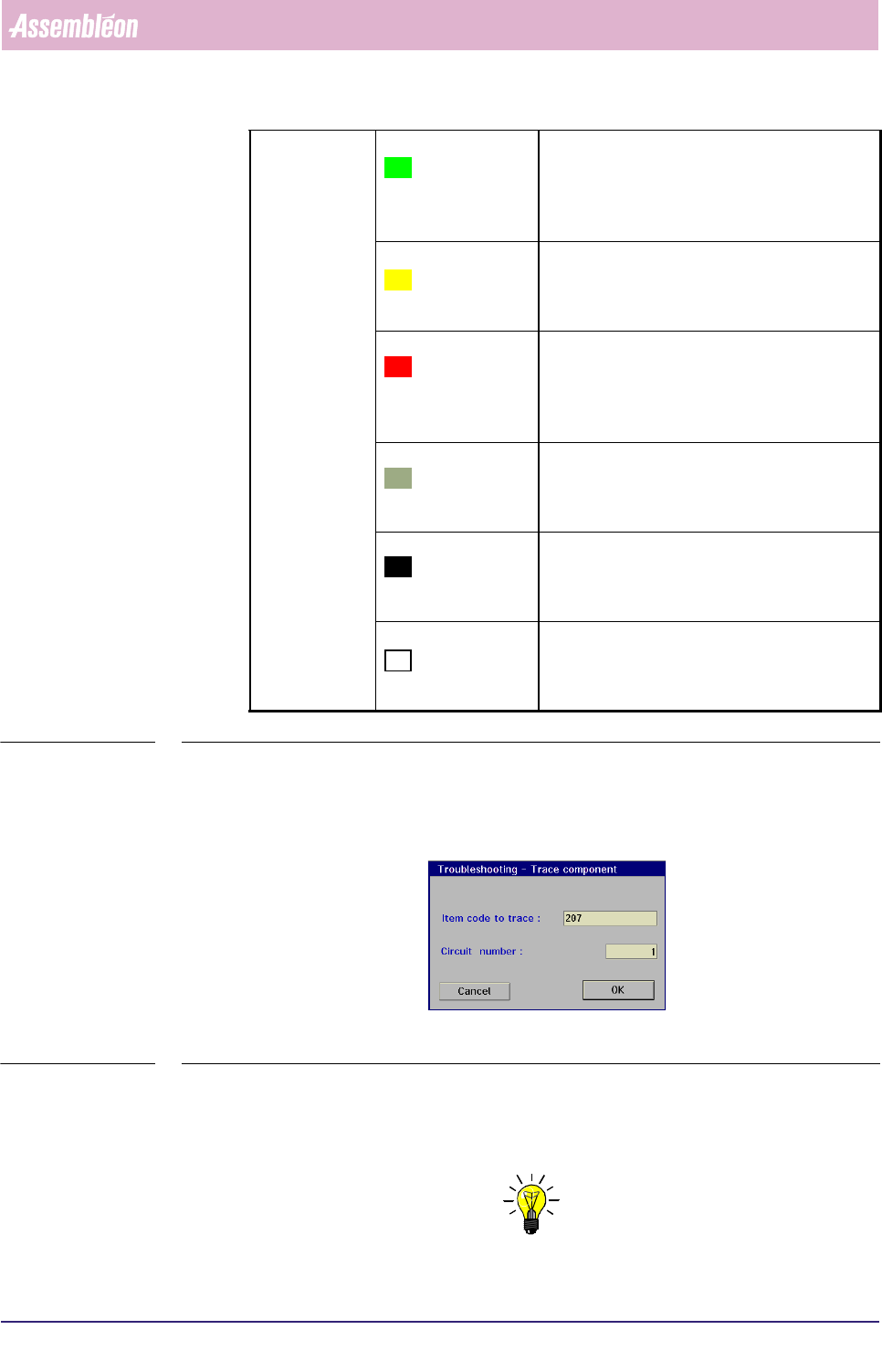
The following dialogue screen will appear:
fcm0546a.tif
SCREEN 5-42
■ Enter the item code of the SMD(s) you want to be traced; this is the SMD’s
reference identification as used in the action spec. It usually corresponds with
the code engraved on the board (next to the SMD).
NOTE: The item code can also be found on the Product Item Code Plot-drawing
which was generated by PPS.
Manual pick err. ■ FCM Multiflex stopped after having reached
the auto retry limit
■ total number of manual pick retries per feeder
after SMD was missing immediately after pick
action
misalign
■ FCM Multiflex stopped after having reached
the auto retry limit
■ total number of manual pick retries per feeder
after SMD could not properly be aligned
lost BA
■ FCM Multiflex stopped after having reached
the auto retry limit
■ total number of manual pick retries per feeder
after SMD was missing upon starting the align
action (WVM only)
lost AA
■ FCM Multiflex stopped immediately after the
SMD was lost after performing the alignment
action
■ total number of manual pick retries per feeder
retained
■ FCM Multiflex stopped immediately after the
SMD was still present on the nozzle after trying
to place it on the board
■ total number per feeder of manual pick retries
skipped total number per feeder of picked SMDs that are
not placed (dumped) as a result of selecting
[Skip action] or [Skip board] in the [Error
Recovery] dialogue

MIS
User Reference Manual 4022 591 96082
5-52 FCM Multiflex 02.02
■ If the board consists of a number of circuits, enter the specific circuit number
on which the bad placements were found. If the board is not divided in separate
circuits, the number to be filled in is always 1.
■ Select [OK]
Once the item code and circuit number have been entered, the MIS system will start
searching for the SMD in the action spec.
If the entered SMD parameters are found, the process graph of the placement
module where this SMD is used will be displayed (see SCREEN 5-41).
The controls on the right of the screen have the functions:
■ select
[Print (F7)] or press <F7> to print the graph
■ select [PPMs] if you wish to display the errors in Parts Per Million
■ select
[Absolute] if you wish to display the absolute number of errors
■ select [Quit] to leave the [Production times...] menu