FCM_User Reference Manual.pdf.pdf - 第41页
4022 591 96082 User Re ference Manual 02.02 FCM Multiflex 3-25 Hu man Inte rfac e 3.8.3 Badm ar k Sensing Settings 3.8.3.1 Enabling /Disabling the Badmark Sensing ■ Select [Bad M ark S ensing] vi a the [ Opt ions ] menu …
Human Interface
User Reference Manual 4022 591 96082
3-24 FCM Multiflex 02.02
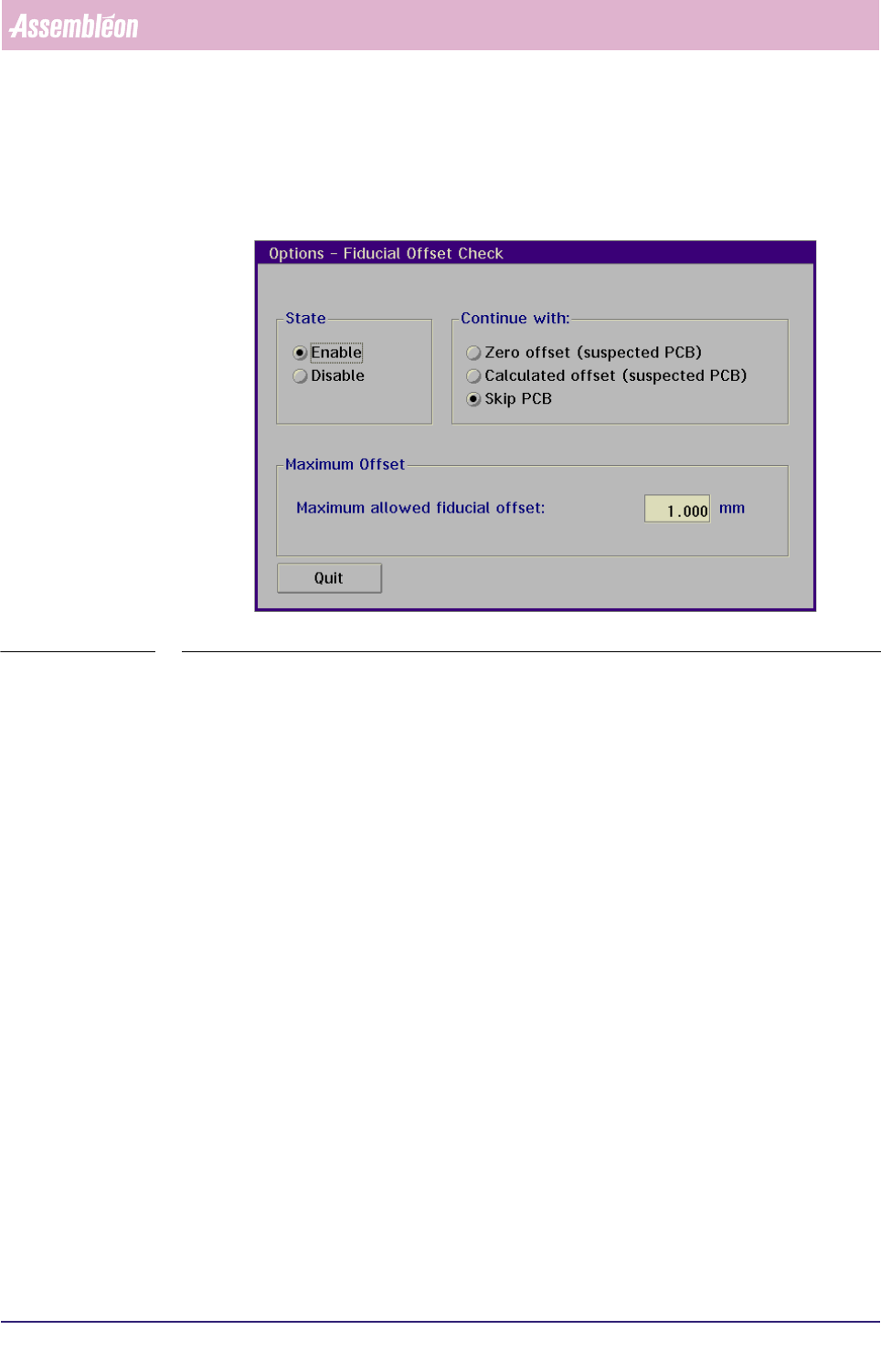
3.8.2.5 Enabling/Disabling Fiducial Offset Check
• Select [Fiducial Offset Check] via the [Options] menu
SCREEN 3-15
• Select [Enable] or [Disable] to enable or disable
3.8.2.6 Selecting Continuation Method
The following continuation methods can be selected:
• continue component placement on this board using zero offset
• continue component placement on this board using the calculated offset
• skip placement on this board
The selected continuation method will be used after selecting [Ok] in the error
message as described in this section. In all cases the boards will be marked as
"Suspected".
3.8.2.7 Specifying Maximum Offset
The user can enter the maximum allowed fiducial offset (range 0.000 mm – 2.000
mm). By default this value is set to 1.000 mm. It is advised not to use too small
values since this may generate too much offset errors. Setting this value too large
may still cause wrongly calculated offsets to be used for placement correction. It is
recommended to start with the default value and decrease in steps of 0.1 or 0.2
mm to an acceptable level for the customer.
4022 591 96082 User Reference Manual
02.02 FCM Multiflex 3-25
Human Interface
3.8.3 Badmark Sensing Settings
3.8.3.1 Enabling/Disabling the Badmark Sensing
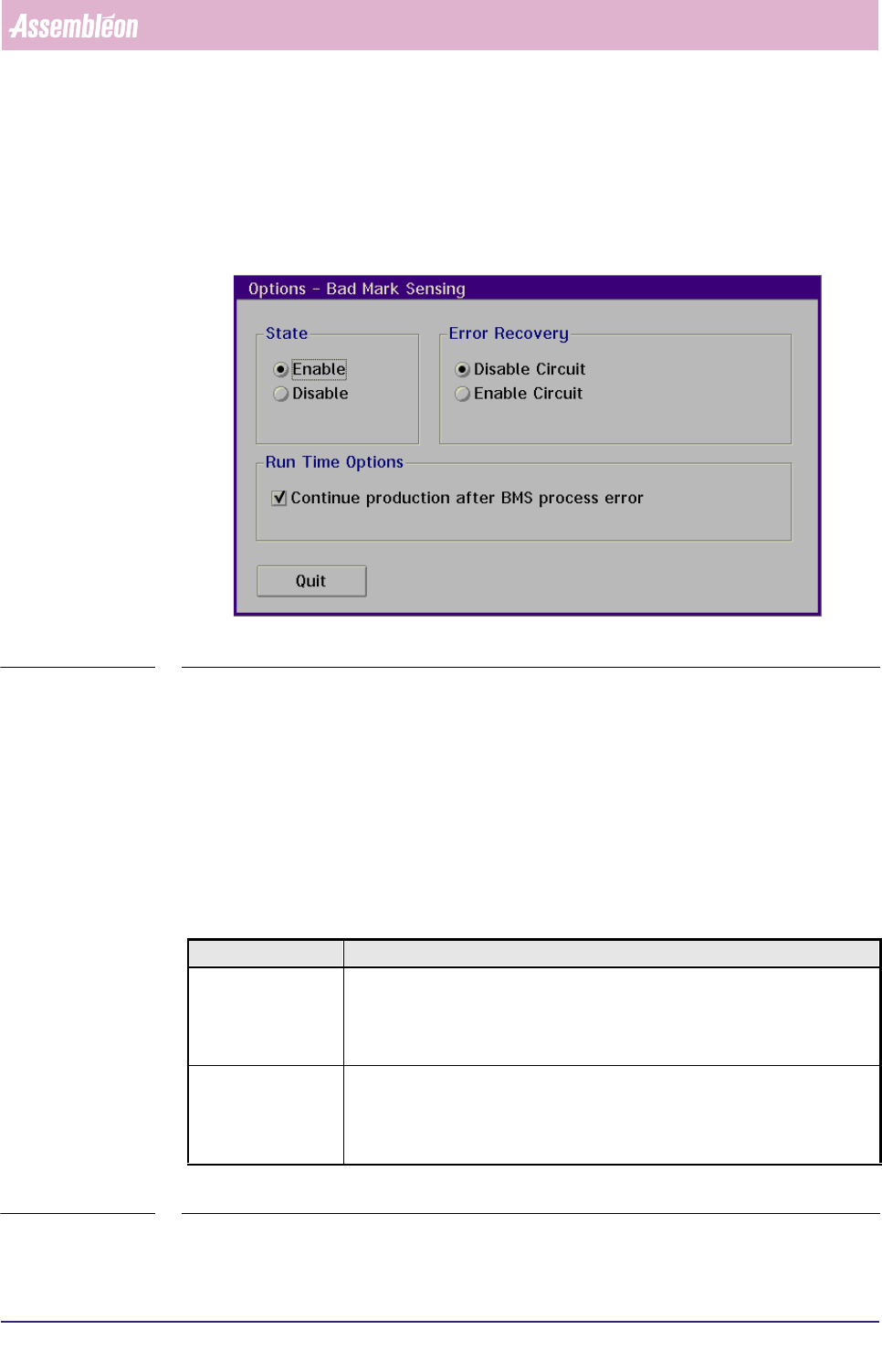
■ Select [Bad Mark Sensing] via the [Options] menu
SCREEN 3-16
■ Select [Enable] resp. [Disable] to enable resp. disable badmark sensing
3.8.3.2 Error Recovery
In case the badmark sensing measurement fails, error recovery will take place on
either one of the following conditions:
■ Automatic recovery: when [Continue production after BMS process error] is
enabled;
■ Manual recovery: when [Skip Action] is selected.
■ For description of error recovery options, see listing below.
TABLE 3-3
Selected Option Result
Disable Circuit - If measurement is related to the master badmark, the system will measure all
local badmarks
- If measurement is related to a circuit badmark, the corresponding circuit is
disabled (component placement inhibited)
Enable Circuit - If measurement is related to the master badmark, the system will measure all
local badmarks
- If measurement is related to a circuit badmark, the corresponding circuit is
enabled (component placement executed)
Human Interface
User Reference Manual 4022 591 96082
3-26 FCM Multiflex 02.02
3.8.3.3 Run Time Options
When [Continue production after BMS process error] has been selected,
production will automatically continue after a badmark sensing process error.
3.9 Configuration CLM
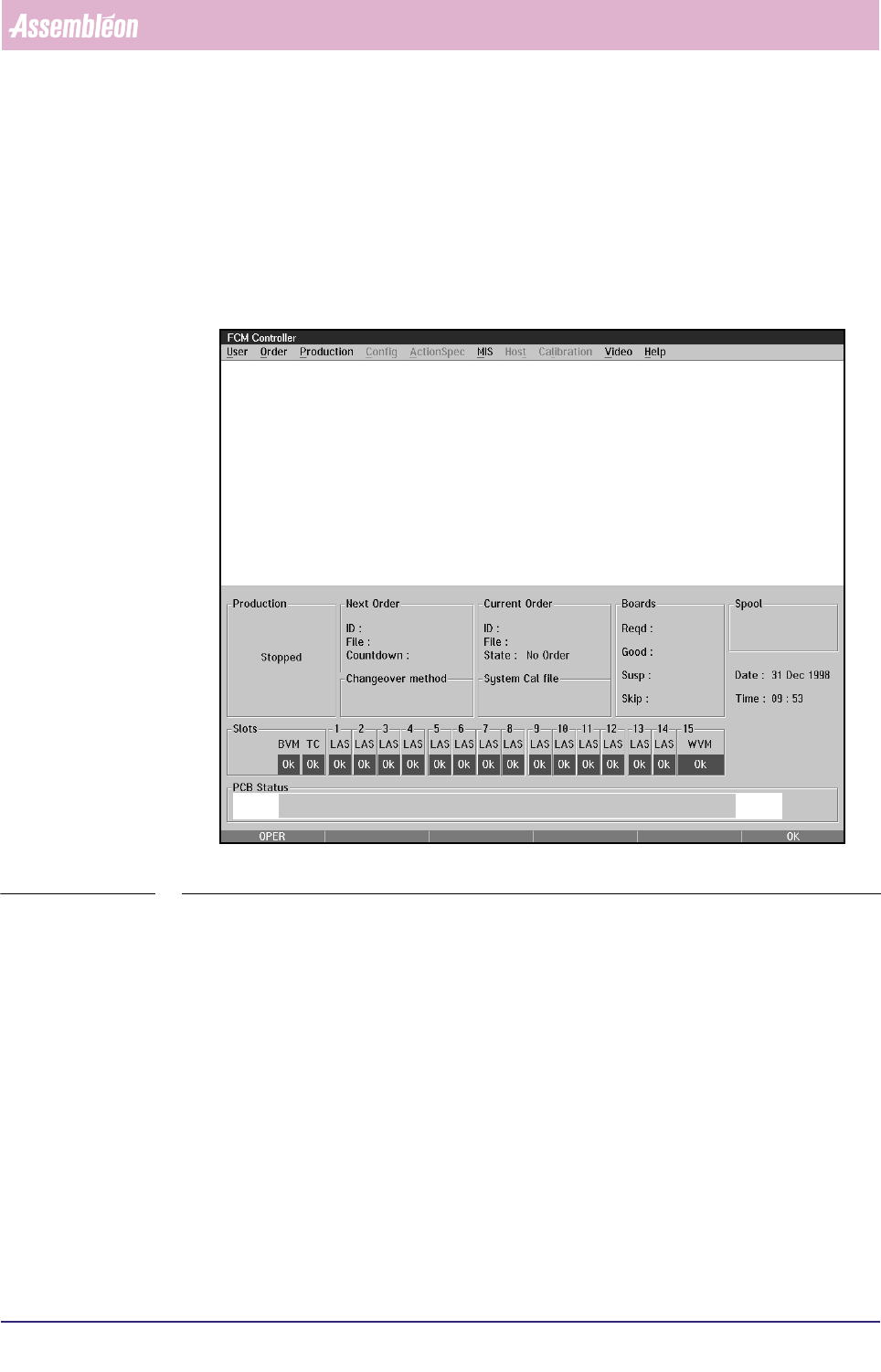
SCREEN 3-17 Main Screen
The only option for CLM configuration is enabling or disabling a CLM/feeder
position and feeder selection