XP141E 系统手册SYS-XP141-1.0S.pdf - 第211页
第 5 部 第 1 章 操作指令体系 Edition 1.0 5-1-1 1 XP-141E 系统手册 I/O Check Main InNo I/O Check Maintenance A Name (OUT) OutNo Name (IN) Board Name (OUT) Output Signal Board Name (IN) Close JOG JOG Speed (>) Speed (>>) Speed …
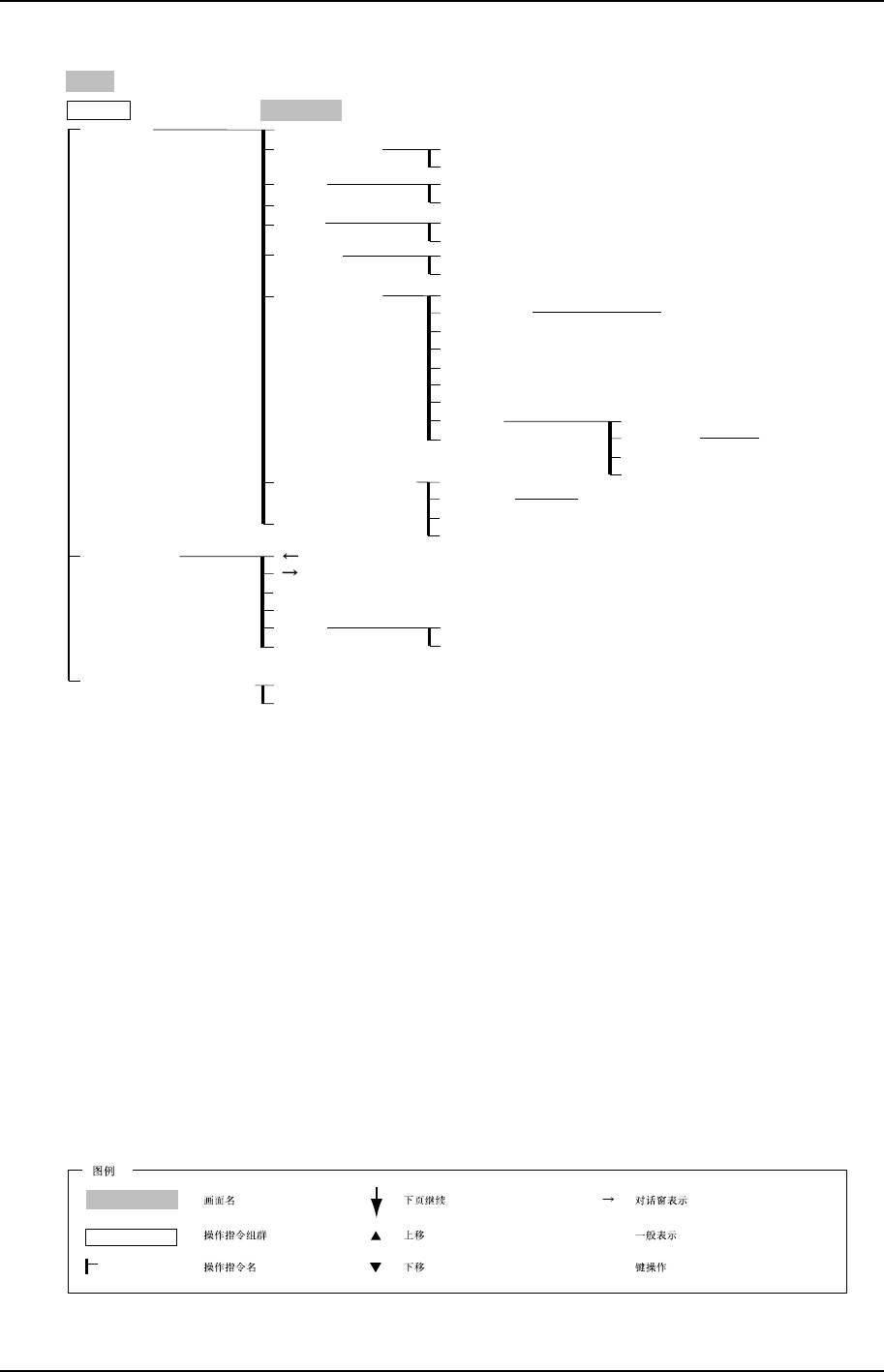
第 1 章 操作指令体系 第 5 部
XP-141E 系统手册 5-1-10 Edition 1.0
Main
XP1S3017CM
Optimizer
File Manager
Program
MCS/2 Program Download
NO
YES
Optimizer
/sd0
Delete
New Directory
Copy
Paste
Rename
Use new settings
Use previous settings
Cancel
View Nozzle
Nozzle optimization
Skipped sequence processing
Mark sequence optimization
Execute
Cancel
OK
Cancel
OK
Cancel
OK
Browse
OK
Cancel
OK
Cancel
OK
Cancel
Feeder Configuration
Next feeder
Part Supply Preference Side
Output file
Input file
Save output file
Close
Browse
Output file
Input file
Save output file
Close
Select All
Reverse
Delete
Close
Production
Production
( )
[ ]
Operation Mode
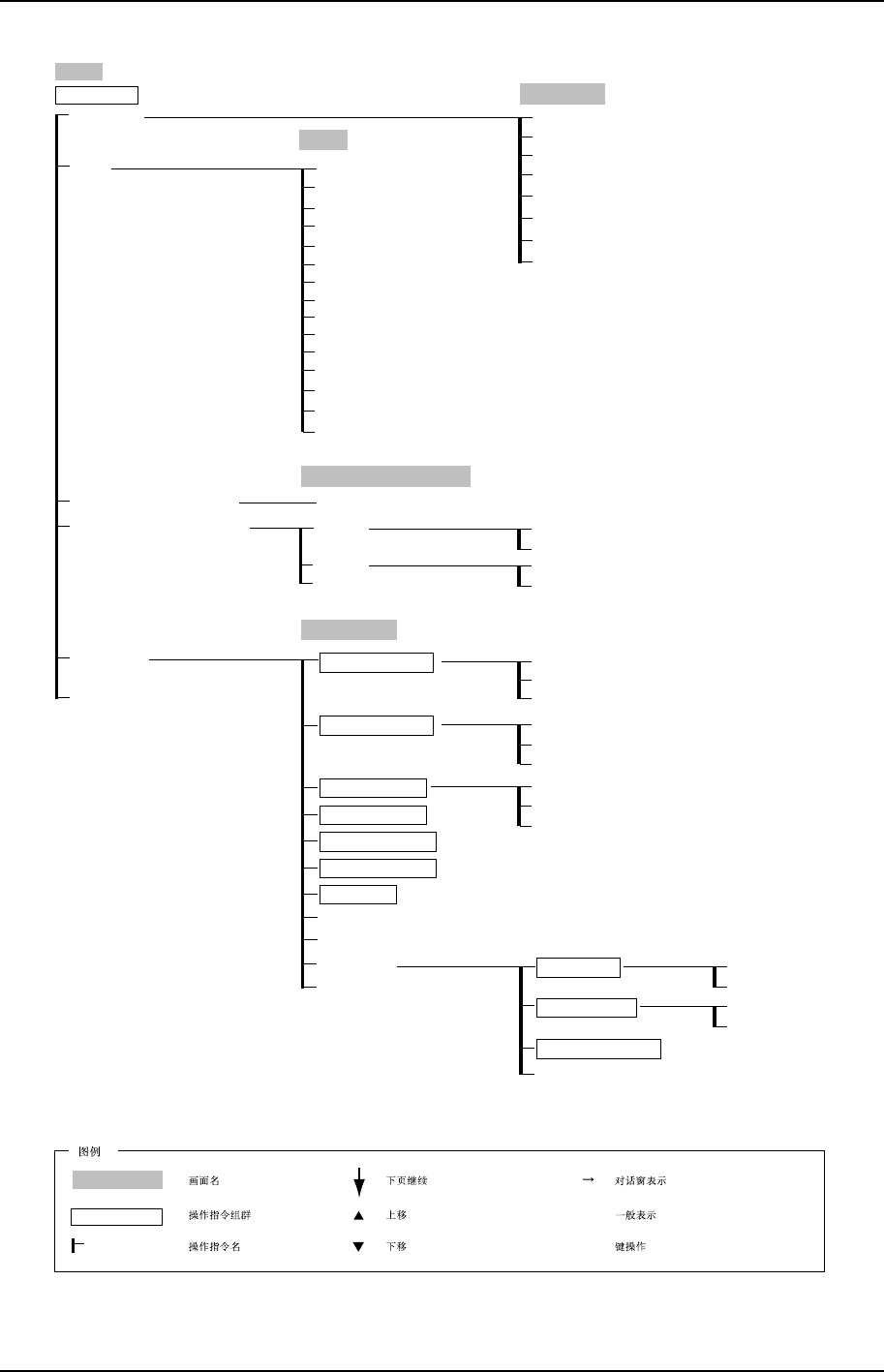
第 5 部 第 1 章 操作指令体系
Edition 1.0 5-1-11 XP-141E 系统手册
I/O Check
Main
InNo
I/O Check
Maintenance A
Name (OUT)
OutNo
Name (IN)
Board Name (OUT)
Output Signal
Board Name (IN)
Close
JOG
JOG
Speed (>)
Speed (>>)
Speed (>>>)
Speed (>>>>)
Distance (1mm)
Distance (0.01mm)
Distance (0.1mm)
Distance (1mm)
Camera
Servo Axis
Save Image
Brightness
Cross Hairlines
Inching (X,Y,Q,Z,R,F,G)
Close
Touch Screen Calibration
Cancel
Touch Screen Calibration
XP2S3010CM
Import
Merge
Cancel
Specification Data Manager
OK
Cancel
OK
Cancel
Select Mode
Production
Idle
Pass
Operation Mode
Select Mode
Close
Close
Automatic
Step
Pause
Production Mode
Accel. Rate
Recovery Times
Scheduled Panels
Completed Panels
Tape Cutter Timing
Reset Completed
Product Setting
Product Setting
Auto Recovery
Error Stop
Error Pass
Error Handling
Use
Not Used
Tape Cutter
Use
Not Used
Panel Vacuum
Sub Setting
Production
Production
( )
[ ]
Operation Mode
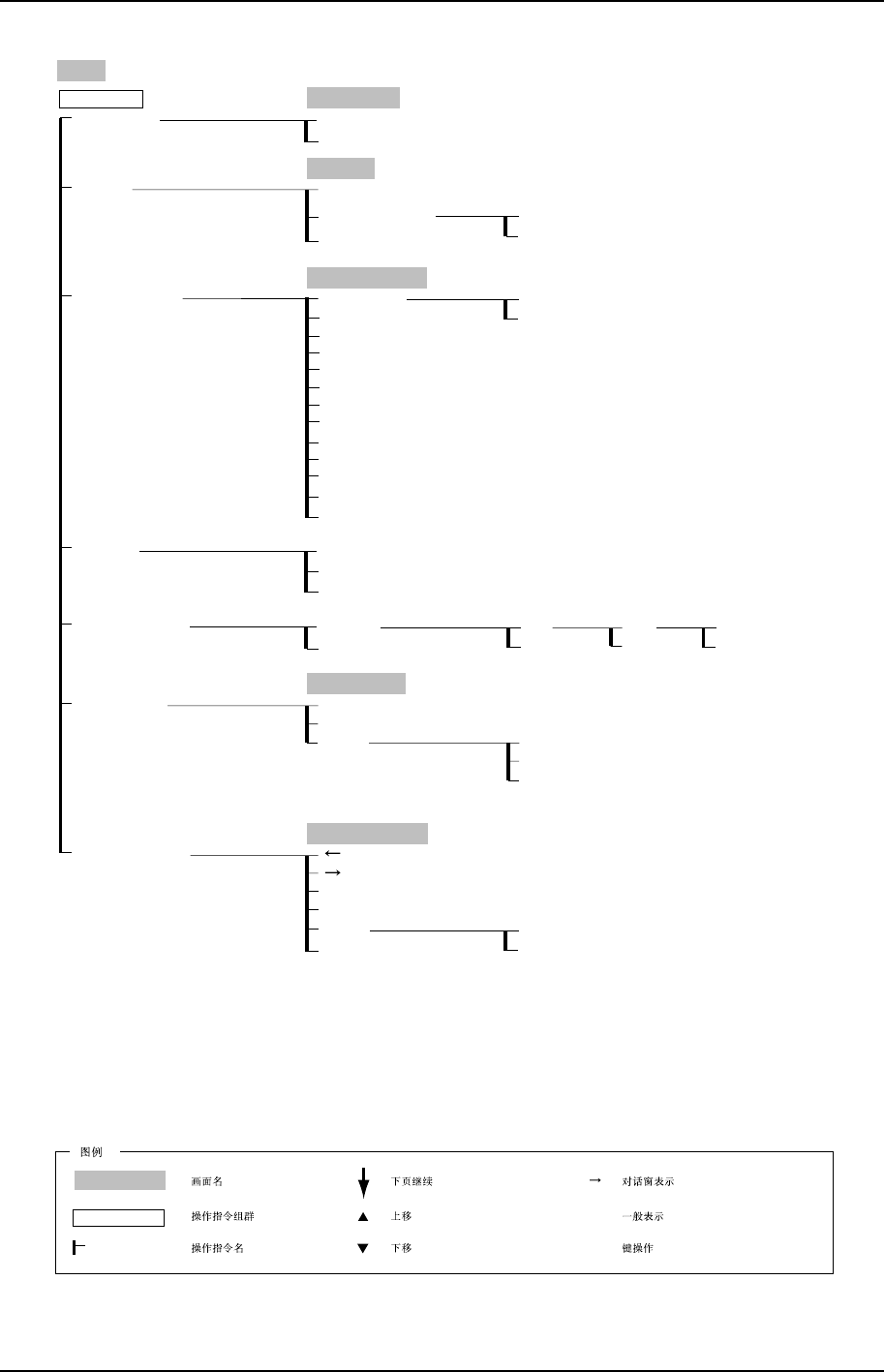
第 1 章 操作指令体系 第 5 部
XP-141E 系统手册 5-1-12 Edition 1.0
Main
Maintenance B
XP2S3011CM
File Administrator
Time Adjustment
Data & Time
Data & Time
Close
Execute
Version Upgrade
Close
Display
Warranty
Close
Non Display
OK
Cancel
File Administrator
Select All
Reverse
Delete
Close
OK
Cancel
OK
Cancel
OK
Cancel
Backup
Backup
System (Backup)
Close
System (Restore)
Signal Tower
Default
All Clear
Signal Tower
Close
Yes
No
YES
NO
Cancel
Hard disk
Network
Startup Settings
Startup Settings
Startup Disk
Cancel
Update
File Name
Target
Ethernet Address
Subnet Mask
Host Name
Host Address
Gateway Address
User Name
Password
Retype Password
Production
Production
( )
[ ]
Operation Mode