XP141E 系统手册SYS-XP141-1.0S.pdf - 第25页
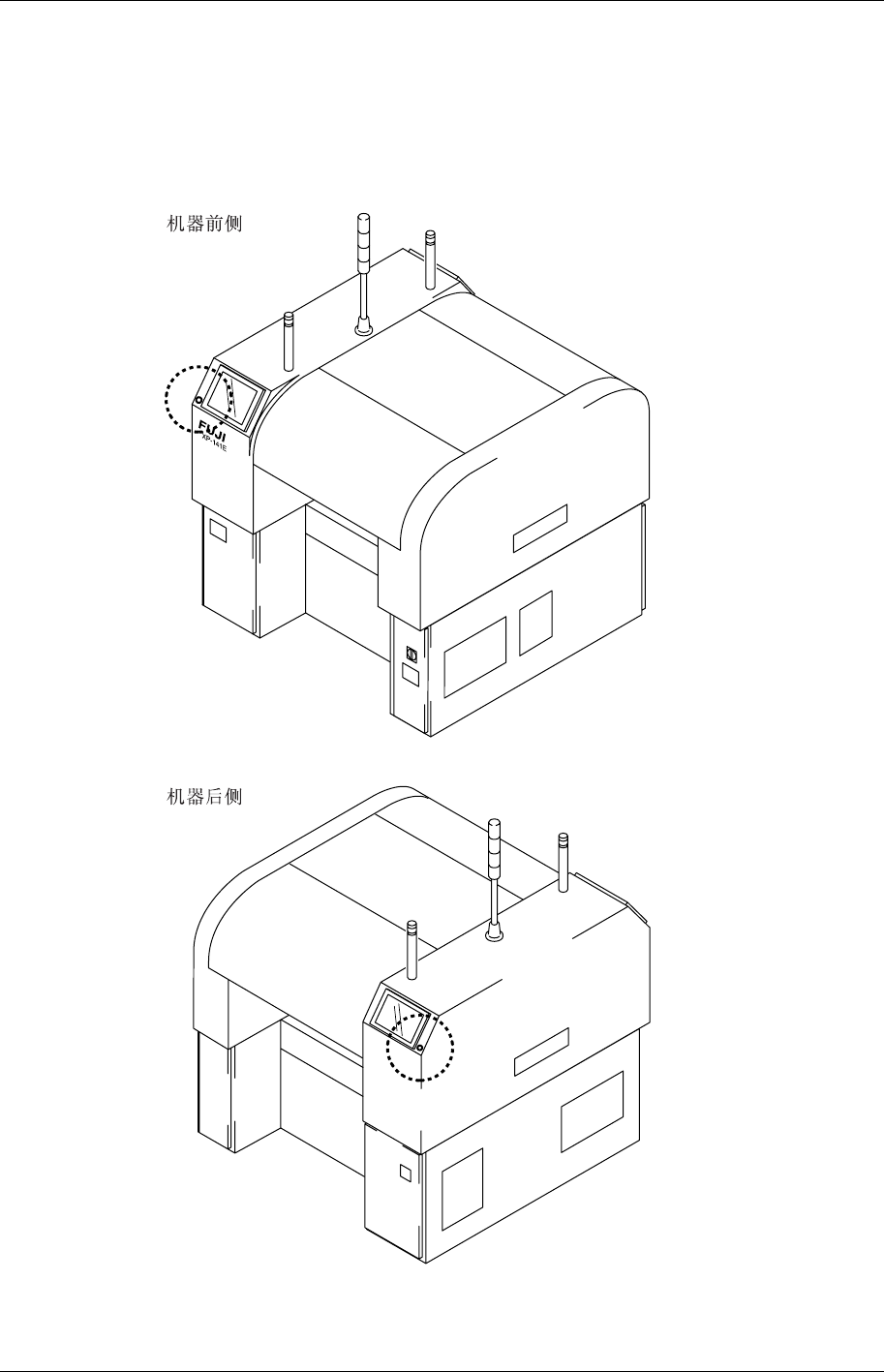
安全指南 XP-141E 系统手册 10 Editi on 1.0 5. [紧急停止]按钮 发生紧急情况时,请按下任何一个红色的 [ 紧急停止 ] 按钮, 使机器停止。 [ 紧急停止 ] 按钮 的 位置如下图所示。 XP1MO002CM
安全指南
Edition 1.0 9 XP-141E 系统手册
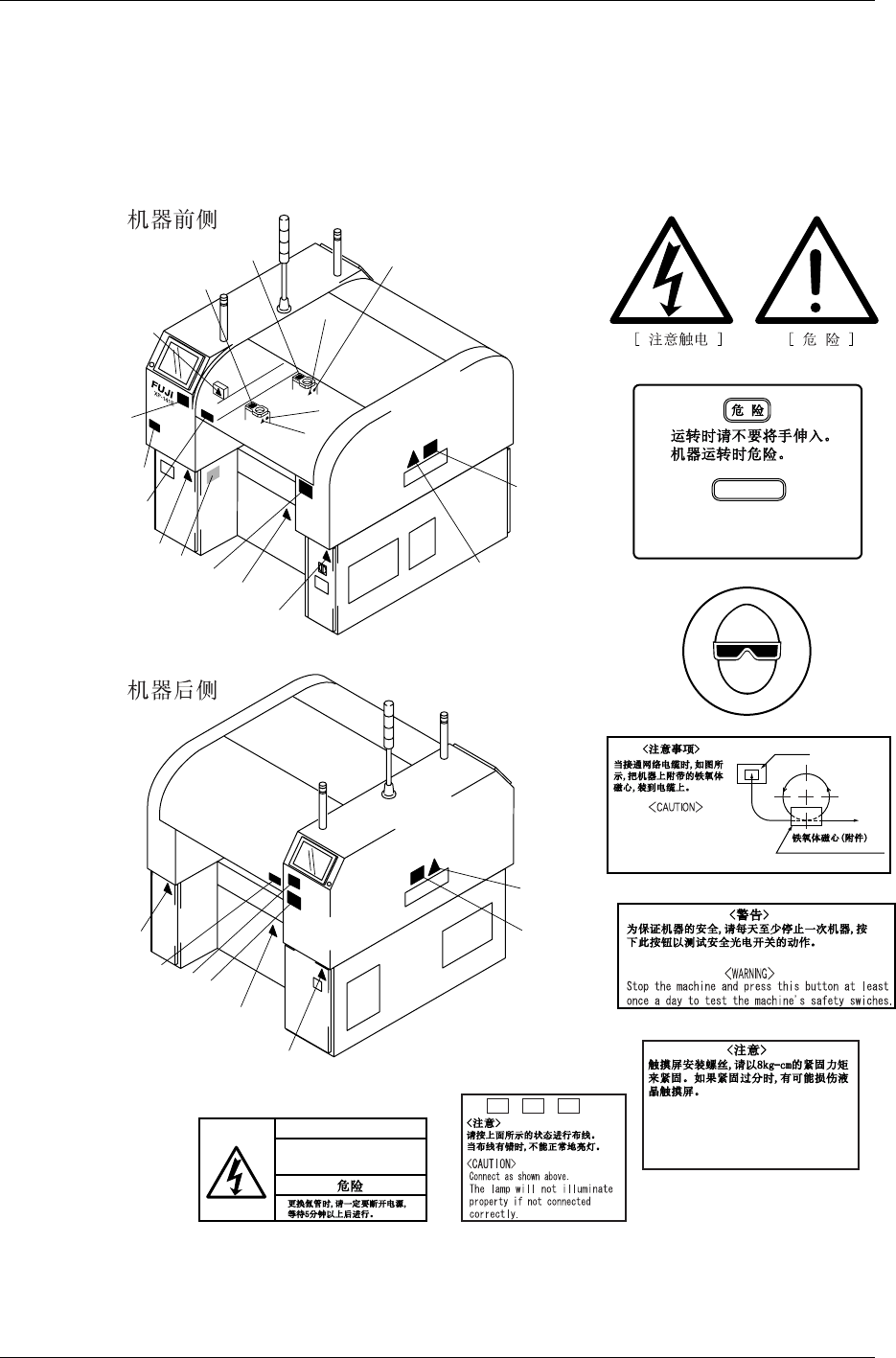
4. 安全标示
表示使用机器时的注意事项的标示牌贴在本机器的如下图所示的位置,请仔细阅读,确保安
全操作。
1
8
8
4
1
4
1
6
9
7
5
1
1
1
1
2
2
3
3
3
3
7
9
XP1MO001CM
1
1
1
2
3
4
5
6
7
8
9
Never insert your hand
inside an operating machine.
Moving parts may cause injury.
DANGER
ETHRNET
NETWORK
FERRITE CORE (ACCESARY)
ZCAT3035-1330, TDK
When connecting the network
cable, attach the ferrite
core as shown in the figure.
<
CAUTION
>
Tighten the monitor fixing screws to
a torque of 8kgÆcm Over tightening the
screws may damage the liquid crystal
display.
+
VH1
-
VH1TRIG*
DANGER
Be sure to turn off the power
and wait five minutes before
replacing the flash lamp.
安全指南
XP-141E 系统手册 10 Edition 1.0
5. [紧急停止]按钮
发生紧急情况时,请按下任何一个红色的[紧急停止]按钮,使机器停止。[紧急停止]按钮的
位置如下图所示。
XP1MO002CM

第 1 部
概要
此部分对操作面板触摸屏、按钮开关等机
器的特长进行说明。
1. 机器--------------------------------------------- 1-1-1
1.1 开关类的使用方法------------------------ ---- -1-1-1
1.2 触摸屏阅读方法·使用方法 ----------------- 1-1-3
2. 用语集------------------------------------------ 1-2-1