a3369b.pdf - 第63页
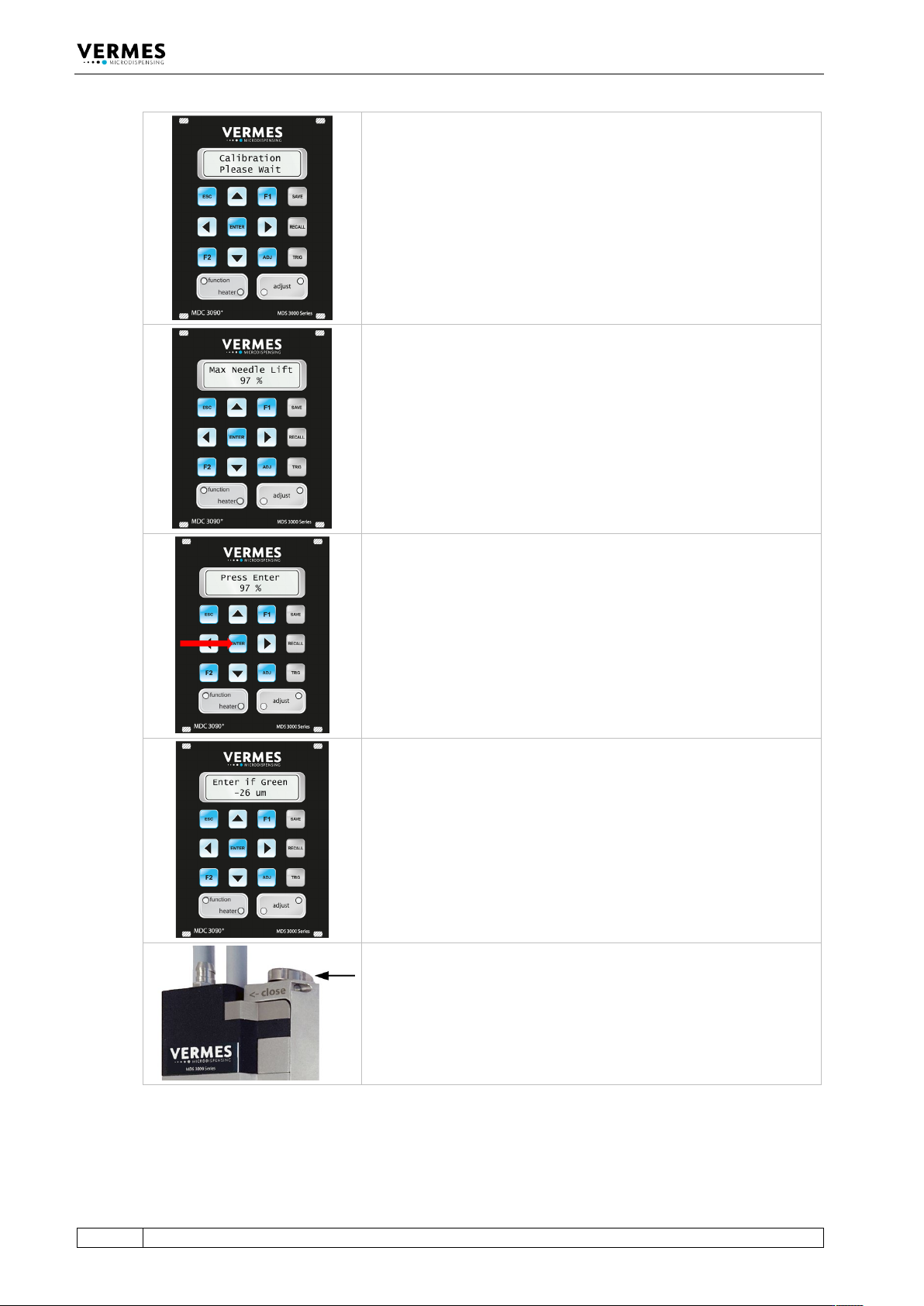
Initial Operation 54 VTK - TR -BA- 171e - 1 - User Man u al MDS 3080 -V The di splay s hows “Ca librati on Please Wai t”. This can take a few moment s . Please wa it. At th e end of t he calibration , the sys tem test s …
Initial Operation
VTK-TR-BA-171e-1 - User Manual MDS 3080-V
53
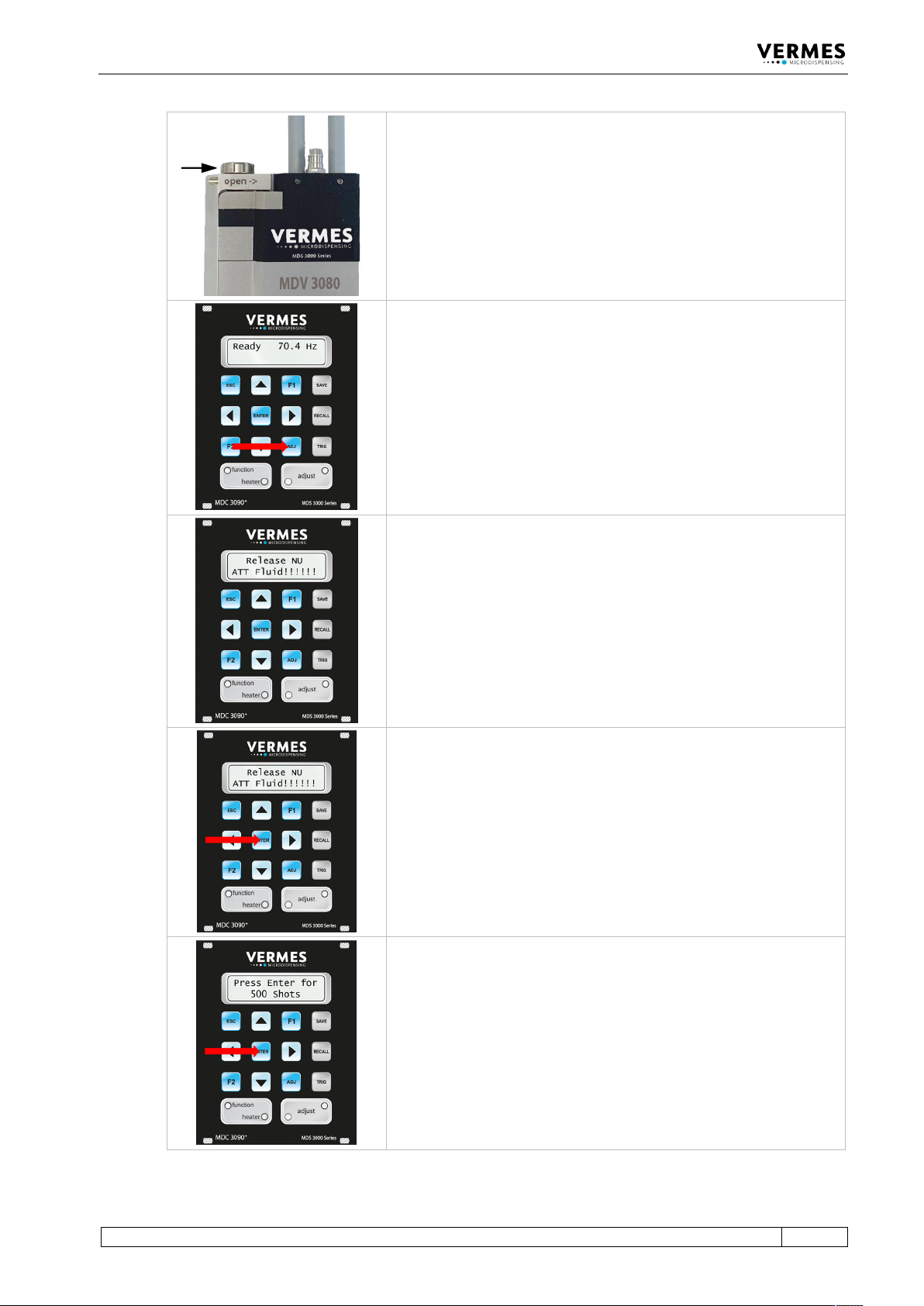
Preparations for the adjust:
1 Turn the adjust screw by using the tool MDT
327 completely in the direction “open” (see
arrow on the valve). Alternatively, you can use
the MDT 306 - Torque Wrench Tool VM with Bit
VM-A.
2 Mount the tappet.
3 Mount the complete fluid box and the nozzle
fixation nut and screw it tight.
You start the adjust by pressing [adj] on the keypad of the control
unit.
The message “Release NU ATT Fluid!!!!!!” appears in the display (NU =
Nozzle Unit).
Confirm by pressing [enter] that the adjust screw is completely open.
The display now shows “Press Enter for 500 Shots”. These shots help
to prepare the valve for the adjust. Confirm by pressing [enter].
Initial Operation
54
VTK-TR-BA-171e-1 - User Manual MDS 3080-V
The display shows “Calibration Please Wait”. This can take a few
moments. Please wait.
At the end of the calibration, the system tests the performance of the
valve. If the performance is below 100 % and therefore unsatisfactory,
the display shows for a moment the message “Max Needle Lift”
together with a percentage value of the valve performance for the
attached valve. In this case, you should send the valve to VERMES
Microdispensing GmbH for maintenance.
If the quality of the valve is okay, this message will not be shown.
In the display, the message changes from “Max Needle Lift” to “Press
Enter”. Press the [enter]-key.
If the quality of the valve is okay, this message will not be shown. You
will reach the next step without pressing [enter].
The display shows the starting value of the adjust.
Now turn the adjust screw with the help of tool MDT 327 slowly in
the direction “close”, until the green adjust LED is ON. The adjust is
possible between 0 µm and 4 µm. (In fixed adjust mode, the adjust is
possible between 0 µm and 50 µm.)
Initial Operation
VTK-TR-BA-171e-1 - User Manual MDS 3080-V
55
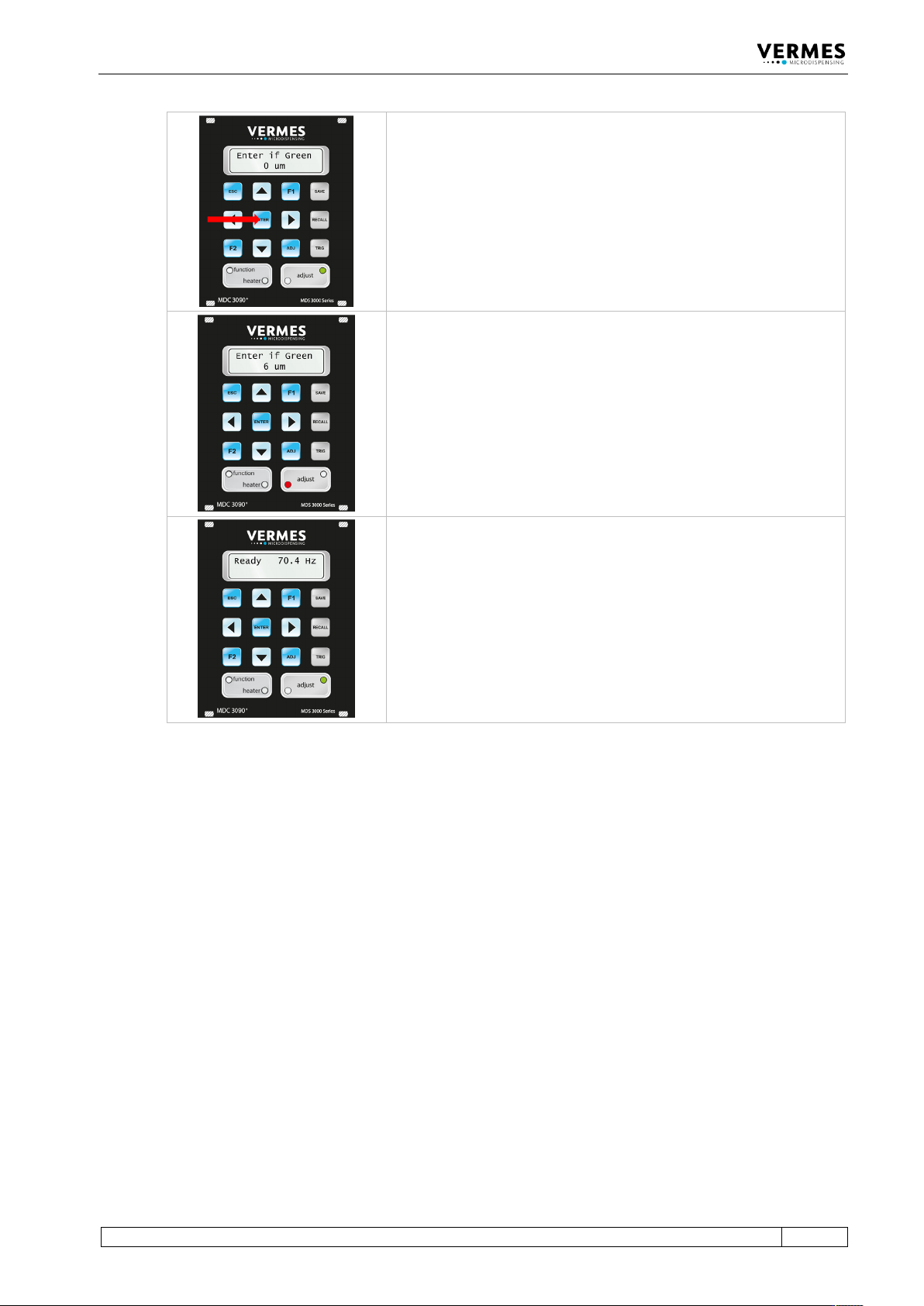
Press the [enter]-key, if the green adjust LED is ON.
If you screw in the adjust screw too far (5 µm or more shown), then
the red adjust LED will be ON. Screw back a little bit, until the green
adjust LED is ON, and further back, until both LEDs are OFF. Then
screw forward again, until the green adjust LED is ON. An adjust can
only be confirmed as successful with [enter], while the green adjust
LED is ON.
Once you have completed the adjust successfully, the display returns
to the message “3090+ xx Hz”. You are again in the main menu of the
MDC. The system is now ready to be filled with the dispensing
medium.
Tab. 18: The adjust