a3369b.pdf - 第83页
Operation 74 VTK - TR -BA- 171e - 1 - User Man u al MDS 3080 -V You can change the starting val ue with the help of the arr ow keys . The lowest p ossib le value you c ould set is 2 %. For wa tery medi a the value for th…
Operation
VTK-TR-BA-171e-1 - User Manual MDS 3080-V
73
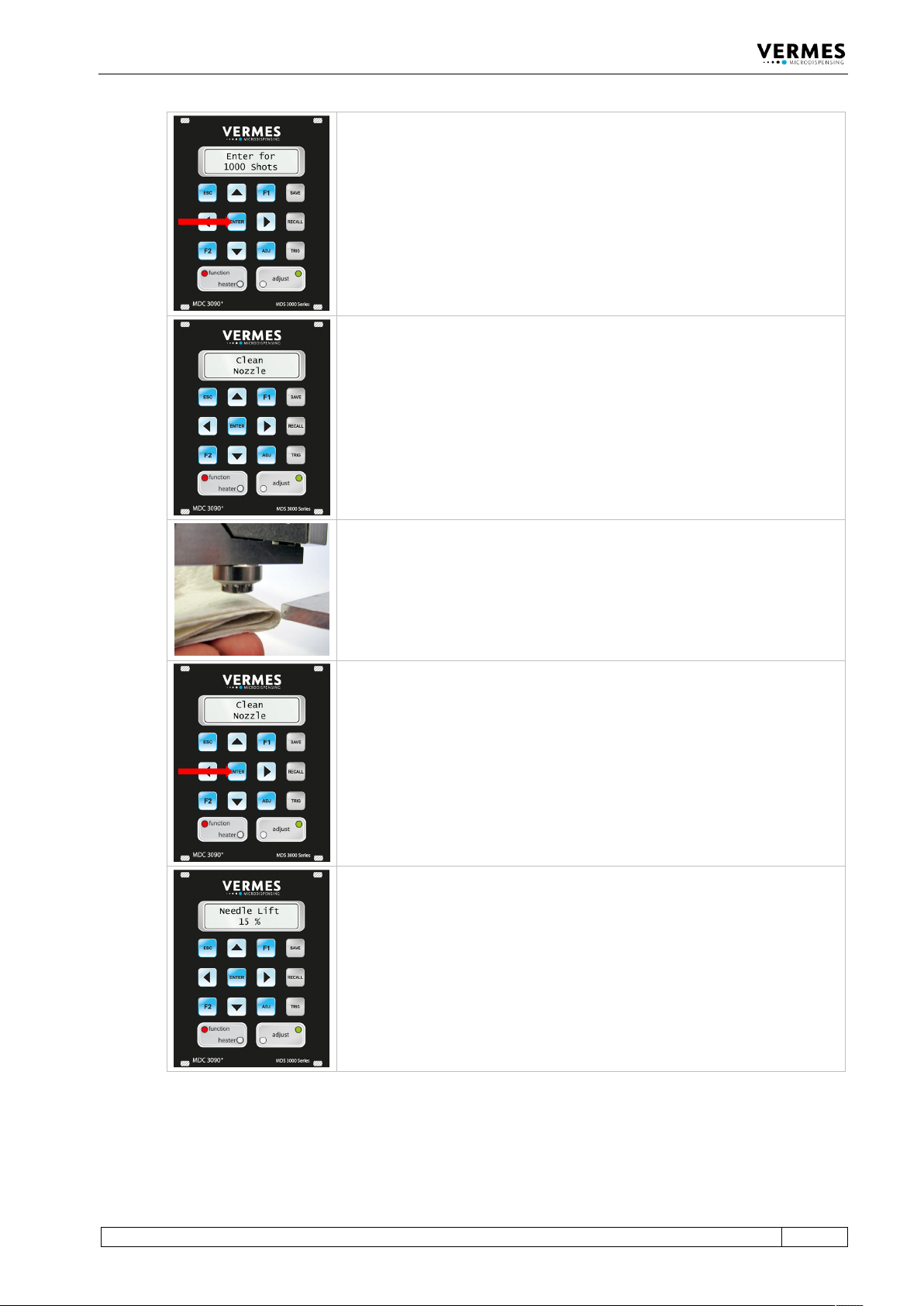
Confirm by pressing the [enter]-key.
After the 1000 shots have been dispensed, the message “Clean Nozzle”
appears. You have to clean the nozzle.
Use a lintless rag and clean the nozzle.
Make sure the lower surface is dry and that no drop appears again after
cleaning.
Confirm the cleaning by pressing the [enter]-key.
The display shows the message “Needle Lift 15 %”.
You want to find the position of the tappet, where the nozzle is no longer
completely closed by it and a drop of dispense medium can flow out.
As the starting value for the Needle Lift 15 % is set.
Operation
74
VTK-TR-BA-171e-1 - User Manual MDS 3080-V
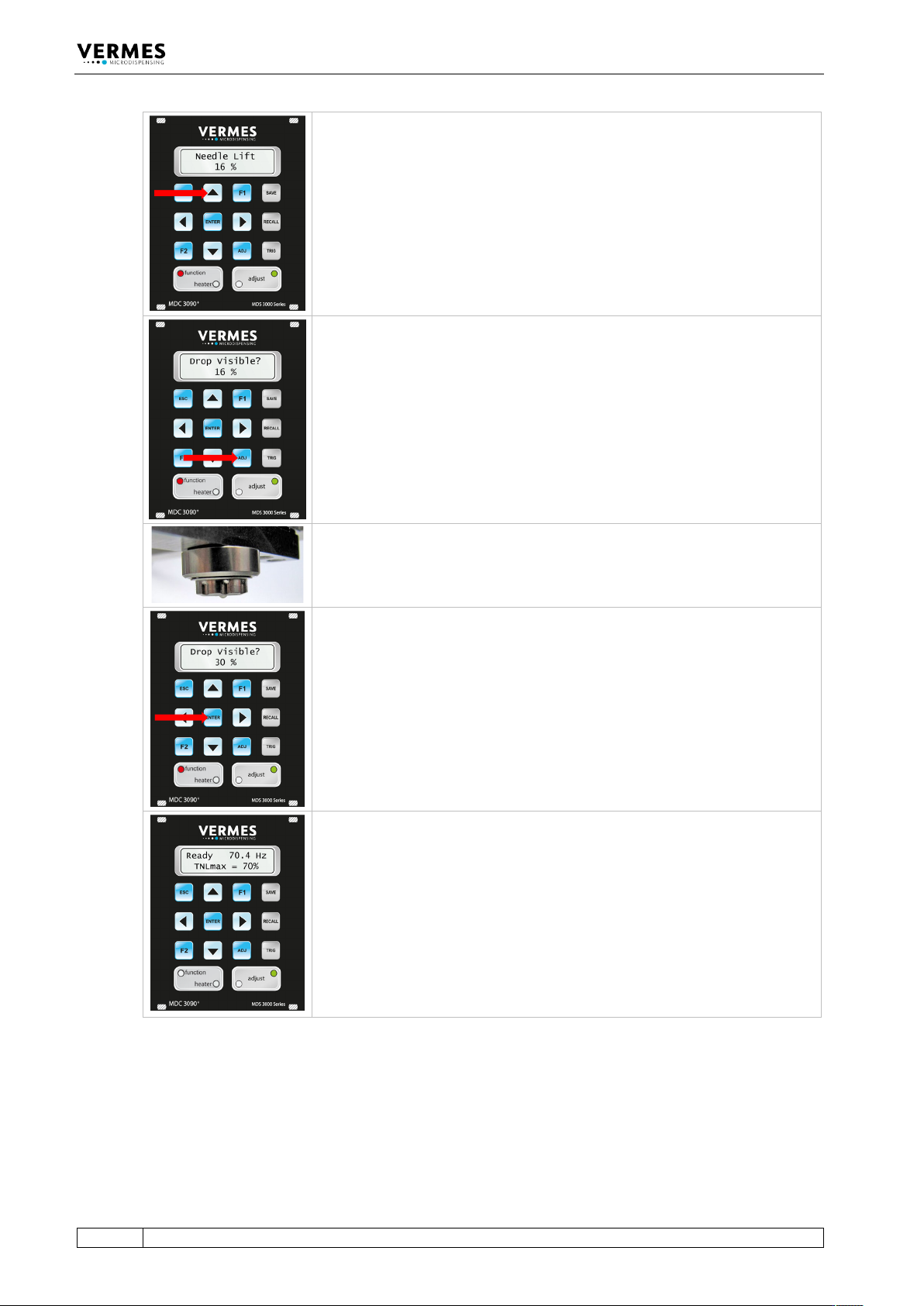
You can change the starting value with the help of the arrow keys. The
lowest possible value you could set is 2 %.
For watery media the value for the first drop is roughly between 20 % and
35 % Needle Lift. You have to be careful. If your starting value is too high and
the drop is already visible, you have to start again and select a lower starting
value.
You confirm the starting value by pressing [enter].
The display shows the message “Drop Visible?” and the starting value you
have selected.
Check if there is a drop visible at the lower surface of the nozzle.
If yes, you have to re-start the process with a lower starting value.
If not, press the [adj]-key. The value rises by 1 %. Check again, if there is a
drop.
Repeat these two actions (pressing [adj] and checking the nozzle) until there
actually is a drop visible at the nozzle (see picture).
This is the first drop position for your application.
Confirm by pressing the [enter]-key.
The display jumps back to the ready message (“3090+”). The second line now
shows the TNLmax, the max value of the True Needle Lift.
The value is calculated as (100 % - first drop value), but it is capped at 70 %.
E.g., a first drop value of 35 % leads to a TNLmax of 65 %, but a first drop
value of 25 % leads to a TNLmax of 70 %.
In case you perform the first drop adjust in fixed adjust mode (see
paragraph 7.12, page 76), the TNLmax will be set to 50 %.
The red LED “function” has now been switched off.
Tab. 25: First Drop Adjust
While the system is in first drop mode, the display will always show the TNLmax on the main
page. “Needle Lift” in the submenu “Pulse Parameters” will be exchanged for “True Needle Lift”.
The True Needle Lift is capped at 70 %. In case the value of the Needle Lift is higher than 70 %, it
will be lowered to a True Needle Lift of 70 % when switching to first drop mode.
In first drop mode, the minimum values for Falling and Rising are determined by the following
formulas:

Operation
VTK-TR-BA-171e-1 - User Manual MDS 3080-V
75
Min. Falling = (Min. Falling at 100% NL) x (TNL + 30)/100
Min. Rising = (Min. Rising at 100% NL) x (TNL + 30)/100
If this formula results in a value, which cannot be used, it is rounded up to the next possible value
(e.g. 0.201 ms would be rounded to 0.21 ms).