a3369b.pdf - 第80页
Operation VTK - TR -BA- 171e - 1 - User Manua l MDS 3080 -V 71 7.11 First Drop The fi rs t drop mode is especially useful, if y ou want to wor k par allel wit h several syst ems. With the help of fi rst drop you can make…

Operation
70
VTK-TR-BA-171e-1 - User Manual MDS 3080-V
through the four options with the keys [↑] and [↓]. Confirm your choice with [enter] and confirm
the whole process with another [enter].
Operation
VTK-TR-BA-171e-1 - User Manual MDS 3080-V
71
7.11 First Drop
The first drop mode is especially useful, if you want to work parallel with several systems. With
the help of first drop you can make sure all values and parameters are comparable. With the first
drop adjust you find the exact position, where the tappet does not completely close the nozzle
and where you can see the “first drop”. This position depends mainly on the properties of the
medium you want to dispense, especially its viscosity.
You can only use the first drop mode, if in the submenu “Status” the function “FirstDrop” is set to
“ON” (see paragraph 4.5.4 "Submenu “Status”", page 31). If this is the case, the red first drop LED
will be ON, until a successful first drop adjust has been completed.
Before the first drop adjust a normal adjust has to be performed.
IMPORTANT NOTE
Cancelling the first drop adjust
You can cancel the first drop adjust at any time by pressing the [esc]-key.
It is possible to alternatively perform the first drop adjust remotely via the serial interface (see
paragraph 8.2.4, page 126).
Picture Explanation
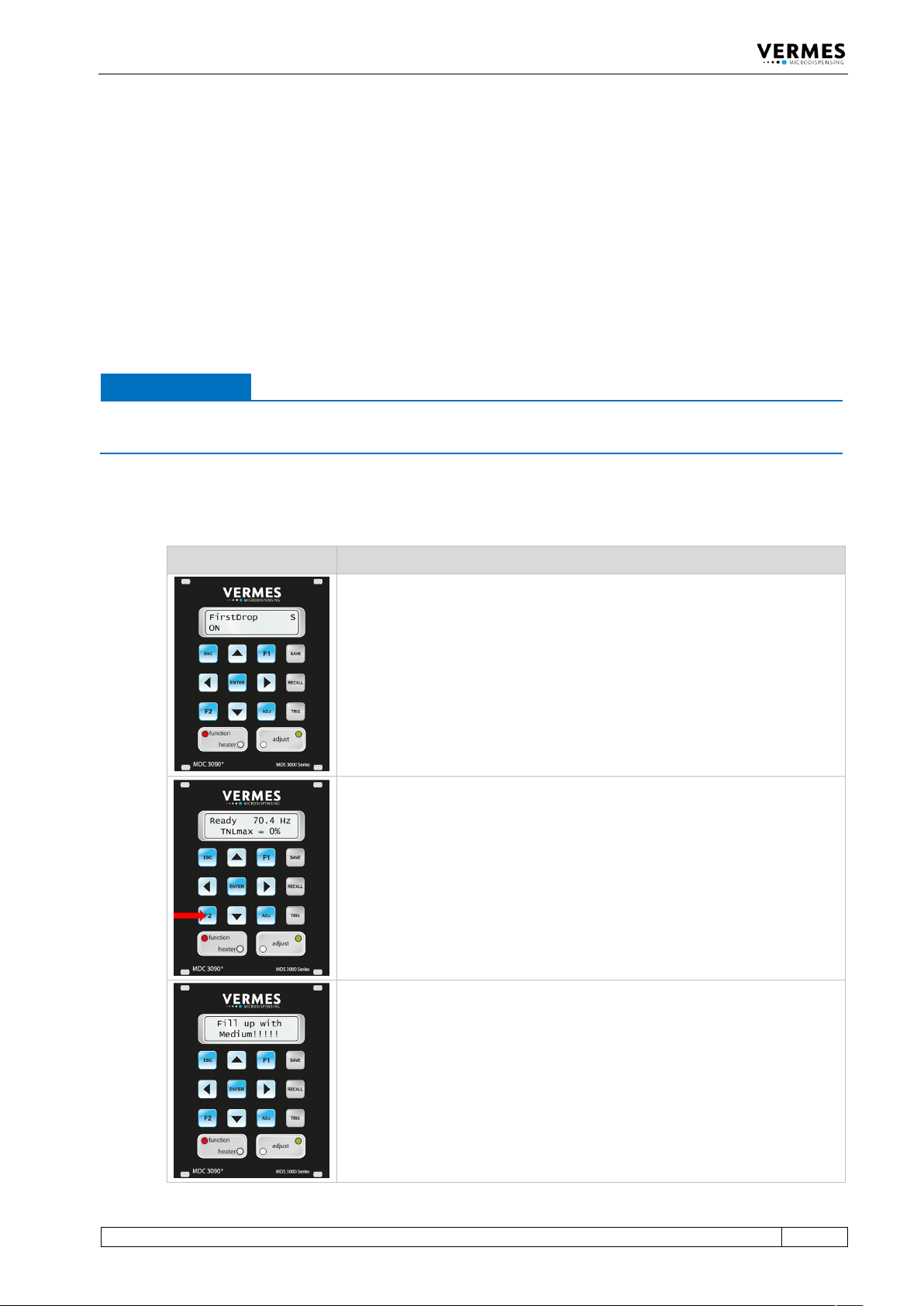
Before you can start the first drop adjust, you have to switch “FirstDrop” to
“ON” in the MDC submenu “Status”. The red LED “function” is now on.
The current value of the Needle Lift is taken for the True Needle Lift (TNL). If
the value of the Needle Lift is higher than 70 %, the TNL will be set to 70 %.
You start the first drop adjust by pressing [F2] on the keypad of the control
unit.
The message “Fill up with Medium!!!!!” appears in the display.
Operation
72
VTK-TR-BA-171e-1 - User Manual MDS 3080-V
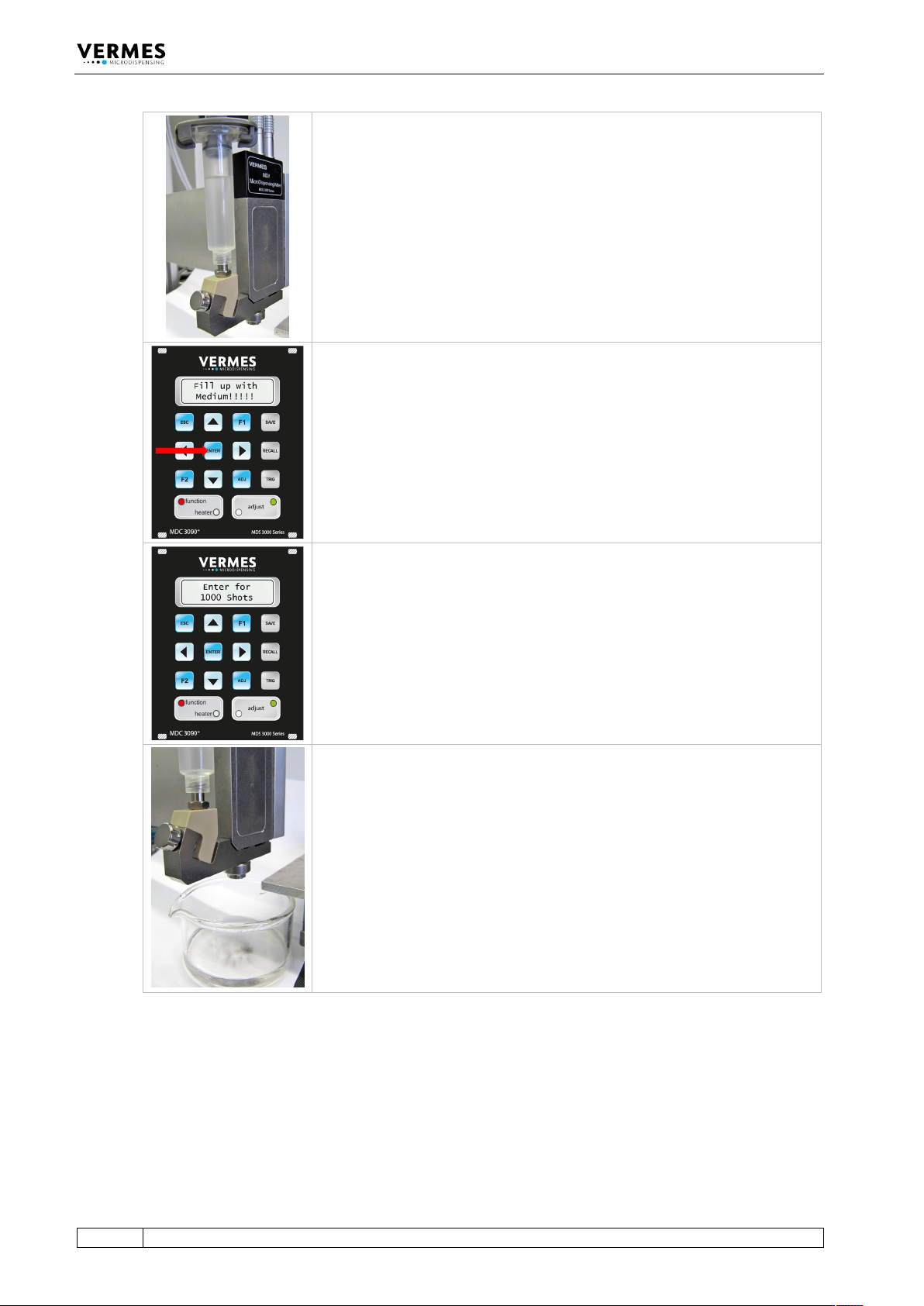
Mount the cartridge filled with your dispensing medium and set the required
pressure (between 0.5 – 1.0 bar, depending on the medium and its viscosity).
Confirm by pressing the [enter]-key.
Next 1000 shots have to be dispensed to prepare the valve.
Place a container of sufficient size below the valve to capture the dispensed
medium.