a3369b.pdf - 第78页
Operation VTK - TR -BA- 171e - 1 - User Manua l MDS 3080 -V 69 7.10 Factory Setti ngs By reca lling the fact ory set tings (i mplemented by t he manufac turer), y ou retur n to a predefin ed star ting p osi tion . Th is …
Operation
68
VTK-TR-BA-171e-1 - User Manual MDS 3080-V
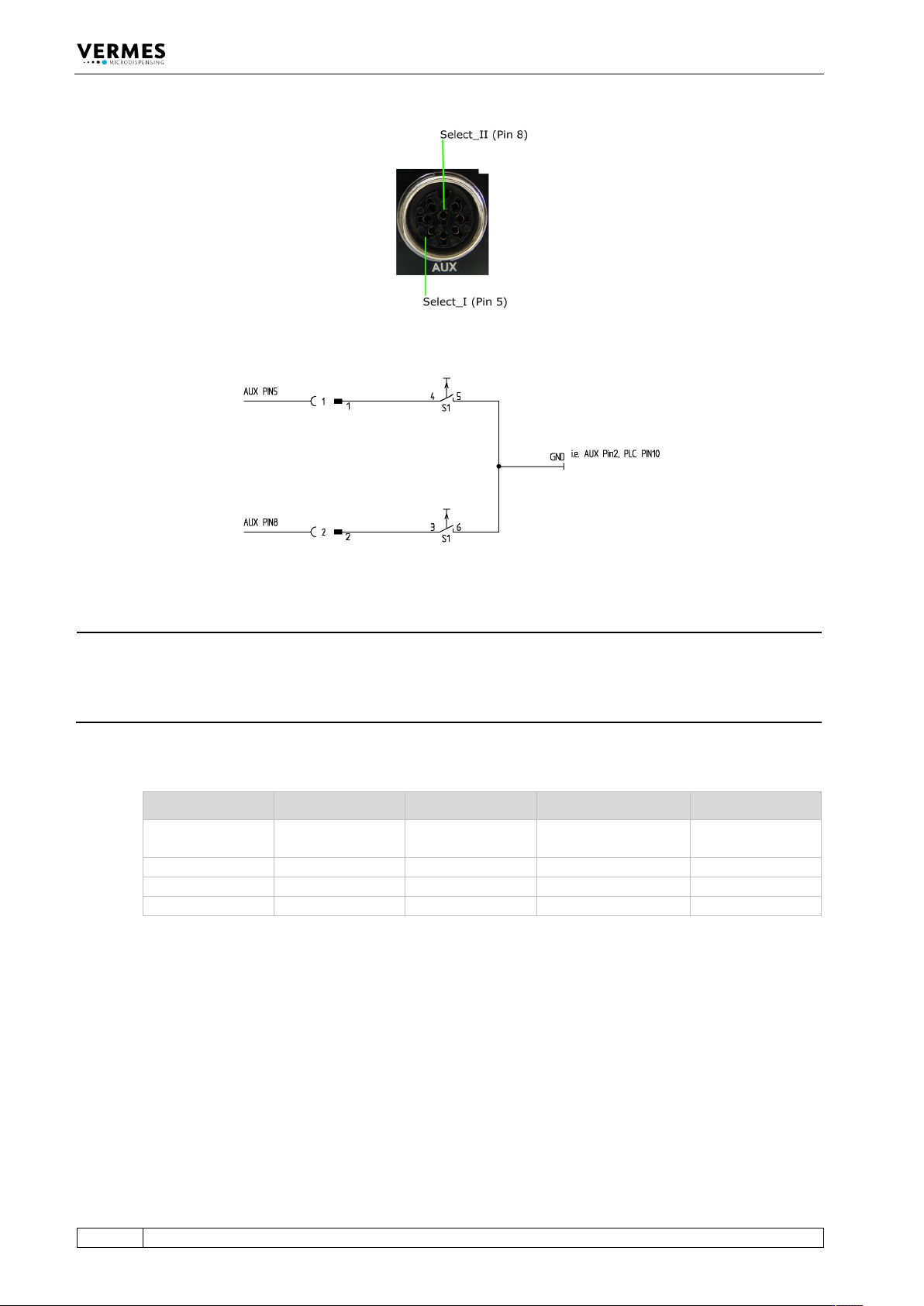
Fig. 28: Select Pins
Fig. 29: Schematic of usage of select pins
INFORMATION
Select pins with other commands
Select pins will be checked for triggering via PLC interface, for the serial commands VALVE:OPEN,
VALVE:AOPEN, SVALVE:OPEN and SVALVE:AOPEN (in the versions without parameters) and when
pressing the key [trig].
You can also simulate the select pin settings for these four commands by using the command
extensions “S0”, “S1”, “S2” or “S3” (see paragraph 8.1.2.2 "Explanations", page 88).
Parameters Select1 Select2 Scenario „OFF“ Scenario „ON“
S0
High
High
Setup 0 (working
configuration)
Scenario 1
S1
Low
High
Setup 1
Scenario 2
S2
High
Low
Setup 2
Scenario 3
S3
Low
Low
Setup 3
Scenario 4
Tab. 22: Select Pin settings
Operation
VTK-TR-BA-171e-1 - User Manual MDS 3080-V
69
7.10 Factory Settings
By recalling the factory settings (implemented by the manufacturer), you return to a predefined
starting position. This is useful to start the input of a new parameter set.
These are the values contained in the factory settings:
RI = 0.50 ms, FA = 0.50 ms, OT = 2.0 ms, NL = 70 %, DL = 10.0 ms and NP = 1.
– Step 1: Press [recall].
– Step 2: [↓] immediately opens this parameter set.
– Step 3: Confirm the selection with [enter].
INFORMATION
Aborting the process
The working configuration (setup 0) is changed to the factory settings. Press [esc] to abort at any
time.
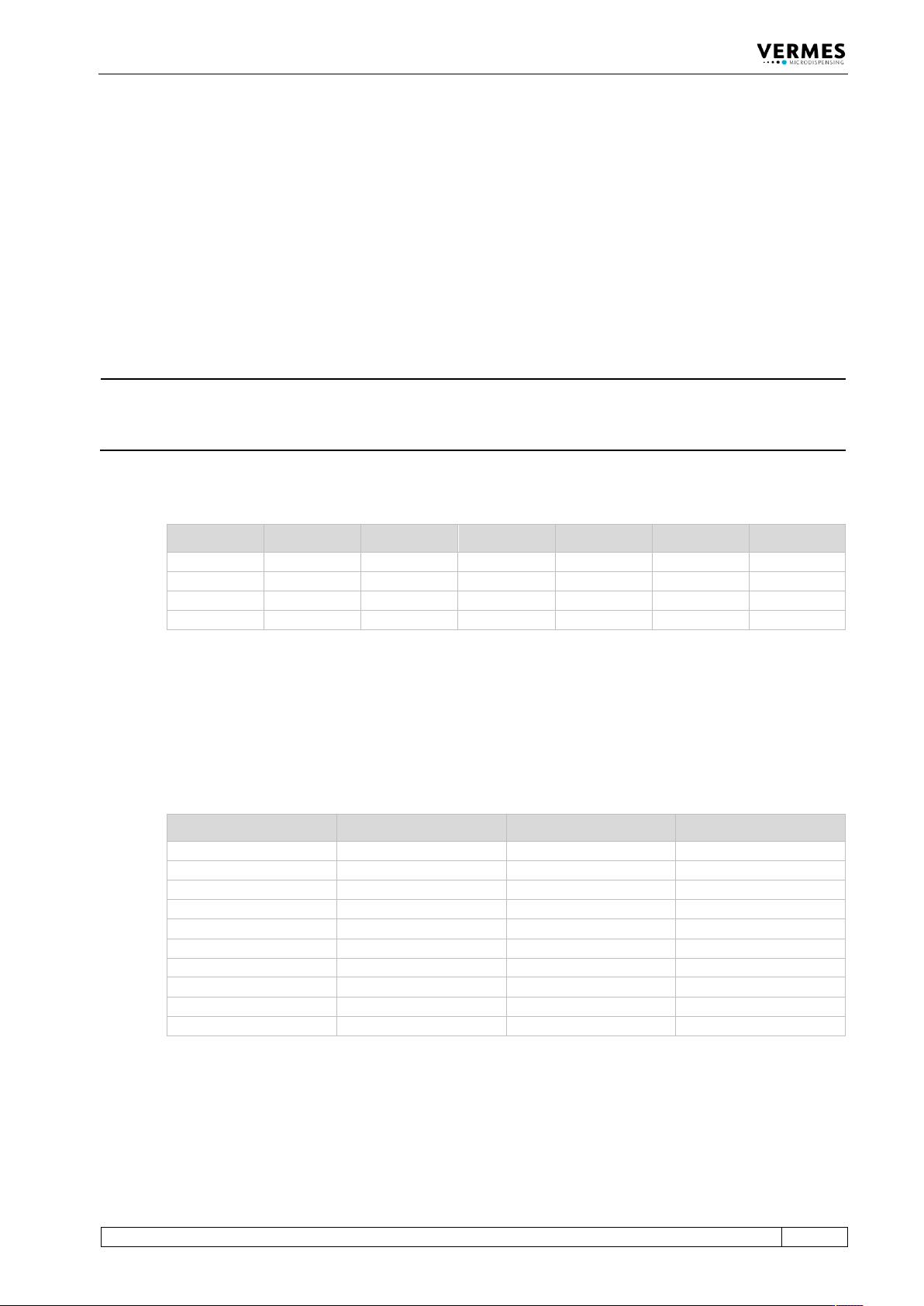
The following table lists the factory settings of the setups.
RI [ms] OT [ms] FA [ms] NL [%] NP DL [ms]
Setup 0
0.50
2.0
0.5
70
1
10.0
Setup 1
10.0
4.0
1.4
70
1
10.0
Setup 2
5.0
2.0
2.0
70
10
10.0
Setup 3
4.0
0.6
1.6
70
1
10.0
Tab. 23: Factory settings of the setups
With Setup ALL (see paragraph 4.5.6 "Submenu “Service-Option”", page 33) Setup 4 – 10 get the
same values as setup 0 (working configuration).
The factory settings for all four scenarios are the same. The PLCStop is “OFF”, the other
parameters are shown in the following table.
Sc.-Segment Setup used ScNP Sc.-Delay
Segment 1
0
as setup NP
10.0 ms
Segment 2
1
as setup NP
10.0 ms
Segment 3
2
as setup NP
10.0 ms
Segment 4
3
as setup NP
10.0 ms
Segment 5
0
as setup NP
10.0 ms
Segment 6
1
as setup NP
10.0 ms
Segment 7
2
as setup NP
10.0 ms
Segment 8
3
as setup NP
10.0 ms
Segment 9
0
as setup NP
10.0 ms
Segment 10
1
as setup NP
10.0 ms
Tab. 24: Factory settings of the scenarios
You can use the menu to reset changed parameters to their factory settings. Go to the submenu
“Service-Option” and press [enter] at “Service Code“. You can enter the four-digit service code
1000. Confirm it with [enter]. Now you can use the keys [←] or [→] to choose be-tween four
options. Go to “Factory Settings” and press [enter]. You can either reset the setups 0 – 3, all
setups, all scenarios or every parameter (“Reset ALL”, will also turn OFF the heater). You can move

Operation
70
VTK-TR-BA-171e-1 - User Manual MDS 3080-V
through the four options with the keys [↑] and [↓]. Confirm your choice with [enter] and confirm
the whole process with another [enter].