00198783-01_AI_Kit_TwinVHF_Gantry_SXV3_de_en.pdf - 第119页
3 Fitting the gantry 3.5 Installing the Gantry Assembly Instructions / Montageanleitung SIPLACE SX1/SX2 V3 Reconfiguration Kit Twin VHF mit Portal Reconfiguration Kit Twin VHF with Gantry 06/2020 119 3.5 Installing the G…
3 Fitting the gantry
3.4 Converting the Cover
118 Assembly Instructions / Montageanleitung SIPLACE SX1/SX2 V3 Reconfiguration Kit Twin VHF mit Portal
Reconfiguration Kit Twin VHF with Gantry 06/2020
3.4 Converting the Cover
When using the SIPLACE WPC5/6 for high components, you need to convert the cover. The new
cover has a recess for the SIPLACE WPC on the disk.
CAUTION
No SIPLACE WPC
If no SIPLACE WPC is fitted, you will not be able to feed in components with a height of 40
mm.
The SIPLACE cover may not be converted if there is no WPC!
To do so, proceed as follows:
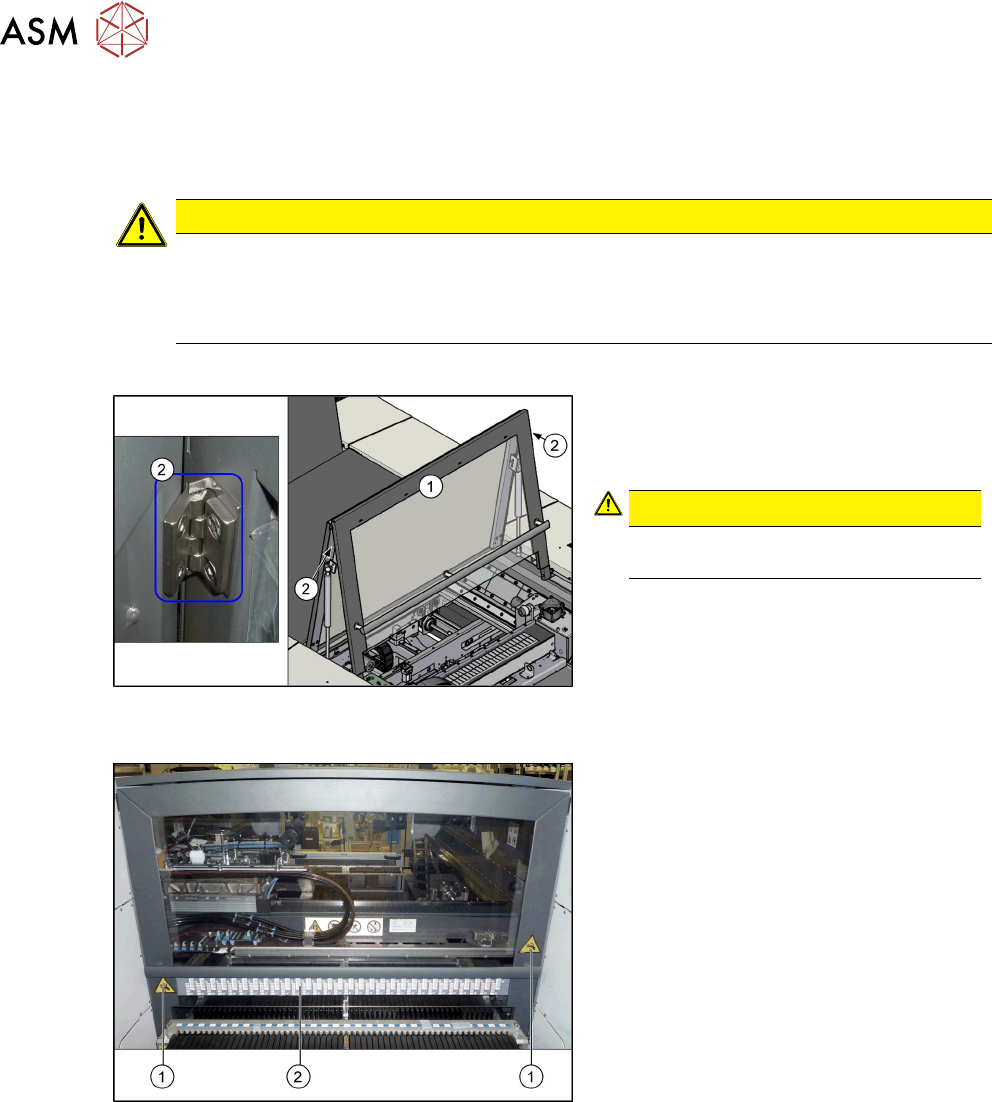
Fig.38: Cover with hinges
1. Cover
2. Hinges on the cover (2x)
CAUTION!
You may need to enlist the help of a
second person for this job.
.
► Loosen the screws fastening the hinges
at the top of the cover. While doing this,
hold the front section of the cover tight.
► Remove the front section of the cover.
► Insert the new front section of the cover
into the machine and screw into place.
Fig.39: Label on the cover
1. Danger of crushing label (2x)
2. Barcode adhesive label
► Attach the following adhesive labels to
the new cover. For their exact posi-
tions, refer to the old cover.
3 Fitting the gantry
3.5 Installing the Gantry
Assembly Instructions / Montageanleitung SIPLACE SX1/SX2 V3 Reconfiguration Kit Twin VHF mit Portal
Reconfiguration Kit Twin VHF with Gantry 06/2020
119
3.5 Installing the Gantry
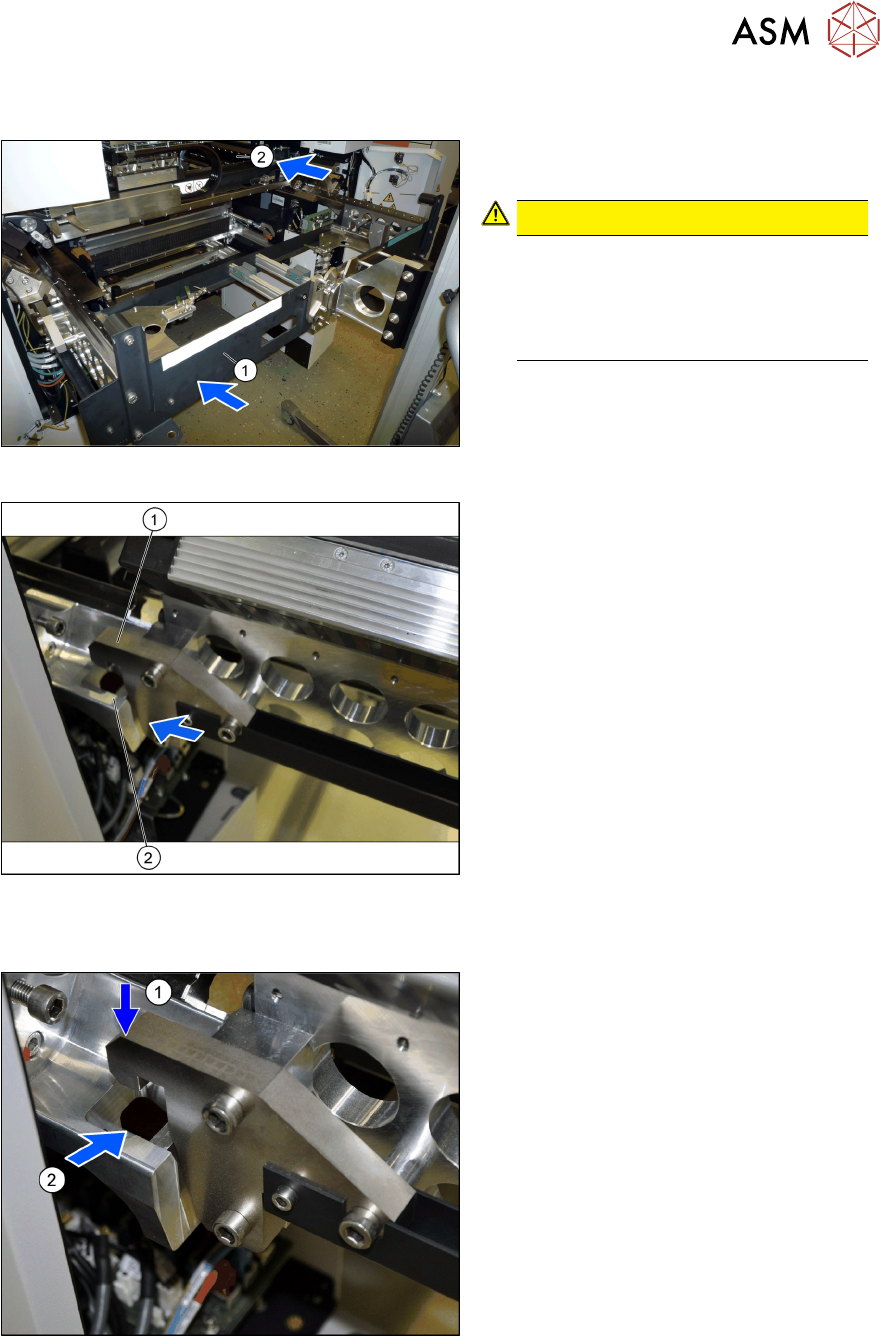
Fig.40: Moving the gantry in
► (1) Use the gantry lift to move the
gantry in front of the machine location.
CAUTION!
Move the gantry carefully
Make sure that you do not hit the
gantry anywhere and do not move it
too far into the machine (2)
. Always
check the right and left sides.
.
Fig.41: Docking in at the gantry carrier
1. Docking hook on the gantry carrier
2. Docking unit on the machine linear
guides
► Move the gantry forwards so that the
gantry carrier docking hooks (1)
are in
front of the machine docking unit (2)
.
► Always check the right and left sides.
Hooking the gantry carrier into place on the machine
Fig.42: Lifting the gantry
► Lift the gantry so that the gantry carrier
docking hooks (1)
are above the
machine docking unit (2)
.
► Carefully lower the gantry so that the
two docking hooks (1)
slide reliably into
the openings in the docking unit (2)
.
► Always check the right and left sides.
3 Fitting the gantry
3.5 Installing the Gantry
120 Assembly Instructions / Montageanleitung SIPLACE SX1/SX2 V3 Reconfiguration Kit Twin VHF mit Portal
Reconfiguration Kit Twin VHF with Gantry 06/2020
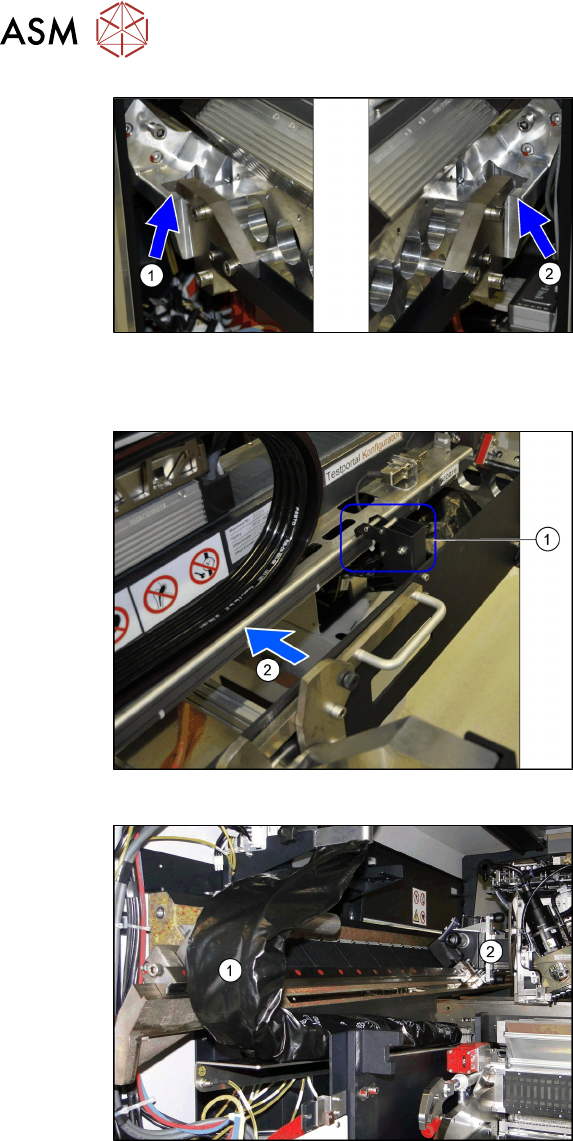
Fig.43: Docking hook hooked into place
The docking hooks are hooked into place on
the left (1)
and right (2) sides.
The gantry carrier with the gantry is now
fixed reliably onto the machine.
Remove the tilt guard and move in the gantry
Fig.44: Opening the tilt guard
► Open the tilt guard (1).
► Push the gantry (2) into the machine so
that both sides of the gantry rest on the
two linear guides.
► Move the gantry lift with the gantry car-
rier out of the location.
Fig.45: Pulling the trailing cable
► Move the gantry (2) into the machine
so that the trailing cable (1)
can be
pulled underneath, through the gantry.