00198783-01_AI_Kit_TwinVHF_Gantry_SXV3_de_en.pdf - 第142页
4 Dismantling a Gantry 4.2 Performing Calibration 142 Assembly Instructions / Montageanleitung SIPLACE SX1/SX2 V3 Reconfiguration Kit Twin VHF mit Portal Reconfiguration Kit Twin VHF with Gantry 06/2020 4.2.1 eSW Downloa…
4 Dismantling a Gantry
4.2 Performing Calibration
Assembly Instructions / Montageanleitung SIPLACE SX1/SX2 V3 Reconfiguration Kit Twin VHF mit Portal
Reconfiguration Kit Twin VHF with Gantry 06/2020
141
4.2 Performing Calibration
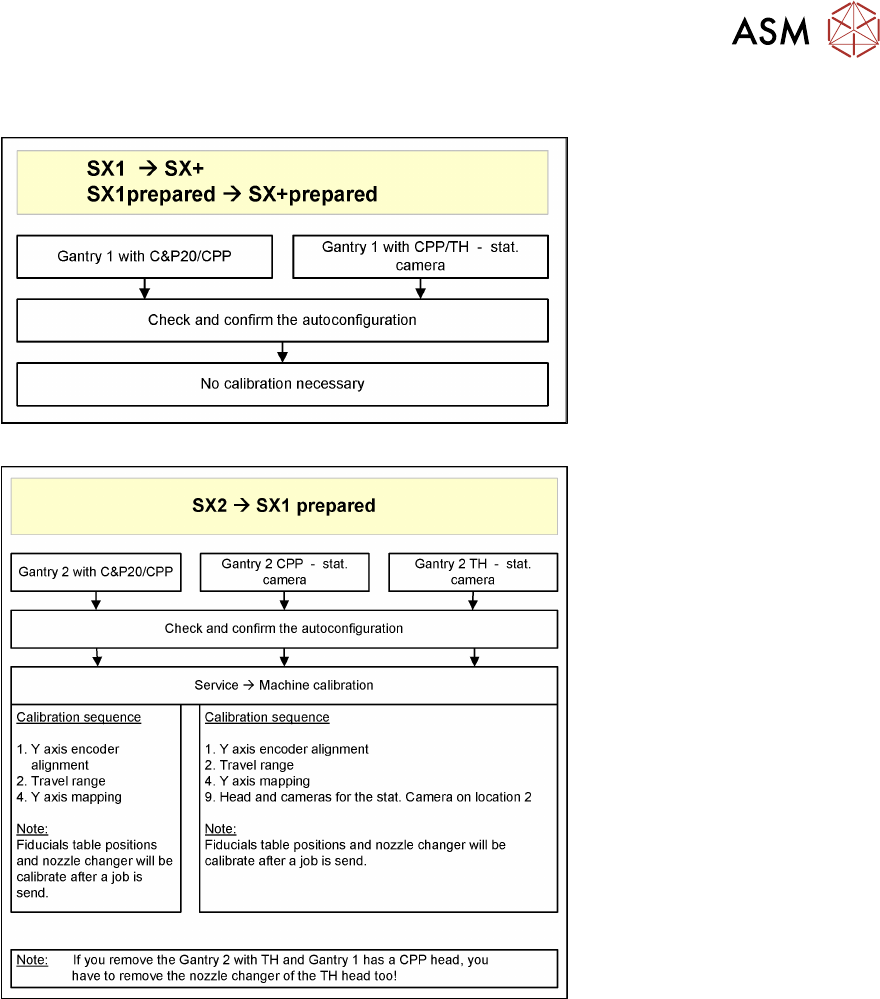
Fig.78: No Calibration
Fig.79: Overall calibration
See also
2 3.7.8 "Performing Calibration" [}130]
4 Dismantling a Gantry
4.2 Performing Calibration
142 Assembly Instructions / Montageanleitung SIPLACE SX1/SX2 V3 Reconfiguration Kit Twin VHF mit Portal
Reconfiguration Kit Twin VHF with Gantry 06/2020
4.2.1 eSW Download (SW 70x)
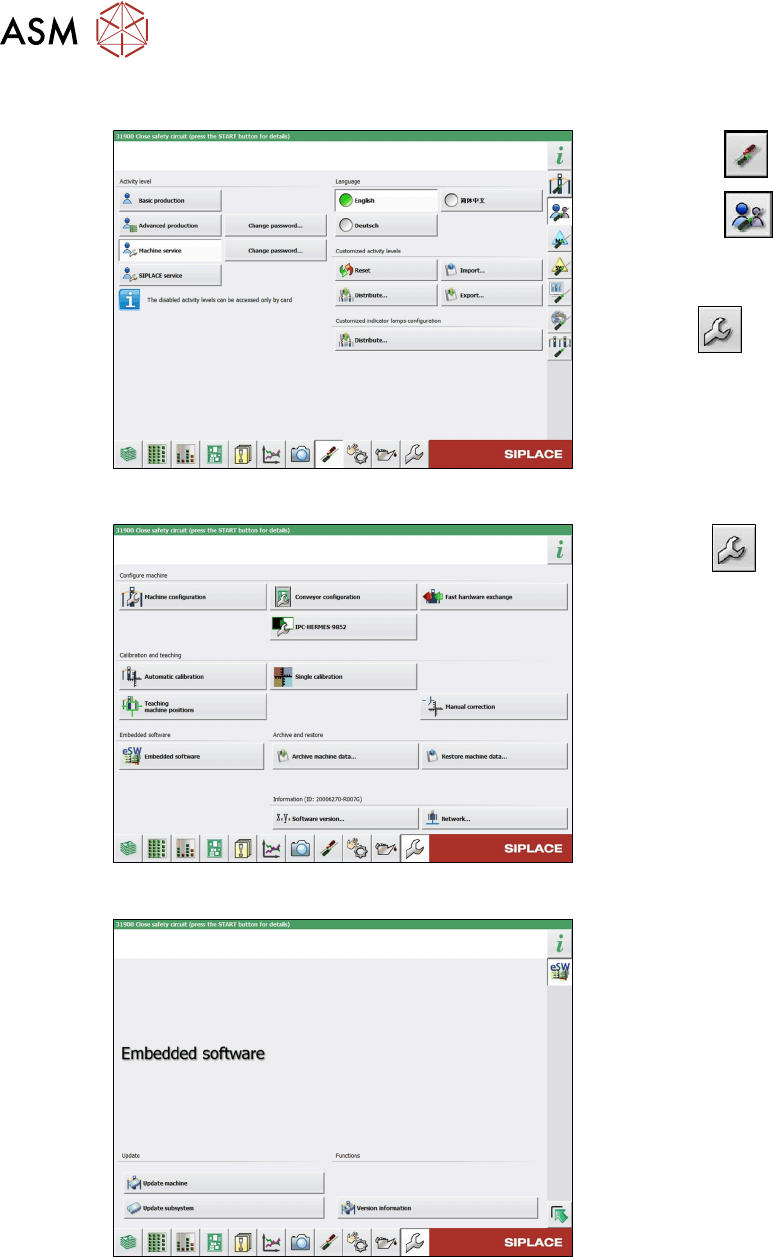
Fig.80: Select operator level
► Select the button.
► Select the button.
► Switch over to the operator level Ma-
chine service.
ð The button will be shown.
Fig.81: Service menu
► Click the button to enter the Ser-
vice menu.
► Click on the Embedded software but-
ton.
Fig.82: Embedded software menu
Select the required function:
► Click on Update machine… to check
the entire machine and to perform an
eSW download for multiple subsystems
(see next picture).
► Click on Update subsystem… to se-
lect one subsystem, check and to per-
form an eSW download.
► Click on the button Version informa-
tion…, to view all versions of the sub-
systems, BIOS, application 1/2/3/5.
4 Dismantling a Gantry
4.2 Performing Calibration
Assembly Instructions / Montageanleitung SIPLACE SX1/SX2 V3 Reconfiguration Kit Twin VHF mit Portal
Reconfiguration Kit Twin VHF with Gantry 06/2020
143
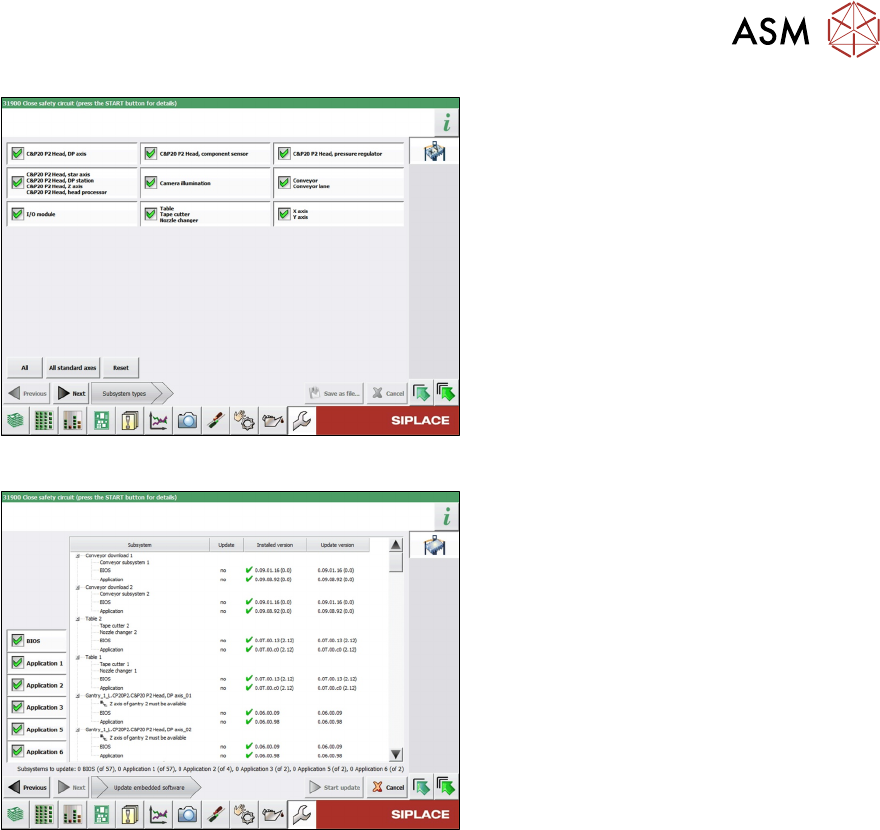
Fig.83: Select subsystem
► Select the subsystem for the eSW
download.
► Click on the Continue button.
Fig.84: Update machine menu
●
On the left, you can see the selection
buttons:
BIOS
Application 1
Application 2
Application 3
....
●
The large main area in the center
shows the status of the individual sub-
systems.
The lower edge of the main area shows
how many subsystems must still be
downloaded.
●
The button Start update starts the
download