00198783-01_AI_Kit_TwinVHF_Gantry_SXV3_de_en.pdf - 第135页
3 Fitting the gantry 3.7 Final Work Assembly Instructions / Montageanleitung SIPLACE SX1/SX2 V3 Reconfiguration Kit Twin VHF mit Portal Reconfiguration Kit Twin VHF with Gantry 06/2020 135 Setups The new gantry configura…
3 Fitting the gantry
3.7 Final Work
134 Assembly Instructions / Montageanleitung SIPLACE SX1/SX2 V3 Reconfiguration Kit Twin VHF mit Portal
Reconfiguration Kit Twin VHF with Gantry 06/2020
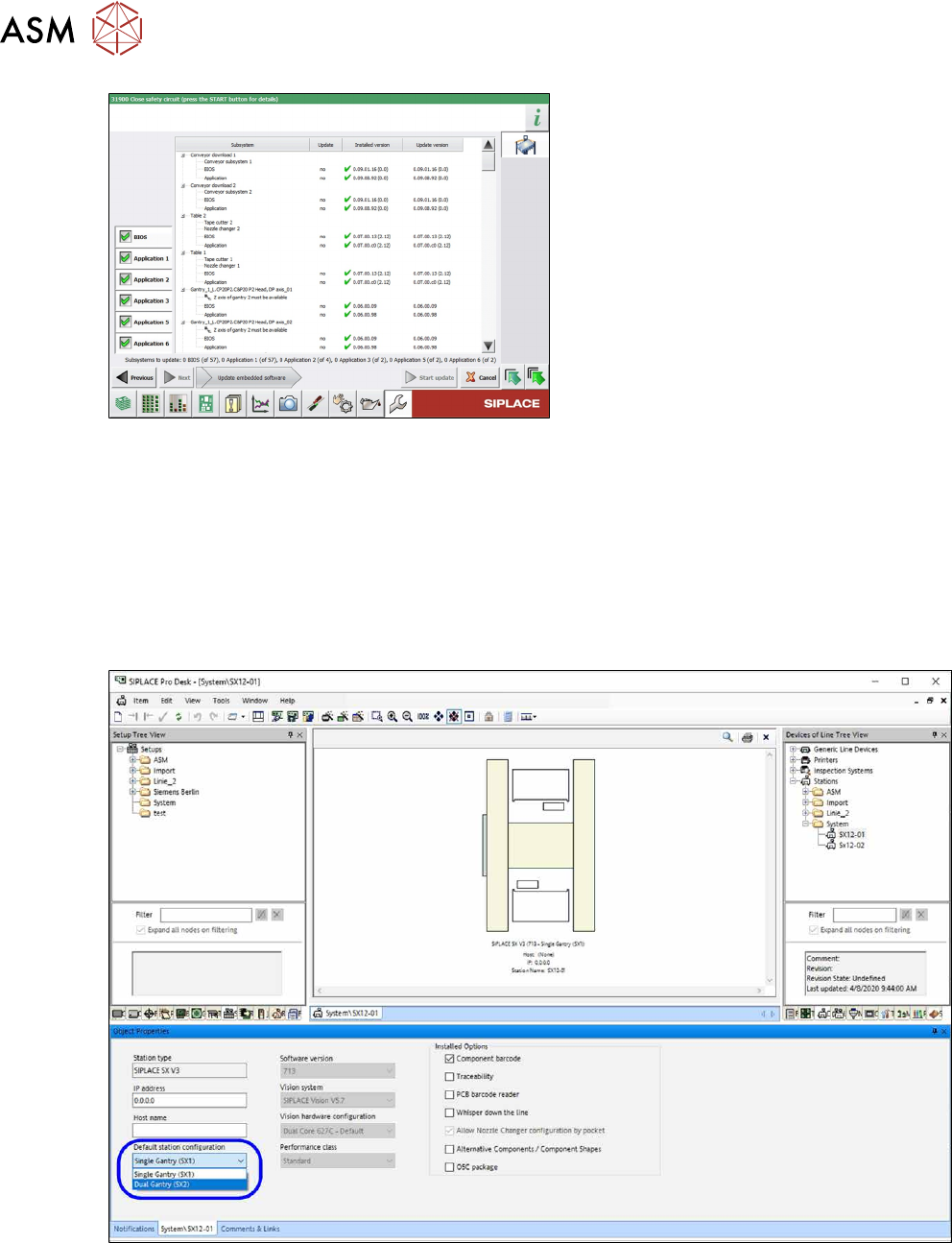
Fig.73: Update machine menu
●
On the left, you can see the selection
buttons:
BIOS
Application 1
Application 2
Application 3
....
●
The large main area in the center
shows the status of the individual sub-
systems.
The lower edge of the main area shows
how many subsystems must still be
downloaded.
●
The button Start update starts the
download
3.7.9 Modifications in SIPLACE Pro
Station
The SX machine type has to be configured in the Station Editor. At the standard station configura-
tion either Single gantry (SX1)
or Double gantry (SX2) can be selected.
The new machine configurations are automatically used for new setups.
After a hardware change adequate modifications have to be made in SIPLACE Pro.
Fig.74: Station configuration setting Single gantry (SX1) or Double gantry (SX2)
3 Fitting the gantry
3.7 Final Work
Assembly Instructions / Montageanleitung SIPLACE SX1/SX2 V3 Reconfiguration Kit Twin VHF mit Portal
Reconfiguration Kit Twin VHF with Gantry 06/2020
135
Setups
The new gantry configuration of the station configuration is used automatically when new setups
are created.
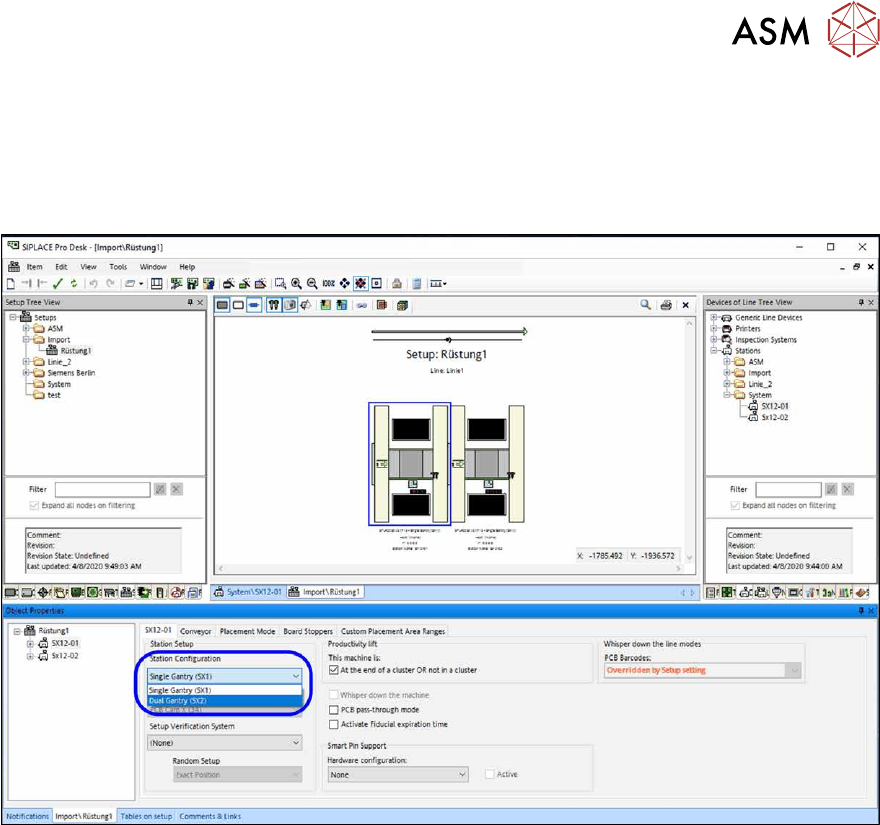
If the existing setups are to be used in the future then each setup must be changed to match the
gantry configuration.
Fig.75: Modification of gantry configuration in the respective setup
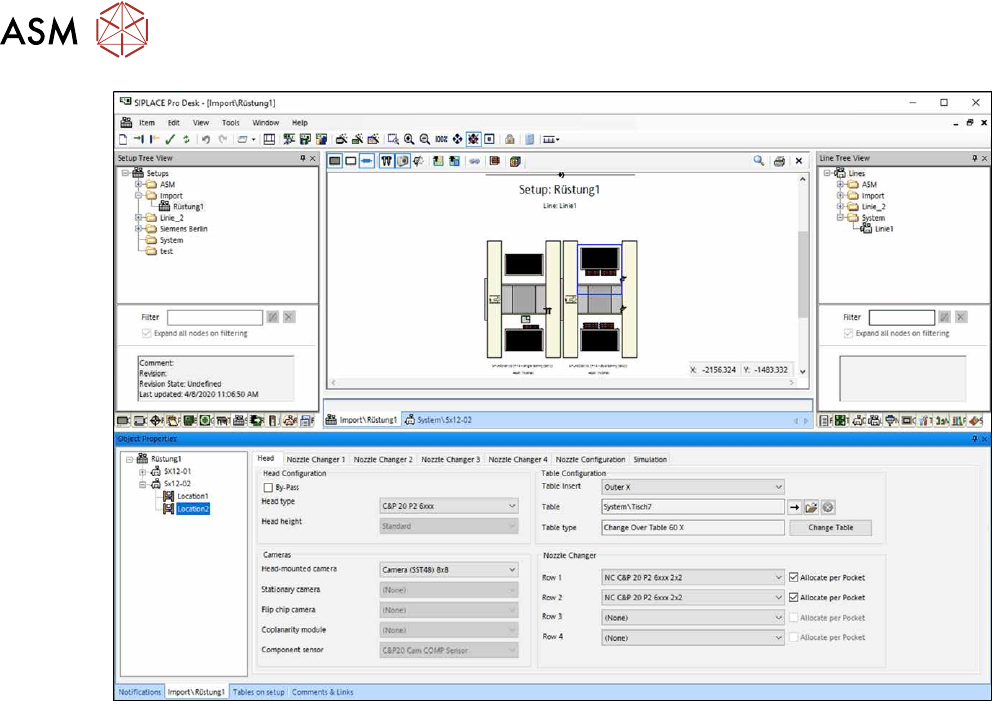
Location 2 can be configured afterwards.
The respective head, cameras, nozzles and tables at location 2 has to be edited.
3 Fitting the gantry
3.7 Final Work
136 Assembly Instructions / Montageanleitung SIPLACE SX1/SX2 V3 Reconfiguration Kit Twin VHF mit Portal
Reconfiguration Kit Twin VHF with Gantry 06/2020
Fig.76: Configuration of head, cameras, nozzles and tables
Recipes / jobs
If existing recipes and jobs should be used in the future then all of them have to be re-optimized
with the new gantry configuration.