N7201A654E.pdf - 第24页
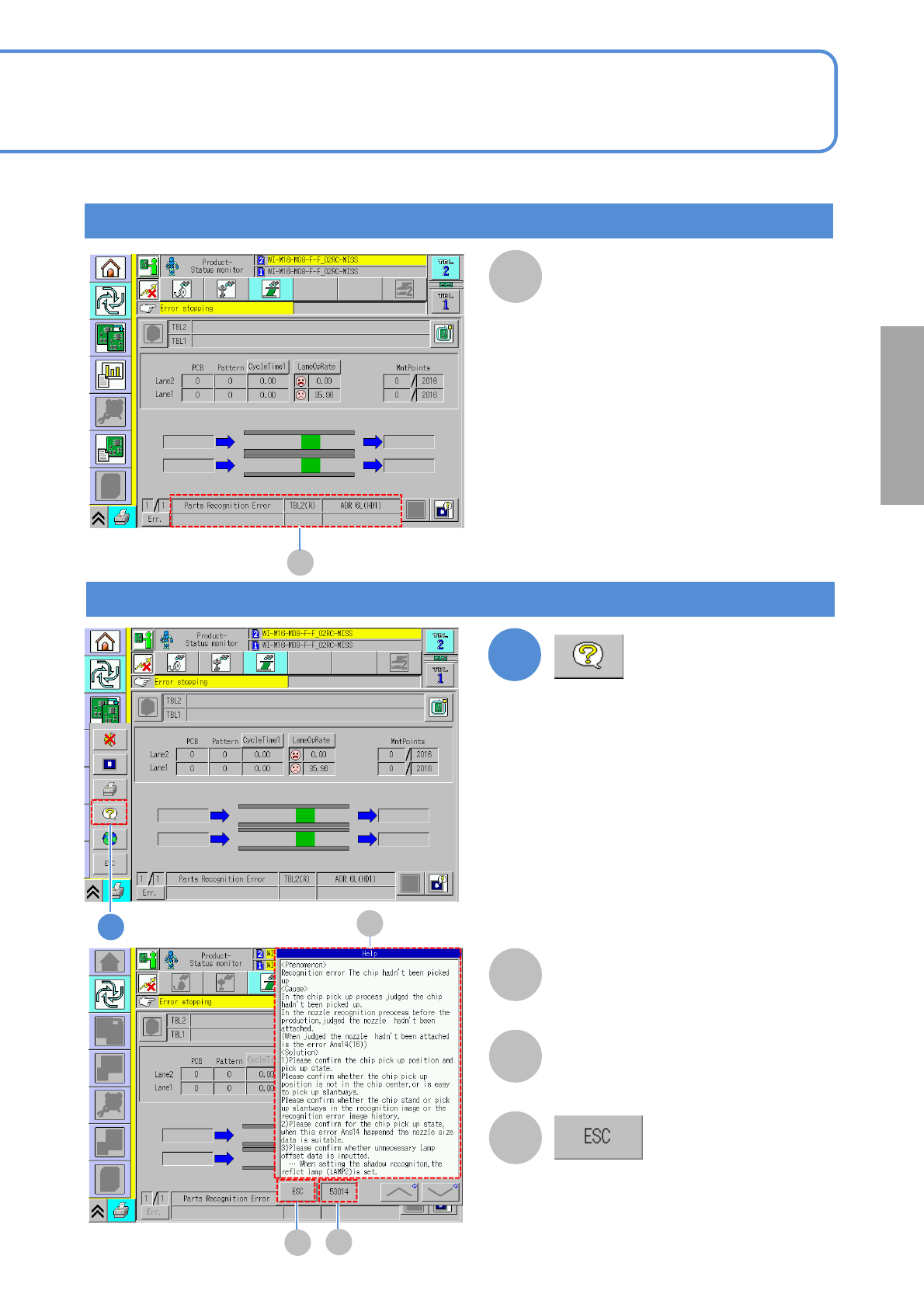
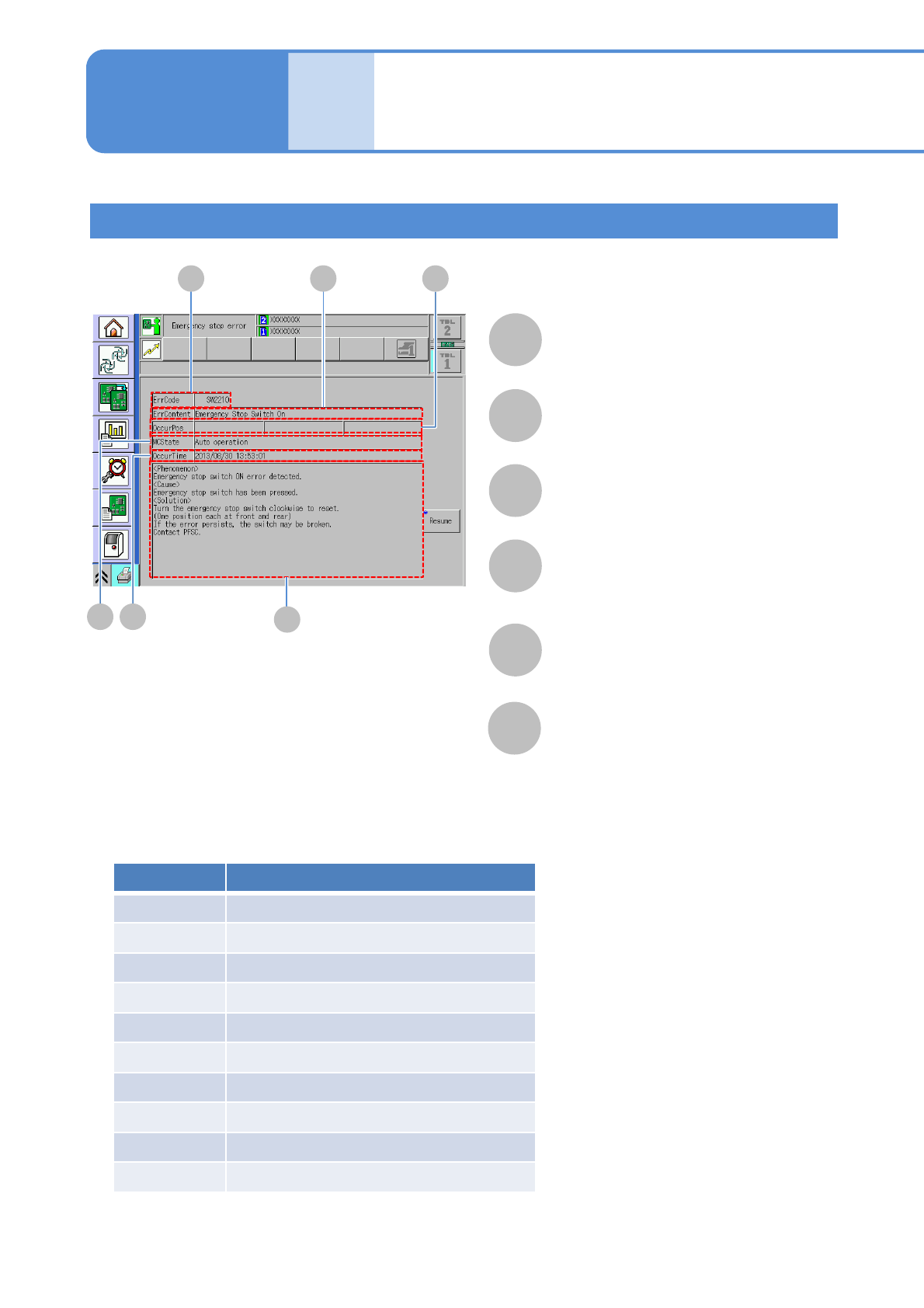
NPM- TT2 EJM1EE-MB-02 T-02 Error Message 2-1-1 -3 Ho w to r ead er ror messa ges 2 Error messages upon emergency stop error F A B D C E A B C D E F ErrContent Displays the error information. OccurPos Displays where the e…
NPM-TT2 EJM1EE-MB-02T-02
Ref. page
2-1-1-2
Error messages upon single stop error
A
A
1
Detail display of an error message
(The Help window is displayed)
B
D
C
B
C
D
Details of errors are displayed on
the Help window.
The error code is displayed.
(Close the Help window)
1
Error message upon single
stop error is displayed in this
area
Solutions to errors
NPM-TT2 EJM1EE-MB-02T-02
Error
Message
2-1-1-3
How to read error
messages 2
Error messages upon emergency stop error
F
A B
D
C
E
A
B
C
D
E
F
ErrContent
Displays the error information.
OccurPos
Displays where the error occurs.
ErrCode
Displays an error code.
MCState
Displays the machine status when error
occurs.
OccurTime
Displays the time when the error occurs.
Help
Displays phenomenon, cause and
solution of each error.
Category Description
SW
Software monitoring error
IL
Interlock error
XY XY unit error
HD Head unit error
FD Feeder unit error
CV Conveyor unit error
TR Tray unit error
AT Automatic operation error
VL Vertical line camera error
OT Other unit error
■ Category of emergency stop error
Troubleshooting
2-1-1
NPM-TT2 EJM1EE-MB-02T-02
Servo Ready OFF
Error Code
Error Message
Cause Inspection and Solution
Target axis is ready OFF.
(SelfCheck error happened.)
Please reset the axis.
40002
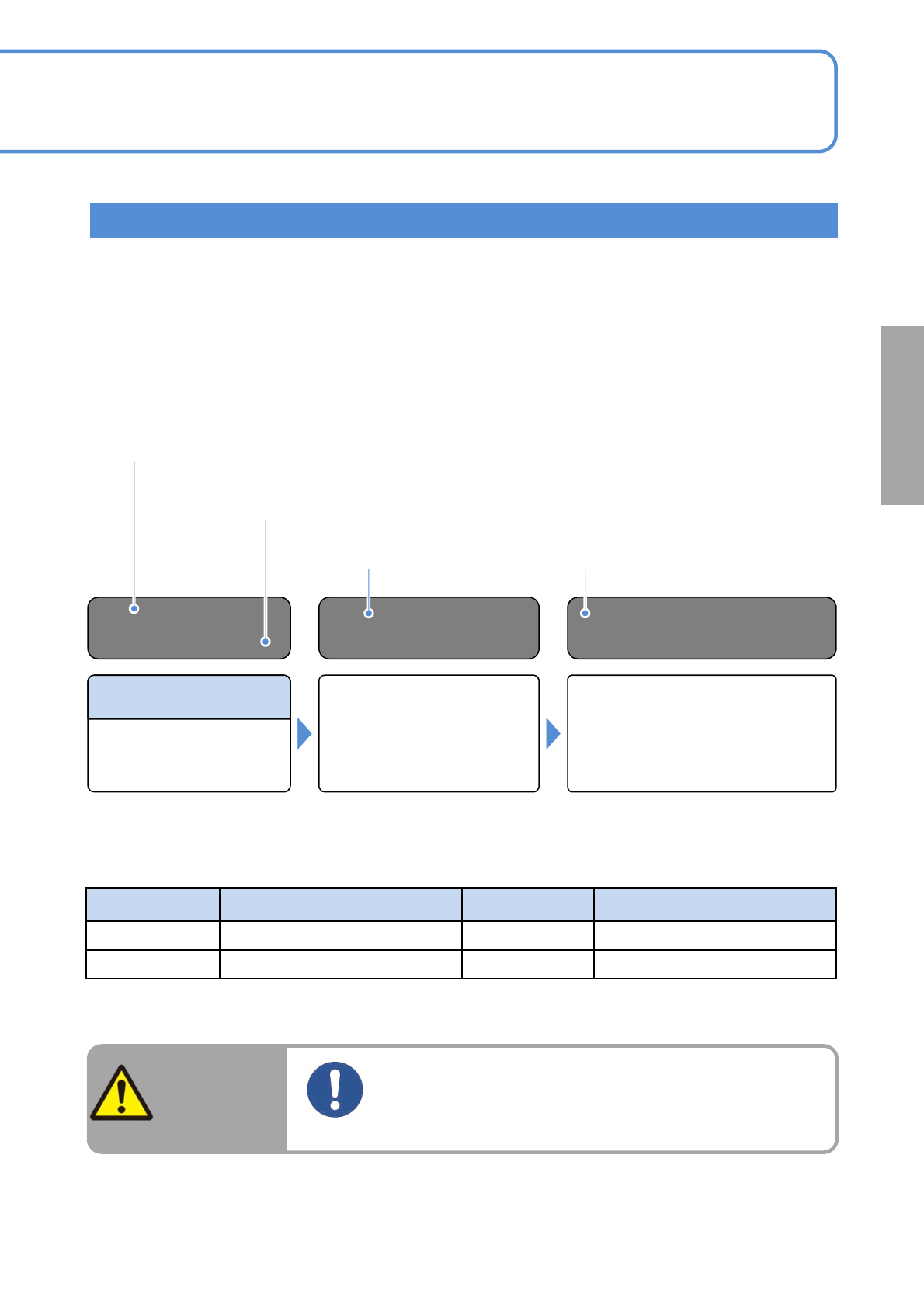
How to read the error message lists
Error message on the touchscreen
Error code No.
Error codes of emergency stop errors consist of category signs (two letters) and numbers
(four digits).
Category signs are listed in the previous page. Only numbers (4 digits) are displays in the list.
This section describes how to read the error message lists. If an error occurs while using the machine,
check the on-screen error message. See the error message lists (2-1-2 to2-1-4) to inspect and solve the error.
Before putting your hands into the machine to inspect and solve an error, be sure to turn OFF the servo
switch.
Causes of error Solutions
2-1-1-4
Solutions to errors
WARNING
Before putting your hands into the moving
parts for adjustments, turn the servo switch
OFF.
Risk of injury due to actuating the machine
abbreviation
Full name
abbreviation
Full name
IF
Interface
LNB
Line Network Box
ILK
Interlock
■Abbreviation displayed on the monitor