N7201A654E.pdf - 第297页
3 Solution to recognition
NPM-TT2 EJM1EE-MB-02T-02
Error
Message
Troubleshooting
2-2
Warning message 3
Code
Message
Cause Solution
Free arrange sequence
change
A process of feeder free
arrangement is executed.
A feeder is set to the feeder
address which is not
specified by the production
data, and production
continues.
To disable an feeder free
arrangement operation, set the
feeder again according to the
production data.
5798
Feeder reset SW
The feeder reset switch has
been detected.
Because pickup of the
applicable feeder is not
performed (skipped), the
feeder can be pulled out.
Pull out the feeder, and confirm the
feeder state and replenish parts.
5815
No PCB warp
correction
It is displayed in the following
cases:
・When “PCB warpage
detection” of software
switch in the production
data is set to “ON” and
“PCB warpage correction”
of the option setting is set
to “OFF”.
・When “PCB warpage
information receipt” of the
communication setting is
set to “ON” and “PCB
warpage correction” of the
option setting is set to
“OFF”.
Confirm the production data and
details of the optional settings.
5918
Feeder firm Version
Warning
The feeder firmware version
does not match the machine
software version.
Upgrade the feeder firmware
version.
6133
2-2-4

3 Solution to recognition
NPM-TT2 EJM1EE-MB-03T-01
Recog-
nition
informat-
ion
Troubleshooting
3-1-1
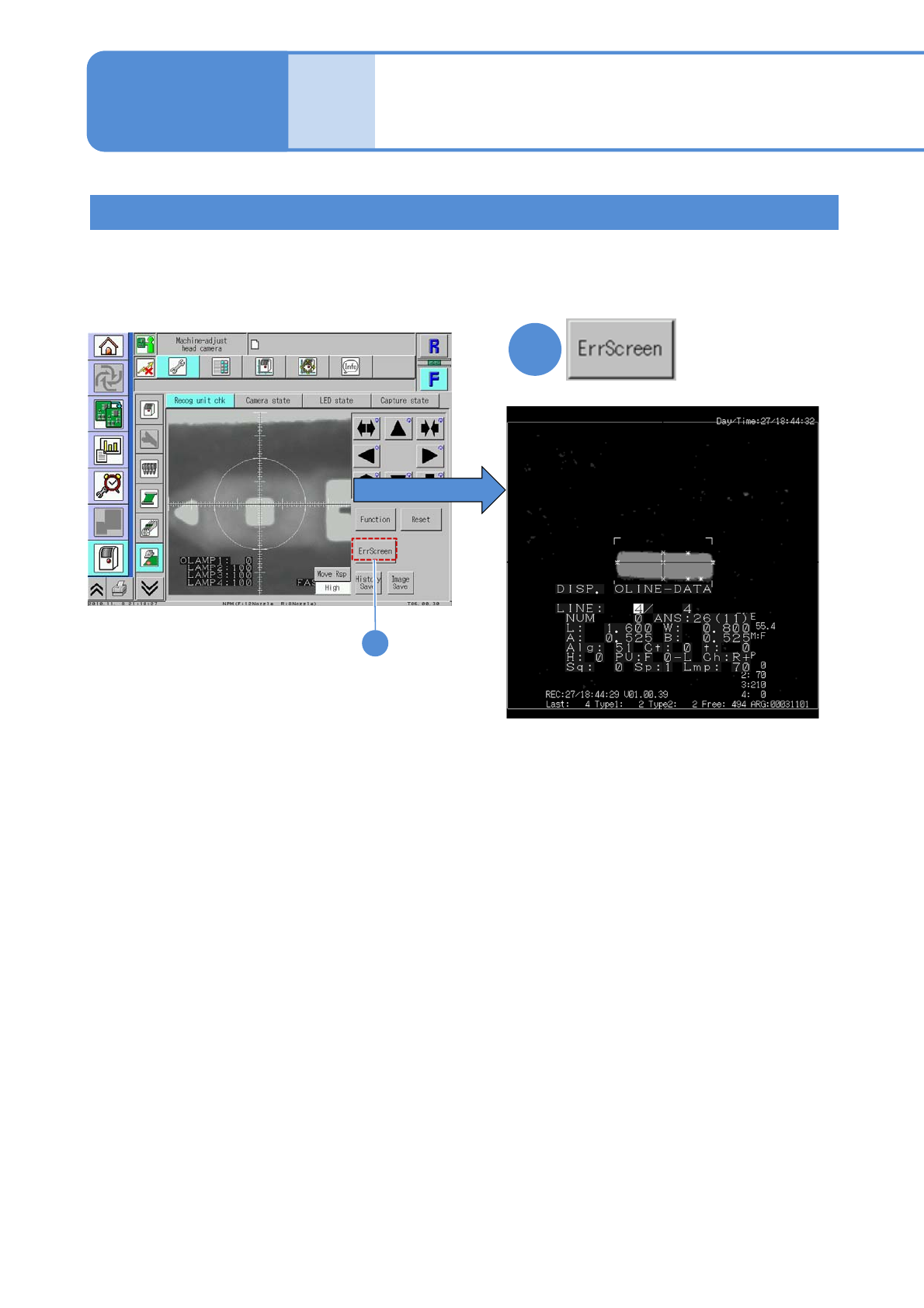
Because the machine stores past recognition errors, you can confirm error information after production has
finished. Please use stored information for your error solutions. (Up to 500 error images can be stored for a
stage.) For how to get and operate this screen, see P. 5-2-10 in the Operating procedure.
1
Pressing the [ErrScreen] causes the error
information to appear on the screen.
(To the next page)
Recognition error screen
1
Recognition information
after production
(memory function)
3-1-1-1